
12 Best Medium Alternatives for Business Blogs (2026)

Short answer: the strongest Medium alternatives in 2026 are Superblog for business blogs built to rank, Ghost for paid memberships and newsletters, Substack for writers monetizing a subscriber list, Hashnode for developer blogs, Blogger and Tumblr for free personal publishing, and Webflow, Squarespace or Wix when the blog sits inside a larger marketing site. HubSpot Content Hub fits teams already running the HubSpot CRM, and Drupal or Joomla fit self-hosted setups with developers on hand.
The dividing line is ownership. Medium hosts your writing on Medium's domain, feeds your readers its own membership upsells, and hands the accumulated SEO equity to medium.com rather than to you. Every platform below gives you more of that back, and the right pick depends on whether you are building an audience, a business, or a personal archive.
Setting up a Medium custom domain, what it costs and what breaks, is covered separately.
Helpful Summary
Overview: Twelve Medium alternatives compared on 2026 pricing, custom domain support, and what each one is actually built for.
Why you can trust us: We publish verified pricing with the date we checked it, we name the platforms that beat us on specific features, and we removed a platform from this list that shut down.
Why this is important: Medium is a fine place to be read. It is a poor place to build a business asset, because you do not own the domain, the audience, or the traffic.
Action points: Start with the comparison table, then read the two or three entries that match your goal. Weigh custom domain support, SEO control, and whether you can export your content later.
Further research: Check out the Superblog blog for more SEO, writing, and blogging tips, or read our wider guide to picking a blogging platform.
Medium Alternatives Compared (2026)
Pricing verified August 10, 2026. Figures move, so check the current plan page before you commit.
| Platform | Starts at | Own domain? | Best for |
|---|---|---|---|
| Superblog | $49/mo (Pro) | Yes, including yoursite.com/blog | Business blogs built to rank |
| Ghost | $18/mo billed yearly | Yes, on every plan | Paid memberships and newsletters |
| Webflow | $25/mo billed yearly | Yes | Design-led marketing sites |
| Squarespace | Basic tier (lineup changed in 2026) | Yes | Template-driven brand sites |
| Wix | $17/mo billed yearly | Yes | Small business sites with a blog |
| Blogger | Free | Yes | Zero-budget personal blogs |
| HubSpot Content Hub | Free tier, then $7/seat/mo | Yes | Teams already on HubSpot CRM |
| Tumblr | Free | Yes | Visual, community-driven posting |
| Substack | Free, 10% of paid subscriptions | Yes | Writers monetizing a subscriber list |
| Drupal | Free, self-hosted | Yes | Large multilingual sites with developers |
| Joomla | Free, self-hosted | Yes | Self-hosted sites needing extensions |
| Hashnode | Free, Pro at $5/mo | Pro only since June 2026 | Developer blogs |
Why Move Off Medium?
Medium solved distribution for writers who had none. That trade looks different once you are building a company blog.
If the question is whether a company should be on Medium at all, the answer is worked through in Medium for a business blog.
If the doubt is about the platform's track record, read is Medium reliable before choosing a replacement.
You cannot host Medium at yoursite.com/blog. Medium supports a custom domain and nothing beyond it, so the authority your posts earn accrues to a domain you do not control. There are no lead generation forms, which means a reader who loves your post has no path into your funnel. And Medium actively converts your readers into its own paying members, because the membership upsell is the business model.
The Partner Program reinforces this. Earnings are driven by how long paying Medium members spend reading your work, and a member read is only counted once someone reads or listens for at least 30 seconds. Your reach is therefore capped by Medium's subscriber base rather than by your own audience. If you would rather the traffic land on your domain, our breakdown of why Medium falls short for content marketing goes deeper, and adding a blog to your existing website covers the mechanics.
Why Listen to Us?
More than 500 companies have run their blogs on Superblog, so we spend a lot of time inside migrations off Medium, WordPress, and Ghost. That gives us a specific view of where each platform holds up and where it does not.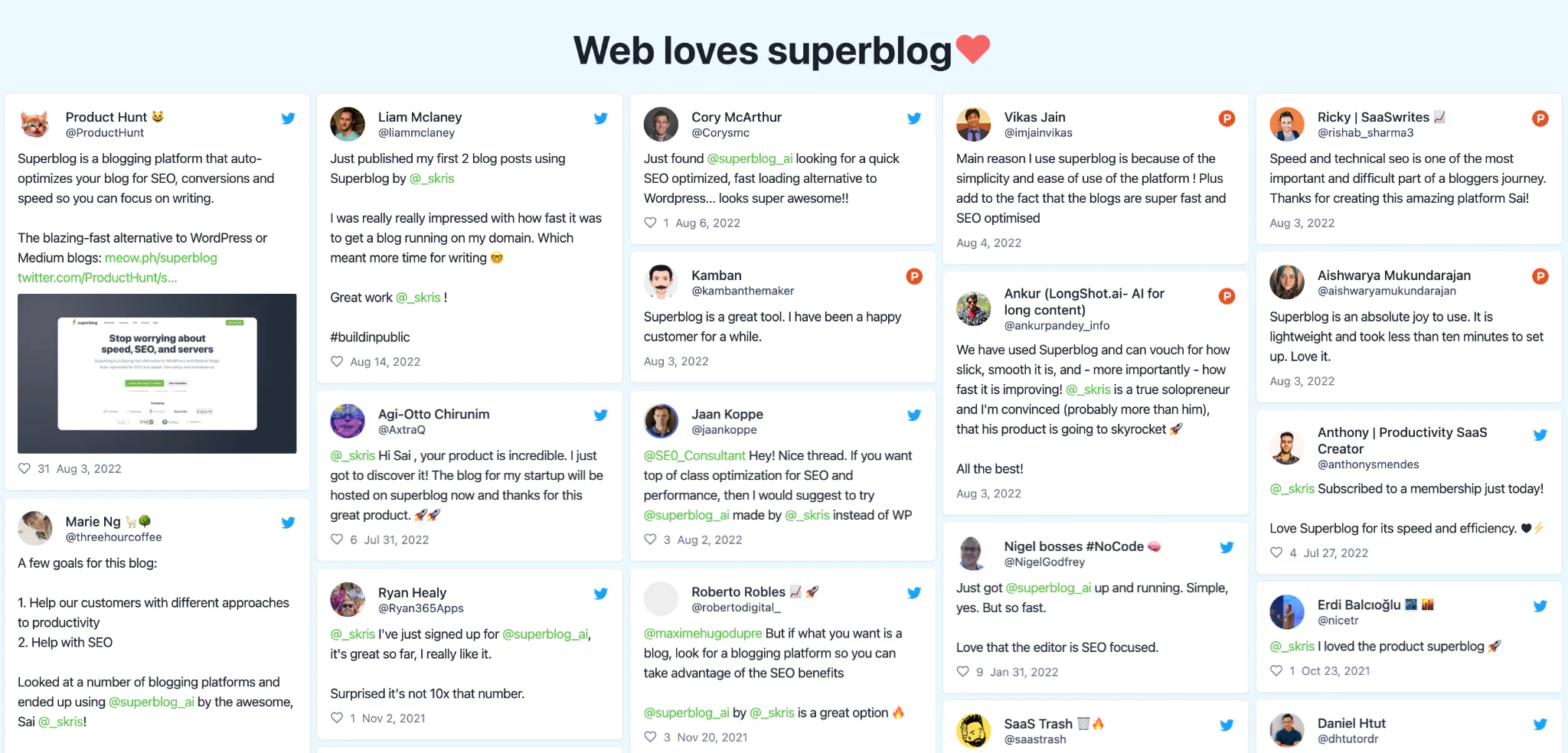
12 Best Medium Alternatives
Superblog
Ghost
Webflow
Squarespace
Wix
Blogger
HubSpot Content Hub
Tumblr
Substack
Drupal
Joomla
Hashnode
1. Superblog
Superblog is a fully managed blogging platform for companies that treat organic search as a growth channel. It ships the whole stack: CMS, front end, hosting, and an SEO engine that runs without configuration.
The difference against Medium is structural. Your posts live on your own domain, usually at yoursite.com/blog, so every link and every ranking compounds into the domain you are already trying to grow.
Features
Subdirectory hosting: Run the blog at yoursite.com/blog rather than a separate property. Subdomain and root domain setups are supported too, and SSL and CDN are handled for you.
90+ Lighthouse, automatically: Pages are pre-built and served from a CDN with 200+ edge locations, with images converted to WebP on upload. No performance work required on your side.
Auto JSON-LD schemas: Article, FAQ, Organization, and Breadcrumb structured data is generated for every post without touching code.
Auto XML sitemaps: Regenerated on every deploy, so new posts are listed the moment they go live.
IndexNow: Publishing a post fires an automatic IndexNow submission to Bing, Yandex, and other participating engines. No plugin, no manual pings.
LLMs.txt: Superblog generates and refreshes an llms.txt file at your blog's root path on every deploy, toggleable under Settings > SEO. What actually earns citations in AI search is server-rendered HTML at a stable URL, which is what every Superblog page already is.
Internal link suggestions: The editor analyzes a draft against your existing posts and surfaces up to 10 relevant internal links, with anchor text pulled from your own copy and one-click insertion.
Lead generation forms: Built in, below posts, in the sidebar, or as pop-ups. No third-party embed needed.
Team collaboration: Up to 5 members on Pro and 10 on Super, with Admin, Editor, and Writer roles plus review and approval before publishing.
AI Helper (Super plan): Give it a keyword and it returns an SEO-oriented title plus a structured H2/H3 outline with notes on what belongs in each section.
Multilingual SEO (Super plan): 41 languages with auto-translation, subdirectory locales, hreflang tags in both the head and the sitemap, and separate per-language sitemap files.
Zero maintenance: Static pages mean no plugins to patch, no database to inject, and no admin panel to brute force.
Getting your Medium archive across
Superblog imports Medium content, and it is worth being precise about how, because Medium has no import API. You request a ZIP export from Medium, which can take a few hours on their side, then upload it to Superblog and pick which posts to bring over in a preview screen. Slugs, titles, and publish dates are read out of the exported HTML, so URLs usually carry across. A post whose export lacks a canonical link falls back to a slug generated from its title.
That is genuinely more work than the one-click imports Superblog offers for WordPress, Ghost, Webflow, Wix, Shopify, Drupal, Blogger, and Docusaurus, where you point Superblog at a URL (or, for Webflow and Wix, an API token) and the content is pulled for you. We would rather set that expectation now than have you discover it mid-migration.
Pricing
Two plans, a 7-day free trial with no credit card, and a 30-day money-back guarantee.
Pro ($49/mo, $530/yr): 5 team members, up to 1,000 posts, scheduled publishing, privacy-friendly analytics, collaborative review
Super ($99/mo, $1,070/yr): 10 team members, AI Helper, multilingual SEO, REST API, MCP integration, Zapier, lead webhooks
Pros and Cons
Pros
Blog runs on your own domain at yoursite.com/blog
90+ Lighthouse score on every page, automatically
Auto schemas, sitemaps, and IndexNow on publish
Internal link suggestions built into the editor
Lead capture forms included
Free SSL, CDN, and 99.99% uptime
No plugins, updates, or security patches to manage
Cons
No memberships or paywalls. Ghost and Substack are the right call if you sell subscriptions.
Purpose-built for blogging, not a general website builder. Webflow and Squarespace cover that ground.
$49/mo entry is not the cheapest on this list. Blogger, Tumblr, and Hashnode are free.
AI Helper and multilingual SEO sit on the $99/mo Super plan.
Medium import needs a ZIP export first, so it is not one-click.
2. Ghost

Ghost is an open-source publishing platform for blogs, newsletters, and paid memberships. Of everything on this list it is the closest replacement for a Medium writer who wants to charge readers directly, because subscriptions and email delivery are core product rather than add-ons.
Features
Memberships and subscriptions: Native paid tiers, recurring billing, and member-only posts.
Email newsletters: Every post can go out to subscribers as an email, no separate email tool required.
Open source and customizable: Self-host for free if you have the engineering appetite, or pay for Ghost(Pro) hosting. Themes are fully editable.
SEO: Ghost added an llms.txt toggle in 2026, though it is opt-in rather than automatic. IndexNow remains an off-by-default labs flag set in a config file rather than a UI setting.
Pricing
As of August 2026, Ghost(Pro) lists four plans, priced at their lowest member tiers and billed yearly:
Starter ($18/mo): Standard integrations, custom domain
Publisher ($29/mo): Unlimited custom themes
Business ($199/mo): Advanced domain configuration, priority support
Custom: Quoted individually
Prices rise as your member count grows. Self-hosting is free, but you own the servers, updates, and backups.
Pros and Cons
Pros
Best-in-class memberships and newsletters
Open source with a real self-host option
Custom domain on every paid plan
Cons
Price scales with audience size, not with value delivered
Self-hosting needs technical maintenance
Subdirectory hosting requires the $199/mo Business plan plus a roughly $50/mo add-on, and you still run the reverse proxy yourself
3. Webflow

Webflow is a visual website builder with a CMS attached. It is a strong pick when the blog is one section of a designed marketing site and you want pixel control without writing front-end code.
Features
Visual CMS: Custom content types and on-page editing, so a designer can shape the post template directly.
Managed hosting: Hosting, SSL, and CDN are included with a site plan.
Collaboration: Guest access for agencies and freelancers, plus commenting.
Pricing
Webflow overhauled its site plans in May 2026, folding the old CMS and Business tiers into a single Premium plan. As of August 2026 that plan is $25/mo billed yearly or $39/mo billed monthly, and it includes 20,000 CMS items across 40 collections. The old $29 CMS and $49 Business plans, and the CMS item add-ons that went with them, were retired in that change. If you are reading an older comparison that quotes 2,000 CMS items, it is out of date.
Pros and Cons
Pros
Total design control without front-end code
Generous CMS item limits since the 2026 repricing
No plugins to install or maintain
Cons
Steep learning curve for non-designers
Built landing-page first, so the writing and editing experience is secondary
Workspace seats are billed separately from site plans
4. Squarespace

Squarespace trades flexibility for polish. You pick a template, adjust colors and type, and get a site that looks professionally designed without hiring anyone. The blog module is competent rather than remarkable.
Features
Template library: A deep set of modern, typography-led templates with generous whitespace.
Responsive by default: Every template adapts to mobile without separate work.
Marketing and analytics: Email campaigns, social integrations, and built-in traffic reporting.
Pricing
Squarespace retired the old Personal, Business, and Commerce tiers and moved to a four-plan lineup of Basic, Core, Plus, and Advanced, with a further price adjustment in mid-2026. We could not confirm the current figures against Squarespace's live pricing page at the time of writing, and we would rather leave a number out than print a stale one, so check squarespace.com/pricing for today's rates. Any comparison still quoting "Personal $16, Business $23" is describing a lineup that no longer exists.
Pros and Cons
Pros
Genuinely attractive templates out of the box
No code required at any point
Hosting, SSL, and domain bundled
Cons
Editor is cumbersome for long-form writing
Limited control over technical SEO
Plan structure and pricing changed twice in 2026
5. Wix

Wix is a drag-and-drop website builder with a dedicated blogging app bolted on. Its most Medium-like feature is member profiles: readers can create accounts, follow posts, comment, and interact with each other, which gives a small site some of the community texture Medium provides.
Features
Blogging app: Categories, tags, scheduling, comment moderation, and social and email integrations.
Media manager: In-place image editing with filters, effects, and captions.
Multilingual: Translate the site for international audiences.
Pricing
As of August 2026, Wix lists four website plans, with the entry Light plan at roughly $17/mo billed annually. Light removes Wix branding and includes 2 collaborators and a free domain for the first year, which makes it the blog-relevant tier. Core, Business, and Business Elite sit above it and add commerce features you probably do not need for a blog.
Pros and Cons
Pros
Capable rich text editor
Reader accounts and community features
Blog-specific analytics
Cons
Export options are limited, so leaving later is painful
Website builder first, blog second
Technical SEO control lags purpose-built blog platforms
Leaving Wix later is harder than joining it; Wix blog export covers the routes that work.
6. Blogger

Blogger is Google's own blogging service, still running and still free in 2026. It is the lowest-friction way to get words on the internet with a custom domain attached, and it integrates naturally with Google Analytics, AdSense, and Drive.
Features
Domain flexibility: A free blogspot.com subdomain, or connect a custom domain you own.
AdSense built in: Monetization through Google's own ad network with no third-party setup.
Google-grade reliability: Hosting and security handled by Google at no cost.
Pricing
Free. You pay only for a custom domain if you want one.
Pros and Cons
Pros
Free with no post limits
Custom domain supported
Native AdSense monetization
Cons
Feature development has been minimal for years
Dated templates and editor
Requires a Google account, and Google has retired products before
7. HubSpot Content Hub

Content Hub is HubSpot's CMS, and its case rests almost entirely on the CRM sitting behind it. If your sales team already lives in HubSpot, a blog post, the form on it, and the deal it eventually produces stay connected without integration work.
Features
Adaptive testing: Test multiple versions of a page and let HubSpot pick the winner.
Lead generation: Native CTAs, forms, and live chat wired directly into the CRM.
Integrated marketing: SEO recommendations, social scheduling, and email in one account.
Pricing
As of August 2026, Content Hub has a wider range than it used to:
Free ($0): Up to 2 users
Starter ($7/seat/mo billed annually, $20/seat/mo monthly): Per-seat pricing
Professional (from $450/mo): 3 core seats included
Enterprise (from $1,500/mo): 5 core seats, content approvals
Pros and Cons
Pros
Free and Starter tiers now exist, which was not true a year ago
Blog readers flow straight into the CRM as contacts
Strong content operations tooling for larger teams
Cons
The jump from Starter to Professional is steep
Overkill unless you are already committed to HubSpot
Per-seat pricing adds up quickly on growing teams
8. Tumblr

Tumblr is a microblogging platform and a social network at the same time. Like Medium it comes with a built-in audience and a reblog culture, which makes it one of the few alternatives that replicates Medium's distribution rather than just its editor.
Features
Tagging: Tags drive discovery inside Tumblr, which is where most of its traffic comes from.
Multi-format posting: Text, images, video, links, quotes, and audio, all first-class post types.
Social graph: Following, liking, and reblogging give posts a distribution path Medium users will recognize.
Pricing
Creating and running a Tumblr blog is free. Tumblr Premium, which replaced the old Ad-Free subscription in 2024, is a reader-side subscription that removes ads and raises posting limits. It is optional and unrelated to publishing.
Pros and Cons
Pros
Free, with a genuine built-in audience
Strong mobile app
Custom domain supported
Cons
Analytics are thin
Community skews personal and creative rather than B2B
Not a credible home for a company blog
9. Substack

Substack is a newsletter platform that also publishes a web archive. For a Medium writer who wants to own the reader relationship and charge for it, Substack is the most direct swap, because you keep an email list you can export.
Features
Paid subscriptions: Free and paywalled posts, managed billing, no separate payment setup.
Rich media: Embedded images, video, and audio inside posts.
Analytics: Open rates, read counts, and subscriber sources.
Pricing
Publishing free content is free at any subscriber count. Turn on paid subscriptions and Substack takes 10% of subscription revenue, with Stripe charging roughly 2.9% + $0.30 per transaction plus a small recurring-billing fee on top.
Pros and Cons
Pros
No ads and no algorithmic feed between you and your readers
You can export your subscriber list
Nothing to pay until you earn
Cons
10% of revenue is expensive once you scale
Newsletter-first, so it is a weak fit for an SEO-driven business blog
Limited control over site structure and technical SEO
If Substack's newsletter-first model is not the right fit for a business blog either, our Substack alternatives roundup covers platforms built for publishing over subscriptions.
10. Drupal

Drupal is an open-source CMS built for complex, high-volume sites. Its multilingual support is unusually strong out of the box, which makes it a serious option for organizations publishing across many languages.
Features
Modular architecture: Thousands of contributed modules and themes to extend the core.
Editorial workflow: Content moderation states, revisions, and review queues for large teams.
Taxonomy: Hierarchical categorization that holds up on very large content libraries.
Pricing
Free under the GPL. Your real costs are hosting, developer time, and ongoing maintenance.
Pros and Cons
Pros
Scales to very large sites
Mature security processes
Strong native multilingual support
Cons
Steep learning curve
No vendor support line
Overbuilt for a straightforward company blog
11. Joomla

Joomla sits between WordPress and Drupal: more structure than the former, less complexity than the latter. Blogging is not native to the core, so most Joomla blogs run on an extension.
Features
Blogging extensions: EasyBlog and similar add a drag-and-drop editor, post ratings, and social auto-posting.
Taxonomy: Solid category and tag structures for organizing content.
Comments via extensions: No native commenting, but Komento and others fill the gap.
Pricing
The core software is free and open source. Many of the extensions and templates that make it usable as a blog are commercial, so budget for those.
Pros and Cons
Pros
Free and open source
Flexible templating
Good middle ground on complexity
Cons
Blogging depends on third-party extensions
Self-hosted, so security patching is your job
Smaller ecosystem than WordPress or Drupal
12. Hashnode
Hashnode is a developer-focused publishing platform and the closest thing to Medium for engineering audiences: a shared community feed, a clean editor, and markdown-native writing. It is new in this year's list, replacing HubPages, which stopped accepting new posts and accounts in November 2025 and ended its Earnings Program in January 2026.
Features
Markdown-native editor: Write in markdown with code blocks that render properly, which matters more than it sounds for technical posts.
Community feed: Built-in developer readership, similar in spirit to Medium's distribution.
Headless mode and GraphQL API (Pro): Pull your posts into a custom front end.
GitHub backup (Pro): Sync posts to a repository with version history.
Pricing
The free plan covers one publication with unlimited posts. Hashnode Pro launched on June 11, 2026 at $5/mo per seat or $50/yr, and it now gates custom domains, the API, headless mode, scheduled publishing, branding removal, and up to 10 publications. Publications that already had a custom domain before Pro launched were grandfathered in.
Pros and Cons
Pros
Free tier is genuinely usable
Excellent writing experience for technical content
Pro is inexpensive at $5/mo
Cons
Custom domains moved behind Pro in June 2026
Audience is developers, so it is a poor fit for most B2B marketing
No subdirectory hosting on your main domain
Free Medium Alternatives: What Is Actually Free
"Free" hides a lot of variation, so here is the honest breakdown.
Genuinely free, custom domain included: Blogger and Tumblr. You pay only for the domain name itself.
Free to publish, paid to monetize: Substack. Nothing to pay until you switch on paid subscriptions, then 10% of revenue plus Stripe fees.
Free tier, custom domain behind a paywall: Hashnode. The free plan is real, but custom domains became a $5/mo Pro feature in June 2026.
Free software, paid infrastructure: Drupal and Joomla. The license costs nothing; hosting, developer time, and maintenance do.
Free tier with limits: HubSpot Content Hub, free for up to 2 users.
Worth saying plainly: Superblog has no free plan. It starts at $49/mo, with a 7-day trial that does not ask for a card and a 30-day money-back guarantee. If budget is the binding constraint, Blogger or Hashnode will serve you better today.
Medium Alternatives for Writers Who Want to Earn
Medium's Partner Program pays out of a pool funded by member subscriptions, distributed according to how much time paying members spend on your stories. Two consequences follow. Your income depends on Medium's subscriber growth rather than yours, and readers who are not Medium members generate no earnings no matter how much they love the piece.
The alternatives split into two models:
Own the relationship: Substack and Ghost let you charge readers directly and keep the list. Substack takes 10% and needs no upfront spend. Ghost takes nothing beyond its hosting fee, which is cheaper at scale and more expensive at the start.
Monetize attention: Blogger routes through AdSense with no revenue share to the platform, which suits high-traffic, low-intent content.
For a business, there is a third model that usually beats both: publish on your own domain and let the content generate leads and customers instead of subscription revenue. That is what Superblog is built for, and it is why lead capture forms are a core feature rather than an integration.
Underrated Medium Alternatives
Three picks that rarely make these lists and probably should.
Hashnode: A free plan with unlimited posts and a community feed, and a Pro tier at $5/mo. For a technical audience it outperforms platforms costing ten times more.
Blogger: Unglamorous and quietly excellent at the one job it has. Free, fast, stable, custom domain supported, and it has outlived most of the platforms that were supposed to replace it.
Ghost self-hosted: Everyone quotes Ghost(Pro) pricing and forgets the software is open source. If you can run a server, you get memberships and newsletters for the cost of hosting.
Frequently Asked Questions
What is the best free alternative to Medium?
Blogger, if you want a custom domain at zero cost. Hashnode, if you write for developers and can live on a hashnode.dev subdomain until you upgrade. Both let you publish unlimited posts without paying anything.
Are there sites like Medium with a built-in audience?
Tumblr and Hashnode are the closest. Both have community feeds where posts get discovered inside the platform rather than only through search. Substack's recommendation network works similarly for newsletters. Self-hosted platforms give you control instead of an audience, so you supply the distribution through SEO, email, or social.
Which Medium alternative is best for readers?
If you are looking for somewhere to read rather than publish, Substack has the deepest catalogue of independent writing, and Tumblr and Hashnode both have active community feeds. Medium's own reading experience remains strong. The complaint in this article is about publishing on it, not reading it.
Can I move my Medium posts to another platform?
Yes. Request a ZIP export from Medium under your account settings, which can take a few hours to arrive. Most platforms accept it. Superblog reads slugs, titles, and publish dates out of the exported HTML, so your URLs generally survive the move.
Does Medium hurt my SEO?
It does not hurt your site, but it does not help it either. Posts on Medium build authority for medium.com, not for your domain. Publishing the same content on your own blog is what compounds into rankings you own.
Superblog Is the Best Medium Alternative for Business Blogs
Every platform here beats Medium at something. Ghost and Substack win on paid subscriptions. Blogger and Hashnode win on price. Webflow and Squarespace win when the blog is part of a designed site.
Superblog wins on the thing most companies actually leave Medium for: turning writing into search traffic that lands on your own domain. The blog runs at yoursite.com/blog, every page scores 90+ on Lighthouse without tuning, schemas and sitemaps generate themselves, IndexNow fires the moment you publish, and readers can convert through forms built into the post.
See it on your own content. Start a 7-day free trial, no credit card required, with a 30-day money-back guarantee.
Your blog, without the maintenance
Fast pages, automatic SEO, no plugins to patch. Runs on yoursite.com/blog.
Sai Krishna is the Founder and CEO of Superblog. Having built multiple products that scaled to tens of millions of users with only SEO and ASO, Sai Krishna is now building a blogging platform to help others grow organically.
superblog
Superblog is a blazing fast blogging platform for beautiful reading and writing experiences. Superblog takes care of SEO audits and site optimizations automatically.