Create an account and sign in
You do not need a separate sign-up step. Your Superblog account is created the first time you sign in.
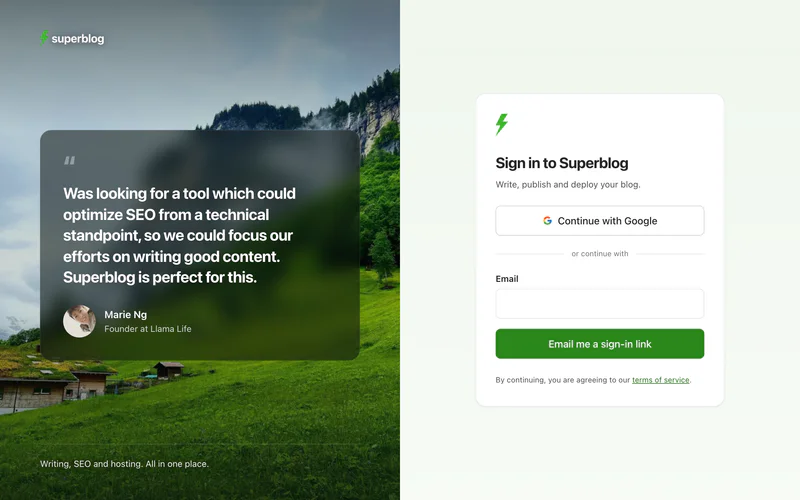
Sign in with Google
- Go to write.superblog.ai.
- Click Continue with Google.
- Choose your Google account.
Sign in with a magic link
A magic link is a sign-in link we email to you, so there is no password to remember.
- Go to write.superblog.ai.
- Enter your email address in the Email field, and click Email me a sign-in link.
- Open the email titled Sign in to your Superblog dashboard.
- Click Sign In in the email.
The link works for 24 hours.
If you open the link in the same browser you requested it from, you are signed in straight away. If you open it somewhere else, such as on your phone, Superblog shows a Confirm login page. Enter the email address the link was sent to, and click Continue to dashboard.
The confirm step is deliberate. Some email services, such as Microsoft 365 and Outlook, open every link in an email to scan it. Without the confirm step, the scan would use up your link before you clicked it.

The first time you sign in
Superblog asks two questions before it opens your dashboard:
- Your name. Type it and click Save.
- How did you find out about Superblog? Pick the closest answer and click Continue.
They are asked once, and never again.
If you cannot sign in
- The email did not arrive. Check your spam or junk folder, then request a new link.
- The link says it is invalid or expired. Links work for 24 hours. Request a new link, and open the newest email.
- You see "Please use a browser to login". You opened Superblog inside another app, such as an email or social app. Open write.superblog.ai in Safari, Chrome or another browser instead.
Your free trial
Each new blog starts with a 7-day free trial. You do not need a credit card. To keep a blog live after its trial, upgrade to a paid plan.