
IndexNow: How Instant Indexing Works (and How to Set It Up) 2026
A practical guide to what IndexNow does for blogs, where it helps most, and how it fits into a real SEO workflow...

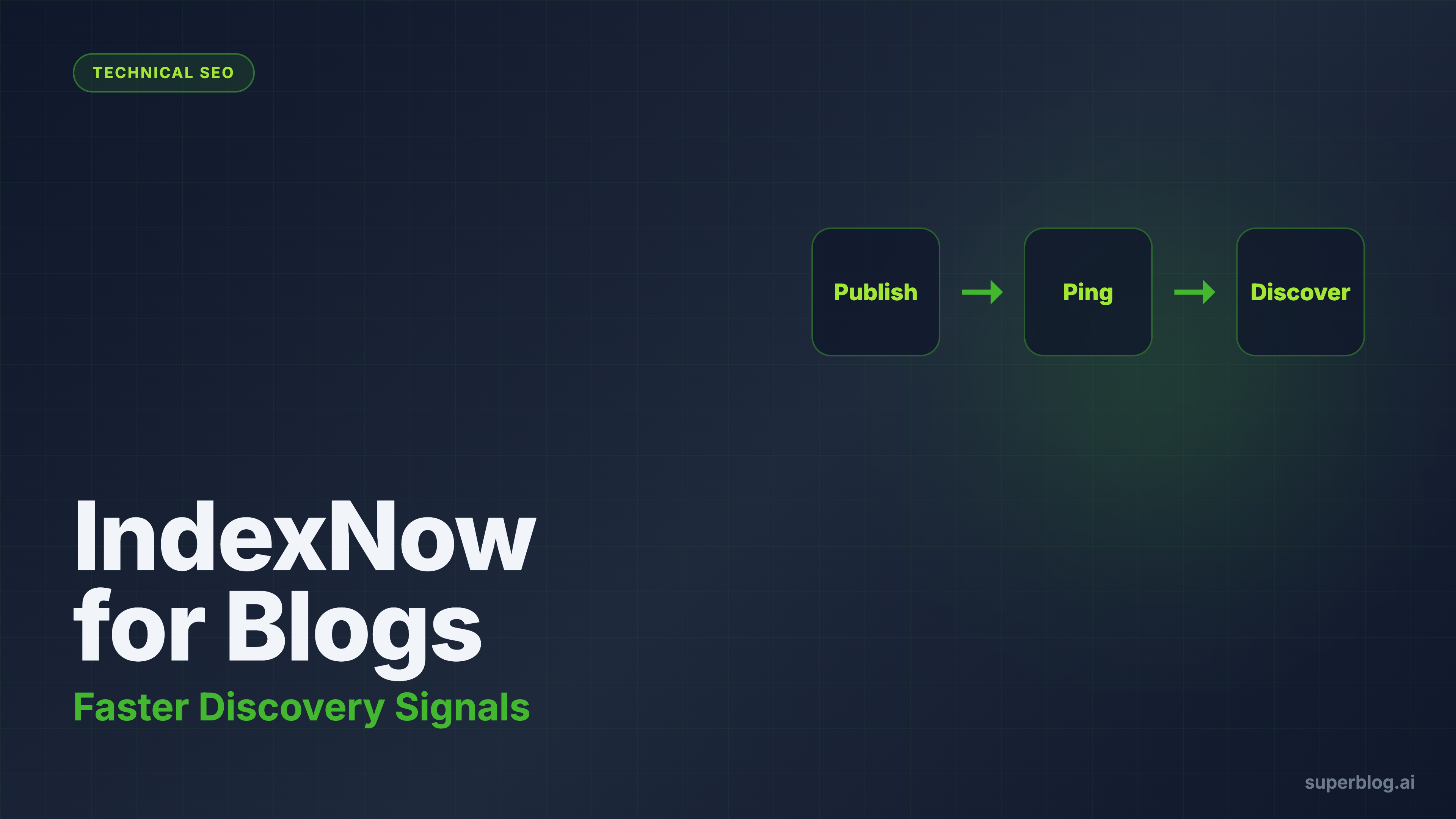

IndexNow is an open indexing protocol that lets websites push URL changes directly to participating search engines the moment content is published, updated, or deleted. Instead of waiting for a crawler to rediscover your pages on its own schedule, you send a single API call and the engines come to you.
Those two sentences describe what IndexNow is at a spec level. Everything else in this guide explains how the protocol actually works, which engines participate, how to implement it, and where it fits into a real SEO workflow for blogs.
IndexNow: the protocol in plain terms
Search engines have historically discovered content through passive crawling. They follow links, revisit sitemaps on a schedule, and eventually notice that something changed. For small or slow-moving sites, that lag rarely matters. For active content programs, it creates real drag.
IndexNow was designed to close that gap. It is a push protocol: rather than waiting to be found, your site tells participating search engines what changed and when.
The core flow has three steps:
- You publish, update, or delete a URL
- Your site (or platform) sends a POST request to the IndexNow API with that URL
- Participating search engines receive the signal and prioritize the URL for crawl and discovery
That is the complete mechanism. IndexNow does not rank your page. It does not guarantee indexing. It shortens the time between "something changed" and "search engines know something changed."
Which search engines support IndexNow
As of mid-2026, the engines participating in IndexNow are:
- Microsoft Bing (the primary partner and original co-creator with Yandex)
- Yandex (co-creator of the protocol)
- Naver (South Korea's dominant search engine)
- Seznam (Czech Republic's leading search engine)
- Yep (privacy-focused engine that also feeds its own AI model)
Amazon also consumes IndexNow signals (adopted mid-2025) to reduce redundant crawling of product and content pages, though it does not surface your blog in a web search product.
Google does not participate in IndexNow. Google continues to use its own crawl scheduling infrastructure, including Googlebot, Google Search Console URL Inspection, and XML sitemaps. Despite testing the protocol in late 2021, Google has not adopted IndexNow as of this writing.
If your traffic goals are entirely Google-dependent, IndexNow still matters for discovery speed across a growing set of engines, but you should not expect it to directly accelerate Google crawling.
How the protocol works technically
IndexNow has two moving parts: an API key file for domain ownership verification, and an API endpoint for URL submission.
Step 1: Generate and host your API key
Your API key is a unique string (8 to 128 characters, alphanumeric and hyphens allowed) that proves you own the domain you are submitting URLs for. You host it as a plain text file at your site root:
https://yourdomain.com/{your-key}.txt
The file contains exactly one line: the key itself. Search engines crawl this file to verify ownership before processing your submissions.
Step 2: Submit URLs via POST
Once your key file is live, you can notify any participating engine by sending a POST request to their IndexNow endpoint. The payload is JSON:
{
  "host": "yourdomain.com",
  "key": "your-api-key",
  "keyLocation": "https://yourdomain.com/your-api-key.txt",
  "urlList": [
    "https://yourdomain.com/blog/new-post",
    "https://yourdomain.com/blog/updated-guide"
  ]
}
A 200 response means the submission was accepted. You only need to submit to one participating engine: they share signals with each other through the protocol automatically.
The API accepts up to 10,000 URLs per batch, which makes it efficient for site migrations or large refresh projects.
Key submission endpoint
You can submit to any one of the participating engines. Bing's endpoint is the most commonly used:
https://www.bing.com/indexnow
Since participating engines share notifications among themselves, a single submission reaches all of them.
Implementation options
Plugins and CMS integrations
Most major CMS platforms have IndexNow support available:
- WordPress: The Rank Math and Yoast SEO plugins include IndexNow support. Microsoft also publishes an official IndexNow plugin.
- Wix: Built-in IndexNow support with automatic submissions on publish.
- Squarespace: IndexNow is part of their SEO toolset.
Manual or custom implementation
If you manage your own stack, implementation is a two-step developer task: generate and host the key file, then add the POST call to your publish/deploy pipeline. The API is stateless and lightweight enough that most teams implement it in an afternoon.
The main failure mode in custom implementations is incomplete trigger coverage: submissions fire on initial publish but not on meaningful content updates. If you refresh a post significantly, update pricing data, or restructure a guide, that is worth a resubmission. Build those triggers explicitly.
Platforms with IndexNow built in
Some blog platforms handle IndexNow without any configuration. Superblog is one of them. When you publish or update a post, Superblog automatically sends a POST request to the IndexNow API. Key authentication uses SHA-256 signing, submissions are rate-limited to 1 per post per 24 hours to avoid signal noise, and the whole process requires no setup from you.
This matters because built-in support turns IndexNow into infrastructure rather than a checklist item. Manual implementations tend to drift: someone forgets to submit after a major update, or the trigger fires before canonical tags are correct. A platform that handles it natively avoids those failure modes by design.
Verifying and debugging your IndexNow setup
Bing Webmaster Tools
After submitting, check Bing Webmaster Tools under "URL Submission." You can see recent submissions, confirm they were received, and watch how quickly the URLs enter the crawl queue.
Check your key file
The most common setup failure is a misconfigured key file: wrong path, wrong content, or a server config that returns a 404. Verify that https://yourdomain.com/{your-key}.txt is publicly accessible and returns exactly the key string.
Response codes to watch for
200or202: Submission accepted400: Bad request (malformed JSON, missing required fields)403: Key verification failed (key file not found or key mismatch)429: Rate limit hit
If you are using a platform like Superblog, you can generally skip manual verification since the platform manages key hosting and submission reliability internally.
Why blogs benefit from IndexNow more than most sites
Blogs change constantly. New posts, updated guides, refreshed comparisons, improved metadata, additional FAQ blocks. Every meaningful change is an opportunity for search engines to recognize improvement, and that opportunity is wasted if discovery lags by days or weeks.
For active content programs, slow discovery creates specific problems:
- New posts take longer to enter the crawl cycle
- Updates to important pages take longer to matter
- Refresh projects compound more slowly than they should
- Publishing cadence returns less than it should if search engines are perpetually behind
IndexNow tightens that loop. It gives participating search engines a clean signal that something worth checking has changed, so discovery catches up with publishing velocity.
This matters especially for SEO-led businesses where content speed is commercial: a refreshed pricing comparison, an updated "best of" roundup, or a revised guide for a high-intent keyword should start accumulating impressions as quickly as possible.
It also fits naturally with a broader content maintenance workflow. If you are actively refreshing old posts to prevent decay, IndexNow helps those improvements get recognized earlier.
What IndexNow does not do
This is where expectations usually go wrong.
IndexNow does not:
- Guarantee your page will be indexed
- Guarantee faster rankings
- Improve thin or unhelpful content
- Fix bad site architecture or crawl budget problems
- Replace sitemaps or internal links
- Do anything for Google crawling
If the page is weak, duplicated, slow, or structurally poor, IndexNow only helps search engines discover those problems faster.
That is why IndexNow is best treated as an acceleration layer on top of good fundamentals, not a shortcut around them. The protocol belongs inside a broader discussion of what makes the best blog platform for SEO, not as a standalone checkbox.
Understanding how search engines discover and crawl your content is also foundational context here. If you want to go deeper on how crawling actually works and where it can break down, SEO crawling explained covers that in detail.
How IndexNow fits with sitemaps and Search Console
IndexNow is not a replacement for your sitemap or for Google Search Console. Each solves a different problem:
- XML sitemaps show search engines your current URL inventory
- Google Search Console lets you monitor indexing, coverage, and performance (including for Google, which does not use IndexNow)
- IndexNow tells participating search engines which URLs changed recently
The best setup uses all three. Think of the sitemap as your URL map, Search Console as your monitoring layer, and IndexNow as your push notification system.
Teams get into trouble when they enable IndexNow and assume they have solved discovery. They have improved one part of the workflow. The rest still matters.
Best practices for using IndexNow on a blog
Submit on publish. Every new post should trigger a submission automatically. This is the baseline.
Submit on meaningful updates. If you rewrite a major section, add a FAQ block, update pricing data, or restructure a guide, that counts as a resubmission event. Cosmetic fixes do not.
Do not submit trivial edits. Small typo corrections do not need urgency. The value of IndexNow comes from sending trustworthy signals, not noisy ones.
Keep your sitemap current. IndexNow works best when it reinforces a healthy crawl system, not when it tries to substitute for one.
Make sure technical SEO is correct before submission. A page submitted with broken canonicals, weak metadata, or unstable rendering gains little from faster discovery.
What to measure after enabling IndexNow
Most teams enable IndexNow and never check whether it changed anything. Track:
- Time from publish to first crawl (visible in Bing Webmaster Tools)
- Time from major update to recrawl
- Coverage improvements in Search Console for Bing
- Whether refreshed posts start showing new performance movement faster than before
You are not looking for magic. You are looking for tighter feedback loops.
If your refresh workflow is strong, faster recrawls make that work compound earlier. That is also why IndexNow pairs naturally with AI crawler discovery: as AI tools increasingly cite blog content, getting updates indexed faster matters beyond traditional search. The AI crawlers guide covers how those crawlers discover and decide what to cite.
Who IndexNow matters most for
IndexNow is not equally important for every site:
It matters most for:
- Teams publishing at a steady weekly cadence
- Sites that refresh older posts often
- SEO-led businesses where content speed matters commercially
- Larger blogs where passive crawl scheduling is unpredictable
- Sites with meaningful presence in non-Google search (Bing, Yandex, Naver)
It matters less for:
- Blogs that publish rarely
- Sites with very small content libraries
- Teams with foundational content quality problems that need solving first
The mistake is framing IndexNow as either transformative or irrelevant. It is a meaningful efficiency improvement inside a disciplined SEO system. Its value scales with how actively you publish and maintain content.
How IndexNow relates to platform choice
On its own, IndexNow is not a reason to choose a platform. But it becomes more important when stacked alongside other technical SEO factors.
A strong blog platform should support:
- Fast page delivery (90+ Lighthouse, automatic)
- Auto XML sitemaps updated on every deploy
- Clean canonical and metadata handling
- Structured data (JSON-LD schemas) generated automatically
- Low-maintenance publishing workflows
IndexNow is one useful layer in that stack. It becomes significantly more valuable when the rest of the stack is also handled natively, because the quality of the submission (timing, trigger coverage, key management) depends on the platform being aware of the content lifecycle.
This is also why the conversation about indexing often overlaps with architecture decisions: static, CDN-delivered pages crawl differently than dynamically rendered ones. The tradeoffs are covered in depth in JAMstack vs traditional CMS.
Frequently asked questions about IndexNow
Does Google support IndexNow?
No. As of mid-2026, Google does not participate in IndexNow. Google uses its own crawl infrastructure. For Google, sitemaps and internal linking remain the primary discovery mechanisms. Google Search Console's URL Inspection tool can be used to request individual URL indexing.
Do I need to submit to every search engine separately?
No. Participating search engines share IndexNow notifications among themselves. Submitting to one (commonly Bing's endpoint) is enough.
How many URLs can I submit at once?
The API accepts up to 10,000 URLs per batch POST request. For single-URL submissions, a GET request works as well.
Is there a rate limit?
Rate limits vary by engine, but most implementations recommend avoiding high-frequency submissions for the same URL. Superblog's built-in implementation rate-limits to 1 submission per post per 24 hours to avoid signal noise.
Will IndexNow get my page indexed faster by Google?
No. IndexNow does not affect Google crawling. For Google, use Search Console URL Inspection for individual pages, maintain a healthy sitemap, and build strong internal links.
What is the key file for?
The key file proves you own the domain you are submitting URLs for. Search engines crawl it to verify that the IndexNow submissions for your domain are coming from an authorized source.
Can I use IndexNow without a CMS plugin?
Yes. Implementation requires two things: hosting a plain text key file at your domain root, and adding a POST call to the IndexNow API in your publish pipeline. Many development teams implement it directly without plugins.
Does IndexNow replace XML sitemaps?
No. Sitemaps provide search engines with your full URL inventory and are still used for broad discovery. IndexNow signals which URLs changed recently. Both serve distinct purposes and work better together.
Final takeaway
IndexNow is a push protocol that shortens the time between publishing and search engine discovery. It works best for active content programs where publishing velocity and refresh cadence matter, and for teams that want participating engines (Bing, Yandex, Naver, Seznam, Yep) to recognize updates as quickly as possible.
It is not a ranking tool. It does not reach Google. And it does not substitute for strong content, clean technical SEO, or fast page delivery.
Used correctly: as an acceleration layer inside a disciplined SEO workflow, on a platform that handles key management and submission timing reliably, IndexNow is a small but meaningful advantage. The more actively you publish and maintain content, the more that advantage compounds.
Your blog, without the maintenance
Fast pages, automatic SEO, no plugins to patch. Runs on yoursite.com/blog.
Sai Krishna is the Founder and CEO of Superblog. Having built multiple products that scaled to tens of millions of users with only SEO and ASO, Sai Krishna is now building a blogging platform to help others grow organically.
superblog
Superblog is a blazing fast blogging platform for beautiful reading and writing experiences. Superblog takes care of SEO audits and site optimizations automatically.