Content Decay: When and How to Refresh Old Blog Posts
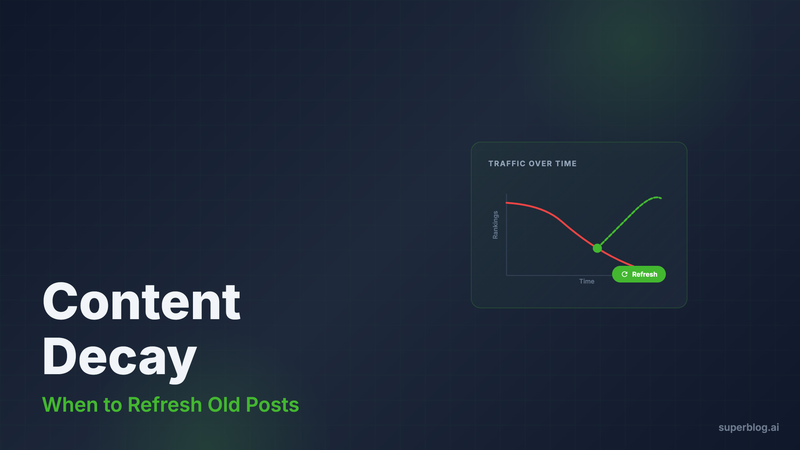
Your blog posts are losing rankings right now. Not because Google hates you. Because your content is decaying.
Content decay is what happens when published articles lose search visibility over time. Information becomes outdated. Competitors publish fresher content. Search algorithms adjust. Your once-ranking post slides from page one to page three.
The good news: refreshing old content is faster than creating new content, and the ROI is higher. A post ranking at position 28 can hit page one with the right refresh strategy.
This guide covers what content decay is, how to identify it, when to refresh versus rewrite, the refresh process that works, and how to measure success.
What Content Decay Actually Is
Content decay describes the gradual loss of search visibility and traffic over time. Your post doesn't disappear, it just stops showing up where it matters.
Three types of decay:
- Information decay - Data becomes outdated, statistics expire, referenced tools shut down
- Competition decay - Newer, better-optimized content outranks you
- Algorithm decay - Search engines adjust what they prioritize, and your post no longer matches
A post ranking at #8 two years ago now sits at #35. Traffic that was 2,000 monthly visits dropped to 200. The content is still good, but search engines serve fresher alternatives.
Research from Ahrefs shows that 90% of published content gets zero traffic from Google. Most of that isn't bad content, it's decayed content that was never refreshed.
Signs Your Content Is Decaying
You can't fix what you can't see. Here are the red flags:
Traffic decline over time. Check Google Analytics or your blog's analytics dashboard. If a post that once drove 1,000 visits now drives 200, that's decay.
Ranking drop without algorithm updates. If your post fell from position 5 to 25 and there was no major algorithm change, competitors likely published better content.
Outdated statistics or broken links. If your post references 2022 data and it's now 2026, readers notice. If external links return 404s, Google notices.
Comments or feedback mentioning outdated info. Readers will tell you when your content is stale. Pay attention.
Lower engagement metrics. Bounce rate increases, time on page decreases. People land on the post and leave immediately because the content isn't relevant anymore.
Platforms like Superblog with built-in privacy-friendly analytics (available on Pro and Super plans) make spotting these trends easier. You can see traffic patterns per post without needing external tools.
When to Refresh Versus Rewrite
Not all decaying content deserves a refresh. Some posts need a full rewrite. Some need to be deleted.
Refresh when:
- The post ranks between positions 10-50
- The core information is still accurate, but examples or data are outdated
- The keyword still has search volume and matches your ICP
- The post structure is solid, it just needs updates
Rewrite when:
- The post ranks below position 50 or has never ranked
- The entire premise is outdated (e.g., "Best Tools of 2019")
- The keyword intent has shifted significantly
- The structure doesn't match current SERP format (Google now shows listicles instead of long-form guides)
Delete when:
- The topic is no longer relevant to your business
- The keyword has zero search volume
- The post is thin content with no value
- Multiple posts cover the same topic (consolidate instead)
A refresh takes 1-3 hours. A rewrite takes 5-10 hours. Choose wisely.
The Content Refresh Process
Here's the step-by-step process for refreshing old posts:
Step 1: Audit the Current Post
Read the post as if you're seeing it for the first time. Ask:
- Is the title still optimized for the target keyword?
- Are the statistics current?
- Do all external links work?
- Does the structure match what's ranking now?
Open Google in a private window. Search for the target keyword. Study the top 5 results. What do they cover that your post doesn't?
Step 2: Update the Title and Meta Description
Add the current year to the title if relevant. "Best Blogging Tools" becomes "Best Blogging Tools in 2026."
Rewrite the meta description with a clear value proposition. Keep it under 155 characters.
Platforms like Superblog auto-generate Open Graph tags and meta descriptions based on your input, so updating these fields takes seconds instead of editing code.
Step 3: Replace Outdated Information
Find every statistic, example, or data point. Verify if it's still accurate. Replace what's outdated.
If your post mentions a tool that shut down, replace it with the current alternative. If pricing changed, update it.
If you referenced "200 teams use this platform" and it's now 1,000 teams, update the number. Fresh data signals fresh content.
Step 4: Add New Sections Based on SERP Analysis
Look at the top-ranking posts. Do they cover topics your post doesn't?
If competitors are covering "AI-powered features" and your post doesn't mention it, add a section.
If the SERPs show FAQ-style content with structured data, add an FAQ section. Superblog automatically generates FAQ schema from FAQ blocks, which can help you grab featured snippets.
Step 5: Improve Internal Linking
Link to newer content on your blog. If you published a related post since the original went live, link to it.
Superblog's internal link suggestion feature (available on all plans) analyzes your post content and suggests related articles based on matching categories, tags, and title keywords. It even extracts anchor text phrases from your content and lets you insert links with one click.
Strong internal linking helps distribute authority across your blog and keeps readers engaged longer.
Step 6: Optimize for AI Search
Google isn't the only search engine anymore. AI tools like ChatGPT, Claude, Perplexity, and Gemini pull content from blogs to answer user queries.
Superblog generates LLMs.txt files automatically (toggle on in Settings > SEO). This machine-readable file at /llms.txt on your blog's root path contains all your blog content and metadata. AI search tools use it to discover and cite your content.
Refreshing your post and redeploying updates the LLMs.txt file. Your refreshed content becomes discoverable to AI search.
Step 7: Update the Publish Date
Change the publish date to today. This signals freshness to both search engines and readers.
In Superblog, you can bulk redate posts or update individual publish dates from the post editor. The platform automatically updates sitemaps and notifies search engines via IndexNow protocol when you publish.
IndexNow sends a POST request to Bing, Yandex, and other supporting search engines immediately after you hit publish. No waiting for Google to crawl your sitemap.
Step 8: Republish and Promote
Hit publish. The post goes live with the updated content and current date.
Share it on social media as if it's new content. Because in many ways, it is.
If the post originally got backlinks, reach out to those sites and let them know you updated the content. Some will update their link anchor text or reference your updated stats.
Measuring Refresh Success
Refreshing content works, but only if you measure the results.
Track these metrics:
Rankings. Use Google Search Console or a rank tracking tool. Did the post move from position 28 to position 12? That's success.
Traffic. Compare traffic from the 30 days before the refresh to 30-60 days after. A 50-100% traffic increase is realistic for a strong refresh.
Engagement. Check bounce rate and time on page. If people are staying longer, your refresh improved the content.
Backlinks. Did the refresh attract new backlinks? Use Ahrefs or a similar tool to track this.
Conversions. If the goal is signups or demos, did the refresh increase conversions? Fast, optimized pages convert 2.5x better than slow ones.
Superblog's privacy-friendly analytics (Pirsch, available on Pro and Super plans) shows these metrics without cookies or consent banners. You can see exactly which posts are performing and which need more work.
A study by HubSpot found that updating and republishing old blog posts can increase organic traffic by 106% on average. The posts that worked once can work again.
The Refresh Workflow in Practice
Here's what the refresh workflow looks like for a Superblog user:
- Open your blog dashboard
- Go to the post editor for the decaying post
- Update the title, content, and meta description
- Use the internal link suggestion tool to add 2-3 links to newer related posts
- Add FAQ blocks if relevant (automatically generates FAQ schema)
- Update the publish date to today
- Hit publish
Superblog handles the rest. It automatically:
- Regenerates the sitemap with the updated post
- Sends an IndexNow notification to search engines
- Updates the LLMs.txt file for AI search
- Optimizes images and serves them from the CDN
- Generates JSON-LD schema for the updated post
No plugins. No manual schema editing. No waiting for search engines to notice.
The entire refresh process takes 1-3 hours depending on the post length. Compare that to 5-10 hours for creating new content from scratch.
When to Refresh Content Proactively
Don't wait for traffic to crater. Refresh content on a schedule.
Quarterly refreshes work well for competitive topics. If you publish content about SEO, marketing tools, or fast-moving industries, refresh every 3-6 months.
Yearly refreshes work for evergreen topics. If your post is about fundamental concepts that don't change often, refresh once a year.
Event-based refreshes work for time-sensitive content. If a major tool you cover releases a new version, update your post immediately.
Set up a content calendar in your project management tool. Schedule refresh tasks just like you schedule new content.
Superblog's scheduled publishing feature (available on Pro and Super plans) lets you schedule refreshed posts to go live at optimal times. Publish on Tuesday morning when your audience is most active.
Content Decay Is Inevitable, Refreshing Is Optional
Every post you publish will decay. The question is whether you'll do something about it.
Creating new content is necessary. Refreshing old content is leverage. A single refresh can bring back 1,000+ monthly visitors with 2 hours of work.
The workflow is simple: identify decaying posts, update outdated information, improve structure based on current SERPs, optimize internal linking, update the publish date, and republish.
Platforms built for SEO, like Superblog, handle the technical heavy lifting. Auto schemas, sitemaps, IndexNow, LLMs.txt, all updated automatically when you hit publish. You focus on content. The platform handles rankings.
Stop watching your best posts lose traffic. Refresh them.
