Blog SEO Checklist 2026: 27 Steps Before You Publish
You wrote a great blog post. Now what?
Publishing without optimizing is like opening a store without a sign. You did the hard work. Now make sure people can find it.
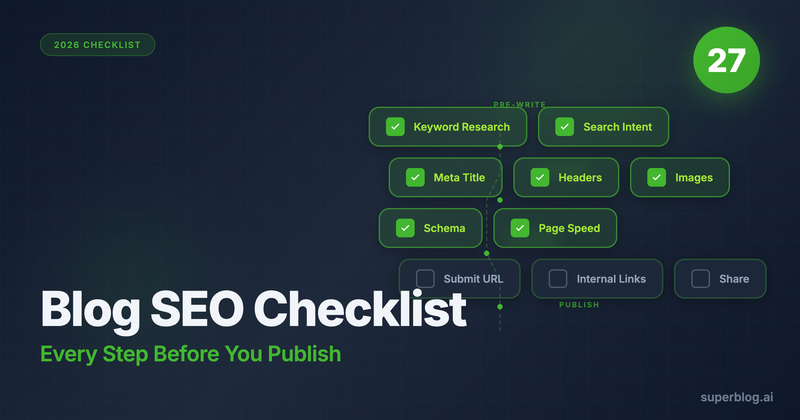
This checklist covers 27 steps divided into four phases: pre-writing, on-page, technical, and post-publish. Each step directly impacts whether your content ranks or disappears into the void.
The good news: if you use the right platform, 15 of these 27 steps happen automatically. More on that later.
Pre-Writing Phase (Steps 1-7)
These steps happen before you write a single word. Skip them, and you will waste hours creating content nobody searches for.
1. Choose a Primary Keyword
Every blog post targets one primary keyword. This is the main search query you want to rank for.
Use tools like Ahrefs, Semrush, or Ubersuggest to find keywords with:
- Sufficient search volume (at least 100 monthly searches for niche topics)
- Achievable difficulty (start with lower competition keywords if your site is new)
- Business relevance (the searcher could become a customer)
Your primary keyword appears in the title, URL, and naturally throughout the content.
2. Identify Secondary Keywords
Secondary keywords are related terms that support your primary keyword. They help search engines understand your content's full scope.
Find secondary keywords by:
- Checking "People also ask" boxes in Google
- Looking at related searches at the bottom of the SERP
- Using keyword research tools to find semantic variations
A post about "blog SEO checklist" might target secondary keywords like "blog optimization steps," "SEO publishing checklist," and "pre-publish SEO tasks."
3. Analyze Search Intent
Search intent is why someone types a query into Google. Get this wrong, and your content will not rank regardless of how well it is written.
The four types of search intent:
- Informational: The searcher wants to learn something ("how to optimize a blog post")
- Navigational: The searcher wants a specific site ("Superblog login")
- Commercial: The searcher is comparing options ("best blog SEO tools")
- Transactional: The searcher is ready to buy ("Superblog pricing")
Google your target keyword. Study the top 10 results. If they are all listicles, write a listicle. If they are step-by-step guides, write a step-by-step guide. Fight the format Google prefers and you lose.
4. Study Competitor Content
Open the top 5 ranking pages for your keyword. Note:
- Their word count
- The headings they use
- Topics they cover that you should too
- Topics they miss that you can add (your competitive angle)
Your content needs to be at least as thorough as what already ranks. Then find the gap nobody else fills.
5. Create a Content Outline
Your outline is the skeleton of your post. It should include:
- H1 title with primary keyword
- H2 sections that cover the topic completely
- H3 subsections for detailed breakdowns
- Where you will naturally include secondary keywords
A solid outline prevents rambling. It keeps you focused on what the searcher actually wants to know.
6. Plan Your Internal Links
Before writing, identify 3-5 existing posts on your site to link to. Internal links:
- Distribute page authority across your site
- Help readers find related content
- Signal to search engines how your content connects
Also note which existing posts should link back to this new one. You will add those after publishing.
7. Define Your Content Angle
What makes your post different? Your angle is your unique perspective that justifies your content's existence.
Strong angles include:
- Original data or research
- A contrarian take with evidence
- More actionable advice than competitors
- A specific audience focus (e.g., "for SaaS companies")
Without an angle, you are just rewriting what already exists.
On-Page Phase (Steps 8-17)
These steps happen while you write and format your post. They ensure search engines can understand your content and users want to read it.
8. Write a Keyword-Rich Title
Your H1 title should:
- Include your primary keyword (ideally near the beginning)
- Stay under 60 characters so it displays fully in search results
- Be compelling enough to earn the click
Compare these titles:
- Weak: "Some Tips for Blog SEO"
- Strong: "Blog SEO Checklist: 27 Steps Before You Publish"
The strong title includes the keyword, promises specific value (27 steps), and creates urgency (before you publish).
9. Craft Your Meta Title
Your meta title appears in search results. It can differ from your H1, but both should target the same keyword.
Meta title best practices:
- Under 60 characters (Google truncates longer titles)
- Include your primary keyword
- Add your brand name if space allows
- Make it click-worthy without being clickbait
10. Write Your Meta Description
The meta description is your 155-character pitch to searchers. It does not directly affect rankings, but it affects click-through rate.
Effective meta descriptions:
- Summarize the value of your content
- Include your primary keyword naturally
- End with a soft call-to-action
- Match the content (broken promises destroy trust and increase bounce rate)
11. Optimize Your URL Slug
Your URL slug is the part after your domain: yoursite.com/blog/blog-seo-checklist
URL best practices:
- Include your primary keyword
- Keep it short (3-5 words)
- Use hyphens between words
- Avoid dates, numbers, or unnecessary words
Once published, never change your URL without setting up a redirect. Broken URLs kill rankings.
12. Structure with Header Tags
Headers (H1, H2, H3) organize your content for readers and search engines.
Rules for headers:
- One H1 per page (your title)
- H2s for main sections
- H3s for subsections within H2s
- Include keywords where natural, but do not force them
- Headers should make sense if someone only reads them (the "skim test")
13. Optimize Image Alt Text
Alt text describes images for screen readers and search engines. Every image needs it.
Good alt text:
- Describes what the image shows
- Includes relevant keywords when appropriate
- Stays under 125 characters
- Avoids "image of" or "picture of" (redundant)
Example: Instead of "chart.png," use "blog traffic growth after implementing SEO checklist"
14. Compress Images
Large images slow your page. Slow pages rank lower.
Before uploading:
- Compress images (TinyPNG, Squoosh, or similar tools)
- Use WebP format when possible
- Size images to display dimensions (do not upload a 4000px image that displays at 800px)
15. Add Internal Links
Link to 3-5 relevant posts on your site within the body content. Use descriptive anchor text that tells readers what they will find.
Avoid:
- "Click here" (says nothing)
- Linking the same post multiple times
- Forcing links where they do not fit naturally
For example, if you mention keyword research, link to your guide on blog for SEO.
16. Add External Links
Link to authoritative external sources when citing data, statistics, or claims.
External links:
- Build trust with readers
- Show search engines you did research
- Should open in new tabs (so readers do not leave your site)
Avoid linking to competitors or low-quality sites.
17. Write for Readability
Search engines measure user engagement. If readers bounce immediately, your rankings suffer.
Improve readability:
- Short paragraphs (2-4 sentences)
- Bullet points and numbered lists
- Subheadings every 300 words or less
- Active voice over passive
- Simple words over complex ones
Run your content through Hemingway Editor. Aim for Grade 8 reading level or lower.
Technical Phase (Steps 18-22)
These steps ensure search engines can crawl, understand, and index your content properly.
18. Add Schema Markup
Schema markup (structured data) helps search engines understand your content type and can earn you rich snippets in search results.
For blog posts, implement:
- Article schema: Author, publish date, headline, image
- FAQ schema: If your post includes an FAQ section
- Breadcrumb schema: Shows your site hierarchy
Manually adding schema requires editing JSON-LD in your page's HTML. Most content management systems make this tedious.
Superblog automates this: Article, FAQ, Organization, and Breadcrumb schemas generate automatically for every post. No code required.
19. Verify Sitemap Inclusion
Your XML sitemap tells search engines what pages exist on your site. New posts should appear in your sitemap immediately.
Check your sitemap at yoursite.com/sitemap.xml. If your new post is not there:
- Your sitemap is not updating automatically
- You need to regenerate it manually
- Your platform may have sitemap limits
Superblog automates this: Sitemaps update automatically on every publish. No manual regeneration needed.
20. Check Page Speed
Page speed is a ranking factor. Slow pages lose visitors and rankings.
Test your page at:
- Google PageSpeed Insights (aim for 90+)
- GTmetrix
- WebPageTest
Common speed killers:
- Uncompressed images
- Too many plugins
- Bloated themes
- No CDN
Superblog automates this: JAMStack architecture delivers 90+ Lighthouse scores on every page, automatically. Images convert to WebP. Content serves from 200+ CDN edge locations.
21. Ensure Mobile Responsiveness
Over 60% of searches happen on mobile. Google uses mobile-first indexing.
Test your page on:
- Multiple phone sizes
- Google's Mobile-Friendly Test
- Chrome DevTools device emulation
If your content is hard to read on mobile, you will lose rankings and readers.
22. Implement HTTPS
HTTPS is a ranking signal. If your site still uses HTTP, fix it today.
Most hosting providers offer free SSL certificates. There is no excuse for running an unsecured blog in 2026.
Superblog automates this: Free SSL on every domain, configured automatically.
Post-Publish Phase (Steps 23-27)
Publishing is not the finish line. These steps maximize your content's visibility after it goes live.
23. Submit to Search Engines
Do not wait for Google to discover your content. Notify search engines directly.
Methods:
- Google Search Console: Use the URL Inspection tool and request indexing
- Bing Webmaster Tools: Submit your URL
- IndexNow protocol: Instant notification to Bing, Yandex, and other supporting engines
Superblog automates this: IndexNow pings search engines automatically when you publish. No manual submission required.
24. Update Old Posts with Links
Remember those internal links you planned in step 6? Now add them.
Find 3-5 existing posts where linking to your new content makes sense. This:
- Distributes link equity to your new post
- Helps search engines discover it faster
- Improves user navigation
Some platforms offer internal link suggestions that analyze your content and recommend where to add links. This saves hours of manual searching.
Superblog automates this: The internal link suggestions feature analyzes your post, finds related content by matching categories, tags, and title keywords, and suggests anchor text phrases. Insert links with one click.
25. Share on Social Media
Social signals are not a direct ranking factor, but social shares:
- Drive initial traffic
- Generate backlinks when people discover your content
- Build brand awareness
Share your post on LinkedIn, Twitter, and any platforms where your audience gathers.
26. Monitor Initial Performance
Track your post's performance in the first 30 days:
- Google Search Console: Impressions, clicks, average position
- Analytics: Traffic, bounce rate, time on page
- Rank tracking: Position for your target keyword
If impressions are high but clicks are low, your title or meta description needs work. If bounce rate is high, your content is not matching search intent.
27. Plan Content Updates
SEO is not "set and forget." Top-ranking content gets updated regularly.
Schedule a review every 6-12 months to:
- Update outdated information
- Add new sections based on what competitors added
- Refresh the publish date
- Improve sections with weak engagement
Content that stays fresh stays ranked.
How Many Steps Does Your Platform Automate?
Here is the reality: manually completing all 27 steps for every post is exhausting. Most bloggers skip technical steps because they are complicated or time-consuming.
That is why platform choice matters.
WordPress: Automates almost nothing. You need plugins for schemas, sitemaps, image optimization, and speed. Each plugin adds maintenance and potential security vulnerabilities.
Headless CMSs: Automate nothing. You build everything yourself, including the frontend that handles technical SEO.
Superblog: Automates 15 of these 27 steps out of the box.
What Superblog Handles Automatically
| Step | Task | Superblog |
|---|---|---|
| 18 | Schema markup (Article, FAQ, Breadcrumb) | Automatic |
| 19 | Sitemap updates | Automatic |
| 20 | Page speed optimization | 90+ Lighthouse |
| 22 | SSL/HTTPS | Automatic |
| 23 | IndexNow submission | Automatic |
| 24 | Internal link suggestions | Built-in tool |
| 14 | Image compression (WebP) | Automatic |
| - | CDN delivery | 200+ locations |
| - | Mobile optimization | Automatic |
| - | Open Graph tags | Configurable |
| - | Canonical URLs | Automatic |
| - | LLMs.txt for AI discoverability | Built-in |
The steps Superblog automates are the technical ones most bloggers skip. These are also the ones that compound: every post benefits from proper schemas, fast loading, and instant indexing.
You focus on the creative work: keyword research, writing, and promotion. Superblog handles the infrastructure that makes your content rankable.
Your Pre-Publish Checklist (Quick Reference)
Print this or bookmark it. Use it every time you publish.
Pre-Writing
- Primary keyword selected
- Secondary keywords identified
- Search intent verified
- Competitor content analyzed
- Outline created
- Internal links planned
- Unique angle defined
On-Page
- Title includes primary keyword
- Meta title under 60 characters
- Meta description under 155 characters
- URL slug is short and keyword-rich
- Headers properly structured
- Image alt text added
- Images compressed
- 3-5 internal links added
- External links to authoritative sources
- Content is readable (short paragraphs, lists)
Technical
- Schema markup implemented
- Sitemap updated
- Page speed tested (aim for 90+)
- Mobile display verified
- HTTPS active
Post-Publish
- Submitted to search engines
- Old posts updated with links to new content
- Shared on social media
- Initial performance monitoring set up
- Update reminder scheduled (6-12 months)
Stop Losing Rankings to Technical Debt
Every step you skip is a ranking opportunity lost. But you should not have to become a technical SEO expert just to publish a blog post.
The platforms that automate technical SEO let you focus on what actually differentiates your content: your ideas, your expertise, your unique angle.
If you are tired of managing plugins, fixing speed issues, and manually submitting URLs, try Superblog free for 7 days. Fifteen of these 27 steps will just work.
For more on the fundamentals of blog SEO, read our complete guide: Blog for SEO: The Complete Guide to Ranking.
Want to see the tools that handle steps 1-7? Check out Blog SEO Tools: The Complete Stack for Ranking.
