Internal Linking for Blogs: The Complete Guide to Topical Authority
Internal links are the connective tissue of your blog. They tell Google what your site is about, distribute ranking power across pages, and keep readers engaged longer. Yet most bloggers treat them as an afterthought.
This guide covers everything you need to build a strategic internal linking structure: why internal links matter for SEO, how to implement the hub and spoke model, anchor text best practices, and the tools that make link analysis manageable.
Why Internal Links Matter for SEO
Internal links serve three critical functions that directly impact your search rankings.
1. They Establish Topical Authority
Google evaluates whether your site has depth on a topic before ranking you for competitive keywords. A single blog post about "email marketing" tells Google very little. But 15 posts covering email marketing strategy, subject lines, automation, segmentation, and deliverability, all interlinked, signals genuine expertise.
This is topical authority in action. Internal links are the mechanism that connects your content into a coherent topic cluster.
2. They Distribute Link Equity
Every page on your site has some level of authority, often called "link equity" or "PageRank." Internal links pass this authority from one page to another.
When your homepage receives backlinks from external sites, that authority flows through internal links to your blog posts. A well-structured internal linking strategy ensures your most important content receives the most link equity.
3. They Improve Crawlability
Googlebot discovers new content by following links. Orphan pages with no internal links pointing to them are harder for search engines to find and index.
Internal links also help Google understand your site hierarchy. Which pages are most important? How do topics relate to each other? Your internal link structure answers these questions.
The Hub and Spoke Model Explained
The hub and spoke model is the most effective structure for building topical authority through internal links.
How It Works
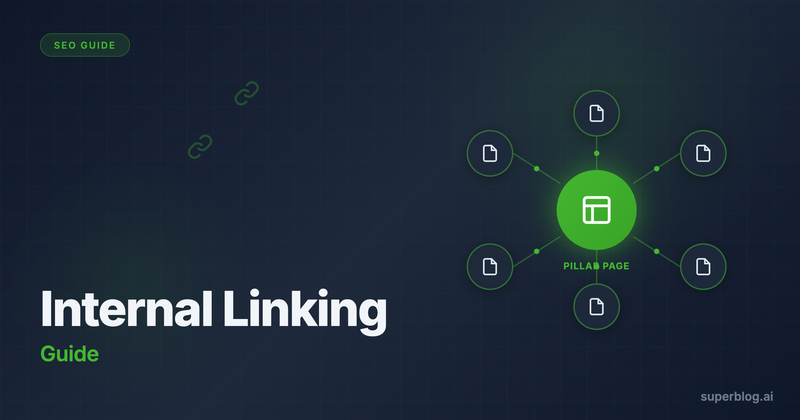
A hub page (also called a pillar page) covers a broad topic comprehensively. Spoke pages (supporting content) dive deep into subtopics.
Here is how the structure looks:
                    [Hub Page: Email Marketing]
                              |
          ┌───────────────────┼───────────────────┐
          |                   |                   |
    [Spoke: Subject     [Spoke: Email      [Spoke: Email
     Lines]              Automation]        Segmentation]
The hub links to all spokes. Each spoke links back to the hub. Spokes also link to related spokes where relevant.
Why This Structure Wins
Concentrated authority. All the link equity from your spoke pages flows back to the hub. This makes the hub page extremely strong for competitive head terms.
Clear topic signals. Google can easily understand that your site covers email marketing comprehensively because the hub page explicitly connects to all related content.
Better user experience. Readers exploring a topic can navigate naturally from overview (hub) to specific details (spokes) and back.
Hub and Spoke in Practice
Imagine you run a SaaS blog and want to rank for "content marketing."
Hub page: "The Complete Guide to Content Marketing for SaaS"
Spoke pages:
Content Marketing Strategy for B2B SaaS
How to Create a Content Calendar
Measuring Content Marketing ROI
Content Distribution Channels
Repurposing Blog Content
Each spoke targets a more specific keyword with lower competition. Together, they build the authority needed to rank the hub for "content marketing."
How Many Internal Links Per Post
There is no magic number, but there are principles that guide your decisions.
The General Guideline
Most SEO practitioners recommend 3 to 5 internal links per 1,000 words as a starting point. A 2,000 word post might have 6 to 10 internal links.
But this is a guideline, not a rule. The right number depends on:
Post length. Longer posts naturally accommodate more links.
Topic breadth. Posts covering multiple subtopics have more linking opportunities.
Content inventory. You can only link to content that exists.
Quality Over Quantity
Ten strategic links that genuinely help readers beat fifty random links stuffed into content. Every internal link should serve the reader. Ask yourself: "Would someone reading this section benefit from clicking through?"
If the answer is no, skip the link.
Links Google Prioritizes
Not all internal links carry equal weight. Google pays more attention to:
Links in main content. Links within the body of your post matter more than links in sidebars, footers, or navigation menus.
Links higher on the page. Links appearing earlier in content tend to carry more weight than links buried at the bottom.
Links with descriptive anchor text. Generic anchor text like "click here" provides less context than descriptive anchors like "email subject line formulas."
Anchor Text Best Practices
Anchor text is the clickable text in a hyperlink. Getting it right helps both Google and readers understand what the linked page covers.
Use Descriptive, Natural Anchors
Good anchor text describes the destination page accurately. If you are linking to a post about email subject lines, these are effective anchors:
"email subject line best practices"
"how to write subject lines that get opened"
"subject line formulas"
Avoid generic anchors like:
"click here"
"read more"
"this article"
Match Anchor Text to Target Keywords
Your anchor text signals to Google what the linked page is about. If you want a page to rank for "email automation," linking to it with the anchor "email automation" reinforces that relevance.
This does not mean every link should use the exact keyword. Variety looks natural:
"email automation workflows"
"automated email sequences"
"setting up email automation"
All these variations support the target keyword while appearing natural.
Avoid Over-Optimization
Exact match anchor text for every internal link looks manipulative. Google's Penguin algorithm penalizes over-optimized anchor text profiles.
A healthy anchor text profile includes:
Exact match keywords (20-30%)
Partial match variations (30-40%)
Natural phrases and sentences (30-40%)
Generic anchors sparingly (under 10%)
Building Your Internal Linking Strategy
Here is a practical process for implementing internal links systematically.
Step 1: Audit Your Existing Content
Before building new links, understand what you have. Create a spreadsheet listing:
All blog posts with URLs
Target keyword for each post
Current internal links to each post
Current internal links from each post
This inventory reveals orphan pages (no incoming links) and isolated posts (no outgoing links).
Step 2: Define Your Hub Pages
Identify which posts should be hubs based on:
Broad topic coverage
Target keyword difficulty (hubs should target competitive terms)
Business importance (what do you want to rank for?)
Most blogs need 3 to 5 hub pages initially. Adding more later is straightforward.
Step 3: Map Spokes to Hubs
Assign each post to a hub. Some posts might support multiple hubs, but give each a primary cluster.
For posts that do not fit any hub, either:
Create a new hub to organize them
Identify them as candidates for future content gaps
Step 4: Add Links Systematically
Work through your content in order:
Hub pages first. Ensure each hub links to all its spokes.
Spokes second. Add links from each spoke back to its hub.
Cross-spoke links. Where spokes relate, link between them.
Cross-cluster links. Sparingly link between different clusters when genuinely relevant.
Step 5: Build Links Into Your Publishing Workflow
New content should include internal links from day one. Before publishing any post:
Identify 2 to 3 relevant existing posts to link to
Identify existing posts that should link to the new post
Add links in both directions
Tools for Internal Link Analysis
Manual auditing works for small blogs but becomes unmanageable at scale. These tools help.
Google Search Console
Free and authoritative. The Links report shows your internal link structure. Navigate to Links > Internal Links to see which pages receive the most internal links.
Limitations: Does not show anchor text or help you find linking opportunities.
Screaming Frog
The industry standard for technical SEO audits. The free version crawls up to 500 URLs and reports on internal links, anchor text, and orphan pages.
Export the Inlinks report to see exactly which pages link to any URL on your site.
Ahrefs Site Audit
Comprehensive internal link analysis including:
Orphan pages
Pages with high link depth (too many clicks from homepage)
Internal link opportunities
The Link Opportunities report specifically identifies where adding internal links would benefit SEO.
Link Whisper
A WordPress plugin that suggests internal links as you write. It scans your existing content and recommends relevant pages to link to based on the text you are typing.
Good for WordPress users who want automation. Not available for other platforms.
How Superblog Handles Internal Links
Superblog's internal link suggestions take a different approach. Instead of requiring manual audits or third-party tools, the feature is built directly into the editor.
When you write or edit a post, Superblog analyzes your content and automatically suggests related posts. The suggestions are based on:
Matching categories and tags
Title keyword overlap
Content relevance
The tool also extracts potential anchor text phrases from your content. You see the suggested post, the suggested anchor text, and insert the link with one click.
This removes the friction that causes most bloggers to skip internal linking. You do not need to remember what you have written before or manually search your archive. The suggestions surface automatically as you work.
The feature caps at 15 suggestions per post and detects existing links to avoid duplicates. This keeps suggestions focused and prevents over-linking.
Common Internal Linking Mistakes
Knowing what to avoid is as important as knowing what to do.
Mistake 1: Orphan Pages
Orphan pages have no internal links pointing to them. They are invisible to both Google (which finds pages by crawling links) and readers (who navigate via links).
Run a crawl audit regularly to identify orphan pages. Either add internal links or remove pages that no longer serve a purpose.
Mistake 2: Over-Linking
Some bloggers link every possible keyword phrase, turning posts into a sea of blue text. This:
Annoys readers
Dilutes link equity across too many targets
Looks spammy to Google
Be selective. Link when it genuinely helps the reader understand more about a topic.
Mistake 3: Ignoring Old Content
Most internal linking happens with new posts. Bloggers forget to add links to older content as their site grows.
If you publish a new definitive guide to email marketing, go back and add links from all your older email-related posts. This ensures your best content receives link equity from your entire archive.
Mistake 4: Generic Anchor Text
"Click here" and "read more" are wasted opportunities. Every internal link can reinforce your target keyword if you use descriptive anchor text.
Replace "To learn more, click here" with "Learn about [descriptive anchor text] in our guide."
Mistake 5: Deep Link Hierarchies
If readers (and Google) need to click five times from your homepage to reach a blog post, that post will struggle to accumulate authority.
Aim for a maximum of 3 clicks from homepage to any page. Flatten your structure with:
Category pages that link directly to posts
Hub pages that link to all cluster content
A blog index that shows recent and popular posts
Building Topical Authority Over Time
Internal linking is not a one-time project. It is an ongoing practice that compounds as your content library grows.
Start with Clusters
Rather than publishing random posts, build out topic clusters systematically. Finish one cluster before starting another. A complete cluster with strong internal links will outperform scattered content on many topics.
Maintain Your Links
Pages get deleted. URLs change. Broken internal links hurt both user experience and SEO. Run quarterly audits to catch and fix broken links.
Let Structure Guide Content Planning
When planning new content, look for gaps in your internal linking structure. Which spoke pages are missing? What topics would strengthen a cluster? Your internal link map becomes a content roadmap.
Internal linking connects your individual posts into a coherent body of work. Done well, it transforms a collection of articles into an authoritative resource that Google rewards with rankings and readers reward with their time.
Start Building Your Internal Link Strategy
Internal linking is one of the highest-leverage SEO activities available to bloggers. It costs nothing, requires no external approvals, and compounds over time.
The key is making it systematic rather than sporadic. Audit your existing content, define your hub pages, and build linking into your publishing workflow.
For deeper guidance on optimizing your blog for search engines, read our complete guide to blog SEO, which covers technical SEO, on-page optimization, and content strategy alongside internal linking.
