Featured Snippets for Blogs: How to Win Position Zero
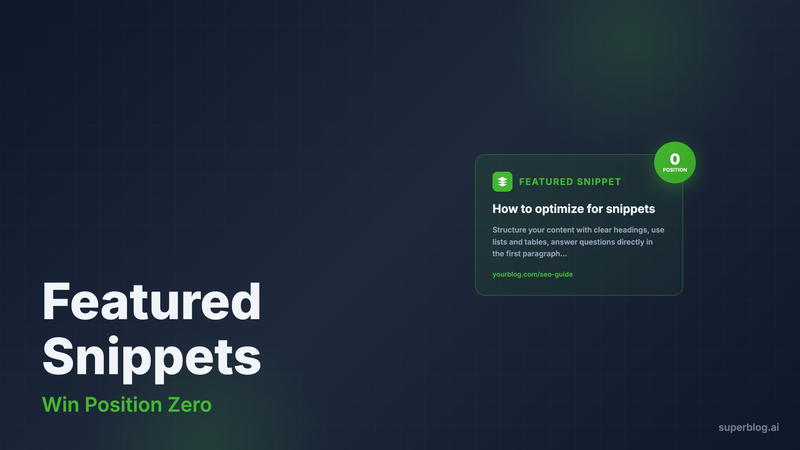
Position zero matters. Featured snippets appear above organic results and drive 8-10% click-through rates even when you already rank #1. For blogs competing in crowded niches, winning these snippets is the difference between traffic that pays your content team's salary and traffic that doesn't.
This guide covers what featured snippets are, the three main types you'll encounter, and exactly how to structure your blog content to capture them.
What Are Featured Snippets?
Featured snippets are extracted answers that Google displays at the top of search results. They pull directly from a webpage and include a link to the source, appearing in a highlighted box above position #1.
Google generates these snippets algorithmically. There's no application process. You rank for them by structuring your content in ways Google's algorithm can parse and extract.
Three factors determine whether Google shows a snippet for a query: the query type (informational questions get snippets, navigational queries don't), the content available (Google needs clear, direct answers to extract), and user behavior (if searchers consistently click through for more detail, Google may not show a snippet).
The Three Featured Snippet Types
Featured snippets fall into three categories. Understanding which type your target keyword triggers determines how you structure your answer.
Paragraph Snippets
Paragraph snippets display 40-60 words of text answering a specific question. They're the most common type, appearing for "what is," "how does," "why," and definition queries.
To win paragraph snippets, write a complete answer in 2-3 sentences immediately after your H2 subheading. Make it standalone readable. If someone only sees the snippet, they should understand the core answer without needing more context.
Example structure:
H2: What is a canonical URL?
A canonical URL is the preferred version of a webpage when multiple URLs show identical or similar content. It tells search engines which page to index and rank, preventing duplicate content issues across your site.
The answer is complete, direct, and under 60 words. Google can extract it cleanly.
List Snippets
List snippets display numbered or bulleted lists, typically 3-8 items. They appear for "how to," "steps to," "types of," and "best practices" queries.
To win list snippets, use actual HTML lists (not just paragraphs with numbers). Structure your list immediately after the H2 heading. Keep each item concise but descriptive enough to be useful in isolation.
Example structure:
H2: How to optimize blog posts for SEO
- Research keywords with search volume and low competition
- Include your target keyword in the title and first paragraph
- Add internal links to related posts
- Compress images and add descriptive alt text
- Generate XML sitemaps and submit to search engines
Each item is actionable. The list makes sense without reading the supporting paragraphs that explain each step in detail.
Table Snippets
Table snippets display data in rows and columns. They appear for comparison queries, pricing questions, and data lookups like "calories in," "population of," or "X vs Y."
To win table snippets, use clean HTML tables with header rows. Label columns clearly. Keep cell content short (under 20 words per cell).
Example structure:
H2: Blog platform pricing comparison
| Platform | Basic Plan | Pro Plan | Custom Domain |
|---|---|---|---|
| Superblog | $29/mo | $49/mo | Yes (all plans) |
| WordPress | Free | $25/mo | $4/mo extra |
| Medium | Free | $5/mo | Not supported |
The table answers the comparison query directly. Google can parse the structured data and display it as a snippet.
How to Structure Content for Snippets
Winning featured snippets requires intentional formatting. Google's algorithm looks for patterns it can extract cleanly.
Start with clear H2 subheadings that match the query phrasing. If you're targeting "what are featured snippets," your H2 should say exactly that. Google matches snippet-triggering queries to headings that mirror the question structure.
Place your answer immediately after the H2. Don't bury it three paragraphs down. The first content block under your heading is what Google evaluates for extraction.
Use the appropriate format for the query type. Questions starting with "what," "why," or "who" trigger paragraph snippets. Queries with "how to," "steps," or "types of" trigger list snippets. Comparisons and data queries trigger table snippets.
Keep answers concise but complete. Paragraph snippets pull 40-60 words. If your answer is 200 words, Google may skip it. If it's 15 words and vague, Google won't find it useful. Aim for the 40-60 word range with complete thoughts.
Write in plain language. Avoid jargon, complex sentences, or dependent clauses that make extraction difficult. The easier your content is to parse algorithmically, the more likely Google extracts it.
The Schema Connection
Schema markup increases your snippet win rate. While structured data doesn't guarantee featured snippets, it helps Google understand your content structure and identify extractable answers.
Two schema types matter most for blog snippets: FAQ schema and Article schema.
FAQ schema explicitly marks question-and-answer pairs on your page. When you include FAQ blocks in blog posts, adding FAQPage schema tells Google exactly where the questions and answers are. This makes extraction trivial for the algorithm.
Article schema doesn't directly trigger snippets, but it provides context about your content type, publish date, and authority signals. Google considers these factors when deciding which page to pull snippets from when multiple pages target the same query.
Many platforms require manual schema implementation. You edit page code, add JSON-LD scripts, and hope you didn't break something. That's where the maintenance cost piles up.
How Superblog Automates Snippet Optimization
Superblog generates schema markup automatically for every post you publish. No code editing, no plugins, no schema generators.
When you add an FAQ block in the Superblog editor, the platform generates proper FAQPage schema in JSON-LD format. When you publish an article, it adds Article schema with your headline, author, publish date, and featured image. When you build category pages, it adds Breadcrumb schema.
All of this happens server-side during the build process. Your blog pages include clean, valid schema without manual configuration.
The editor also supports the exact formatting Google needs for snippets. HTML lists, tables, and heading structures all work natively. You write in a WYSIWYG editor, and the output is semantic HTML that Google parses cleanly.
Internal link suggestions help you build topical authority clusters, another factor in snippet rankings. When you write about "featured snippets for blogs," Superblog suggests related posts about SEO tactics, content optimization, and blog ranking strategies. You insert links with one click. Google sees the topical depth.
Superblog's JAMStack architecture delivers pages in under 1 second. Page speed is a ranking factor, and it correlates with snippet rankings. Faster pages get crawled more frequently, indexed faster, and evaluated more favorably.
Auto-generated XML sitemaps ensure Google discovers your content immediately. IndexNow protocol integration notifies search engines the moment you publish. Your new post competes for snippets within hours, not weeks.
All of this runs automatically on every plan. No configuration, no maintenance, no technical debt.
Targeting Snippet Keywords
Not every keyword triggers featured snippets. Before optimizing for position zero, verify the snippet exists.
Google the target keyword. If you see a featured snippet box above the organic results, the opportunity exists. If you don't, that query doesn't trigger snippets (yet).
Prioritize snippet keywords already ranking on page one. If you rank #5-10 for a keyword with a featured snippet, you're in the evaluation pool. Optimizing your answer format can move you to position zero without improving your organic rank.
Look for question-based keywords. Queries phrased as questions ("how to rank a blog post," "what is schema markup") trigger snippets more often than transactional keywords ("blog platform pricing," "buy WordPress hosting").
Target keywords where the current snippet is weak. If the featured snippet shows a vague, incomplete answer, you can win it by providing a better, more complete response in the right format.
Use keyword research tools to identify snippet opportunities. Many SEO platforms flag which keywords trigger featured snippets and which position your competitors hold.
Formatting Best Practices
Even with schema and structure, small formatting details affect snippet win rates.
For paragraph snippets, answer the question in the first sentence. Put the most critical information up front. Additional context can follow, but the core answer should be immediately extractable.
For list snippets, use parallel structure. If item one starts with a verb ("Research keywords"), all items should start with verbs. Consistency helps Google parse the list cleanly.
For table snippets, keep columns under five unless you're presenting genuinely complex data. Wide tables get truncated in snippet displays. Three to four columns is the sweet spot for readability and extraction.
Use bold text sparingly. Bolding key terms within your snippet-targeted paragraph can help Google identify the most important concepts, but over-bolding reduces readability.
Avoid images or media in snippet sections. Google extracts text, not images. If your answer relies on a diagram or screenshot to make sense, it won't work as a featured snippet.
Keep sentences short. Long, complex sentences with multiple clauses are harder for the algorithm to parse and harder for readers to scan in snippet format.
Measuring Snippet Performance
Track snippet rankings separately from organic rankings. A featured snippet at position zero with an organic rank at #5 is a different traffic profile than ranking #1 without a snippet.
Use Google Search Console to identify which queries trigger snippets for your posts. Filter by position and look for keywords where you rank 1-10 but don't hold the snippet. These are optimization opportunities.
Monitor click-through rates on snippet-winning pages. Snippets drive clicks, but they can also satisfy searcher intent without a click. If CTR drops after winning a snippet, consider whether the query needs a different content approach.
Test different answer formats for the same query. If your paragraph snippet isn't winning, try reformatting as a bulleted list. Google's algorithm adjusts which format it prefers based on user engagement.
Refresh snippet content regularly. Featured snippets are competitive. If your answer becomes outdated or a competitor publishes a better one, Google may swap you out. Update stats, examples, and phrasing every 6-12 months.
Common Snippet Mistakes
Don't optimize every H2 for snippets. If you structure every section as a question-and-answer pair, your content becomes repetitive and unnatural. Target 1-2 snippet opportunities per post, usually in the introductory sections.
Don't sacrifice depth for brevity. Yes, snippets require concise answers, but your full article should still provide comprehensive value. The snippet gets the click; the depth keeps the reader engaged.
Don't duplicate content across pages to chase multiple snippet keywords. If you write five posts with the same "what is SEO" definition, Google sees thin content. Target one keyword per topic, and link related queries to that authoritative page.
Don't ignore the organic result beneath your snippet. Winning position zero doesn't erase your organic ranking. If your snippet ranks at position zero but your organic result is at #7, you're vulnerable to competitors who rank #1-3 and could take the snippet.
Don't assume snippets are permanent. Google rotates featured snippets based on freshness, engagement, and algorithm updates. A snippet you win today may disappear in three months if your content becomes outdated or less relevant.
Featured Snippets and Traffic
Snippets change traffic patterns. Understanding how requires tracking beyond rankings.
Position zero can double your click-through rate. For competitive keywords where #1 gets 25% CTR, adding a featured snippet can push you to 40-50%. That's a traffic multiplier without ranking higher.
But snippets can also reduce clicks if the answer fully satisfies searcher intent. If someone searches "how many ounces in a cup" and your snippet shows "8 ounces," they may not click through. Evaluate whether your target query benefits from snippet visibility or whether it creates zero-click results.
Snippets increase brand visibility even when they don't drive clicks. Searchers see your domain at the top of results. That builds recognition and authority, which affects branded search volume and direct traffic over time.
Snippets compound with other SERP features. If you hold a featured snippet and rank in the People Also Ask section, you occupy multiple positions on page one. That dominance drives traffic even if individual CTRs are lower.
Start Optimizing for Position Zero
Featured snippets are not luck. They're the result of deliberate content structure, schema implementation, and answer formatting.
Target question-based keywords already ranking on page one. Structure answers in the format Google expects. Use schema markup to make extraction easy. Track performance and iterate.
Superblog handles the technical side automatically. Schema generation, semantic HTML, fast page loads, and IndexNow notifications all happen out of the box. You focus on writing clear, complete answers. The platform handles the rest.
The opportunity is real. Position zero drives traffic, builds authority, and compounds over time. Start with one post, structure one snippet-targeted section, and see how the algorithm responds.
Your competitors are publishing without snippet optimization. You don't have to.
