
Add a Next.js blog at /blog
without building one
Superblog is a hosted blog for Next.js teams that want marketing to publish without touching the repo. Add two rewrites() entries to next.config.js and Superblog serves yoursite.com/blog, with the editor, hosting, and automatic SEO built in. Plans start at $49/month.
Next.js handles the app. Superblog handles the blog, CMS, hosting, speed, and SEO layer.
Trusted by brands with millions of readers
From YC startups to established enterprises
























Three ways to run a Next.js blog
Pick by who writes the posts and how often you publish.
1. MDX in your repo. Posts are .mdx files next to your code, rendered by your own routes and components. Choose this when developers write the posts, you publish a few a month, and you want full control of every pixel. The cost: each post is a commit and a deploy, and you build the sitemap, metadata, and structured data yourself.
2. A managed blog engine at /blog. The blog runs outside your app, and Next.js rewrites proxy /blog to it on your own domain. Choose this when marketers write the posts and you do not want blog code in the repo. Superblog works this way: editor, hosting, and SEO in one product. The trade-off is design control. You customize Superblog templates with colors, fonts, layout, and custom CSS, not your React components.
3. A headless CMS plus your own templates. Writers get an editor, and your app fetches posts from the CMS API. Choose this when the blog must reuse your design system component for component and you have frontend time for it. Your team still builds and maintains the templates, metadata, sitemap, and rendering.
MDX vs. headless CMS vs. Superblog
What each way asks of your team, side by side
| Aspect | MDX in your repo | Headless CMS | Superblog at /blog |
|---|---|---|---|
| Who writes | Developers, in a code editor | Writers, in the CMS editor | Anyone on the team, in the editor |
| Initial setup | Build routes, templates, and metadata | Model content, then build routes and templates | Two rewrites, one redeploy |
| Publishing a post | PR, review, app rebuild | Publish in the CMS. Your app fetches and renders it | Click publish. No app rebuild |
| SEO infrastructure | Build it yourself | Your frontend builds it | Automatic |
| Lead generation | Third-party integration | Third-party integration | Built-in forms |
| Multilingual support | Custom implementation | Locales in the CMS, hreflang in your code | 41 languages on Super and above |
| Performance | Depends on your config | Depends on your frontend | 90+ guaranteed |
| Cost | Engineering time | CMS plan plus engineering time | From $49/mo on Pro |
Next.js stays your app. Superblog becomes your blog.
Add these two rewrites to next.config.js and redeploy once. The Superblog dashboard generates them with your blog's address filled in. They sit in beforeFiles, so Next.js checks them before your own pages and dynamic routes.
- 1
Create your blog on Superblog
It goes live right away on a free address, yourblog.superblog.click.
- 2
Connect yoursite.com/blog
In the dashboard, connect yoursite.com/blog as your blog address. Subdirectory hosting is on every paid plan, from $49/month on Pro.
- 3
Add the rewrites and redeploy once
Copy the rules the dashboard generates into next.config.js or next.config.ts. Your app code does not change.
- 4
Publish
Posts go live at yoursite.com/blog. Publishing never triggers a Next.js build.
const nextConfig = {
  async rewrites() {
    return {
      beforeFiles: [
        {
          source: '/blog',
          destination: 'https://yourblog.superblog.click/',
        },
        {
          source: '/blog/:slug*',
          destination: 'https://yourblog.superblog.click/:slug*',
        },
      ],
    };
  },
};

module.exports = nextConfig;import type { NextConfig } from 'next';
const nextConfig: NextConfig = {
async rewrites() {
return {
beforeFiles: [
{
source: '/blog',
destination: 'https://yourblog.superblog.click/',
},
{
source: '/blog/:slug*',
destination: 'https://yourblog.superblog.click/:slug*',
},
],
};
},
};
export default nextConfig;- Already have rewrites? Merge these two rules into your existing rewrites() function and put them first in beforeFiles.
- trailingSlash: true? Add the trailing slash to each source, as the Next.js rewrites docs require.
- Static export (output: 'export')? Next.js does not run rewrites in a static export. Add the /blog rule at your host instead, such as Vercel, Netlify, or Nginx. The dashboard shows the rule for each host.
- Deploying on Vercel? You can put the same two rewrites in vercel.json instead of next.config.js. The dashboard generates that version too.
The Next.js blog trap
Building a blog looks small. Then you discover everything it actually requires.
MDX posts need code deploys
Every post is a file in the repo, so every post needs a PR, a review, and a deploy. Marketing waits on developers.
SEO infrastructure takes weeks
JSON-LD, XML sitemaps, IndexNow, Open Graph, image optimization. You build and test each one yourself.
Ongoing maintenance burden
Blog dependencies need updates, and a Next.js upgrade means retesting the blog routes along with the app.
Proof this blog setup works in the real world
Relevant Superblog customers have already used the same managed blog stack to grow traffic, move faster, and avoid maintenance work.
Read all case studies


You can focus on writing
instead of fixing
Superblog provides optimized UI, CMS, hosting, SEO, security, marketing tools, and performance out of the box.

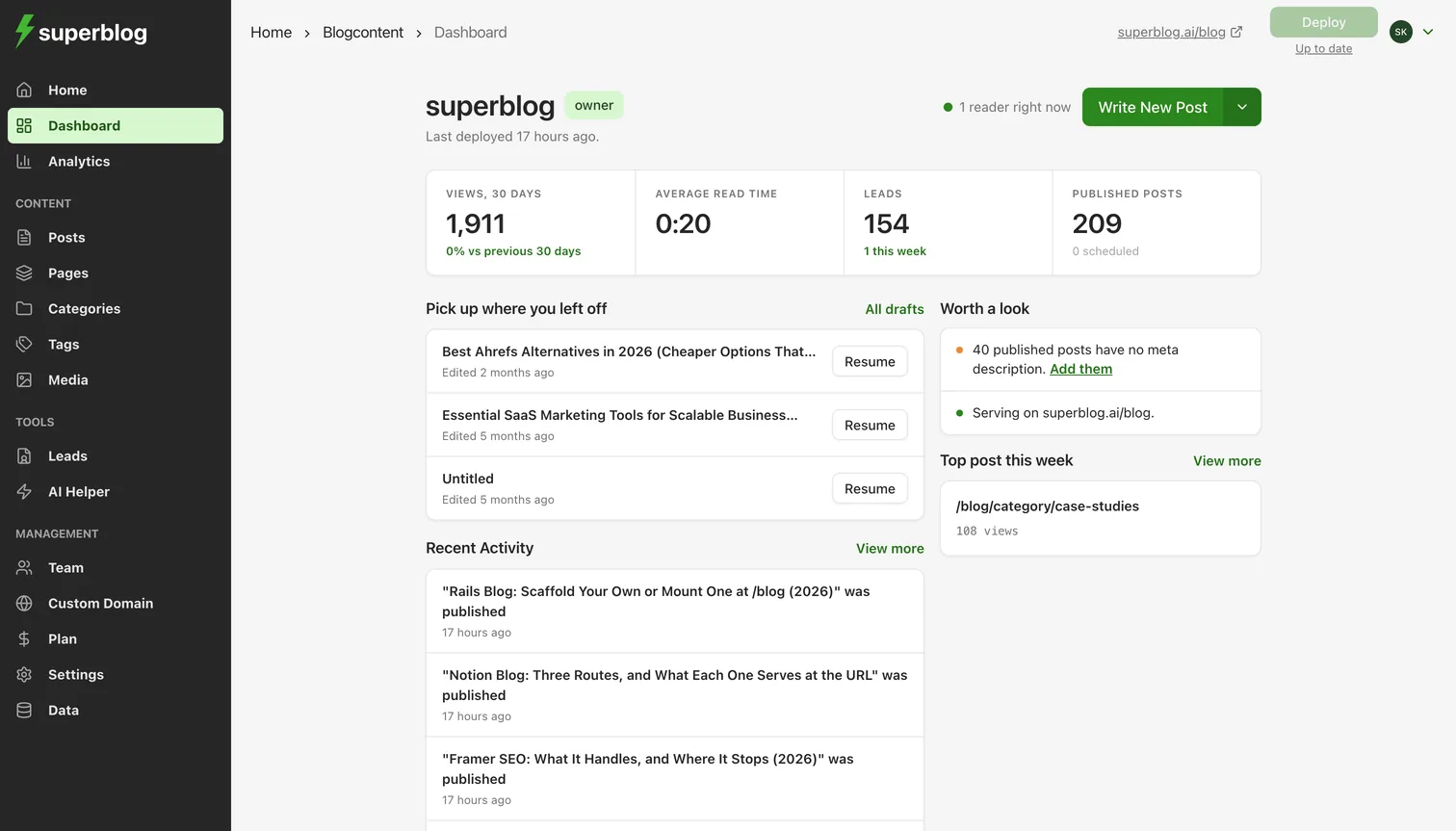

Everything you need, nothing to build
Production-ready blog infrastructure for Next.js teams
Two Rewrite Rules
Add two rewrites to next.config.js and redeploy once. Your blog serves at yoursite.com/blog, on your own domain.
Automatic SEO Engine
JSON-LD schemas, XML sitemaps, IndexNow, Open Graph tags, canonical URLs, and llms.txt are generated automatically on every deploy.
90+ Lighthouse Guaranteed
Every post is pre-built static HTML served from 200+ CDN edge locations. No ISR or caching setup on your side.
Built-in Lead Generation
Email capture forms and newsletter signups on every plan, plus Zapier webhooks on Super and above. Turn blog readers into product signups without third-party tools.
Multilingual SEO on Super and Above
Auto-translation to 41 languages with hreflang tags and per-language sitemaps, on Super and above. No per-language charge.
Marketing Independence
Writers draft and publish in the Superblog editor, with role-based publishing permissions. No PRs for blog posts.
Teams shipping faster
Engineers focused on product, not blog infrastructure
Rewrite rules to add
Lighthouse score guaranteed
Blog templates to build
CDN edge locations
Loved by
growth teams
Growth teams choose Superblog for speed, SEO, and zero maintenance. Then they publish content that ranks.
Read Case Studies“Was looking for a tool which could optimize SEO from a technical standpoint, so we could focus our efforts on writing good content. Superblog is perfect for this.”

“Just found Superblog looking for a quick SEO optimized, fast loading alternative to WordPress. Looks super awesome!”

“If you want top of class optimization for SEO and performance, I would suggest Superblog.”

“Just got Superblog up and running. Simple, yes. But so fast. Love that the editor is SEO focused.”

“Really impressed with how fast it was to get a blog running on my domain. Which meant more time for writing.”

“Superblog has made it easy for us to launch and run a blog. It does most of the heavy lifting that can supercharge your blog.”

Ready to connect Superblog to your Next.js app?
Keep your engineers on product work. Give marketing a managed blog platform that publishes at yoursite.com/blog.
Related guides for Next.js teams
Setup and SEO guides for running a blog alongside a Next.js app.
Best CMS for Next.js
Compare headless CMS options if your blog must reuse your React components.
Next.js SEO
Metadata, sitemaps, and structured data for the rest of your Next.js app.
Blog API Guide
See when an API-driven, headless blog makes sense for product teams.
Subdomain vs Subdirectory for SEO
Why /blog builds authority for your main domain and a subdomain does not.
Common questions from Next.js teams
Ready to stop managing your blog and start ranking?
Join the teams who escaped WordPress
From $49/mo, everything included • Free for 7 days • No credit card