Follow the SEO best practices
The Best practices panel on the left of the editor checks your post for SEO as you write. It shows how many checks pass, such as 9 of 12 done, and lists the ones still to fix.
The checks are guidance, not rules. A post that misses some can still rank well, and you can publish it at any time.
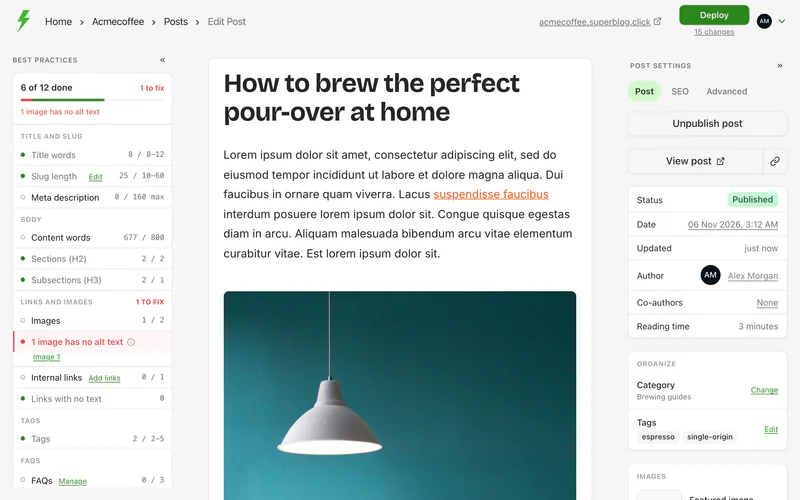
The checks
Fix the common ones
- Images with no alt text: click the image, and fill in Alt text, or click Describe with AI.
- Internal links: click Add links next to the check. See Add internal links.
- Links with no text: the panel lists each empty link with the text around it. Give each one words to click on, or remove it. Screen readers and search engines cannot tell where an empty link goes.
- Meta description: set one in the post's settings. Search engines show it under your title.
- Tags: add tags in the post's settings. See Tags.
- FAQs: add questions and answers in the post's settings. See Change a post's settings.
Search preview
The panel also shows how the post may look in Google: its title, URL and description, with each one's length. When the description is taken from your content, it says so.