Change a post's settings
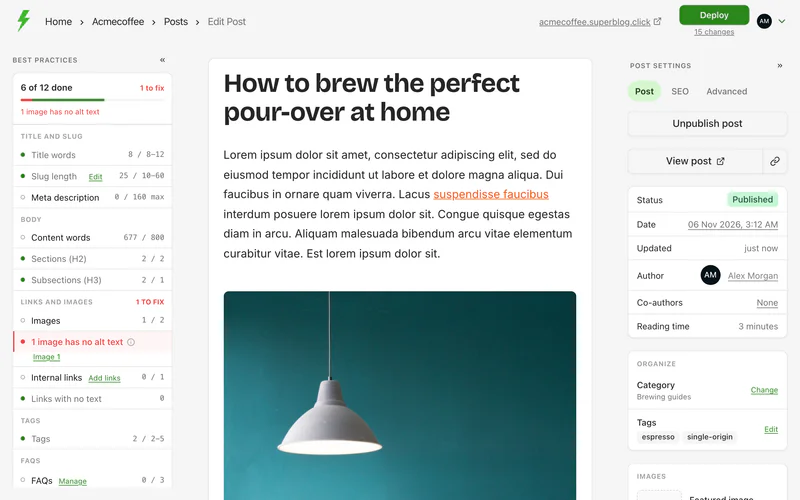
Each post has a Post settings panel beside the editor, with three tabs: Post, SEO and Advanced. Every setting has a sensible default, so most posts need none of them changed.
If the panel is hidden, click Show post settings.
Search and URLs
Only override the meta title and description when you need to. Superblog already writes them from the title and excerpt.
Add FAQs
- Click Manage FAQs.
- Click Add FAQ and write the question and answer.
To add several at once, paste them in this format, then click Add:
Q: What is your first question?
A: The answer to the first question.

---

Q: What is your second question?
A: The answer to the second question.
Content
Images
Display
Author and date
- Change author: pick another team member as the author. The author appears on the post and on their author page.
- Co-authors: add more team members as authors. See Co-authors and changing the author.
- Change publish date: changes the date shown on the post, and where it sits in your blog's feed.
More
- Custom JS: JavaScript that runs only on this post's page. Wrap it in
<script>tags. - Duplicate post: creates a draft copy of the post, with its settings, and opens it.
- Review comments: notes for your team about the post. Readers never see them.
- Delete: deletes the post. After you deploy, it is removed from your blog.
Changes to settings are saved straight away, and go live on your next deploy.