Upload and manage images
Dashboard > Media
The media library holds every image and PDF on your blog. Images you add to a post appear here automatically.
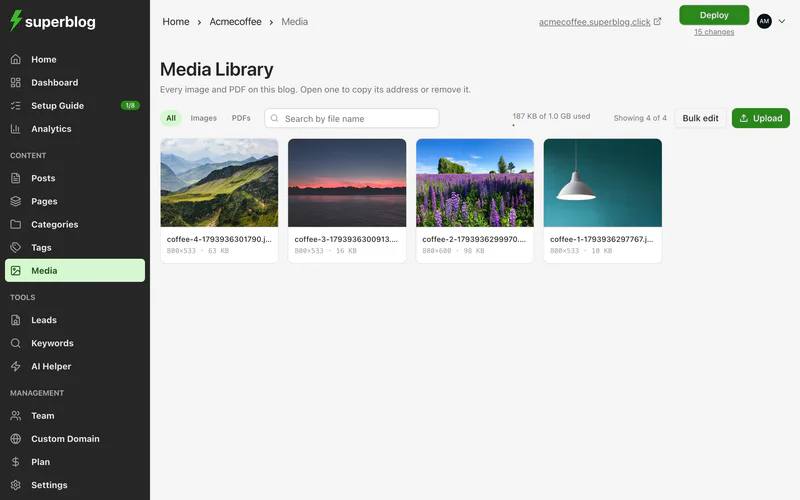
Upload files
- Go to Media.
- Click Upload and choose images or PDFs.
Each file can be up to 4 MB. Superblog keeps your original exactly as you uploaded it, so compress larger images before uploading.
Use a file
Open a file to see its dimensions, size, type and upload date. From there you can:
- Copy URL to paste it anywhere.
- Open original to view it full size.
To link a PDF from a post, copy its URL and use it in a link or a CTA Button.
Every file in your media library is public: anyone with its URL can open it.
Find a file
Search by file name, or filter by Images or PDFs.
Delete files
- Open a file and click Delete image, or click Bulk edit to select several.
- Confirm.
Deleting cannot be undone. A deleted file can take about 90 minutes to disappear from Superblog's cache.
Storage
The library shows how much of your storage you have used. Your plan sets the limit. When it is full, delete files you no longer need, or upgrade.
If an upload fails
The usual causes are a file over 4 MB, or a file that is not an image or a PDF. The library names each file it rejected and why.