Edit many posts at once
Dashboard > Posts > Bulk edit
- On the Posts page, click Bulk edit.
- Tick the posts you want to change.
- Open Bulk actions and choose what to do.
- When you are finished, click Done.
- Deploy your blog, so the changes go live.
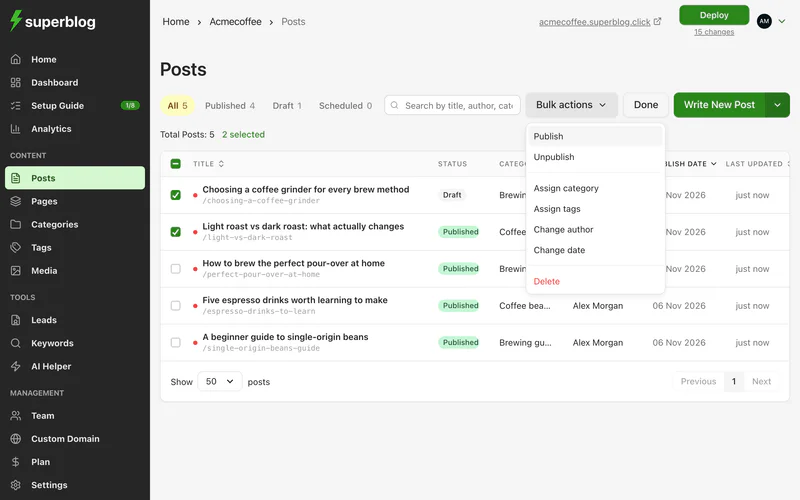
Bulk actions
Only the Owner, Admins and Editors can change the author.
Before you assign a category or tags, create them on the Categories or Tags page.