Set up your homepage
Dashboard > Settings > Homepage
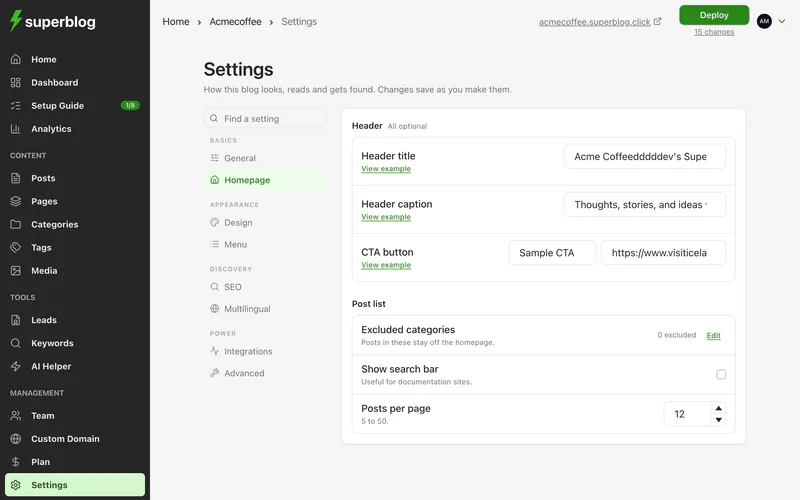
The header section
The header section is the large block at the top of your homepage, between the menu and your posts. All of it is optional.
- Header title: the main heading.
- Header caption: a line of text under it.
- CTA button and CTA link: a button and where it goes.
Leave the fields empty to hide the header section.
Choose which posts the homepage lists
- Excluded categories: posts in these categories stay off the homepage. They are still published, and readers can reach them through their category page, search and direct links. Click Edit to choose categories.
- Posts per page: how many posts each page of the list shows, from 5 to 50.
- Show search bar: adds a search box to the homepage. Useful for documentation and help centres.
Show category filters on the homepage
The category filters above your post list are set on the Categories page. See Organise posts with categories.
Use your own homepage
To serve your own static site as the homepage and move your blog to a path such as /blog, see Custom homepage.