Import from a spreadsheet, JSON or ZIP
Dashboard > Data > Import
Use these when your posts are not on a platform Superblog imports directly, or when you have them as files.
Spreadsheet
Upload a .csv, .xls or .xlsx file. It does not need a special format: you match its columns to Superblog's fields.
- Go to Data, open Import, and click Spreadsheet.
- Upload the file.
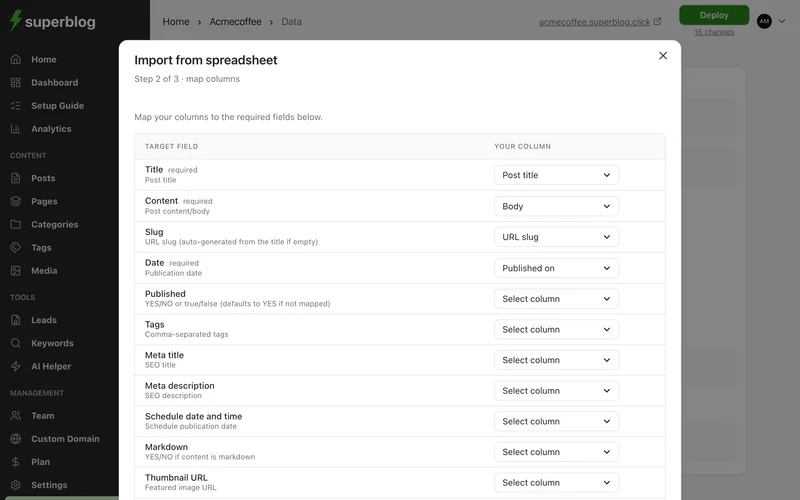
- Map your columns to the fields, such as title, content, slug, date and tags. Title, content and date are required, and the import cannot continue until they are mapped.
- Review the mapping and start the import.
Up to 300 posts per file. Post content can be HTML or markdown. If you do not map a status column, every post is imported as published.
JSON file
Upload a JSON file holding an array of objects, one per post. Map its fields the same way as a spreadsheet. Content can be HTML or markdown.
ZIP file
Upload a ZIP of .html or .md files, one post per file. Superblog shows how many posts it found before you import.
After the import
Each import runs in the background and emails you when it finishes. Then check your posts and deploy.
On the free trial, images keep loading from your old site until you upgrade and import again. See Images during the free trial.