Publish your blog in more than one language
Dashboard > Settings > Multilingual
Multilingual SEO publishes your blog in several languages, each at its own path, such as /es for Spanish. Superblog adds hreflang tags, so search engines show readers the version in their language. It is on the SUPER plan, and is in beta.
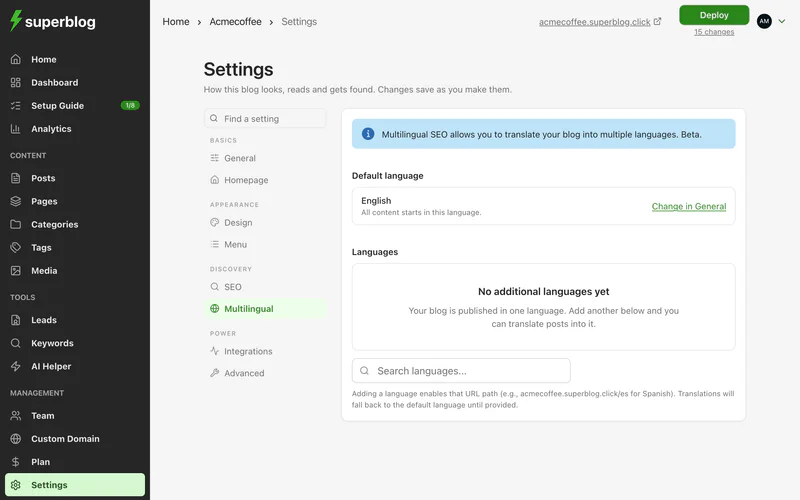
Add a language
- Go to Settings > Multilingual.
- Search for a language and add it.
- Deploy.
Your blog's Default language is the one all content starts in. To change it, click Change in General.
Each added language is live at its own path, for example yourblog.com/es. Until a post is translated, that language shows the post in your default language.
Translate a post
- Open the post in the editor.
- In the post's settings, open Translations.
- Next to a language, choose Write it myself to translate it by hand, or Auto-translate to have it translated for you.
- Review the translation, publish it, and deploy.
Auto-translate uses Superblog credits. See Auto-translate.
Translate your site's text
Your menu, footer, categories, tags, authors and lead forms have text too. In Settings > Multilingual, click Translate and pick what to translate: Site, Content or Lead Generation. Fields you leave empty use your default language.
The labels readers see
The labels Superblog adds to your blog, such as search, reading time and dates, are set by Blog interface language in Settings > General.
Remove a language
Remove it in Settings > Multilingual and deploy. Its path stops working, so add redirects if other sites link to it.