Your blog's dashboard
Dashboard
The Dashboard is the first screen of each blog. It shows how the blog is doing and what to do next.
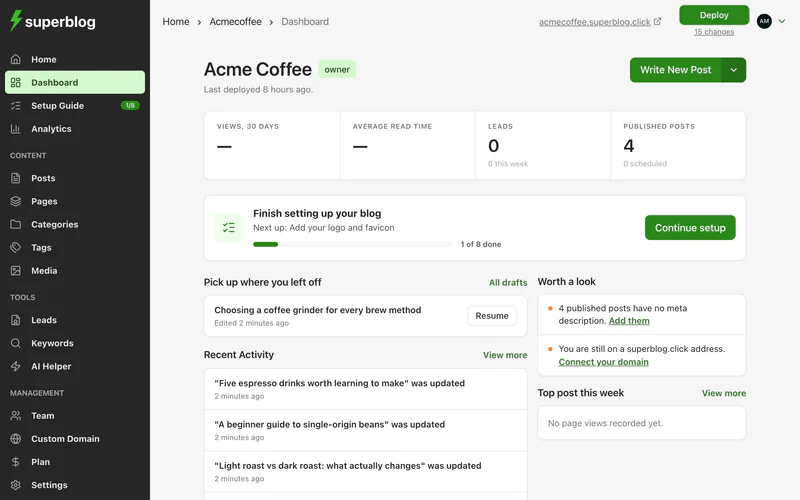
At a glance
When people are reading your blog right now, the dashboard shows how many.
Views and read time come from your blog's analytics, which are on the PRO plan and above. See See how many people read your blog.
Finish setting up
Until you finish the setup guide, a card shows the next step and how many are done. Click Continue setup to carry on.
Pick up where you left off
Your latest drafts, with a Resume button for each. Click All drafts to see every draft.
Worth a look
Things on your blog worth fixing, such as published posts with no meta description, or a blog still on its superblog.click address. Each item links to where you fix it. When there is nothing, it says Nothing needs your attention.
Recent activity
What happened on your blog lately: posts published, updated, drafted or scheduled, new categories and tags, and new leads.
Top post this week
Your most read post over the last seven days. Click View more for the full analytics.