Create API keys
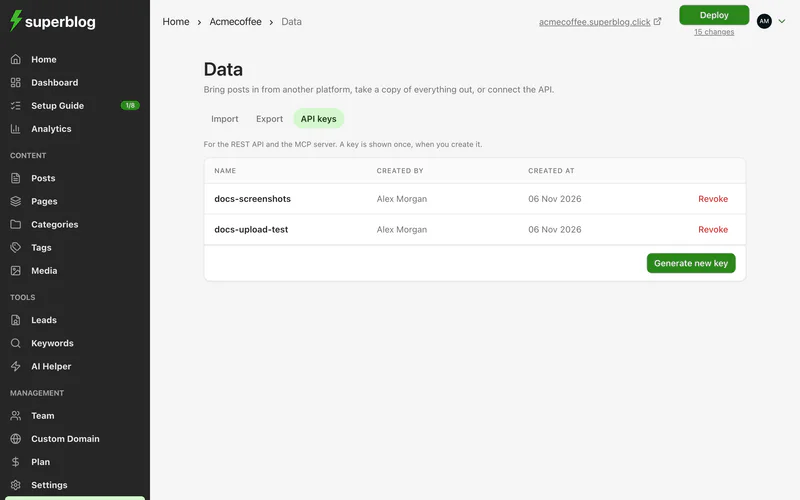
Dashboard > Data > API keys
An API key lets scripts and integrations work with your blog on your behalf.
Create a key
- Go to Data and open API keys.
- Click to create a new key, give it a name that says what it is for, such as
Zapier, and click Generate key. - Copy the key straight away. It is shown only once.
Keep it safe
A key acts with your account's full permissions on this blog. Anyone who has it can manage content, settings, team, billing and the custom domain through the API.
- Store it in a password manager or your tool's secret settings.
- Never put it in public code or a web page.
- Create one key per tool, so you can revoke one without breaking the others.
Revoke a key
Click revoke next to the key and confirm. Anything using it loses access immediately.
A key also stops working when the person who created it leaves the team, or transfers the blog to someone else.