Import and export your blog
Dashboard > Data
The Data page has three tabs: Import, Export and API keys.
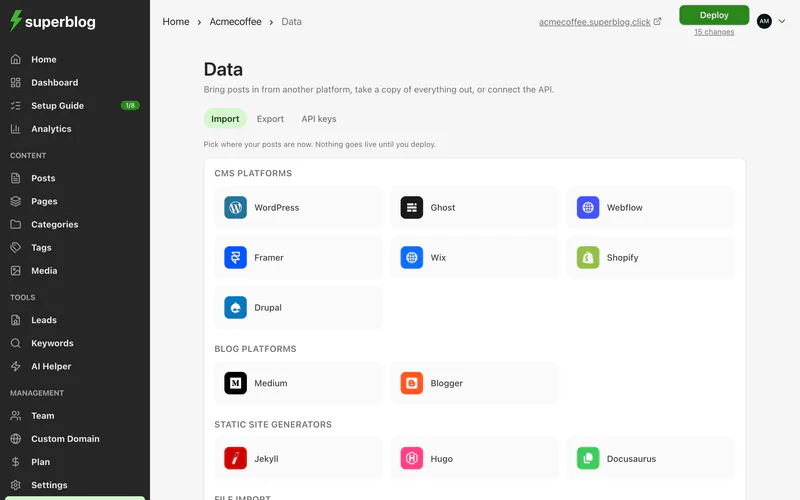
Import posts
Pick where your posts are now. Each import runs in the background and emails you when it finishes. Nothing goes live until you deploy.
To bring in a single post, use Import posts on the Posts page and choose a .docx, .md or .html file.
Your URLs are kept
Imports keep each post's slug, including nested slugs such as guides/getting-started. Links to your old posts keep working once your domain points to Superblog.
Images during the free trial
On the free trial, imported posts keep loading their images from your old site. Images are copied to Superblog's CDN only on a paid plan. To move the images too:
- Keep your old site online.
- Upgrade to a paid plan.
- Delete the imported posts, and run the import again.
Edits you made to imported posts before re-importing are lost, so re-import before you start editing.
Jekyll and Hugo
Upload a ZIP of your site, or of its _posts folder (Jekyll) or content folder (Hugo). Your URLs are kept, and front matter is read for titles, dates and slugs.
Framer
Export your Framer CMS collection as a CSV with the CMS export plugin, then upload it and map its columns. Up to 300 posts per file.
Export your blog
API keys
API keys let the REST API, MCP and integrations such as Zapier work with your blog. See Create API keys.