Generate images and alt text with AI
Superblog's image tools live where you need them: in a post's featured and OG image settings, and in the image widget's alt text field.
Generate an AI image
Available on the BUSINESS plan. Each image costs 1 credit.
- Open a post, and in its settings click the Featured image or OG image row.
- Choose Generate with AI.
- The description is filled in from your post title. Edit it to say what the post is about. You do not need to write a prompt: Superblog works out a scene and handles the composition, lighting and colours.
- Pick a style: Photo, Illustration or Abstract.
- Click Generate AI image. If you like it, click Use this image. Click Generate a different one for another.
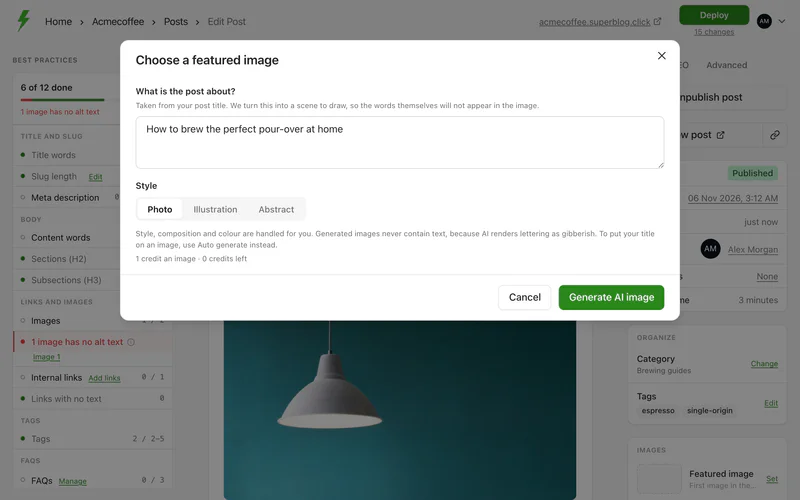
Generating the same description again is free: you get the image you already paid for.
AI images are kept free of text, because image models write convincing gibberish. To put your post title on an image, use Auto generate, which adds it as real text, free on every plan. See Set the featured and OG images.
Write alt text with AI
Alt text describes an image for screen readers and search engines. Superblog can write it by looking at the picture.
- Insert an image with the
/imagewidget, or click an existing image. - Next to Alt text, click Describe with AI.
- Check the sentence, and edit it if needed.
Each description costs 0.5 credits. It is written to be read aloud: what is in the picture, plainly, in under 125 characters.