
WordPress.com Blog: What You Get, What You Don't, and When to Upgrade (2026)

The WordPress.com blog is a hosted blogging platform that handles setup, hosting, and maintenance for you. If you want a blog without touching a server, WordPress.com is a legitimate starting point. But the plan structure, feature gates, and SEO depth vary significantly depending on what you actually need. This guide maps all of it.
This is for people evaluating WordPress.com honestly: what each tier unlocks, where the ceiling sits for business blogs, and how it compares to the alternatives. Not a pitch to leave. A practical map.
Before anything else: WordPress.com (this article) and WordPress.org are different products. WordPress.org is the open-source software you download and self-host. WordPress.com is a managed hosting platform that runs a version of that software for you. The distinction matters for every claim below.
What Is a WordPress.com Blog?
A WordPress.com blog lives on WordPress.com's infrastructure. You sign up, pick a theme, and start writing. No server setup, no hosting fees to manage separately, no software updates to apply. WordPress.com handles the technical layer for you.
The tradeoff is control. WordPress.com manages the environment, which means some things you can do freely on a self-hosted WordPress.org installation are either unavailable or gated behind higher plans on WordPress.com.
Understanding that tradeoff clearly is the entire point of this article.
What WordPress.com Gives You at Each Tier
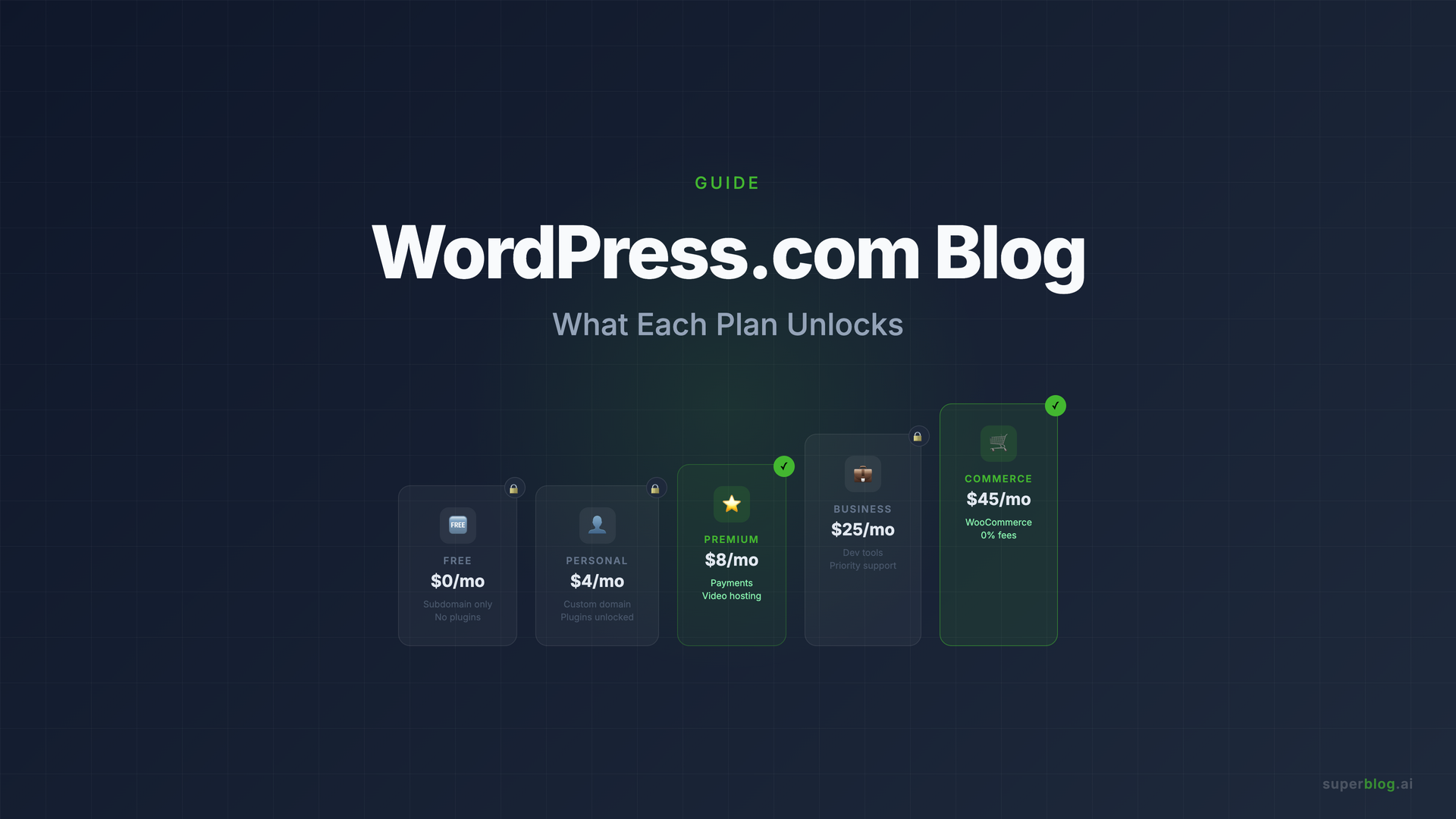
WordPress.com currently offers five plan tiers. Here is what each one actually unlocks for blogging:
Free: Your blog lives at yourname.wordpress.com. No custom domain. WordPress.com shows ads to your visitors (revenue goes to them, not you). 1 GB storage. No plugin access. The free plan is a way to try the interface, not a viable business blogging setup.
Personal ($9/mo billed monthly): Custom domain included for the first year. Plugin access opens up on this plan. 6 GB storage. No ads shown to visitors. Monetization features not included on this tier.
Premium ($18/mo billed monthly): 13 GB storage. Plugin access. Payment buttons via Stripe and PayPal. Video hosting added. Premium analytics.
Business ($40/mo billed monthly): 50 GB storage. Plugin access. Developer tools (SFTP, SSH, Git). Real-time backups. 24/7 priority support. Email marketing for up to 500 subscribers. AI writing assistant.
Commerce ($70/mo billed monthly): Adds WooCommerce with 0% transaction fees, inventory management, and global selling. Designed for stores, not blogs.
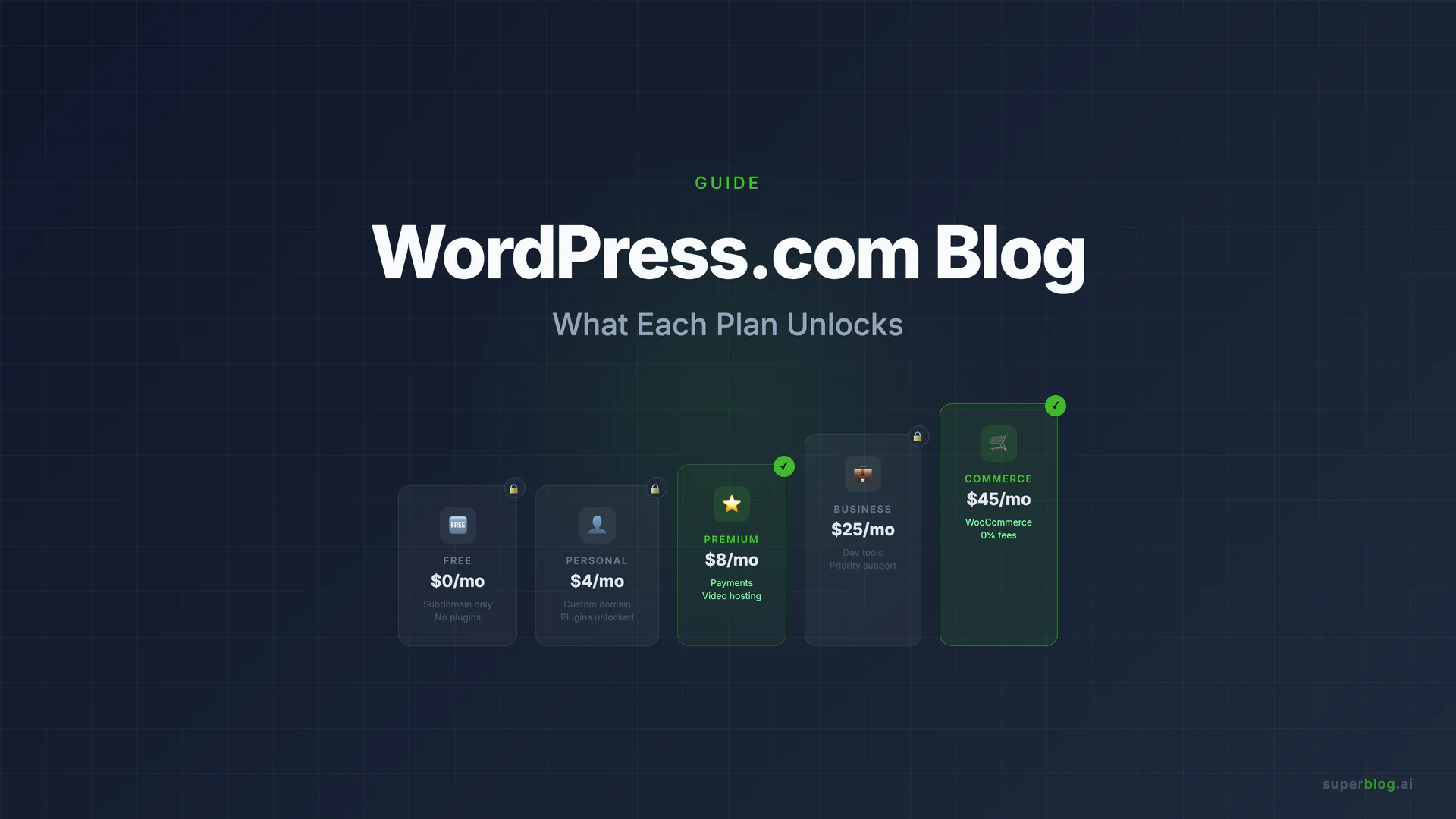
Annual billing brings these prices down significantly (Personal to $4/mo, Premium to $8/mo, Business to $25/mo, Commerce to $45/mo at current rates, verified July 2026). 3-year billing drops them further.
What WordPress.com Does Well
Managed hosting with no setup friction
The core value of WordPress.com is real. You get hosting, SSL, automatic updates, and daily backups without managing any of it. For a founder or marketing team that wants a blog without a DevOps conversation, that matters.
A familiar, proven editor
WordPress.com uses the Gutenberg block editor, which millions of people know. It handles rich content well: images, videos, galleries, embeds, custom layouts. If your team has any WordPress experience, the learning curve is near zero.
Plugin ecosystem on paid plans
Starting at the Personal plan, you can install from over 50,000 plugins in the WordPress.org repository. This is the biggest thing WordPress.com has over any hosted alternative: access to a plugin ecosystem built over 20 years. SEO tools like Yoast, lead capture plugins, analytics integrations, anything in the repository is available on paid plans.
Jetpack built in
WordPress.com sites come with Jetpack included. That means lazy-load image optimization, a CDN for static assets, brute force protection, and downtime monitoring. It is not the same as a purpose-built performance stack, but it is more than nothing.
Familiar brand trust
WordPress powers roughly 40% of the web. When evaluating a blogging platform, the WordPress.com name carries weight. Support documentation is extensive. Community resources are enormous.
Where WordPress.com Constrains Business Blogs
Here is where the picture gets more honest. These are real limits, verified from WordPress.com's own documentation.
The free plan is not viable for business
If you are reading this to evaluate WordPress.com for a business blog, the free plan is not the relevant product. Ads shown to your visitors, no custom domain, and 1 GB storage are not a business blogging setup. You are looking at the paid tiers.
Performance is not automatic or guaranteed
WordPress.com sites benefit from Jetpack's CDN and some image optimization, but Lighthouse scores vary based on theme complexity, plugin weight, and page content. A clean theme with minimal plugins on WordPress.com will perform well. A site with a page builder theme, several tracking scripts, and heavy images may not.
This is structurally different from platforms that generate static pages. WordPress.com serves dynamic pages (PHP rendered on request), which means performance depends on the stack choices you make, not a guaranteed baseline.
SEO depth requires plugin work
WordPress.com's default SEO controls cover the basics: title tags, meta descriptions, URL slugs, and a sitemap. Structured data (JSON-LD schema for Article, FAQ, Organization, Breadcrumb) requires installing a plugin like Yoast SEO and configuring it. That is work, and it is work that scales poorly as your post count grows. Every new post requires you to verify schema is rendering correctly.
WordPress.com does not generate LLMs.txt, a growing standard built for AI discovery tools like ChatGPT and Perplexity. Plugins exist for this, but it is another configuration layer.
IndexNow support on WordPress.com depends on plugin configuration. It is not built into the publishing flow by default.
The plugin model means ongoing maintenance
The WordPress plugin ecosystem is the platform's superpower and its ongoing maintenance tax. Plugins conflict. Plugins stop being maintained. Plugins introduce security vulnerabilities. Security updates that WordPress.com handles automatically for the core software still leave you managing plugin-level compatibility and security on your own.
This is lighter than self-hosted WordPress.org, but it is not zero maintenance.
Custom code limitations compared to WordPress.org
WordPress.com restricts PHP customizations and server-level configuration changes that are available on a self-hosted WordPress.org installation. If your blog needs non-standard server behavior or custom plugin modifications, WordPress.com may not support it. The Business plan adds SFTP and SSH access, but within WordPress.com's managed environment constraints.
Pricing climbs fast for teams
Personal plan at $9/mo includes unlimited users. Premium and Business plans similarly do not restrict users. But if you need features like real-time backups, developer tools, or email marketing, you are at $40/mo (Business) before any add-ons. For a small team that wants a capable business blog, the effective floor is $25-$40/mo depending on features needed.
WordPress.com vs WordPress.org: The Critical Distinction
Because this comes up constantly: these are different products, and confusing them leads to bad decisions.
WordPress.com is hosted for you. You do not manage servers. You get the ecosystem (plugins, themes) on paid plans, but within WordPress.com's managed environment. Easier to start. Less total control.
WordPress.org is the open-source software you download and run on your own hosting. Complete control over plugins, themes, server configuration, and code. But you are responsible for hosting, updates, security, backups, and performance. The "WordPress scores 40-60 on Lighthouse" claim people make refers to poorly configured WordPress.org installations, not WordPress.com specifically.
The WordPress.com vs WordPress.org distinction is worth reading in depth if you are still deciding between the two.
Two Paths Forward
Your decision depends on what you need from the blog and how central content is to your growth.
Option 1: Work within WordPress.com
If your blog is a secondary channel, a few posts per month, with no aggressive SEO goals, WordPress.com at the Business plan is a workable setup. Practical steps to get the most from it:
- Install Yoast SEO or RankMath immediately. Do not rely on WordPress.com's default SEO controls for a business blog. Install a dedicated SEO plugin from day one.
- Audit schema on every new post. After publishing, use Google's Rich Results Test to confirm Article schema is rendering correctly. Fix anything showing as incorrect before the post gets indexed.
- Use Google Search Console URL Inspection. After publishing, request indexing manually rather than waiting for Googlebot to discover the URL.
- Optimize images before uploading. Do not rely entirely on Jetpack's CDN optimization. Upload compressed images at appropriate dimensions to keep page weight controlled.
These steps work at low post volume. At 20+ posts per month, the per-post verification overhead compounds.
Option 2: Run a managed blog on your own domain
If content marketing is a core growth channel, the stronger move is routing yoursite.com/blog to a platform built specifically for organic rankings. This does not require abandoning WordPress.com if it powers your main site. It means routing the /blog subdirectory to a purpose-built blogging platform while your main site continues running unchanged.
For teams migrating off WordPress.com, the migrate from WordPress guide covers what transfers automatically and what requires attention.
WordPress.com vs Alternatives: Comparison Table
The table shows the core difference in model. WordPress.com and WordPress.org both rely on the plugin ecosystem to reach the feature depth a business blog needs for competitive SEO. That ecosystem is powerful but requires assembly, configuration, and ongoing maintenance. Purpose-built platforms like Superblog ship those capabilities as defaults.
Where Superblog Fits
Superblog is not trying to replace WordPress. It is a purpose-built managed blog platform for companies where content marketing is a serious growth channel. The comparison to WordPress.com is relevant because they serve adjacent use cases: both are managed (you do not touch servers), both handle hosting, both support custom domains.
The differences are in defaults. Superblog generates Article, FAQ, and Organization JSON-LD schema on every post automatically. No plugin to install, no per-post verification step. LLMs.txt updates on every deploy. IndexNow fires on publish without configuration. Every page scores 90+ on Lighthouse through a JAMStack architecture that pre-builds static pages and serves them from a global CDN with 200+ edge locations.
Superblog also runs at yoursite.com/blog through subdirectory hosting without affecting anything else on your domain. If your main site runs on WordPress.com, Webflow, Framer, Shopify, or any other platform, Superblog attaches at /blog and runs independently. This keeps domain authority consolidated, which is the best blogging platform setup for SEO.
Migration from WordPress.com is supported through a one-click import. Posts, categories, tags, featured images, and metadata transfer automatically. URL slugs stay identical, so existing rankings are not disrupted.
Pricing starts at $29/mo (Basic: up to 300 posts, 1 team member), $49/mo (Pro: up to 1,000 posts, 5 team members), and $99/mo (Super: unlimited posts, 10 team members, AI features, API access, multilingual SEO). All plans include the full SEO infrastructure layer. Seven-day free trial, no credit card required.
For teams evaluating alternatives to WordPress.com for content-led growth, best WordPress alternatives for blog covers the broader field with verified pricing and capability data.
FAQ
Is WordPress.com free?
WordPress.com has a free plan that gives you a yourname.wordpress.com blog with 1 GB storage. The free plan shows WordPress.com ads to your visitors and does not include a custom domain. For a business blog, the free plan is not a practical option. Paid plans start at $9/mo (Personal, billed monthly) or $4/mo (billed annually).
What is the difference between WordPress.com and WordPress.org?
WordPress.com is a hosted platform: you sign up and they handle servers, updates, and infrastructure. WordPress.org is free, open-source software you download and run on your own hosting. WordPress.com is faster to start and requires less technical management. WordPress.org gives you complete control over plugins, server configuration, and code, but requires you to manage (or pay someone to manage) the technical layer. See the WordPress.com vs WordPress.org breakdown for a full comparison.
Is WordPress.com good for business blogs?
WordPress.com at the Business plan ($40/mo monthly, $25/mo annually) is a capable setup for business blogging when combined with an SEO plugin like Yoast. You get plugin access, developer tools, real-time backups, and priority support. The limitations that matter at scale are: schema markup requires per-post plugin configuration and verification, performance varies based on theme and plugin weight (not a guaranteed baseline), and ongoing plugin maintenance adds overhead as the blog grows. For a secondary blog channel with moderate publishing frequency, it works. For companies where blog traffic is a primary growth channel, a purpose-built platform produces better SEO outcomes with less maintenance overhead.
Can I move off WordPress.com?
Yes. WordPress.com lets you export your content. The export includes posts, pages, comments, categories, and tags. Images are included in some export formats. Platforms that import from WordPress.com directly (like Superblog) handle the migration automatically, preserving post content, metadata, featured images, and URL slugs. Migrating away from WordPress.com does not require manual content re-entry for most destination platforms.
Does WordPress.com support custom domains?
Custom domains are available from the Personal plan ($9/mo monthly, $4/mo annually) and above. The free plan only supports a yourname.wordpress.com subdomain. The first year of a custom domain is typically included with paid plans; renewal costs apply afterward.
Can I add a WordPress.com blog to my existing website?
WordPress.com cannot run as a subdirectory blog at yourexistingsite.com/blog if your main site is on a different platform. It is a standalone hosted platform. To run a blog at your domain's /blog subdirectory while keeping your main site on another platform, you need either a self-hosted WordPress installation or a platform built for subdirectory hosting, like Superblog. See blog platform options for the full landscape of what supports subdirectory hosting out of the box.
Your blog, without the maintenance
Fast pages, automatic SEO, no plugins to patch. Runs on yoursite.com/blog.
Sai Krishna is the Founder and CEO of Superblog. Having built multiple products that scaled to tens of millions of users with only SEO and ASO, Sai Krishna is now building a blogging platform to help others grow organically.
superblog
Superblog is a blazing fast blogging platform for beautiful reading and writing experiences. Superblog takes care of SEO audits and site optimizations automatically.