
Wix Blog: What the Built-In Blog Does Well (and Where It Stops) 2026

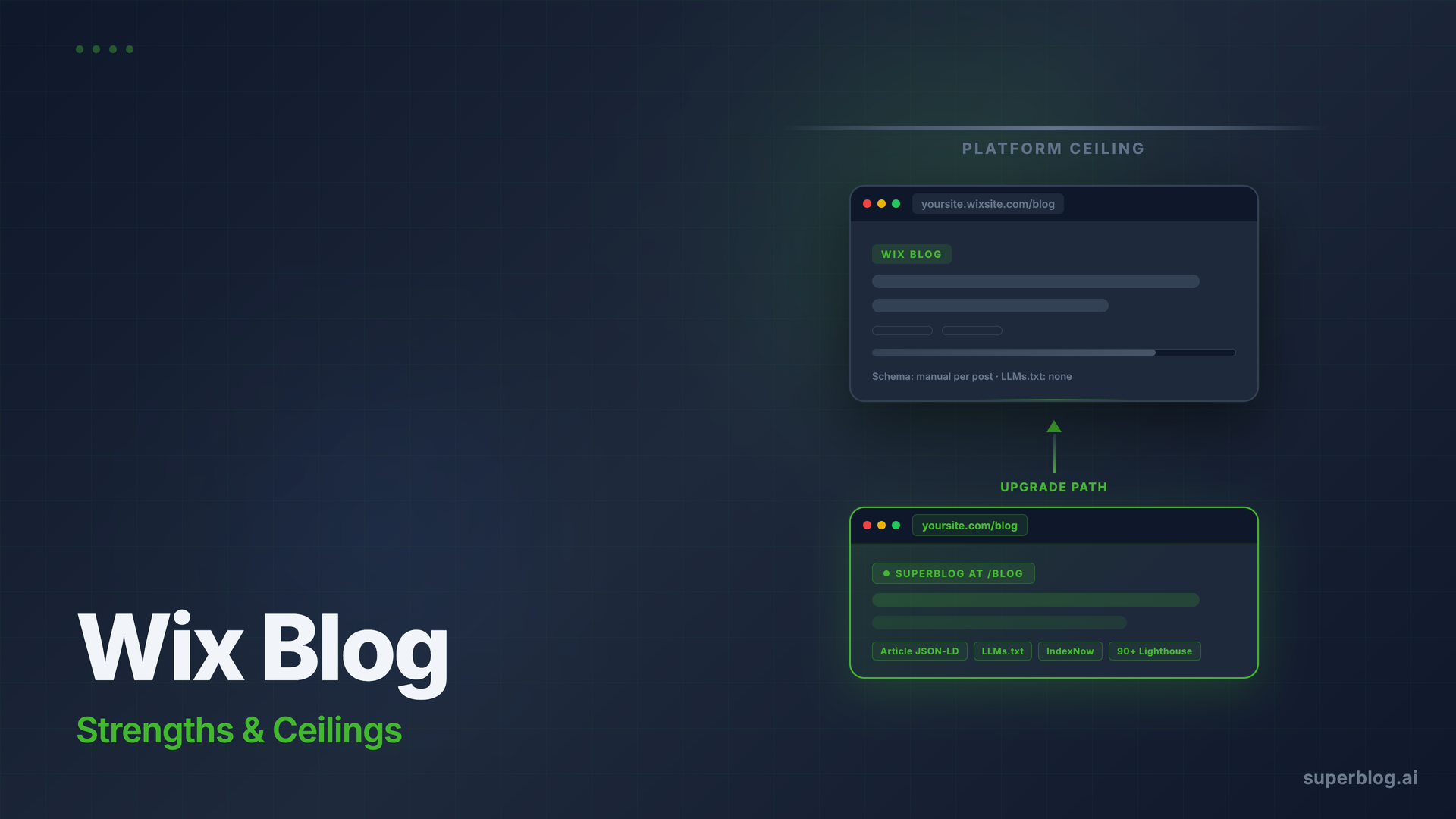
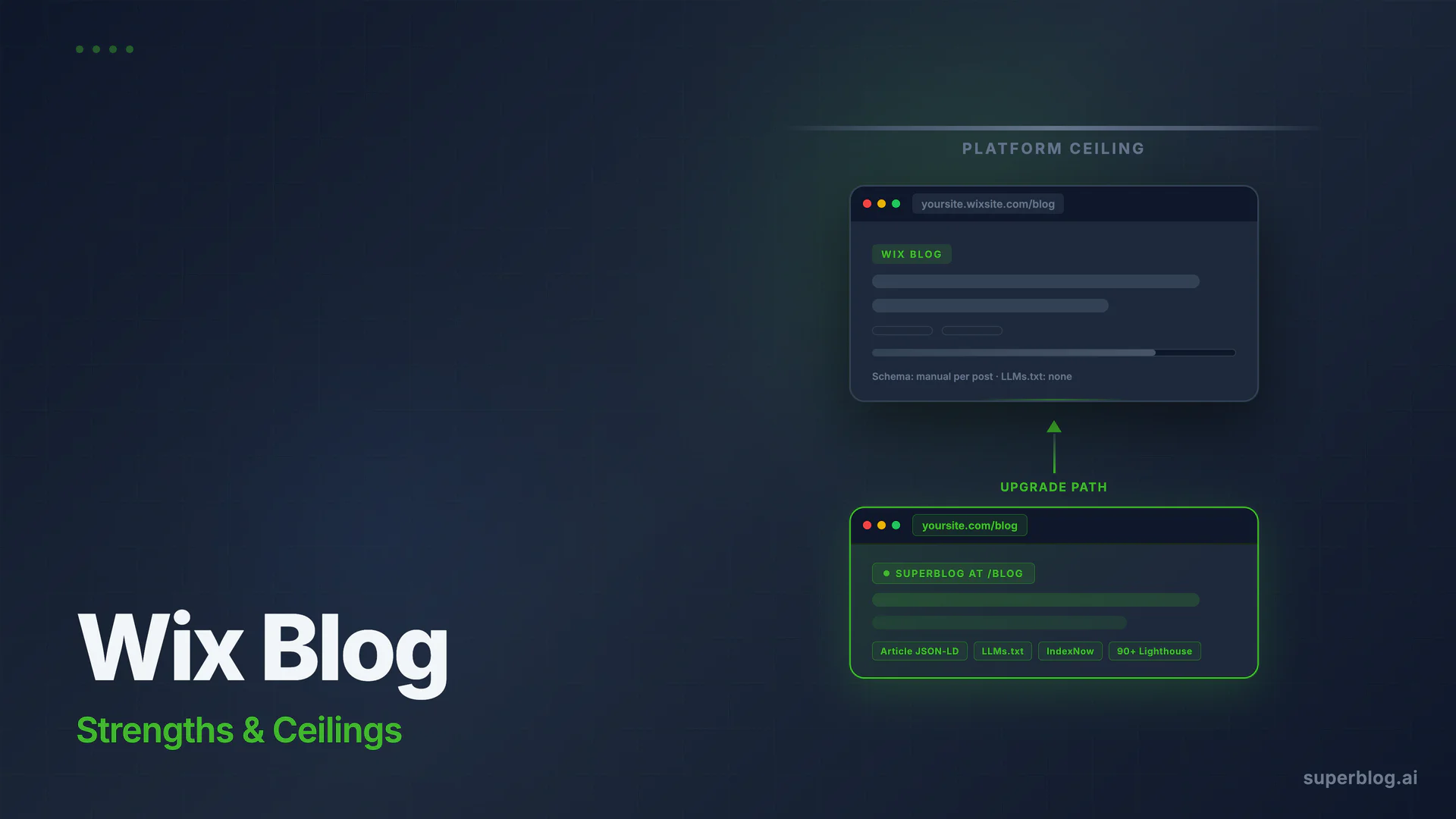
Wix includes a built-in blog that works out of the box for anyone already building on the Wix platform. If you have a Wix site and want to add a blog quickly, the Wix blog is genuinely solid for the basics. But if your goal is consistent organic traffic from content marketing, a few structural limits start to matter.
This guide is for Wix site owners evaluating what their built-in blog can do, and what it cannot. Not a pitch to leave Wix. A practical map of the territory.
What Is Wix Blog?
Wix Blog is the native blogging module included with every Wix site. You add it from the Wix editor as a dedicated blog section and manage posts from the Wix dashboard. No separate account, no integration work. It lives inside your existing Wix site.
The feature set is broader than most people expect. Wix has invested in the blog module significantly over the past few years, and for personal publishing or light business blogging it competes well with standalone blog platforms.
What Wix Blog Does Well
Setup inside your existing Wix site
The strongest thing about Wix Blog is the zero-friction setup. If your site is already on Wix, adding the blog takes minutes. Templates, navigation integration, and styling all inherit your existing site design. For a business that wants a blog without managing a second platform, that cohesion is real and valuable.
Content creation tools
The Wix post editor handles rich content well. You can embed images, galleries, videos, GIFs, polls, and downloadable files in a post. Post templates for common formats (how-to guides, product reviews, recipes) give you a starting structure. An AI writing assistant offers outline suggestions, rephrasing, and grammar improvements. For a team that publishes occasionally, the editor removes friction.
Subscriber and social tools
Wix Blog connects natively to the Wix Ascend marketing suite. You can send new-post notifications by email, schedule social media sharing, and track basic engagement metrics (views, reading time) from the same dashboard. For small teams already using Wix for their website, keeping the toolchain consolidated has value.
Basic SEO controls
Each post gets a title tag, meta description, URL slug, and alt text fields for images. Wix generates a sitemap automatically and connects to Google Search Console from the settings panel. That covers the minimum viable on-page SEO for most small blogs.
Monetization options
Wix supports Google AdSense, subscription paywalls, and donation forms within the blog. If you want to monetize directly through your Wix site, the blog module supports those paths.
Where Wix Blog Stops for Growth-Stage Teams
Here is where the picture gets more nuanced. The limits below are real and verified from Wix's own documentation and technical reviews, not invented gaps.
Schema markup requires per-post manual conversion
Wix offers AI-generated structured data for blog posts that can produce Article, BlogPosting, FAQPage, and Recipe schema based on content analysis. Custom JSON-LD is also supported via SEO Settings under Advanced, with a limit of under 7,000 characters per page. The issue is workflow: AI-generated structured data in Wix is read-only. To customize or override it, you have to convert each post individually to manual markup through the structured data editor.
That conversion step is manageable for a small blog. It does not scale. If you publish 10 or 20 posts per month, every post requires a separate manual conversion step before you can verify or adjust its schema. And Wix does not auto-apply Organization schema to every post the way a purpose-built blog platform would. That schema requires separate manual setup.
If your SEO strategy depends on reliably structured Article schema, FAQ schema, Organization schema, and Breadcrumb schema on every post automatically, Wix requires ongoing manual effort for anything beyond the AI-generated defaults. That effort compounds as your post count grows.
Wix also does not generate an LLMs.txt file, a growing standard built for AI tools like ChatGPT and Perplexity.
Performance is site-dependent, not guaranteed
Wix has improved its performance significantly. Tested Wix sites now commonly score in the 85-95 range on Lighthouse mobile, which is better than most self-hosted WordPress setups. Wix manages CDN delivery and basic image optimization across all sites.
The important distinction is that these scores are not automatic guarantees. Performance on a Wix site depends on the complexity of the page, the weight of uploaded images before Wix's CDN processes them, and the amount of third-party script the site accumulates. A blog that starts clean and stays focused will perform well. A heavier Wix site with multiple apps and media-rich pages can see meaningful performance variance across different posts.
Multilingual blog SEO has friction
Wix does support multilingual sites with automatic hreflang tags, which is a real capability. The Wix Multilingual app adds hreflang attributes and handles language switching through subdirectory URLs (yoursite.com/es/), which aligns with how Google recommends structuring multilingual content.
The practical limitations are: URL slugs cannot be localized per language (you cannot translate the URL slug itself, only the content), SEO metadata translation requires manual copy-paste outside the Google Translate integration, and managing translations across many posts becomes fragmented as the blog grows. For a Wix site serving one market, these are not problems. For a company targeting multiple language markets through blog content, the workflow becomes genuinely difficult to scale.
The blog lives on the same Wix infrastructure
Wix Blog content is served from the same Wix platform that powers your site. That is both the convenience and the constraint. You cannot attach a purpose-built, independently optimized blogging platform at yoursite.com/blog without leaving Wix Blog behind. For teams that want to keep their Wix website while running a separate high-performance blog specifically tuned for organic growth, Wix Blog is not that option.
When it is time to leave, the routes and what survives each one are in Wix blog export.
Two Paths Forward for Wix Users
Your decision depends on what you need from the blog. Here are the two realistic routes.
Option 1: Work within Wix Blog
If your blog is a secondary channel (a few posts per month, no complex multilingual needs, no heavy organic traffic goals), Wix Blog is sufficient. Practical tips:
- Audit every post's schema. Check Google's Rich Results Test after publishing each post to confirm Article schema is rendering correctly. Fix anything that shows as AI-generated and incorrect.
- Use Google Search Console URL Inspection. After publishing, use the URL Inspection tool in GSC to request indexing and confirm your new posts are getting picked up promptly.
- Compress images before uploading. Do not rely entirely on Wix's CDN to optimize large images. Upload at appropriate dimensions to keep Lighthouse scores consistent.
- Translate SEO metadata manually for each language. Do not leave this to the Google Translate integration in Wix's multilingual tool. Meta titles and descriptions drive CTR more than body content.
These steps work at low post volume. They do not scale well to 50+ posts per month or a multi-language blog.
Option 2: Run a managed blog at yoursite.com/blog
If content marketing is a core growth channel, the stronger move is routing yoursite.com/blog to a purpose-built blog platform that handles SEO infrastructure automatically. This keeps your Wix site intact for the homepage, product pages, and marketing pages while giving the blog a dedicated platform optimized specifically for organic rankings.
This is what platforms like Superblog are designed for. You route yoursite.com/blog to Superblog through a subdirectory setup, and your Wix site continues running unchanged at all other URLs. (If you are evaluating whether to move your entire blog off Wix, the Wix alternative page covers that scenario separately.)
How the two approaches compare:
The table shows where a purpose-built blog platform separates from a built-in tool. Wix Blog is competitive on setup simplicity and now covers IndexNow on Premium plans. Superblog covers the full SEO infrastructure layer: automated schemas on every post without manual conversion, LLMs.txt, multilingual support, and a 90+ Lighthouse score by default on every page.
Where Superblog Fits for Wix Users
Superblog is not a Wix replacement. If you want to keep your Wix marketing site, you keep it. Superblog attaches at yoursite.com/blog through subdirectory hosting and runs independently. The Wix pages you already have continue working exactly as before.
What changes is what happens at /blog. Posts get Article JSON-LD schema automatically, without any per-post conversion step. Organization schema applies across the blog without manual setup. LLMs.txt updates on every deploy. Every page scores 90+ on Lighthouse without any manual optimization on your part. IndexNow fires on every publish, notifying Bing and other supporting search engines immediately.
The platform handles what Wix Blog handles manually or inconsistently, at a level that scales as you publish more.
For the full SEO context of running a blog on Wix, see our Wix Blog SEO guide. For the case for subdirectory hosting specifically, subdomain vs subdirectory covers the tradeoffs in detail.
If you are on Wix and want to add a dedicated blog that does not require touching your existing site, how to add a blog to your website walks through the full setup process.
FAQ
Does Wix have a built-in blog?
Yes. Every Wix site can add Wix Blog as a module from the Wix editor. It is included with all Wix plans, including the free tier, and requires no separate account or integration.
Is Wix Blog good for SEO?
Wix Blog covers the basics: title tags, meta descriptions, URL slugs, sitemaps, Google Search Console connection, and IndexNow on Premium plans. For light publishing on a small business site, that is often enough. For SEO-led content marketing at scale, the gaps that matter are schema conversion friction (AI-generated markup is read-only until manually converted per post), no automatic Organization or Breadcrumb schema, no LLMs.txt, and URL slug localization not supported for multilingual blogs.
Can I add an external blog to my Wix site?
You can route a subdirectory on your domain (yoursite.com/blog) to a separate blogging platform without affecting your Wix site. This requires routing configuration on your domain's DNS or through Wix's URL forwarding, but Wix site pages outside /blog continue working normally. Platforms like Superblog are designed specifically for this subdirectory setup.
Is Wix Blog better than WordPress for blogging?
They solve different problems. WordPress is a full content management system you self-host, giving you complete control but requiring maintenance, plugin management, and performance tuning. Wix Blog is a hosted module inside a website builder. Wix is lower effort if you are already on the platform. WordPress gives more control if you are willing to manage it.
What are the Wix Blog post limits?
Wix does not publicly document a hard post count limit for Wix Blog. The platform's plan limits relate to storage and features rather than a fixed number of posts. In practice, large blogs with hundreds of posts can run on Wix, though editorial workflow and performance at scale become considerations.
Should I use Wix Blog or a separate blog platform?
If content marketing is a significant growth channel and you are publishing consistently (several posts per month with SEO goals), a dedicated blog platform at yoursite.com/blog will outperform Wix Blog on rankings over time. If you publish occasionally and do not depend on blog traffic for growth, Wix Blog is sufficient and saves you the setup overhead of a second platform.
Your blog, without the maintenance
Fast pages, automatic SEO, no plugins to patch. Runs on yoursite.com/blog.
Sai Krishna is the Founder and CEO of Superblog. Having built multiple products that scaled to tens of millions of users with only SEO and ASO, Sai Krishna is now building a blogging platform to help others grow organically.
superblog
Superblog is a blazing fast blogging platform for beautiful reading and writing experiences. Superblog takes care of SEO audits and site optimizations automatically.