
Webflow vs WordPress: Which Should Host Your Business Blog in 2026?

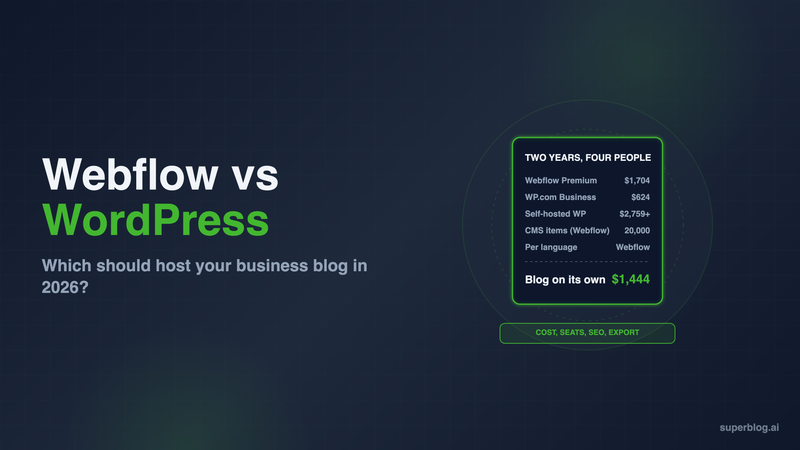
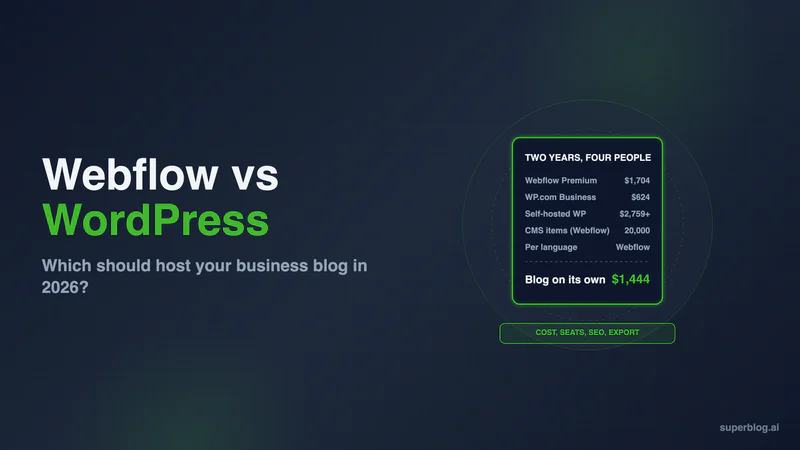
Webflow vs WordPress for a business blog is a trade between paying per writer and paying for upkeep. Webflow charges for the site plan and for every person who edits content, but it runs the software for you. WordPress has no per-user fee and no item cap, but a self-hosted install brings plugins and update hours to the bill.
Over two years, a four-person team pays about $1,700 on Webflow Premium, about $620 on WordPress.com Business, and about $2,750 to $3,550 on self-hosted WordPress once developer time is counted. Every price and limit below comes from the vendor's own page, checked in November 2026.
The verdict, in three lines
A separate blog suits a team that wants the marketing site on Webflow or WordPress but does not want writers inside it. Superblog serves yoursite.com/blog while the rest of the domain stays where it is; that route is covered near the end. Otherwise:
Webflow suits a design-led company where the same small team builds the site and writes the posts, and a few hundred articles a year is the plan.
WordPress suits a content-heavy company with many contributors, freelancers who should not publish on their own, and someone who will own updates.
Webflow vs WordPress for blogging, compared
Seats and writer roles
WordPress wins for teams of more than two.
Webflow puts every editor in a seat. Its seats and roles overview lists three kinds that matter for a blog:
- Full seat ($39/month per seat, billed yearly) for Admins and Designers. The Workspace owner gets one included.
- Limited seat ($15/month per seat, billed yearly) for the Content editor role, which "only edits content", such as text, images and Collection items.
- Free seat for Reviewers, who view and comment. A Workspace gets up to 100.
The gap is the review step. Webflow's site roles table gives the Content editor permission to create, update, delete and publish Collection items. Growth and Agency Workspaces can switch off a member's Can publish setting, but Webflow notes that those members "can still publish individual CMS items". A writer who can draft but not publish needs a custom role, and Webflow says custom roles "are available for Enterprise customers and partners."
WordPress handles this in core (roles documentation). A Contributor drafts and edits their own posts and needs someone else to publish them. An Author publishes their own work, and an Editor manages everyone's. Adding a tenth writer costs nothing.
CMS item limits
WordPress has none. Webflow's are generous but shared.
Webflow's pricing page sets the CMS by Site plan:
- Starter (free): 50 CMS items and a webflow.io address.
- Basic ($15/month billed yearly): no CMS at all, so no blog.
- Premium ($25/month billed yearly): 20,000 CMS items across 40 Collections.
- Team ($2,500/month, annual contract): 20,000 items plus more for a fee, and 100 Collections.
The 20,000 is a site total. Every Collection draws on it: posts, authors and categories, but also case studies or job listings elsewhere on the site. The limit a blog meets first is on the page, not in the database: a Collection list shows at most 100 items unless you paginate it or stack copies with the Skip setting (dynamic content limits).
Scheduling also has a rule to plan around. Webflow's scheduled publishing works only for items that were never live, so a refresh of a published post goes out when you press publish.
WordPress stores posts in its own database with no platform ceiling. Hosting size is the only practical limit. Every Webflow cap, plan by plan, is in Webflow CMS limits.
The 24-month bill, line by line
Kinsta and other vendors were showing Black Friday offers on November 10, 2026. The math uses regular yearly prices in USD, which is what a renewal costs. Each column buys a .com separately at Porkbun for $11.81 a year.
The team is one owner who manages the site plus three writers.
How the totals add up:
- Webflow: $600 + $1,080 + $23.62. The owner uses the included full seat. On monthly billing, Premium alone is $39 a month, or $936 over the term.
- WordPress.com: $600 plus $23.62. Every paid WordPress.com plan allows plugins. Business also brings developer tools and real-time backups.
- Self-hosted: software is $700, $23.62, $237.60 and $198, which is $1,159.22. Labor assumes 10 hours a year at Codeable's published $80 to $120 an hour, so $1,600 to $2,400 over two years. The hours are our estimate.
Yoast Premium is in the table for its redirect manager, which Webflow builds in. With free SEO and form plugins instead, self-hosted software drops to $723.62 and the labor stays the same.
The self-hosted stack is short on purpose. Kinsta's plans already bundle caching, backups kept for 14 days, a managed firewall against DDoS attacks, and free removal if malware gets in, so no caching, backup or security plugin is listed. Swap Kinsta for budget hosting and those three come back as separate purchases.
Webflow's column also hides one cost. The blog template, the author pages and the category pages are built in the Designer, so someone with design skills sets them up and changes them. The full WordPress tier list, with renewal increases, is in our WordPress pricing guide.
SEO controls
Even on the basics. WordPress automates more of the rest.
Webflow builds in per-post titles, meta descriptions, canonical tags, Open Graph settings and 301 redirects. WordPress core covers titles and canonical tags. Plugins add the rest: Yoast's free version handles meta descriptions and Open Graph, and Yoast Premium adds the redirect manager. Beyond those basics, the gap is in the files and markup.
On Webflow:
- The sitemap is generated and refreshed when you publish, with hreflang added on localized sites (sitemap docs).
- robots.txt rules are typed into Site settings (robots.txt docs).
- llms.txt is a file you write and upload, under 100 KB (llms.txt docs). It does not update as you publish.
- Structured data goes into a schema field in each page's settings, typed by hand or generated by Webflow AI. On a blog template you bind Collection fields into it, and Reference, Multi-reference and Multi-image fields cannot be used (schema docs). Author and category data usually sit in reference fields.
On WordPress:
- Core has built XML sitemaps since version 5.5.
- Yoast's free plugin writes schema, meta tags and an llms.txt file for you.
- A free IndexNow plugin comes from Bing's own Webmaster Tools team.
What WordPress needs is upkeep: each of those features is a plugin to configure and keep current. Our WordPress review covers where that upkeep goes wrong.
Localization costs
Webflow charges per language. WordPress plugins charge per site, if at all.
Webflow Localize is an add-on to the Site plan, priced by the number of locales you add on top of the primary one:
- Essential: $9 per locale a month, billed yearly, up to 3 locales and 10,000 translated words per locale each month.
- Advanced: $29 per locale a month, billed yearly, up to 10 locales and 50,000 words, plus localized URLs and per-locale images.
A blog in English plus Spanish, German and French on Essential adds $27 a month, or $648 over two years. The same three locales on Advanced cost $87 a month. The full breakdown is in Webflow localization pricing.
On WordPress, the language count does not change the price. Polylang has a free version, and WPML's Multilingual Blog license was €39 a year for one site when we checked it on November 7, 2026.
Speed
Both start fast. What you add decides the score.
Webflow hosts sites on Cloudflare's CDN, per its pricing FAQ, and you do not tune the hosting. Heavy interactions, large images, embeds and third-party scripts are what slow a Webflow blog.
A clean WordPress install is quick too. In our November 6, 2026 test, WordPress.com's stock Twenty Twenty-Five theme came in at the mid-90s on mobile Lighthouse. Business sites slip as page builders, plugins and tags pile up, and you can undo that because the theme and scripts are yours.
Leaving with your content
WordPress wins by a wide margin.
Webflow exports CMS content as a CSV, one Collection at a time (Webflow CMS import and export). Three limits apply:
- The file holds only the locale you are viewing, so a four-language blog takes four exports.
- Rich text comes out as HTML, and images come out as URLs on Webflow's servers. Webflow warns that those links break if you delete the original site.
- Webflow's code export produces HTML and CSS for static pages, and its pricing page states that "Dynamic content (CMS items/pages) can't be exported" that way.
WordPress's Tools, Export screen writes a single WXR file holding every post and page, plus users, comments, tags, categories and custom fields (export docs). Any WordPress site can import it through Tools, Import.
Webflow is the right pick if

- Your designers already build the site in Webflow and the blog should match it exactly.
- One to three people write, so seat fees stay small.
- You are comfortable with every Content editor being able to publish.
- You will hand-maintain schema and llms.txt, or accept the defaults.
WordPress is the right pick if
- Many people contribute, including freelancers who should submit drafts rather than publish.
- The archive will grow into the thousands with no cap in sight.
- You want a plugin to handle schema, llms.txt and IndexNow.
- A developer or a managed host owns updates, or you choose WordPress.com and skip them.
If neither fits, our roundup of Webflow alternatives compares 10 options for a company blog.
A third route: the Webflow site stays, the blog moves
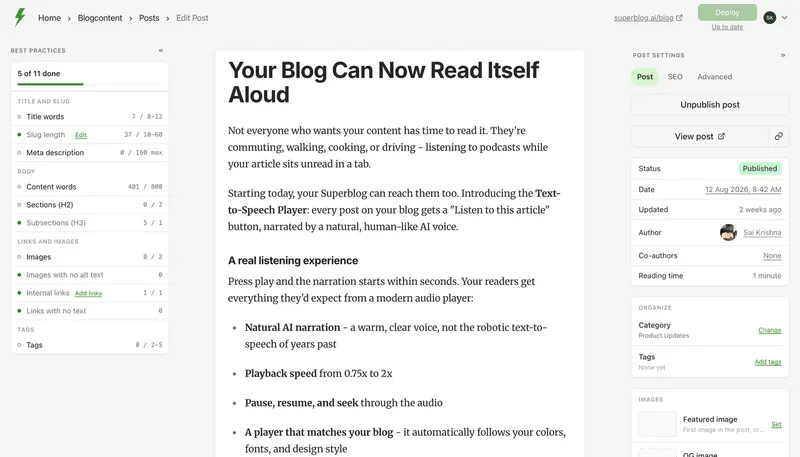
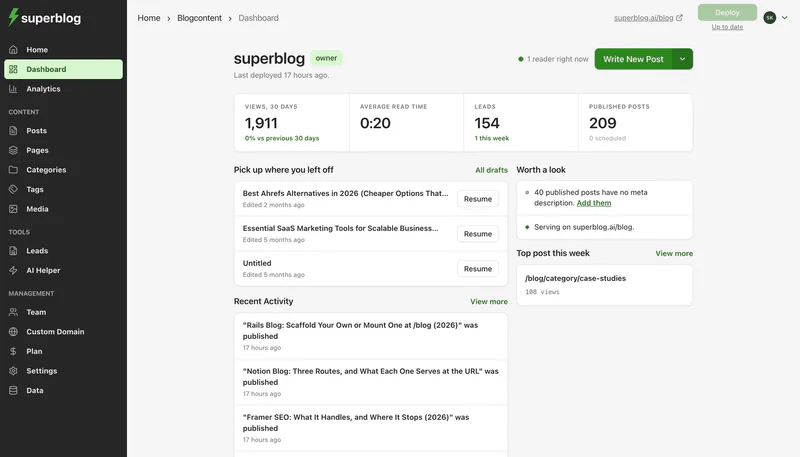
Teams often compare these two because the marketing site and the blog want different tools: designers want Webflow's canvas, and writers want an editor and SEO output that do not depend on a template. You can split them: keep the site on Webflow and serve yoursite.com/blog from Superblog, a hosted platform built for company blogs.
Webflow has no setting that hands a path to another server, so the routing happens in Cloudflare: the domain's DNS records are set to Proxied and a free Worker runs on /blog. That Worker passes blog requests to Superblog, and every other URL still loads from Webflow. The Superblog dashboard generates the Worker code. Subdirectory hosting is on every paid plan, and trial sites cannot connect /blog. Step-by-step setup is in our guide to adding a blog to Webflow.
Measured against the factors above:
- Seats. Writers work in Superblog, so they need no Webflow seat. Pro includes 5 team members and Super includes 10, with Admin, Editor and Writer roles and co-authors on a post. Pro and above add scheduling and collaborative review, where teammates leave comments on a draft.
- Volume. Pro holds up to 1,000 posts and Super up to 10,000, and that cap counts blog posts only, not every Collection on the site.
- SEO output. Article, WebPage, Organization and ImageObject JSON-LD on every post, plus FAQ schema on any post that includes an FAQ block. Each deploy rebuilds the sitemap and llms.txt, every post gets a plain-markdown copy, and each newly published post is sent to IndexNow.
- Languages. Multilingual SEO is on Super and above, with no per-language fee, hreflang tags and a sitemap for each language.
- Speed. Every page scores 90+ on Lighthouse, uploads become WebP automatically, and pages ship from a CDN with 200+ locations.
- Moving posts in. Paste a Webflow API token, the Collection ID and the field that holds each post's body, and the importer pulls the Collection. Slugs carry over. Tags and the SEO title and description fields do not come across, and each post's date is its last Webflow publish, so review those once it finishes.
The cost picture changes too. With the blog off Webflow's CMS, a site that needs no other Collections can drop to Basic at $15 a month billed yearly ($360 over two years), though Basic carries 10 GB of bandwidth against Premium's 50 GB. Add Superblog at $49/month on Pro ($530 billed yearly) and the two-year total is $1,443.62 with the domain, against $1,703.62 for Webflow Premium with three seats. Super is $99/month ($1,070 a year). Superblog has a 7-day free trial, no credit card required, and connecting /blog starts on a paid plan.
FAQ
Is Webflow or WordPress better for a blog?
WordPress for large or multi-writer blogs; Webflow for small, design-led ones.
Which is cheaper, Webflow or WordPress?
WordPress.com: about $624 over two years for a team, against about $1,704 on Webflow Premium with three seats.
How many blog posts can Webflow hold?
20,000 CMS items per site on Premium, shared with every other Collection.
Can a Webflow writer be stopped from publishing?
Only with a custom role, which Webflow offers to Enterprise customers and partners.
Can you export a Webflow blog?
Yes, as a CSV per Collection, one locale at a time.
Can I keep Webflow and run the blog elsewhere?
Yes. Route /blog through a Cloudflare Worker to a blog platform, and Webflow keeps every other page.
Your blog, without the maintenance
Fast pages, automatic SEO, no plugins to patch. Runs on yoursite.com/blog.
Sai Krishna is the Founder and CEO of Superblog. Having built multiple products that scaled to tens of millions of users with only SEO and ASO, Sai Krishna is now building a blogging platform to help others grow organically.
superblog
Superblog is a blazing fast blogging platform for beautiful reading and writing experiences. Superblog takes care of SEO audits and site optimizations automatically.