
Types of CMS: Which One Fits a Business Blog? (2026)

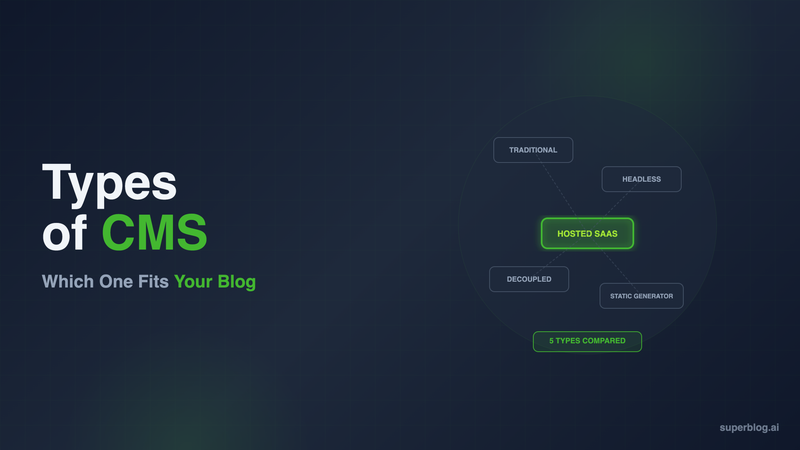
There are five types of CMS, and the one you pick determines how much of your time goes to writing versus maintaining software. The five types are: traditional (coupled) CMS, headless CMS, decoupled CMS, hosted SaaS blogging platforms, and static-site-generator-based systems. Each stores and manages content differently, and each shifts a different amount of setup and maintenance work onto your team.
This guide breaks down how each type works, where it fits, and which one actually makes sense if the job is running a business blog, not building a general-purpose content system. For the broader category question (what counts as a "blog platform" versus a CMS versus a website builder), see the complete blog platform guide, which this post extends with a deeper look at the CMS architectures specifically. For what a CMS needs to do specifically for a blog, see the Blog CMS guide.
The 5 Types of CMS, at a Glance
- Traditional (coupled) CMS. Content management and the frontend are bundled into one system. WordPress and Drupal are the standard examples.
- Headless CMS. Content is stored and delivered via API, with no frontend included. You build the presentation layer yourself. Contentful, Sanity, and Strapi are the standard examples.
- Decoupled CMS. A middle ground: the CMS ships with its own default frontend, but that frontend is architecturally separated from the content API, so you can swap it out or build a custom one without losing the built-in editing tools. Adobe Experience Manager and Optimizely operate this way.
- Hosted SaaS platform. The vendor runs the CMS, the frontend, and the hosting infrastructure as one managed product. You write, the platform publishes. Superblog and Ghost's hosted tier are examples for blogging specifically.
- Static-site-generator-based CMS. Content lives in markdown files or a headless layer, and a generator compiles everything into static HTML at build time. Hugo, Jekyll, and Astro are the standard examples.
The rest of this guide covers how each type works, real trade-offs, and which one fits a business blog specifically.
1. Traditional (Coupled) CMS
How it works
A traditional CMS bundles three things into one system: the admin interface where you write, the database that stores your content, and the frontend templates that render pages for visitors. Everything runs on the same server, and changing one layer often means touching the others.
Examples
WordPress, Drupal, Joomla.
Strengths
- Fastest path from install to published page, since the frontend already exists
- Enormous plugin and theme ecosystems
- Large talent pool of developers who already know the system
- No API layer to design or maintain
Trade-offs
- You own the server, the updates, and the security patches
- Lighthouse scores of 40 to 60 are typical without a stack of performance plugins
- SEO output depends entirely on which plugins you install and keep updated (Yoast, RankMath, etc.)
- Plugin conflicts are a real and recurring operational risk
Who it fits
Teams with in-house WordPress expertise or a developer who can own ongoing maintenance, and who need deep customization more than they need to move fast.
2. Headless CMS
How it works
A headless CMS stores content and exposes it through a REST or GraphQL API. There is no built-in frontend at all. Your engineering team builds and hosts the pages that actually render the content, whether that's a Next.js site, a mobile app, or both pulling from the same API.
Examples
Contentful, Sanity, Strapi, DatoCMS.
Strengths
- Full control over rendering, design, and performance
- One content source can feed a website, an app, and other channels simultaneously
- No vendor lock-in on the presentation layer
Trade-offs
- You are building the entire frontend from scratch, including layout, navigation, and image handling
- SEO is your responsibility end to end: schema markup, sitemaps, canonical tags, and meta fields all have to be built into your frontend code
- Higher upfront engineering cost, and ongoing engineering time whenever the frontend needs changes
- Publishing a single post can require a developer if a template doesn't already exist for it
Who it fits
Engineering-led teams building content into a custom product experience, or companies that need one content source serving multiple channels. See Headless CMS for Business Blogs for a full breakdown of when this is worth the build cost.
3. Decoupled CMS
How it works
A decoupled CMS separates the content API from the frontend, similar to headless, but it ships with its own default frontend that you can use as-is or replace. The key difference from headless: the vendor still offers a working, out-of-the-box presentation layer. You are not required to build one before you can publish anything.
Examples
Adobe Experience Manager, Optimizely, and increasingly, hybrid modes on platforms like Sanity and Contentful that offer starter frontends.
Strengths
- Publish immediately using the default frontend, or invest in a custom one later
- Keeps the flexibility of an API-first architecture without the all-or-nothing frontend build
- Useful when you expect to outgrow the default templates eventually but don't want to block launch on a custom build
Trade-offs
- The default frontend is rarely fast or SEO-optimized out of the box; expect the same plugin-and-configuration work as a traditional CMS if you keep it
- Licensing costs for enterprise decoupled platforms run well above hosted SaaS or open-source options
- Still requires frontend engineering the moment you want anything beyond the default templates
Who it fits
Larger organizations that need both a working default site and the option to build fully custom experiences on select pages, typically with an existing engineering team and enterprise budget.
4. Hosted SaaS Platform
How it works
A hosted SaaS blogging platform runs the CMS, the frontend, and the infrastructure as one product. You log in, write, and publish. Hosting, CDN, SSL, page rendering, and SEO configuration are the vendor's job, not yours.
Examples
Superblog, Ghost (hosted tier).
Strengths
- Fastest time to a published, indexed post: minutes, not weeks
- SEO and performance are built into the infrastructure rather than configured after the fact
- Zero server maintenance, no plugin updates, no security patching
- Predictable monthly cost instead of a mix of hosting, plugins, and developer time
Trade-offs
- Less low-level control over server configuration than self-hosting gives you
- Feature roadmap is set by the vendor
- Ongoing subscription cost rather than a one-time software cost
Who it fits
Businesses that want a blog ranking and shipping content without a dedicated engineering or DevOps resource, and any team where writing output matters more than infrastructure control.
5. Static-Site-Generator-Based CMS
How it works
Content is written in markdown (sometimes paired with a headless CMS as the editing layer) and compiled into static HTML files at build time. There's no database queried at request time and no server rendering pages on the fly. The CDN just serves pre-built files.
Examples
Hugo, Jekyll, Eleventy, Astro (used in static mode).
Strengths
- Exceptional raw page speed, since there's nothing to compute per request
- Minimal security surface: no database to exploit, no server-side code executing on every visit
- Full control over markup and build pipeline
Trade-offs
- No admin UI. Editing content usually means a code editor and a git commit, or bolting on a headless CMS for a writing interface
- Build times grow as content volume grows, which can slow down publishing at scale
- Not practical for non-technical writers without significant additional tooling
Who it fits
Developer-run blogs, documentation sites, and teams that are comfortable with git-based publishing workflows.
Decision Table: 5 Types of CMS Compared
Choosing a CMS Type for a Business Blog
A general CMS comparison treats every use case the same. A business blog has a narrower set of requirements, and they should drive the decision more than the label on the software.
SEO automation matters more than flexibility. A business blog exists to rank. If the CMS type requires you to build JSON-LD schema, XML sitemaps, canonical tags, and Open Graph data yourself, that work has to happen correctly on every single post, forever, or rankings suffer. Traditional, headless, decoupled, and static approaches all put this burden on your team in some form. A hosted SaaS platform is the only type where this runs automatically by default.
Performance is architectural, not optional. Page speed is a ranking factor and a conversion driver. The types that serve pre-built or pre-rendered pages from a CDN (hosted SaaS, static generators) start from a faster baseline than types that assemble pages from a database on each request (traditional CMS without heavy caching, some decoupled setups).
Time to publish compounds. A CMS type that takes weeks to reach a working frontend delays every piece of content behind it. For a blog meant to compound organic traffic over months, that lag is a real cost, not just an inconvenience.
Maintenance is a recurring tax, not a one-time cost. Traditional CMS maintenance and decoupled CMS upkeep don't go away after launch. They recur every month in the form of updates, patches, and plugin compatibility checks. That's engineering time not spent on content.
Team workflow needs to match how a blog actually gets written. Roles, drafts, scheduling, and review workflows matter more for a blog publishing multiple posts a week than for a one-off marketing page. Some CMS types (hosted SaaS, mature traditional CMS) have this built in. Others (headless, static generators) require you to bolt it on.
This is the same evaluation framework covered in more depth in What Is a Blog Platform? and in Best CMS for Blog in 2026, which compares specific products across these criteria.
Where Superblog Fits
Superblog is a hosted SaaS platform, the fourth type above, built specifically for business blogs rather than general website content.
That distinction matters because "hosted SaaS" as a category is broad, and not every hosted platform automates the same things. Superblog runs JSON-LD schema (Article, FAQ, Organization), XML sitemaps, and IndexNow submission automatically on every publish, with no plugin and no manual step. Every page scores 90+ on Lighthouse by default, because pages are served from a JAMStack architecture on a global CDN rather than assembled per request. Subdirectory hosting at yoursite.com/blog is included on every plan and works with any tech stack, which preserves the domain authority a subdirectory blog needs.
Migration from WordPress or Ghost takes 5 to 10 minutes with URL slugs preserved, which matters if you're moving away from a traditional CMS without losing existing rankings.
Plans start at $29/month (Basic, up to 300 posts), $49/month (Pro, up to 1,000 posts, analytics, collaborative review), and $99/month (Super, unlimited posts with fair use, AI helper, API access, multilingual SEO). All plans include a 7-day free trial with no credit card required.
If the job is running a blog that ranks without turning into an engineering project, this is the type of CMS built for exactly that.
FAQ
What are the types of CMS?
There are five main types: traditional (coupled) CMS like WordPress, headless CMS like Contentful and Sanity, decoupled CMS like Adobe Experience Manager, hosted SaaS platforms like Superblog, and static-site-generator-based systems like Hugo and Astro. Each differs in how content storage, the frontend, and hosting are bundled or separated.
What is a headless CMS?
A headless CMS stores and delivers content through an API but includes no frontend. You build and host the pages visitors actually see, typically with a framework like Next.js or Astro. This gives full control over design and lets one content source feed multiple channels, at the cost of requiring dedicated frontend engineering before anything can go live.
What is the difference between coupled and decoupled CMS?
A coupled (traditional) CMS bundles content management and the frontend into one system: change the software, and you're working within its rendering engine. A decoupled CMS separates the content API from the frontend architecturally, but still ships a working default frontend, so you can publish immediately and swap the frontend out later without losing the content layer. Headless CMS takes decoupling further by not providing any frontend at all.
Which CMS is best for blogging?
For a business blog focused on organic growth, a hosted SaaS platform is generally the strongest fit, since SEO automation, performance, and hosting are handled without engineering overhead. Superblog is built specifically for this use case. Traditional CMS options like WordPress work well when a team has dedicated developer resources for ongoing maintenance. Headless and static-generator approaches make sense when engineering teams need full control over a custom frontend or a multi-channel content architecture.
Is WordPress a CMS?
Yes. WordPress is a traditional, coupled CMS: it bundles the admin interface, the database, and the frontend templates into a single self-hosted system. It's also available as a managed product through WordPress.com, which handles hosting for you. See WordPress.com vs WordPress.org for how that trade-off plays out for a business blog specifically.
Do I need a headless CMS to get good SEO?
No. A headless CMS gives you the tools to build good SEO into a custom frontend, but it builds nothing automatically. Schema markup, sitemaps, canonical tags, and meta fields all have to be implemented by your engineering team. A hosted SaaS platform can produce equivalent or better technical SEO output automatically, without a frontend build.
What's the difference between a CMS and a blog platform?
A CMS is the broader category: software that manages structured content, whether that's blog posts, product pages, or documentation. A blog platform is software specifically designed to publish and rank blog content, and it may or may not be built on a CMS in the traditional sense. See What Is a Blog Platform? for the full category breakdown, including how CMS type maps to blog platform type.
Can I switch CMS types without losing my rankings?
Yes, if the migration preserves your existing URL slugs and sets up redirects for anything that changes. The type of CMS you're moving to matters less for rankings than whether the migration itself is handled cleanly. Look for a target platform that imports posts with slugs, metadata, and images intact rather than one that forces a URL restructure.
Your blog, without the maintenance
Fast pages, automatic SEO, no plugins to patch. Runs on yoursite.com/blog.
Sai Krishna is the Founder and CEO of Superblog. Having built multiple products that scaled to tens of millions of users with only SEO and ASO, Sai Krishna is now building a blogging platform to help others grow organically.
superblog
Superblog is a blazing fast blogging platform for beautiful reading and writing experiences. Superblog takes care of SEO audits and site optimizations automatically.