
Topic Clusters: The Blog Architecture That Builds Topical Authority

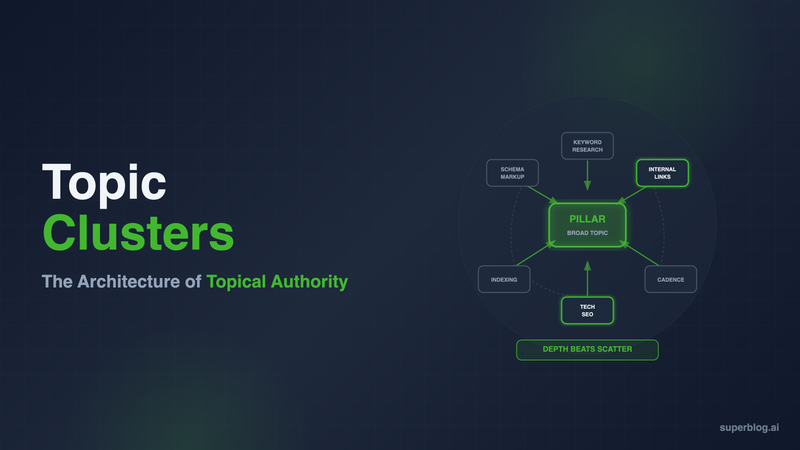
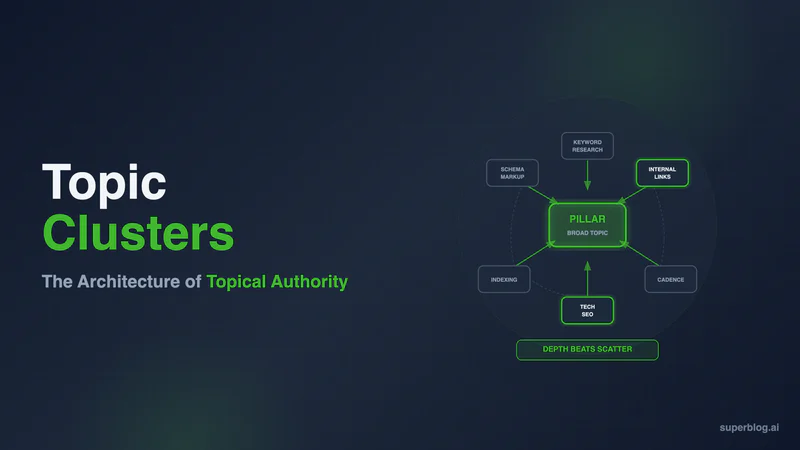
Topic clusters are a content structure where one pillar post covers a broad topic and a set of narrower cluster posts each cover a subtopic, all linked together, pillar to cluster and cluster back to pillar. Instead of publishing disconnected posts and hoping each one ranks alone, you build a group of posts that reinforce each other. Google sees depth on a subject instead of a scattered archive, and that depth is what topical authority is made of.
This guide covers what a topic cluster is, why it outperforms scattered publishing, how to design one from a single pillar keyword, a worked example built around "blog SEO," cadence, how to measure cluster performance in Google Search Console, and the failures that quietly kill clusters before they rank.
What Is a Topic Cluster
A topic cluster is a pillar page plus a set of cluster posts, connected by a defined internal linking pattern. The pillar covers a topic at a broad level. Each cluster post goes deep on one subtopic or question within that topic. Every cluster post links up to the pillar, and the pillar links down to every cluster post in the group.
The structure solves a specific problem: a single post about "blog SEO" tells Google almost nothing about how much your site actually knows. Ten or fifteen posts covering keyword research, technical SEO, schema markup, internal linking, and indexing, all linked into a coherent group, tell a different story. That's the same idea our internal linking guide calls the hub and spoke model. A topic cluster is that model applied at the content-planning level, before you write a single post.
Why Topic Clusters Beat Scattered Posts
Publishing posts in whatever order ideas arrive is the default mode for most business blogs. It also produces the weakest possible signal to Google.
Topical Authority Is Cumulative, Not Per-Post
Google does not evaluate a page in isolation. It evaluates a page in the context of everything else on your domain related to that subject. A single post ranking for a competitive term with no supporting content around it looks thin next to a competitor with a full cluster. Depth on a topic, expressed through interlinked posts, is what topical authority actually measures.
Clusters Create Predictable Crawl Paths
Googlebot discovers your content by following links. A pillar page that links to every cluster post gives every post in that cluster a direct path from a page Google already knows about. Cluster posts published with no incoming links depend entirely on the sitemap and get crawled less often. Our guide on blog indexing covers what happens when posts get crawled but never indexed, and a missing internal link is one of the most common causes.
Ranking Power Concentrates Instead of Dispersing
Every post that earns a backlink or picks up authority passes some of it through internal links. In a cluster, that authority flows toward the pillar, because every cluster post links up to it. The pillar becomes strong enough to compete for the head term precisely because the cluster feeds it. Scattered posts with no shared link structure never build this kind of concentrated strength for anything.
AI Answer Engines Reward the Same Depth
ChatGPT, Perplexity, and Google's AI Overviews synthesize answers from sources that demonstrate coverage of a topic, not a single isolated definition. A domain with a full cluster on a subject is more likely to get cited across related queries than a domain with one thin post. The mechanism differs from classic ranking, retrieval and synthesis instead of an algorithm, but the underlying advantage, depth over scatter, is the same.
How to Design a Topic Cluster
Building a cluster is a planning exercise before it's a writing exercise. Skip the planning and you end up with posts that happen to share a theme, not a cluster that reinforces itself.
Step 1: Pick the Pillar Keyword
Choose a broad keyword with real search volume that your business can credibly own, one you'd want to rank for eventually even if the term is competitive. The pillar page targets this keyword directly.
Step 2: Mine Subtopics and Questions
List every subtopic, question, and adjacent term connected to the pillar keyword. Pull from autocomplete, "People Also Ask" boxes, competitor content, and customer questions. Each subtopic with its own distinct search intent becomes a candidate cluster post.
Step 3: Map One Keyword to One Post
Assign a single target keyword to each cluster post. Do not let two posts in the same cluster target the same keyword or intent. Overlapping targets cause posts to compete with each other instead of the cluster reinforcing one ranking outcome, the same discipline covered in our blog SEO checklist: one keyword, one page, every time.
Step 4: Define the Link Rules Before You Write
Set the rules once and apply them to every post in the cluster:
- Every cluster post links up to the pillar, with descriptive anchor text tied to the pillar keyword, placed naturally in the body.
- Every cluster post links laterally to one or two sibling posts where the connection is genuinely useful to the reader, not forced.
- The pillar links down to every cluster post, ideally in a visible list plus contextual mentions throughout the page.
- No cluster post links outside the cluster except to the pillar and siblings, unless directly relevant. Cross-cluster links dilute the structure you're building.
Writing these rules down before drafting the first post means every writer, including an AI assistant, follows the same pattern instead of improvising link placement post by post.
A Worked Example: The "Blog SEO" Cluster
Here's what a real cluster looks like when the pillar is "blog SEO," a topic with enough breadth to support a dozen or more posts.
Pillar post:Blog for SEO: The Complete Guide. Targets the head term directly, covering keyword research, on-page optimization, technical SEO, and content strategy for blogs.
Cluster posts that support it:
- Blog SEO Checklist, a tactical, pre-publish checklist that operationalizes the pillar's advice
- Does Blogging Help SEO?, which answers the underlying question a reader has before committing to the strategy
- How Often Should You Blog?, which answers the cadence question that follows once someone commits
- Blog Indexing, which covers the technical step between publishing and ranking
- Internal Linking for Blogs, which covers the linking mechanics that hold the cluster together
Each post targets a distinct keyword and search intent. Each links back to the pillar with a relevant anchor. Several link laterally where topics genuinely overlap, for example the indexing post links to the internal linking post because a missing link is a real cause of indexing problems. None compete for the same query, and together they give the pillar the depth it needs to be credible for a broad, competitive term.
Cadence: Finish One Cluster Before Starting the Next
The instinct with a content calendar is to spread topics out: one SEO post this week, one product post next week, one industry post after that. For clusters, that instinct works against you.
A half-finished cluster, three posts published out of a planned twelve, provides almost none of the topical authority benefit. Google needs to see the posts and the links between them before it can credit your site with depth on the subject. Three isolated posts under a shared theme, with no pillar tying them together yet, look no different from three unrelated posts.
Build one cluster to completion, pillar plus every planned post plus all the internal links, before starting a second cluster on an unrelated topic. It's slower at first, but the first cluster starts producing ranking movement while the rest of your calendar is still under construction, instead of every topic on your site staying permanently half-finished.
Measuring Cluster Performance in Google Search Console
A single-keyword report in GSC will not tell you whether a cluster is working. Clusters need to be measured as a group.
Look at query families, not individual keywords. Pull the Queries report filtered to the pillar's URL and every cluster post's URL together. Track total impressions and clicks across the whole set over time, not the performance of any one post alone. A cluster that's working shows rising impressions across most of the group, even if individual posts move at different rates.
Watch the pillar's average position specifically. If the strategy is working, the pillar's position for its head term should improve as cluster posts get published and interlinked, even without direct changes to the pillar page. That's the concentrated authority effect showing up in the data.
Check for query overlap between cluster posts. If two posts in the same cluster start appearing for the same query in GSC's Pages report, that's the keyword mapping breaking down, which leads directly to the cannibalization problem below.
Compare the cluster's total footprint over quarters, not weeks. Cluster authority builds slowly. A cluster finished in month one typically shows its clearest gains starting in month three or four, once Google has crawled and reprocessed the full link structure.
Common Topic Cluster Failures
Most clusters that fail to rank fail for one of a handful of predictable reasons.
Orphan Posts
A cluster post published without a link from the pillar, or without the pillar linking down to it, is an orphan. It relies entirely on the sitemap for discovery and gets none of the concentrated authority the cluster is meant to provide. Add its links on the day it publishes, not sometime later.
The Pillar as a Thin Index Page
Some pillars are built as little more than a list of links to the cluster posts: a title, a paragraph, then bullet points linking out. That's not a pillar. A pillar needs to independently cover the topic at a broad level, in enough depth to rank for the head term on its own merits. A pillar that reads like a table of contents won't carry the authority the cluster is meant to concentrate there.
Cannibalization Between Cluster Posts
When two cluster posts target overlapping keywords or the same underlying question, they compete against each other in search results instead of supporting the pillar. Google picks one to rank and suppresses the other, and neither performs as well as a single well-targeted post would have. This is why keyword mapping in Step 3 has to happen before writing starts, not after two posts are already live and stepping on each other.
Building Breadth Instead of Depth
A cluster with twenty shallow posts, each restating the same few points under different titles, does not out-rank a cluster with eight posts that each answer a distinct question in real depth. Volume without differentiated intent looks the same to Google as duplicate content with extra steps.
No Plan for Old Content
Businesses that blogged before adopting a cluster strategy usually have existing posts that belong inside a cluster but were never linked into it. Audit your archive when you define a new pillar. Older posts covering a cluster subtopic should get pulled into the structure with new links, rather than left outside it while you write duplicates.
Building Clusters Without the Manual Overhead
The hardest part of running a topic cluster is not picking the pillar keyword. It's keeping link rules consistent across every post, remembering which post belongs to which cluster, and going back to add links as new posts publish.
Superblog's internal link suggestions handle the part that gets skipped under deadline pressure. The editor analyzes categories, tags, and title keywords against your existing content and surfaces related posts with suggested anchor text, so pillar-to-cluster and cluster-to-cluster links get added while you're writing, not in a cleanup pass six months later. Categories and tags give you a structural way to group cluster posts from the start, and fast indexing through automatic sitemaps and IndexNow support means new cluster posts get crawled and considered quickly instead of sitting unindexed while the rest of the cluster builds around them.
None of that replaces the planning in this guide. Picking the pillar keyword, mapping subtopics, and deciding the link rules is still work only you can do. What Superblog removes is the manual tracking that causes clusters to fall apart in execution: orphan posts, forgotten backlinks, and clusters that never get fully interlinked because nobody went back and finished the job.
FAQ
What is a topic cluster?
A topic cluster is a pillar page covering a broad topic linked to a group of cluster posts that each cover a specific subtopic. Cluster posts link up to the pillar, the pillar links down to the cluster posts, and related cluster posts link to each other. The structure signals topical depth to search engines and AI answer engines.
How many posts are in a topic cluster?
Most clusters work with 5 to 15 cluster posts supporting one pillar. Fewer than 5 rarely provides enough depth to move the pillar's ranking. More than 15 usually means the topic is broad enough to split into two clusters with their own pillars.
Topic cluster vs category: what's the difference?
A category is a taxonomy label for filing posts. A topic cluster is a deliberate content and linking strategy: a pillar plus mapped subtopics plus defined link rules, built to concentrate ranking authority on one term. A category can group cluster posts for readers, but it does not create the link structure or keyword mapping that makes a cluster work.
Do I need a separate pillar page, or can an existing post become one?
An existing post can become a pillar if it already covers the topic broadly and ranks reasonably well. Expand it to cover the topic comprehensively, then build or reroute cluster posts to link into it. Starting from a post with some existing authority is often faster than launching a new page with no history.
How long before a topic cluster shows ranking results?
Expect early signal, rising impressions and improving pillar position, starting around 8 to 12 weeks after the full cluster is live and interlinked. Meaningful movement for competitive head terms usually takes a full quarter or more, since Google needs to recrawl every link and reassess the pillar's relevance.
Can two clusters share cluster posts?
Generally no. A post that tries to serve two pillars ends up diluted for both. If a subtopic genuinely bridges two pillars, assign it to the more relevant cluster and add one lateral link to the other pillar, or write two distinct posts for the two angles.
What's the difference between a topic cluster and internal linking?
Internal linking is the mechanism. A topic cluster is the plan the mechanism executes. Our internal linking guide covers how to structure links, choose anchor text, and audit your link profile. This guide covers what to build first: which pillar, which subtopics, which keyword maps to which post.
Topic clusters turn a blog from a set of competing posts into a structure that gets stronger with every piece you add. Build one cluster completely, measure it as a group in Search Console, and only then start the next one.
Your blog, without the maintenance
Fast pages, automatic SEO, no plugins to patch. Runs on yoursite.com/blog.
Sai Krishna is the Founder and CEO of Superblog. Having built multiple products that scaled to tens of millions of users with only SEO and ASO, Sai Krishna is now building a blogging platform to help others grow organically.
superblog
Superblog is a blazing fast blogging platform for beautiful reading and writing experiences. Superblog takes care of SEO audits and site optimizations automatically.