
Squarespace vs WordPress 2026: What a Business Blog Costs Over Two Years

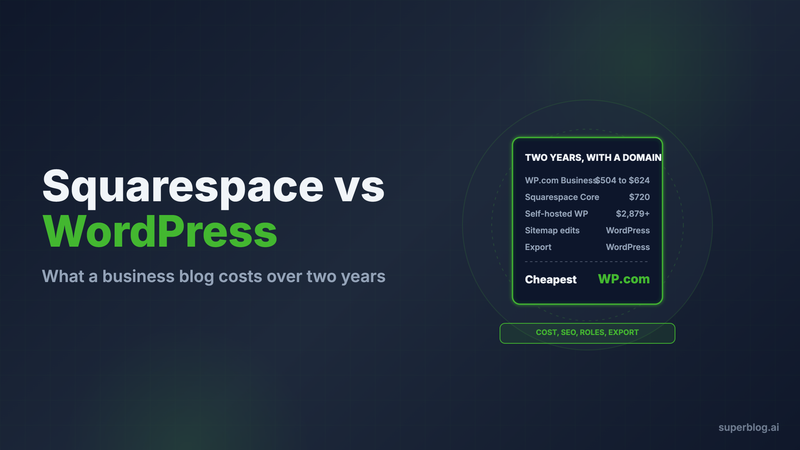
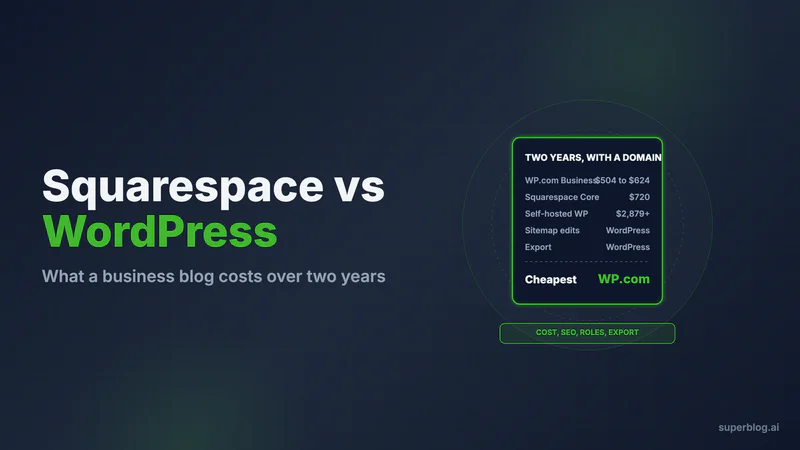
In Squarespace vs WordPress for a business blog, WordPress wins on control and Squarespace wins on having nothing to maintain. WordPress gives you real editorial roles, revisions, editable SEO files and a full export. Squarespace gives you one bill, no plugins to patch, and a blog module that stops growing where the builder stops.
Cost decides it for most teams. Over two years, WordPress.com Business runs about $500 to $625 and Squarespace Core about $720, each with a domain. A self-hosted WordPress blog on managed hosting, with paid plugins and a few developer hours, runs $2,900 to $4,100. Every figure below is checked on the vendor's own pricing page or help center in November 2026.
The verdict, up front
Choose neither for the blog if search traffic is the reason the blog exists and your website already does its job. Leave the site on its current builder and put yoursite.com/blog on Superblog, a hosted blogging platform. That option is covered near the end.
Choose Squarespace if one or two people write, the website and the blog are the same project, and nobody on the team wants to own software.
Choose WordPress if several people write, you need a review step before posts go live, you want to control robots.txt and the sitemap, or you expect to move the archive one day.
Squarespace vs WordPress, side by side
Two-year cost, item by item
Black Friday discounts were showing on several of these vendors' pages on November 10, 2026. Every price below is the regular rate, in USD with yearly billing. The domain is a .com at Porkbun for $11.81 a year in every scenario.
Squarespace Core
Basic ($19/month billed yearly) allows only 2 contributors and has no code injection, which Squarespace's pricing page describes as code "like Meta Pixel or live chat services". A company blog lands on Core. The Squarespace pricing page lists:
- Core plan: $29/month billed yearly, $348 a year, so $696 over two years
- Domain: $11.81 x 2 = $23.62
Two-year total: $696 + $23.62 = $719.62. Billed monthly ($39), it is $959.62. That price includes the whole website, not just the blog.
The plan-by-plan Squarespace numbers, including what each tier removes, are in Squarespace pricing for blogs.
WordPress.com Business
WordPress.com is the hosted version of WordPress. Plugins run on every paid plan, and Business adds developer access and real-time backups. From wordpress.com/pricing, prices exclude tax:
- Business plan, billed yearly: $25/month, $300 a year, so $600 over two years
- Business plan on a 2-year term: $20/month, $480 up front
- Domain: $23.62
Two-year total: $623.62 on yearly billing, or $503.62 on the 2-year term.
Self-hosted WordPress, the typical business setup
This is WordPress.org on managed hosting with the paid plugins a marketing blog usually carries. Prices are the regular renewal rates.
Software: $700 + $23.62 + $237.60 + $120 + $298 + $140 + $198 = $1,717.22.
Then add labor for updates and fixes. At 10 hours a year and Codeable's listed $80 to $120 an hour, that is 20 hours over two years, or $1,600 to $2,400.
Two-year total: $1,717.22 + $1,600 = $3,317.22 at the low end, and $1,717.22 + $2,400 = $4,117.22 at the high end.
Kinsta's Single plan comes with 14 days of backups, a fully managed WAF that blocks DDoS traffic, and malware cleanup at no charge. Where that is enough, cut Wordfence and UpdraftPlus: software drops by $438 to $1,279.22, and the two-year total becomes $2,879.22 to $3,679.22.
With free plugins and your own time instead, it is $723.62 (hosting plus domain). The full breakdown is in WordPress pricing.
SEO controls
WordPress wins. Both platforms handle titles, meta descriptions and clean slugs per post. The difference is in the files that tell crawlers what to read.
On Squarespace:
- The sitemap is generated for you and updates within an hour or so of a change. Squarespace's help center says plainly: "You can't edit the sitemap" (source).
- robots.txt is one file shared by every Squarespace site, and you cannot open or edit it (source).
- llms.txt is a blank field you write by hand. It is off by default, only works on version 7.1 sites, and Squarespace says it cannot advise on what to write (source).
On WordPress:
- Core has generated an XML sitemap since version 5.5, and SEO plugins replace it with one you can configure.
- robots.txt is a file on your server, so you can change it.
- Yoast's free plugin generates llms.txt for you. Per Yoast's specification, it refreshes weekly and lists the 5 most recently updated posts or pages from the last 12 months, so an active blog's file shows only a small slice of the archive.
WordPress's controls come from plugins you keep updated. Squarespace's defaults are fixed, but no update breaks them. How Squarespace's fixed SEO files compare with Wix's is covered in Wix vs Squarespace for blogging.
Speed
Neither platform guarantees a score, and the result depends on what you add.
A default WordPress install is fast. In our own Lighthouse test on November 6, 2026, the default Twenty Twenty-Five theme on WordPress.com scored a median of 95 on mobile. Business sites drift down as page builders, tags and plugins pile up, but you control the theme, caching and images, so you can fix it.
On Squarespace you cannot tune the template's JavaScript, font loading or render order. You can keep images light and skip heavy embeds. A slow Squarespace blog has few other levers.
Writers and roles
WordPress wins, clearly. Its four standard roles map onto how a content team works (WordPress roles documentation):
- Administrator runs the whole site.
- Editor publishes and manages everyone's posts.
- Author publishes and manages their own posts.
- Contributor drafts posts and edits their own, but an Editor has to publish them.
That Contributor role is the review step most teams want for freelancers. WordPress also stores a revision for every saved draft or update, with a Restore button, and keeps an autosave that survives a browser crash (revisions documentation).
Squarespace gives its Website editor role permission to add and edit blog posts, and on standard plans nothing sits between that and the post going live. The Draft editor role, which cannot publish, is Enterprise only (permissions article). Squarespace's help center also says editing has neither auto-save nor revision history (lost content article). If a tab closes, the unsaved draft is gone.
Plugins vs a closed builder
WordPress is open. WordPress.com's marketplace advertises over 60,000 plugins. Whatever a blog needs, someone has built it. The cost is upkeep and risk. Patchstack's 2026 security report found 11,334 new vulnerabilities across WordPress plugins and themes in 2025, 91% of them in plugins. Every plugin is another vendor, another renewal date and another update to test.
Squarespace is closed. You get the features Squarespace ships and nothing else. On Core and above you can add code injection and an advanced code block for scripts and embeds. You cannot install a plugin, and you also never patch one. For a small team that only wants to write, that is a real benefit.
Decide on staffing. If nobody wants to own a CMS, plugins become a backlog.
Getting your posts out
WordPress wins. Its Tools, Export screen produces a WXR file with your posts, pages, comments, users, categories, tags and custom fields (export documentation). Most blog platforms read it.
Squarespace exports too, and the format it uses is WordPress XML (exporting your site). Three limits apply:
- Only one blog page exports, with its posts and up to 1,000 comments per post. A second blog stays behind.
- Drafts, style settings and custom CSS do not export.
- The file will not load into a second Squarespace site.
Squarespace's own exit points at WordPress.
Choose Squarespace if

- A team of one or two writes, and the blog is part of a website you are building anyway.
- You want a fixed bill of about $720 over two years with the website included.
- You will never edit robots.txt or the sitemap.
- You accept no review step, no revision history and a one-blog export.
Choose WordPress if
- Several people write and you want Contributors who cannot publish.
- You want revisions, autosave and a full export of the archive.
- You want control over robots.txt, the sitemap and llms.txt.
- Someone on the team, or a paid developer, will own updates. Budget $2,900 to $4,100 over two years for a self-hosted business setup, or about $500 to $625 on WordPress.com Business.
If neither fits, compare the other options in our roundup of Squarespace alternatives, or read our WordPress review before you commit to running it.
Superblog: a third option for the blog alone
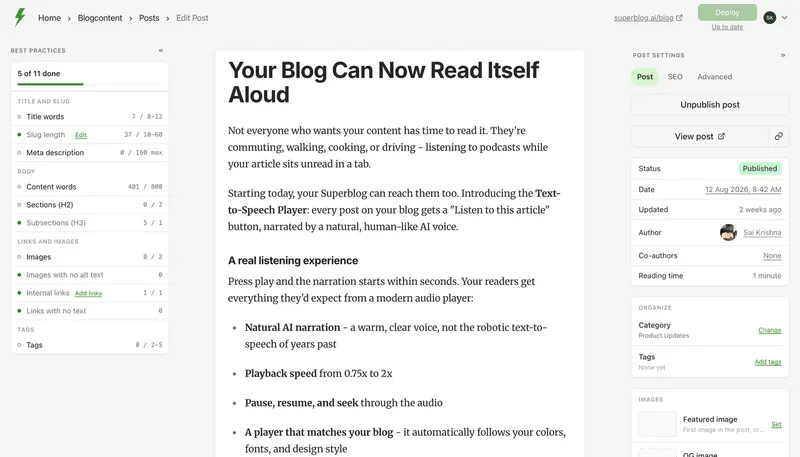
Plenty of teams weighing Squarespace against WordPress want two different things from one product: a site builder for the marketing pages and a publishing engine for the posts. Those can live apart. Your homepage, pricing and product pages stay on Squarespace or WordPress, and only yoursite.com/blog is served by Superblog. Google sees a single domain and the blog's links build authority for it.
From Squarespace. Squarespace cannot hand a path to a different server, so you put Cloudflare in front of it. Switch the domain's DNS records to Proxied, then attach a free Cloudflare Worker to the /blog route that forwards those requests to Superblog. Squarespace keeps serving every other URL. The Worker code is generated in the Superblog dashboard, and the full walkthrough lives on our blog for Squarespace page. A paid plan is required for the /blog connection; trial sites cannot attach a subdirectory. Squarespace has no direct importer on our side, so bring posts in through a JSON file or a spreadsheet (300 posts per run; spreadsheet import needs Super), or paste them, and map each original slug so the URLs stay the same.
From WordPress. Superblog reads your posts over the WordPress REST API. Slugs, tags, the first category, original dates, meta titles and descriptions from Yoast or SEOPress, and Yoast's JSON-LD all come through. Images are copied to Superblog's CDN after you subscribe to a paid plan. Bylines arrive under the account that ran the import, extra categories are dropped, and Rank Math fields are not read, so plan a short cleanup.
What that changes on each factor in this comparison:
- SEO files. Each post carries JSON-LD for Article, WebPage, Organization and ImageObject, and FAQ schema appears wherever a post has an FAQ block. The sitemap is regenerated with each deploy and IndexNow pings search engines at publish. llms.txt lists the whole archive rather than five recent posts, and a markdown copy of each post sits at its own URL.
- Speed. 90+ Lighthouse on every page, images converted to WebP, and delivery from more than 200 CDN locations. There are no plugins adding weight.
- Team. Admin, Editor and Writer roles plus co-authors. From Pro up you also get scheduling and collaborative review, so teammates can comment on a draft before it goes out.
- Upkeep. Nothing to patch, update or renew besides the plan itself.
The price comparison is honest only if it includes the website. Pro is $49/month, or $530 a year, which is $1,060 over two years. Squarespace Core costs less and gives you a full site, while the self-hosted WordPress stack above runs $2,900 to $4,100 once developer time is counted. Pro covers 1,000 posts and five team members; Super, at $99/month ($1,070 a year), raises that to 10,000 posts, with multilingual SEO and API access. You can start with a 7-day free trial, no credit card required. Teams moving off WordPress altogether can start at our WordPress blog alternative page.
FAQ
Is Squarespace or WordPress better for a business blog?
WordPress for a multi-writer team with SEO goals; Squarespace for a one- or two-person blog inside a Squarespace site.
Which is cheaper over two years?
WordPress.com Business at about $500 to $625, then Squarespace Core at about $720.
Can you edit the sitemap or robots.txt on Squarespace?
No. Both are managed by Squarespace.
Can you move a Squarespace blog to WordPress?
Yes. Squarespace exports one blog page as a WordPress-format XML file.
Does WordPress have a draft-only writer role?
Yes. Contributors write posts but cannot publish them.
Can my Squarespace site stay put while the blog moves?
Yes. A Cloudflare Worker sends /blog to a separate blog platform and every other path still loads from Squarespace.
Your blog, without the maintenance
Fast pages, automatic SEO, no plugins to patch. Runs on yoursite.com/blog.
Sai Krishna is the Founder and CEO of Superblog. Having built multiple products that scaled to tens of millions of users with only SEO and ASO, Sai Krishna is now building a blogging platform to help others grow organically.
superblog
Superblog is a blazing fast blogging platform for beautiful reading and writing experiences. Superblog takes care of SEO audits and site optimizations automatically.