
Squarespace Pricing 2026: Plans, Fees, and What a Blog Actually Costs

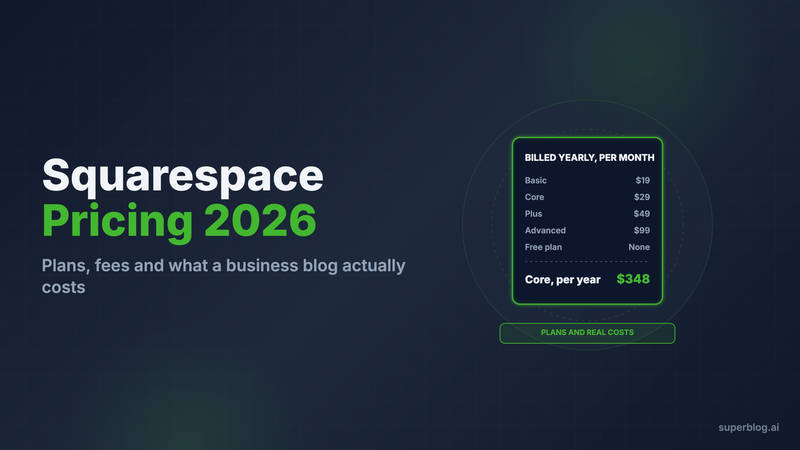
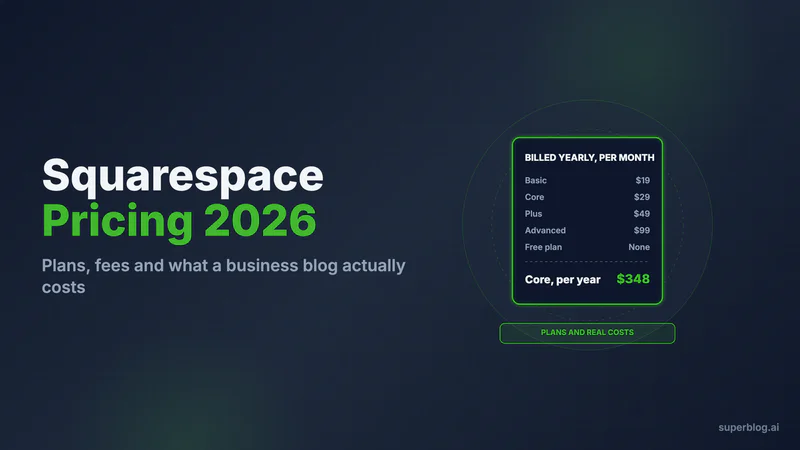
Squarespace pricing in 2026 runs from $19 to $99 a month billed yearly, or $25 to $139 billed monthly, across four plans: Basic, Core, Plus and Advanced. There is no free plan. A company blog realistically needs Core, which costs $348 a year.
Every Squarespace number below comes from Squarespace's own pricing page and help center, checked in November 2026. Prices are the US prices in USD. Squarespace prices each billing country separately, so a UK or EU visitor sees a different currency and a different amount.
Squarespace pricing at a glance
Notes on the table:
- Squarespace labels Core as its recommended plan.
- The pricing page says "Pay annually to save up to 36%." On the plan prices alone, the US saving is smaller. Basic saves 24% ($228 against $300), Core 26% ($348 against $468), Plus 25% ($588 against $780) and Advanced 29% ($1,188 against $1,668).
- Every plan includes hosting, unlimited bandwidth, SSL, built-in SEO tools and 24/7 support.
- Yearly plans include one free custom domain for the first year. After that it renews at Squarespace's standard rate.
Is Squarespace free?
No. Squarespace's own FAQ says it "doesn't offer a free plan, but every site starts with a free trial." The trial lasts 14 days and needs no credit card. To publish the site after that, you pay for a plan.
The blog is not sold as an add-on. Blog pages are part of the site builder on every plan. What changes between plans is who can write, what code you can add and which fees you pay.
Squarespace plans: what each tier means for a blog

Most Squarespace pricing guides compare the plans on store features. For a blog, four other limits decide the plan.
Here is what each row means in practice:
- Contributors. Basic allows 2. A founder plus one marketer fills it. A freelance writer needs Core.
- Code injection. Basic cannot add code to every page. That rules out a tracking pixel, a chat widget, a cookie banner script or a custom schema snippet on Basic. Most marketing teams need at least one of these.
- Integrations. Sending blog signups to Mailchimp or into a Zapier workflow starts on Core.
- Paid content fees. These only apply if you paywall posts with Squarespace's memberships. Core takes 5% and Plus takes 1%. On the content fee alone, Plus becomes the cheaper plan once paid content earns more than $6,000 a year: $348 + 5% of $6,000 = $648, and $588 + 1% of $6,000 = $648.
For a company blog with a small team and a marketing stack, Core at $29 a month billed yearly is the floor. Plus and Advanced add store and checkout tools a blog does not use.
The real cost: line items beyond the plan
The plan is most of the bill. These are the other lines that can apply to a blog on Squarespace.
Two of these lines grow in year two. The free domain and the free Google Workspace seat both end after one year, so year two costs more than year one. And Email Campaigns is a separate subscription. Squarespace's help center states that if you cancel your website plan, it does not turn off auto-renew on Email Campaigns.
If you want to compare against a dedicated blog platform at this point, Superblog's Pro plan is $49/month and runs the blog at yoursite.com/blog next to any website. The full comparison is further down.
Three cost scenarios, summed
Each scenario uses the verified prices above and yearly billing unless stated. The domain is a .com kept at Porkbun for $11.81 a year, so the year-two price is visible.
Scenario 1: Solo blog on Basic
One writer, no marketing scripts, no paid content.
- Basic plan: $228
- Domain: $11.81
Total: $228 + $11.81 = $239.81 a year. Year one is $228 if you take Squarespace's free domain instead. The ceiling is 2 contributors and no code injection.
Scenario 2: Company blog on Core
A marketing team with a freelance writer, an analytics pixel and a newsletter signup.
- Core plan: $348 yearly, or $468 billed monthly ($39 x 12)
- Domain: $11.81
Total: $348 + $11.81 = $359.81 a year on yearly billing, or $468 + $11.81 = $479.81 on monthly billing. Add Email Campaigns if you send the newsletter from Squarespace, and Google Workspace from year two.
Scenario 3: A Squarespace site just for the blog
Your main site runs on something else (Webflow, Next.js, WordPress) and you want a Squarespace blog beside it. That is a second website plan.
- Core plan for the blog site: $348
- Domain: $0 (you already own it)
Total: $348 a year, on top of whatever your main site costs. Squarespace has no supported way to put it at yoursite.com/blog. The next section explains why.
Can a Squarespace blog live at yoursite.com/blog?
It depends on where the main site lives.
If the main site is somewhere else, no. Squarespace connects whole domains and subdomains to a site. It has no setting to serve a site under a folder of a domain hosted elsewhere. Its help center is direct about subdomains: "All connected subdomains will point to the homepage and lead to your primary domain. It isn't possible to connect a subdomain to a page that isn't your homepage."
So your options are:
- A subdomain, such as blog.yoursite.com, set as the primary domain of a separate Squarespace site. Squarespace documents this through "pointing" a domain.
- A separate domain for the blog.
Both split the blog off from your main domain. Our guide to subdomain vs subdirectory covers what that means for search.
If the main site is on Squarespace, the built-in blog already sits at a path like yoursite.com/blog. The question then is whether the blog module fits a business blog. Our post on whether Squarespace is good for blogging covers that in detail. Squarespace also has no setting to send /blog to another platform. Teams that want a dedicated blog at that path put a Cloudflare Worker in front of the domain, as described in our guide to adding a blog to Squarespace. The Cloudflare Workers Free plan includes 100,000 requests a day, and the paid plan starts at $5 a month.
What catches people out on Squarespace pricing
Each of these comes from Squarespace's own pages.
- The lower price is the yearly rate. Each plan shows two prices, and the lower one assumes a yearly term. On the plan price alone, yearly billing saves 24% to 29% against monthly in the US, not the "up to 36%" the page headline suggests.
- Year-one freebies expire. The free domain and the free Google Workspace account both renew at the standard rate after the first year.
- Basic is thinner than it looks for a business. It has no code injection, no Mailchimp or Zapier integration and only 2 contributors. Most company blogs end up on Core.
- Separate subscriptions bill separately. Email Campaigns has its own plan and its own renewal. On the 500-sends plan you cannot remove the "Powered by Squarespace" text from emails.
- One site, one plan. A second site for the blog is a second subscription.
- Leaving is partial. Squarespace exports an .xml file meant for WordPress. More than one blog page, drafts and custom CSS do not export.
When Squarespace makes sense
Squarespace is good value when you are paying for the website and the blog comes with it. It fits when:
- Your whole site is on Squarespace and you like it. The blog is included in the plan you already pay for, so its marginal cost is $0.
- One or two people write. Basic or Core covers that with no extra tools.
- You publish a few posts a month. At that pace the blog module's limits rarely show up.
- You sell on the same site. If the blog supports a Squarespace store, Plus or Advanced covers both.
When to switch
Look at a dedicated blog platform when the blog has become a search channel. The signs are a main site that lives somewhere other than Squarespace, a team that wants the blog at yoursite.com/blog for SEO, a publishing calendar with several writers, or a second Squarespace subscription that exists only to host posts. Our Squarespace blog SEO page covers the SEO limits in detail.
A different approach: Superblog
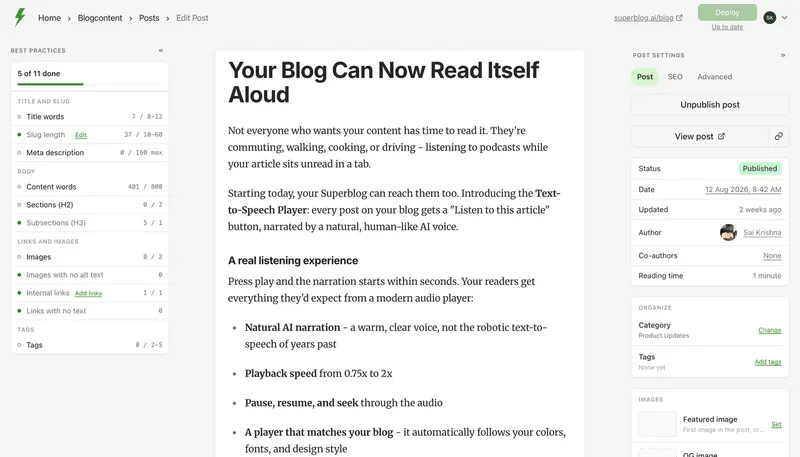
Superblog is a fully managed blogging platform. It runs only the blog, and it serves that blog at yoursite.com/blog next to any main site: Squarespace, Webflow, Framer, Next.js or WordPress.
Be clear about the cash: Squarespace Core costs less than Superblog Pro, $348 against $530 a year. The difference is $182. Core also includes a whole website, and Superblog does not. Superblog makes sense when the website already exists and the blog needs to sit on its domain, at /blog, built for search.
Here is what that $49/month (Pro) covers. Hosting, a global CDN and SSL are included. Every post ships with JSON-LD schemas, an XML sitemap entry, an IndexNow ping and an updated llms.txt file. Pages are pre-built static files, so each one scores 90+ on Lighthouse. Pro adds scheduled posts and privacy-friendly analytics. Super adds Zapier, webhooks for leads, custom form fields, spreadsheet import, MCP integration, API access and multilingual SEO.
If your main site is on Squarespace, setup is on the blog for Squarespace page. The dashboard fills in the Worker code for your site.
Moving posts takes some work. Superblog has no Squarespace importer, and it does not read the WordPress .xml file Squarespace exports. Posts come in through ZIP or JSON file import on a paid plan (spreadsheet import on Super and above), up to 300 posts per import, or one at a time from Markdown, HTML or Word files in the editor.
There is a 7-day free trial, no credit card required, and a 30-day money-back guarantee. Subdirectory hosting is on every paid plan, so choose a plan before you connect /blog. See every plan on the pricing page.
Bottom line
Squarespace costs $228 to $1,188 a year on yearly billing, and Core at $348 is the plan a company blog needs. That is good value when Squarespace is your website and the blog comes with it. It is poor value as a blog-only purchase, because Squarespace has no supported way to run it at yoursite.com/blog next to a site hosted elsewhere. For the same comparison on the other big platform, see our WordPress pricing breakdown.
FAQ
Is Squarespace free?
No. It has a 14-day free trial with no credit card required.
How much is Squarespace per month?
$19 to $99 billed yearly, or $25 to $139 billed monthly (US prices).
Which Squarespace plan does a business blog need?
Core, at $29/month billed yearly.
Can a Squarespace blog run at yoursite.com/blog if my main site is elsewhere?
No. Squarespace supports only a subdomain or a separate domain.
Does Squarespace charge fees on a blog?
Only on paid content: 7% on Basic, 5% on Core, 1% on Plus, 0% on Advanced.
Is Superblog cheaper than Squarespace?
No. Pro is $530 a year, against $348 for Squarespace Core.
Your blog, without the maintenance
Fast pages, automatic SEO, no plugins to patch. Runs on yoursite.com/blog.
Sai Krishna is the Founder and CEO of Superblog. Having built multiple products that scaled to tens of millions of users with only SEO and ASO, Sai Krishna is now building a blogging platform to help others grow organically.
superblog
Superblog is a blazing fast blogging platform for beautiful reading and writing experiences. Superblog takes care of SEO audits and site optimizations automatically.