
SEO Friendly CMS: The Checklist and 5 Platforms Compared (2026)

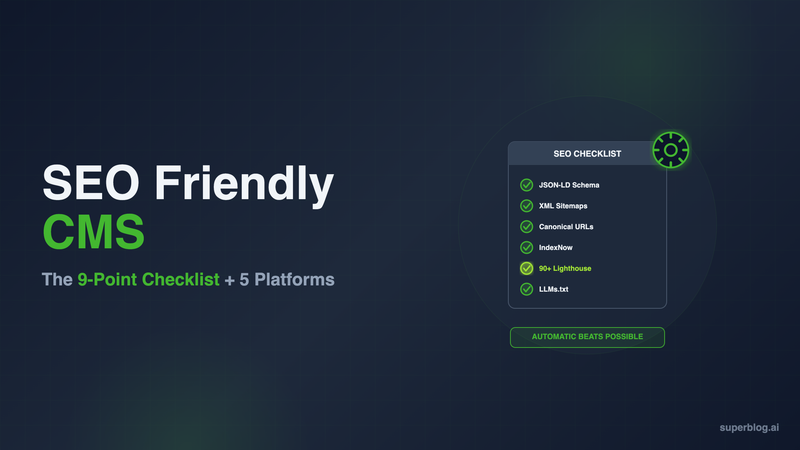
An SEO friendly CMS is one that generates schema markup, sitemaps, and fast pages automatically, without plugins, without a developer, and without your team touching code on every post. That's the bar. Most CMS platforms fall short of it in one of two ways: they either can't do these things at all, or they can do them only after you install and maintain a stack of add-ons yourself.
This guide gives you a concrete checklist for testing any CMS against that bar, then runs the checklist against WordPress, Webflow, Ghost, headless CMS, and Superblog. If you're comparing CMS types more broadly first, see Types of CMS, which this post builds on with an SEO-specific lens. For the broader set of features a CMS needs to run a blog well, not just rank one, see Blog CMS.
What Makes a CMS SEO Friendly? The 9-Point Checklist
"SEO friendly" gets used loosely. Here's what it actually requires, item by item.
1. Automatic JSON-LD schema markup
Article schema, FAQ schema, Organization schema, and Breadcrumb schema all tell Google what your content is, who published it, and how it's structured. Schema markup is what unlocks rich results in search: star ratings, FAQ dropdowns, breadcrumb trails in the SERP. A CMS that generates these automatically on every publish, with no code and no plugin configuration, clears this bar. A CMS that requires manual schema.org markup or a third-party plugin does not.
2. Automatic XML sitemaps
An XML sitemap tells search engines every URL on your site and when it last changed. It should regenerate itself the moment you publish or update a post, with zero manual submission step. If your CMS requires a plugin to build the sitemap and a separate manual step to resubmit it to Google Search Console after every batch of posts, that's friction that compounds as your blog grows.
3. Canonical URL handling
Canonical tags tell Google which version of a page is the "real" one when duplicate or near-duplicate content exists. Get this wrong across your whole site and Google can decide your pages are duplicates of each other, which suppresses indexing. A CMS that sets sensible per-post canonical URLs by default, and lets you override them when needed, is doing this correctly. A CMS with no canonical control, or one global canonical setting applied to every page, is a liability.
4. IndexNow protocol support
IndexNow is a protocol that pings search engines the moment you publish or update a post, so they know to crawl it immediately instead of waiting for their next scheduled crawl. Without it, new content can sit undiscovered for hours or days, and crawling is only the first step; getting a post fully indexed is a separate hurdle covered in Blog Indexing. Support varies a lot by platform: some have it built in and automatic, some require you to enable an experimental setting, and some don't have it at all.
5. Core Web Vitals and Lighthouse performance, by architecture
Page speed is a Google ranking factor and it's also architectural, not a setting you flip. A CMS that assembles pages from a database on every request starts from a slower baseline than one that serves pre-built static pages from a CDN. Lighthouse scores in the 40 to 60 range are typical for an unoptimized CMS install; 90+ is achievable but usually requires a caching layer, image optimization plugins, and ongoing tuning. Ask what Lighthouse score the platform delivers by default, not what's theoretically possible with enough configuration.
6. Subdirectory hosting support
A blog at yoursite.com/blog inherits the domain authority your main site has already built. A blog at blog.yoursite.com is treated by Google as a separate subdomain, starting from zero. Subdirectory hosting is one of the highest-impact SEO decisions most businesses get wrong, and not every CMS supports it cleanly across any tech stack. Some require a specific CDN provider or add-on just to make it work.
7. Clean URL and meta field control
You need control over the exact slug, meta title, and meta description for every post, not just an auto-generated version based on the post title. A CMS that hides these fields or auto-generates them without an override forces you to live with worse SERP snippets than you'd write yourself.
8. Hreflang and multilingual SEO
If you publish in more than one language, hreflang tags tell Google which version of a page to serve to which audience. Done wrong, multilingual content competes against itself in search instead of each language ranking independently. Support for this varies enormously. Many CMS platforms have no multilingual SEO tooling at all; some require you to hand-build hreflang into your own templates.
9. LLMs.txt for AI discovery
LLMs.txt is a machine-readable file, published at /llms.txt, that lists your posts in a structured format for AI tools like ChatGPT, Claude, and Perplexity. As AI-driven discovery grows as a share of how people find content, this is becoming a real distribution channel, not a nice-to-have. Very few CMS platforms generate this automatically today.
How the CMS Types Stack Up Against the Checklist
Different CMS architectures hit different numbers of these nine criteria by default. Using the same taxonomy from Types of CMS:
The pattern holds across every architecture type: traditional CMS and headless CMS both put the SEO implementation burden on your team, whether that's a plugin stack or custom frontend code. A hosted SaaS platform is the only category where "automatic" is even possible as a default, and within that category, which specific platform you pick still matters, because "hosted" doesn't automatically mean "SEO automated." This is covered in more depth in What Is a Blog Platform? and in Best CMS for Blog in 2026.
SEO Friendly CMS Compared: 5 Named Platforms
Here's how five specific platforms perform against the checklist above.
WordPress (with SEO plugins)
Is WordPress SEO friendly? On its own, no. WordPress ships with no schema markup, no automatic sitemap, and no IndexNow support. Everything on the checklist above depends on which plugins you install: Yoast SEO or RankMath for schema and meta fields, a separate sitemap plugin, a separate caching and image optimization stack for performance. Lighthouse scores of 40 to 60 are typical on an unoptimized install, and getting to 90+ requires ongoing plugin maintenance, not a one-time setup.
Once the right plugin stack is installed and kept updated, WordPress can hit most of the checklist. The cost is that this work never finishes: plugin updates, conflicts, and security patches are a permanent line item, not a launch task.
Webflow
Webflow is a website builder with CMS features added, not a CMS built around blogging. It supports meta fields and basic sitemap generation, but blog-specific SEO tooling like structured FAQ schema or IndexNow support is thin, and the CMS item limits at each pricing tier become a real constraint for a content-heavy blog. Webflow is a reasonable choice for a marketing site with a small blog attached; it's a weaker fit for a business running a blog as its primary growth channel.
Ghost
Ghost has a clean editor and strong newsletter integration, and handles meta fields and basic sitemaps well. IndexNow support exists only as an experimental labs flag (labs.indexnow in config.production.json, introduced in Ghost v6.12), off by default with no UI toggle, so publishing teams on managed Ghost don't get it automatically. Ghost added an opt-in llms.txt toggle in v6.43 (May 2026) that generates /llms.txt and /llms-full.txt, but it ships off by default, so it is a switch you have to find and enable rather than an automatic default. Subdirectory hosting also requires additional configuration rather than working out of the box.
Headless CMS (Contentful, Sanity, Strapi)
A headless CMS gives your engineering team full control over the frontend, which means full control over SEO implementation, and full responsibility for it. Schema markup, sitemaps, canonical tags, hreflang, and IndexNow all have to be built into your custom frontend by your developers. There is no automatic SEO with a headless CMS; there's a well-documented API and a blank page where the SEO implementation has to go. This is the right trade for teams that need one content source feeding multiple channels. It is a significant, ongoing engineering cost for a team that just needs a blog to rank. See Headless CMS for Business Blogs for the full breakdown of when that trade is worth making.
Superblog
Superblog runs the entire checklist automatically, on every plan, on every post. JSON-LD schema (Article, FAQ, Organization) is generated without touching code. XML sitemaps update automatically on every deploy. IndexNow submission fires automatically on publish, no configuration needed. LLMs.txt is generated at /llms.txt and updates on every deploy, with a toggle in Settings > SEO; to see what one looks like for any site, our free LLMs.txt Generator builds a reference version from a sitemap. Canonical URLs, meta titles, descriptions, and Open Graph tags are all configurable per post. Every page scores 90+ on Lighthouse by default, because pages are served from a JAMStack architecture on a global CDN rather than assembled per request. Subdirectory hosting (yoursite.com/blog) is included on every plan and works with any tech stack, including Next.js, WordPress, Webflow, and Shopify, without requiring a specific CDN provider. Multilingual SEO on the Super plan handles hreflang tags, per-language sitemaps, and self-referencing canonical URLs automatically across 41 supported languages.
The difference isn't that Superblog has more SEO features listed on a pricing page. It's that the checklist above runs the same way on post 1 and post 1,000, without a plugin update, a broken schema, or a missed sitemap resubmission in between.
Why "Automatic" Beats "Possible"
Almost everything on the checklist is technically possible with almost any CMS, given enough plugins, developer time, or custom code. That's the wrong question. What predicts outcomes is what happens by default, and what happens on post 400 when nobody remembers to check whether the sitemap plugin is still working.
Segwise grew blog traffic 415% after standardizing on infrastructure where SEO fundamentals run without manual intervention. MonsterMath went from 0 to 3,000 monthly organic visitors on the same principle: consistency across every post matters more than any single feature, since a missed canonical tag or a broken schema on a high-traffic page can cost more than months of good posts gained.
An SEO friendly CMS, in the strict sense, is one where the checklist above is the default behavior, not the advanced configuration.
Choosing an SEO Friendly CMS for Your Business Blog
Run any platform you're evaluating through the nine-point checklist above before looking at templates, editor feel, or pricing tiers. A platform that's pleasant to write in but leaves schema markup, sitemaps, or performance to chance is solving the wrong problem for a business blog, where the entire point is ranking.
If your team has developers who can own an ongoing plugin stack or a custom frontend build, WordPress or a headless CMS can get you to full checklist coverage eventually. If the goal is a blog that ranks without becoming an engineering project, a hosted SaaS platform built specifically around SEO automation, like Superblog, clears the whole checklist from day one. Plans start at $29/month (Basic, up to 300 posts), $49/month (Pro, up to 1,000 posts), and $99/month (Super, unlimited posts, fair use), all with a 7-day free trial and no credit card required.
FAQ
Which CMS is most SEO friendly?
Among purpose-built options, a hosted SaaS platform that automates JSON-LD schema, sitemaps, IndexNow, and Core Web Vitals performance by default is the strongest fit for a business blog. Superblog is built specifically around this checklist, running every item automatically on every plan. WordPress can reach similar coverage with the right plugin stack (Yoast or RankMath, a caching plugin, a sitemap plugin), but that coverage depends on ongoing maintenance rather than being built in.
Is WordPress SEO friendly?
Not by default. WordPress ships with no schema markup, no automatic sitemap, and no IndexNow support out of the box. SEO capability comes entirely from plugins like Yoast SEO or RankMath, plus separate performance and caching plugins. Lighthouse scores of 40 to 60 are typical without that additional plugin stack, and 90+ generally requires ongoing tuning rather than a one-time install.
Is a headless CMS better for SEO?
Not automatically. A headless CMS gives your developers full control to build ideal SEO into a custom frontend, but it builds nothing automatically. Schema markup, sitemaps, canonical tags, and meta fields all have to be implemented in your frontend code. A headless CMS can produce excellent SEO output with the right engineering investment, or poor SEO output if that work is deprioritized, since there's no default behavior to fall back on.
Does IndexNow actually help SEO?
IndexNow notifies participating search engines like Bing and Yandex the moment you publish or update a post, instead of waiting for their next scheduled crawl. It speeds up discovery, which matters most for time-sensitive content and for blogs publishing frequently. It's not a ranking factor by itself, but faster discovery means your content has more time in front of searchers before a competitor's similar post gets indexed first.
What is llms.txt and does my CMS need it?
LLMs.txt is a markdown file at /llms.txt that lists your posts in a structured, machine-readable format for AI tools like ChatGPT, Claude, and Perplexity. It's an emerging standard rather than a settled one. Most CMS platforms, including WordPress, don't generate it at all, and the ones that do (like Ghost as of v6.43) ship it off by default rather than automatic. As AI tools account for a growing share of how people discover content, publishing this file is a low-cost step most CMS platforms skip.
Does subdirectory hosting really matter for SEO?
Yes. A blog at yoursite.com/blog inherits the domain authority your main site has already earned. A blog at blog.yoursite.com is treated as a separate subdomain by Google, starting from zero authority. This is one of the highest-impact SEO decisions available, and it's worth checking whether a CMS supports it cleanly across your specific tech stack before committing, since some platforms require a specific CDN provider or added infrastructure to make it work.
Can I switch to a more SEO friendly CMS without losing my rankings?
Yes, if the migration preserves your existing URL slugs and sets up redirects for anything that changes. The CMS you're moving to matters less for your existing rankings than whether the migration itself keeps your URLs, metadata, and images intact. Look for a platform that imports posts with slugs preserved rather than one that forces a URL restructure, since a restructure without redirects breaks the backlinks and ranking history your existing posts have built.
How do I test whether a CMS is actually SEO friendly before committing?
Publish a real test post during the trial period and check it against the nine-point checklist directly: view the page source for JSON-LD schema, check /sitemap.xml for the post's inclusion, check whether canonical tags are set correctly, and run the live URL through Lighthouse. Don't rely on a features page. A CMS that's genuinely SEO friendly will show correct output on a single real post within minutes of publishing it.
Your blog, without the maintenance
Fast pages, automatic SEO, no plugins to patch. Runs on yoursite.com/blog.
Sai Krishna is the Founder and CEO of Superblog. Having built multiple products that scaled to tens of millions of users with only SEO and ASO, Sai Krishna is now building a blogging platform to help others grow organically.
superblog
Superblog is a blazing fast blogging platform for beautiful reading and writing experiences. Superblog takes care of SEO audits and site optimizations automatically.