
Sanity CMS Review 2026: Is It Worth $15 a Seat for a Company Blog?

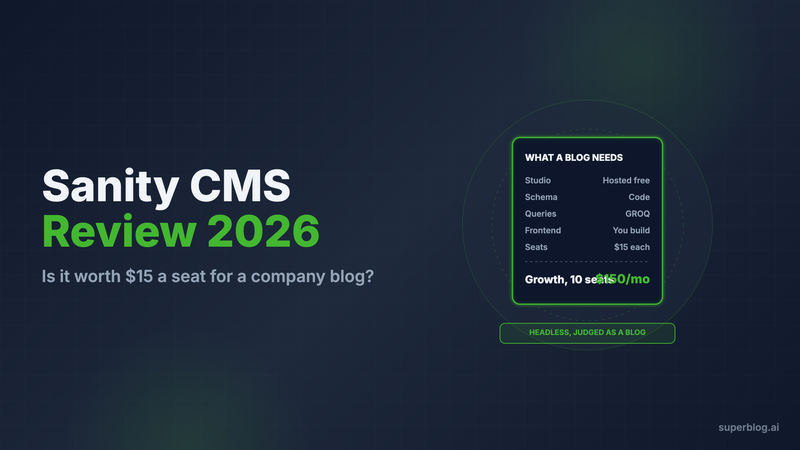
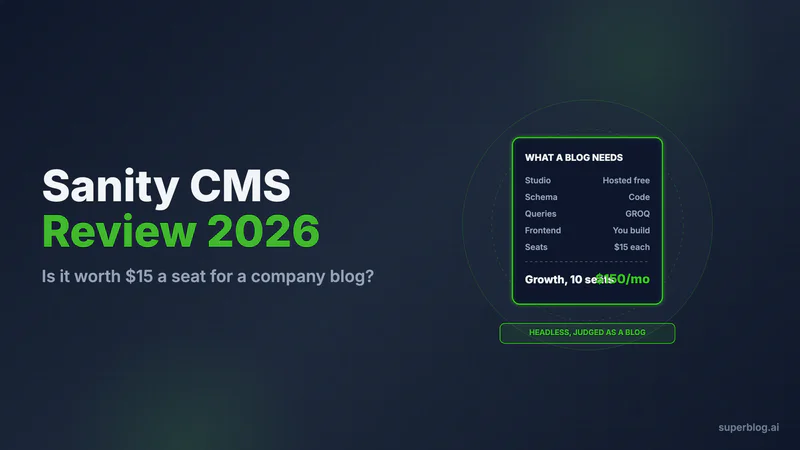
Sanity is a strong headless CMS for developer-led teams: schemas live in code, GROQ queries pull just the data each page uses, and the Studio editor can be shaped around any content model. For a company blog, that power comes with a bill most reviews skip. Your developers build and maintain the blog frontend, the previews and every SEO tag, and each writer on the Growth plan costs $15 a month.
Verdict in one line: pick Sanity when developers own content across a product and the blog is one more content type, and pick a managed blog platform when the blog's job is search traffic and nobody wants to maintain its code.
Every Sanity fact below was checked on sanity.io in November 2026.
Who uses the Sanity headless CMS?
Sanity calls itself "The Content Operating System for the AI era." Its homepage shows logos from Figma, Linear, Spotify, Nordstrom, Brex and Replit, and its customer stories include PUMA, Mejuri and Morning Brew.
The Morning Brew story's headline explains who Sanity is built for: it "powers a $50M+ media business with six engineers and Sanity." Sanity fits teams where engineers sit next to the content team. The CMS is a database and an editor. The website, the app and the blog are code your team writes on top of it.
That is a deliberate design choice, and for product content it is the right one. For a marketing blog, it decides who you need on payroll.
Sanity pricing at a glance
Prices from sanity.io/pricing, checked November 10, 2026, in USD. Viewer seats are free on every plan.
Four details change the real price for a blog team:
- Self-serve plans bill monthly only. Sanity's FAQ says annual payment requires Enterprise.
- Free has only two roles. Everyone who writes is an Administrator. The Editor and Contributor roles and scheduled drafts start on Growth.
- Growth scales by seat. Five writers cost $75 a month ($900 a year). Ten cost $150 a month ($1,800 a year). Fifty is the Growth ceiling.
- Add-ons are steep. More documents cost $299 a month (50,000 in total). An extra dataset costs $999 a month. Dedicated support costs $799 a month.
New projects get a Growth trial for a limited period. When it ends without an upgrade, the project drops to Free, private datasets turn public and every non-admin member becomes a viewer. Startups can apply for a year of Growth free, and there is a non-profit plan.
The license is the smaller number. The larger cost is the developer time behind the blog, covered below. For scale, Superblog's Pro plan is $49/month with 5 team members included.
What Sanity does well

Sanity earns its reputation with developers. Here is where it is strong.
- Content modeling in code. A schema is TypeScript in your repo, defined with
defineTypeanddefineField. It is versioned, reviewed and deployed like the rest of your app. Unlimited content types and locales come on every plan. - GROQ. Sanity's query language joins documents and returns only the fields a page needs in one request. TypeGen turns schemas and query results into TypeScript types, so the frontend knows the shape of every post.
- A Studio you can shape. Studio is an open-source React app. You can host it on a sanity.studio address for free, self-host it, or mount it as a route inside your Next.js app. Custom input components and plugins let developers fit it to the team.
- Real-time collaboration. Editors see each other in the same document. Visual editing and the Presentation tool are included on every plan once your developers wire them up.
- A generous free tier. Twenty seats and 10,000 documents at $0 is a lot of room for a prototype or a small project.
- A head start for blogs. Sanity publishes an official Next.js blog starter with Studio at
/studio, instant previews and webhook-triggered revalidation. A developer can have a working blog running quickly.
If your company already uses Sanity for product pages, docs or an app, the blog fits into the same content model and the same frontend. That is the strongest case for running a blog on it.
What Sanity does not do for a business blog
Sanity stores and delivers content. The pages readers and search engines see are code your developers write, deploy and keep working. For a blog, that work is ongoing, not a one-time setup.
The blog frontend is yours to build
There is no blog in Sanity. The post page, the archive, category and author pages, pagination, related posts and the design all live in your app. The official starter gives you a first version. After that, every new layout, block or section is a frontend change.
A new field is a code change
A writer who wants a "key takeaways" box or a new author field files a ticket. A developer adds it to the schema, updates the GROQ query that feeds the page, renders it in a component and deploys both the Studio and the site.
Post bodies arrive as Portable Text
Sanity returns rich text as Portable Text, a JSON structure, not HTML or Markdown. Your frontend serializes it. Sanity provides serializers for HTML, React, Vue, Svelte and others. Every custom block (callouts, code samples, embeds, CTAs) still needs its own renderer in your code.
Previews are an integration
Sanity's visual editing docs cover client setup with stega encoding, draft mode, overlays and Presentation Tool configuration. It works well once built. Until it is built, writers publish without seeing the page.
SEO is a developer project
Sanity's own SEO course for Next.js has lessons on SEO schema types and metadata, redirects, dynamic Open Graph images, a dynamic sitemap and JSON-LD. That is the right curriculum for a headless stack, and it shows that meta tags, canonical URLs, the sitemap and structured data exist only if your team ships them, and a marketer cannot fix a missing one alone. Our Next.js SEO checklist lists every tag a custom frontend has to output.
Speed depends on your build
Sanity serves content from a global CDN and includes an image pipeline. Page speed is still decided by your frontend: how you render, cache and load scripts. A fast Sanity blog is a well-built Next.js blog.
Teams that want the blog without the frontend can leave product content in Sanity and move only the blog to a managed platform such as Superblog, served at yoursite.com/blog. We compare both approaches in our guide to headless CMS costs for business blogs.
The common complaints
Developers on Hacker News are frank about the developer dependency. Each quote below is copied verbatim from a Hacker News comment.
- Blog components and queries. A team running a Next.js blog section on Sanity wrote: "it's pretty finicky to install basic components that we like to use" and "communicating with Sanity via groq is clunky with Typescript." They asked about moving "just the /blog/* subdirectory" to another tool. Knut from Sanity replied to ask what was finicky, and said that, as far as he could tell from Payload's docs, Payload, the tool the team was weighing, also needs custom UI for custom rich text blocks.
- You still need a developer. A user who chose Sanity as their headless CMS added: "you'd still need a dev for the frontend and sanity schema setup probably."
- Customizing Studio means React. One commenter put it bluntly: "Want to extend the SaaS product for your backoffice users? Learn React or make Studio from scratch."
Users praise it too. One Hacker News commenter said Sanity had the most flexible data structure of any headless CMS they had tried, liked that each user gets their own drafts, and said non-developers manage fine once the schema is set up.
Who Sanity is right for
Sanity is an excellent choice when:
- Developers own content across a product. Product pages, docs, an app and a blog share one content model and one frontend.
- You need custom structured content. Product catalogs, localized pages and reusable content blocks are where schemas in code shine.
- Posts need your own React components. If an article embeds a live product demo or an interactive widget, rendering the blog yourself makes sense.
- An engineer will maintain the blog. Someone owns the schema, the queries, the previews and the SEO layer, and has time for it every quarter.
Signs Sanity is the wrong fit for your blog
Consider another home for the blog if its job is organic traffic and pipeline, and these sound familiar:
- Blog requests sit in the engineering backlog: a new field, a broken preview, a missing meta tag.
- Nobody on the team owns the sitemap, schema markup or canonical tags.
- Your writing team is growing and the seat bill grows with it.
- Engineering time is worth more on the product than on post templates.
If that list fits, the question is not which headless CMS to switch to. It is whether the blog needs to be inside your codebase at all. Our CMS for Next.js comparison lays out both routes side by side.
Superblog: the blog without the frontend project
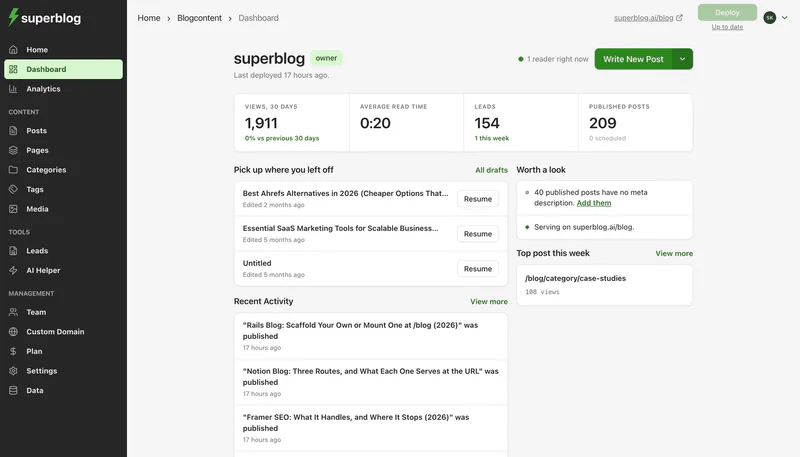
Superblog is a managed blog platform. Writing, design, CDN hosting and SEO come in one product, and your developers never touch the blog's code. You do not have to remove Sanity. Your app keeps rendering product pages from Sanity, and Superblog serves the blog at yoursite.com/blog. On Next.js that takes two entries in the rewrites() function of next.config.js, shown step by step in our guide to adding a blog to Next.js.
Here is how the two compare on what a company blog needs:
What comes built in:
- The SEO layer. JSON-LD for BlogPosting (or Article), FAQ, WebPage, Organization and ImageObject, plus XML sitemaps, canonical URLs, Open Graph tags and an IndexNow ping on publish. An llms.txt file indexes the whole blog, and every post also exists as a plain-markdown file at its own URL ending in
.md. - An editor writers run themselves. Writers get slash commands, markdown shortcuts, FAQ blocks, a SERP preview and internal link suggestions. Pro adds scheduled publishing and review comments on drafts.
- Lead capture. Native forms that feed leads to the dashboard, with webhooks and Zapier on Super.
- Pricing that includes the team. On the $49/month Pro plan ($530 a year), up to 5 people publish up to 1,000 posts. The $99/month Super plan ($1,070 a year) allows 10 people and 10,000 posts, with multilingual SEO, Zapier, MCP and the REST API included.
The trade-offs are real. Your React components do not render inside Superblog posts. You style the blog by picking a template and adjusting colors, fonts, menus and custom CSS. Superblog has no Sanity importer. To move posts, a developer pulls them out with GROQ, converts each Portable Text body to HTML or Markdown, and uploads the resulting JSON file to the JSON importer (300 posts per import, and mapped slugs are kept). Super customers can push posts through the REST API instead.
There is a 7-day free trial, no credit card required, and a 30-day money-back guarantee. Next.js teams can see the full setup on Superblog for Next.js.
Our verdict on Sanity
Sanity is one of the strongest headless CMSs available. Schemas in code, GROQ, Portable Text and a customizable Studio give developers full control over structured content, and the free tier is generous. As a home for a company blog, it is a frontend project with no finish line: your developers build the pages, the previews and the SEO layer, then maintain them, and every writer on Growth is another $15 a month. Keep Sanity where developers own the content. If the blog is the part that keeps landing in the engineering backlog, move the blog to a managed platform at $49/month (Pro) and leave Sanity in place for everything else.
FAQ
Is Sanity free?
Yes. Free costs $0 and includes 20 seats, 10,000 documents and two roles (Administrator and Viewer).
How much does Sanity Growth cost?
$15 a seat each month, with a 50-seat cap and no annual billing.
Is Sanity a headless CMS?
Yes. Sanity stores and delivers content through APIs, and you build the frontend.
Does Sanity build my blog's SEO tags and sitemap?
No. Your frontend code generates metadata, sitemaps and JSON-LD.
Can I use Sanity for my site and another platform for the blog?
Yes. A rewrite sends /blog to the blog platform while Sanity keeps powering every other page.
Does Superblog import from Sanity?
Not directly. Posts move as a JSON file through the JSON importer.
Your blog, without the maintenance
Fast pages, automatic SEO, no plugins to patch. Runs on yoursite.com/blog.
Sai Krishna is the Founder and CEO of Superblog. Having built multiple products that scaled to tens of millions of users with only SEO and ASO, Sai Krishna is now building a blogging platform to help others grow organically.
superblog
Superblog is a blazing fast blogging platform for beautiful reading and writing experiences. Superblog takes care of SEO audits and site optimizations automatically.