
Next.js SEO: The App Router Guide to Metadata, Sitemaps and Schema (2026)

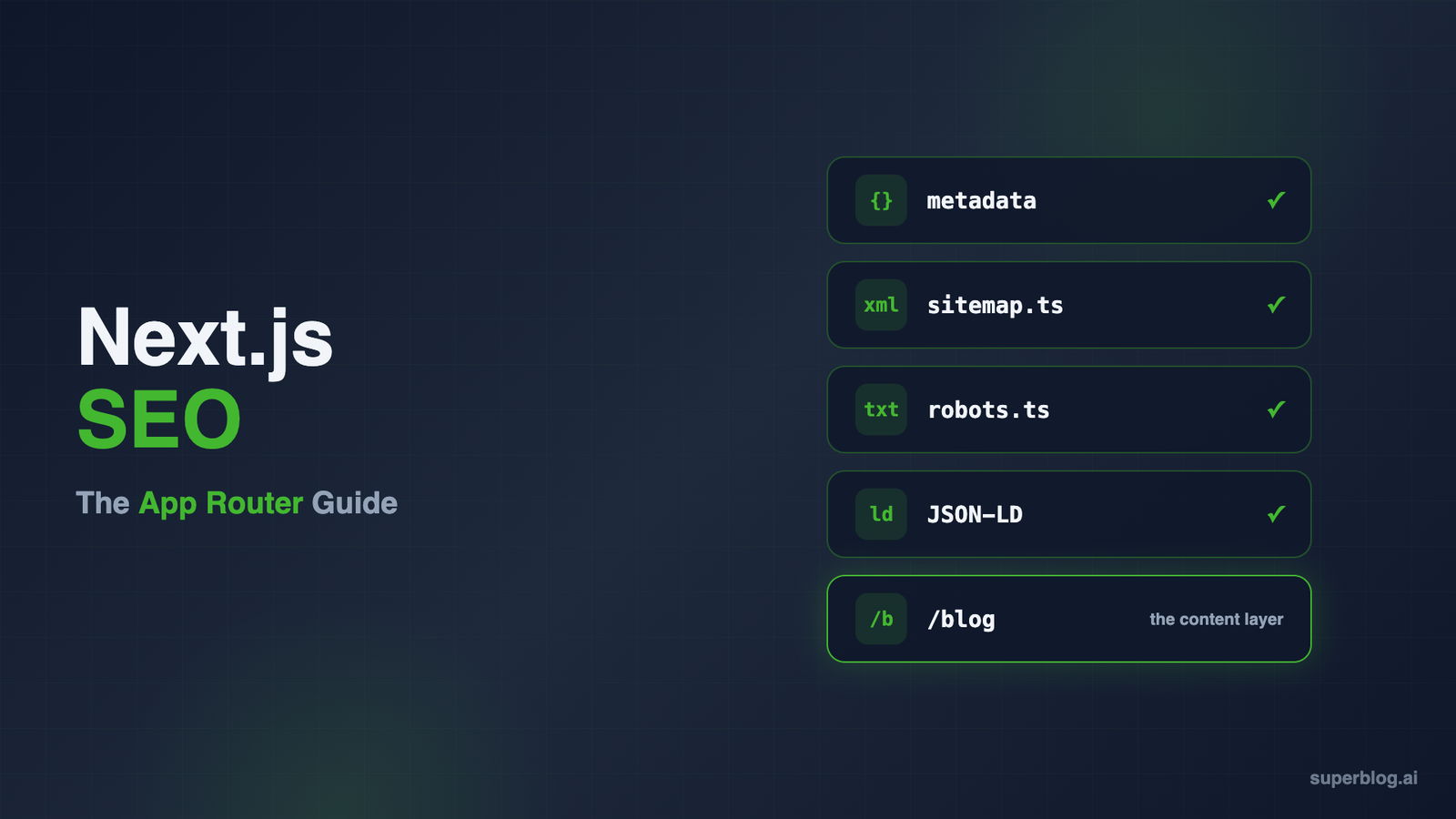
Good Next.js SEO comes down to two jobs. The first is technical: every page ships server-rendered HTML with the right title, description, canonical, structured data and sitemap entry. The second is content: a steady stream of pages that answer what your buyers search for. Next.js handles a large part of the first job for you, and nothing of the second.
This guide covers both. The first half is the Next.js SEO setup for the App Router, with code. Every API name and file convention below was checked against the official Next.js documentation for Next.js 16 (16.4.5 is the latest stable release on npm as of November 2026).
Most of it also applies to Next.js 15, and the version notes call out where it does not. The second half covers the part most guides skip: where the content that ranks will live, and who maintains it.
What Next.js handles for SEO, and what it leaves to you
Next.js renders on the server by default. In the App Router, pages are React Server Components, and the docs state that "Client Components and the RSC Payload are used to prerender HTML" (Next.js docs). A crawler that requests a URL gets real markup, not an empty <div> waiting for JavaScript.
Googlebot can run JavaScript, but Google's JavaScript SEO basics page still recommends server-side or pre-rendering, since it speeds pages up for users and crawlers and some bots never execute JavaScript. Google also renders JavaScript in a separate queue, which can delay when client-built content reaches the index. Our React SEO guide covers the client-rendering pitfalls that Next.js mostly removes.
So the rendering foundation is solid. What Next.js gives you beyond that is a set of primitives:
- The Metadata API for titles, descriptions, canonicals, Open Graph and robots tags
- File conventions for
sitemap.xml,robots.txt, Open Graph images and icons - Static generation, ISR and dynamic rendering, chosen per route
next/imagefor sized, lazy-loaded, format-converted images
What it does not give you: structured data, hreflang strategy, a content model, an editor, or any opinion about which pages should exist. You wire those yourself.
The Next.js SEO checklist for the App Router
Work through these in order. Each one is a file or an export, and each one is cheap to get right on day one and expensive to fix after Google has indexed the wrong thing.
1. Set site-wide defaults in the root layout
The root layout is the place for values every page shares: the base URL, the title template and a fallback description. Nothing page-specific belongs here (more on that in the mistakes section).
// app/layout.tsx
import type { Metadata } from 'next'

export const metadata: Metadata = {
  metadataBase: new URL('https://acme.com'),
  title: {
    default: 'Acme',
    template: '%s | Acme',
  },
  description: 'Acme helps finance teams close the books faster.',
}
Three details from the generateMetadata reference that trip teams up:
metadataBaselets every URL-based field below it use a relative path. Using a relative path withoutmetadataBasecauses a build error.title.templateapplies to child segments only. A template inapp/layout.tsxdoes not apply toapp/page.tsxin the same segment, and adefaultis required whenever you set a template.- Metadata exports work only in Server Components. If a page needs
'use client', keeppage.tsxas a Server Component that exports the metadata and move the interactive part into a separate file.
2. Use static metadata or generateMetadata per page
For a page whose title never changes, export a static metadata object. For a route whose metadata depends on data (a feature page, a template gallery, a docs entry), export generateMetadata:
// app/features/[slug]/page.tsx
import type { Metadata } from 'next'
import { getFeature } from '@/lib/features'

type Props = { params: Promise<{ slug: string }> }

export async function generateMetadata({ params }: Props): Promise<Metadata> {
  const { slug } = await params
  const feature = await getFeature(slug)

  return {
    title: feature.title,
    description: feature.summary,
    alternates: { canonical: `/features/${slug}` },
    openGraph: {
      title: feature.title,
      description: feature.summary,
      url: `/features/${slug}`,
      images: [feature.ogImage],
    },
  }
}
Notes for current versions:
paramsis a Promise in Next.js 15 and 16, so youawaitit.- You cannot export both
metadataandgenerateMetadatafrom the same route segment. fetchcalls insidegenerateMetadataare memoized with identical calls in the page, so fetching the feature twice costs one request. IfgetFeaturereads from a database or SDK instead offetch, wrap it in React'scacheto get the same effect.- Since Next.js 15.2, metadata from
generateMetadatacan stream. Next.js appends the tags to<body>for bots that execute JavaScript (the docs name Googlebot) and keeps them blocking in<head>for HTML-limited bots such asfacebookexternalhit. ThehtmlLimitedBotsoption innext.configoverrides the list. The default is fine for most sites.
3. Give every indexable page its own canonical
A canonical tells Google which URL is the real one when the same content is reachable at several (tracking parameters, trailing-slash variants, filtered views). In the App Router it lives under alternates:
export const metadata: Metadata = {
  alternates: { canonical: '/pricing' },
}
With metadataBase set, that renders as <link rel="canonical" href="https://acme.com/pricing" />. Set it per page, as a self-referencing URL. The one place you must never set it is the root layout, for reasons covered below.
4. Generate the sitemap with sitemap.ts
Drop a sitemap.ts into app/ and export a function that returns URLs. Next.js serves the result at /sitemap.xml:
// app/sitemap.ts
import type { MetadataRoute } from 'next'
import { getAllFeatures } from '@/lib/features'

const BASE = 'https://acme.com'

export default async function sitemap(): Promise<MetadataRoute.Sitemap> {
  const features = await getAllFeatures()

  return [
    { url: BASE, lastModified: '2026-10-01' },
    { url: `${BASE}/pricing`, lastModified: '2026-09-14' },
    ...features.map((f) => ({
      url: `${BASE}/features/${f.slug}`,
      lastModified: f.updatedAt,
    })),
  ]
}
Use real modification dates, not new Date(). A sitemap that stamps every URL with the build time teaches Google to ignore the field. Per Google's sitemap documentation, lastmod is only trusted when it keeps matching the page's real change history, and the priority and changefreq fields are not used at all. Leave those two out of your objects.
For large sites, a single sitemap tops out at 50,000 URLs. Next.js offers generateSitemaps to split one into numbered files, and as of Next.js 16 the id it passes in is a Promise that resolves to a string (sitemap reference). A sitemap.ts route is cached by default unless it uses a request-time API.
5. Generate robots.txt with robots.ts
The same pattern applies to robots rules. A robots.ts in the root of app/ returns an object, and sitemap accepts a string or an array:
// app/robots.ts
import type { MetadataRoute } from 'next'

export default function robots(): MetadataRoute.Robots {
  return {
    rules: [
      { userAgent: '*', allow: '/', disallow: ['/dashboard/', '/api/'] },
      { userAgent: 'GPTBot', disallow: '/' },
      { userAgent: 'OAI-SearchBot', allow: '/', disallow: ['/dashboard/', '/api/'] },
    ],
    sitemap: [
      'https://acme.com/sitemap.xml',
      'https://acme.com/blog/sitemap.xml',
    ],
  }
}
Three things in that example are worth explaining.
First, the AI crawler rules. OpenAI splits its crawlers by job: GPTBot gathers data for model training, and OAI-SearchBot decides whether your pages can show up as cited sources in ChatGPT search. OpenAI's crawler documentation treats each robots.txt setting on its own, so the example refuses training and stays citable.
Google works differently. Its Google-Extended token covers Gemini model training and grounding in Gemini Apps and Vertex AI, and has no effect on Google Search. AI Overviews are part of Search, so your Googlebot rules govern them (Google's AI features guide).
Anthropic runs three agents: ClaudeBot collects training data, Claude-User opens pages a person asks Claude to read, and Claude-SearchBot serves Claude's web search. Make the call for each bot deliberately.
Second, the array of sitemaps. If your blog runs on a separate system at /blog, list its sitemap here too, so crawlers find both from one file. Next.js 16.3 also added an other field per rule for non-standard directives such as Clean-param (robots reference).
Third, the repeated paths. A crawler that finds a group naming it follows that group alone and skips the * rules (Google's robots.txt spec). Every named group therefore needs its own copy of the paths you want kept out, which is why the OAI-SearchBot entry repeats /dashboard/ and /api/.
6. Add JSON-LD with a native <script> tag
There is no Metadata API field for structured data. The Next.js JSON-LD guide recommends rendering it "as a <script> tag in your layout.js or page.js components," and warns that plain JSON.stringify does not sanitize strings used in XSS injection. Escape < before you inject:
// app/layout.tsx
const organization = {
  '@context': 'https://schema.org',
  '@type': 'Organization',
  name: 'Acme',
  url: 'https://acme.com',
  logo: 'https://acme.com/logo.png',
}

export default function RootLayout({ children }: { children: React.ReactNode }) {
  return (
    <html lang="en">
      <body>
        <script
          type="application/ld+json"
          dangerouslySetInnerHTML={ {
            __html: JSON.stringify(organization).replace(/</g, '\\u003c'),
          } }
        />
        {children}
      </body>
    </html>
  )
}
Organization schema fits the root layout because it describes the whole site. Page-level types (Product, SoftwareApplication, FAQPage, BlogPosting) belong in the matching page.tsx, built from that page's data.
Use a native <script>, not next/script: the guide points out that next/script is built for executable JavaScript, and JSON-LD is data. For typed objects, the docs suggest the community schema-dts package. Validate the output with Google's Rich Results Test.
For which schema types earn what, our blog schema markup guide goes type by type.
7. Pick a rendering mode per route, knowing the SEO effect
All three modes produce server-rendered HTML, so none of them hides content from crawlers. The difference is freshness and response time.
A few facts from the ISR guide that matter here: if any fetch on a route uses revalidate: 0 or no-store, the whole route renders dynamically. ISR needs the Node.js runtime and does not work with a static export. And the guide recommends a long revalidation window (an hour rather than a second), with on-demand revalidation when you need precision.
The real SEO risk is not the mode. It is content that loads after hydration. A Client Component is prerendered to HTML, but data it fetches in useEffect is not in that HTML. If pricing, reviews or product copy arrive that way, fetch them in a Server Component instead.
8. Use next/image correctly for Core Web Vitals
Images drive two of the three Core Web Vitals: Largest Contentful Paint and Cumulative Layout Shift. From the Image component reference:
- Always pass
widthandheight(or usefillinside a sized container). The docs say these values are "used by browsers to reserve space for the image and avoid layout shift during loading." - Lazy loading is the default. Below-the-fold images load as the user scrolls.
- For the hero image, set
loading="eager"together withfetchPriority="high", or usepreload. In Next.js 16,fetchPriorityon its own still leaves the image lazy-loaded, because the component only switches off lazy loading forpreload, the deprecatedpriority, orloading="eager". Next.js 16 deprecatedpriorityin favor ofpreload, and the Image docs steer most pages away frompreloadtowardloading="eager"andfetchPriority="high". Google's LCP guide is clear that the LCP image should never be lazy-loaded. - WebP is the default output format. AVIF is opt-in through
images.formatsinnext.config.
<Image
  src="/hero.png"
  width={1200}
  height={630}
  alt="Acme dashboard showing month-end close status"
  loading="eager"
  fetchPriority="high"
/>
For what each metric measures and the thresholds Google uses, see blog Core Web Vitals.
9. Build locale routing and hreflang yourself
The App Router has no built-in locale config of the kind the Pages Router had. The internationalization guide has you nest routes under app/[lang], detect the locale in proxy.js (the file convention that replaced middleware in Next.js 16), and prerender each locale with generateStaticParams in the [lang] layout, which also sets <html lang>.
hreflang is then your job, in two places. In page metadata:
// app/[lang]/pricing/page.tsx
export async function generateMetadata({
  params,
}: PageProps<'/[lang]/pricing'>): Promise<Metadata> {
  const { lang } = await params
  return {
    alternates: {
      canonical: `/${lang}/pricing`,
      languages: {
        en: '/en/pricing',
        de: '/de/pricing',
        es: '/es/pricing',
      },
    },
  }
}
And in the sitemap, where each entry accepts alternates.languages (supported since Next.js 14.2). Each language version should carry a self-referencing canonical, as above, and list every sibling. Google lists missing return links among the most common hreflang mistakes and may ignore annotations that lack them (Google's localized versions guide). Nothing in Next.js checks for them.
Common Next.js SEO mistakes
These are the App Router mistakes that cost indexing or social previews. Most trace back to one rule in the docs: metadata objects from layouts and pages are shallowly merged, so a nested field set in a page replaces the parent's version completely, and a field the page omits is inherited from the parent unchanged.
- A canonical in the root layout. Put
alternates: { canonical: '/' }inapp/layout.tsxand every page that does not set its own canonical inherits it. Google can take that as a signal that every page duplicates the homepage and drop those pages from the index. Set canonicals per page only. - An
openGraphobject in a page that drops the image. Because nested fields are replaced rather than merged, a page that setsopenGraph: { title }loses theimagesthe layout defined. Its social previews ship without an image. The docs' fix is to pull shared fields into a variable and spread them into each page'sopenGraph. openGraph.urlset in the root layout. Same inheritance problem as the canonical: every page announces the homepage as its URL to social platforms.- Relative URLs with no
metadataBase. This fails the build, which is the good outcome. The bad outcome is hard-codinghttp://localhost:3000into ametadataBasethat reaches production. - Primary content fetched on the client. Copy that only appears after
useEffectruns is missing from the prerendered HTML, and not every bot will run your JavaScript to find it. lastModified: new Date()on every sitemap URL. It looks fresh and tells Google nothing. Use stored update dates.- Preview and staging URLs left indexable. If a preview host is publicly reachable, return a
noindexrobots setting there, keyed off an environment variable, so it never competes with production. - Links that fight your trailing-slash setting. Next.js redirects
/about/to/aboutby default, and the reverse withtrailingSlash: true(trailingSlash reference). Write internal links, canonicals and sitemap URLs in the form that does not redirect. WithtrailingSlash: true, rewrites to external hosts also need the slash insource, and indestinationwhen the external host expects it (rewrites reference).
Why a fully optimized Next.js site still needs a blog
Once the checklist above is done, your product pages are crawlable, fast and correctly tagged. That is necessary, and it is not enough. A typical Next.js product site has a homepage, a pricing page, a handful of feature pages and a login screen. That set of URLs can rank for your brand name and very little else.
The queries that bring in buyers look different: "how to automate month-end close", "Acme vs Competitor", "reconcile Stripe payouts automatically". Those rankings come from pages written to answer them, published steadily, and linked into the rest of the site. In other words, a blog.
Here is what building that blog inside your Next.js app actually commits you to:
- A content source. MDX files in the repo, or a headless CMS with a content model, API keys and a fetch layer.
- Per-post metadata.
generateMetadatafor every post route: title, description, canonical, Open Graph image. - Per-post schema. BlogPosting or Article JSON-LD with author, dates and image, plus FAQPage where a post has FAQs.
- Sitemap and feed. Post URLs added to
sitemap.tswith reallastModifieddates, and an RSS feed you generate yourself. - Category, tag and author archives, each with its own metadata and pagination.
- A publishing workflow for non-developers. Drafts, previews, scheduling and image uploads that do not need a pull request.
- Revalidation. A webhook from the CMS to
revalidatePath, or a full rebuild per post. - Optional extras that keep growing: hreflang for translated posts, IndexNow pings, an
llms.txtindex, internal link suggestions.
Each item is a few hours. Together they are a small product, owned by the same engineers who own your actual product.
Superblog ships that list as a finished product, and it is option 2 below.
Three ways to run the blog on a Next.js site
1. Build it in Next.js with MDX or a headless CMS
This is the default answer for a reason. You keep one codebase, full design control and one deploy pipeline. MDX works well when developers write the posts. A headless CMS such as Sanity, Contentful or Strapi gives marketers an editor and leaves rendering to your Next.js routes, which can use ISR so a new post does not need a full rebuild.
The trade-off is everything in the list above. A headless CMS stores and edits content; it does not generate your BlogPosting schema, add posts to your sitemap, produce an RSS feed or write hreflang tags. Your frontend does, so your team maintains it.
Choose this path if you have engineering time reserved for content infrastructure and want the blog inside the same React codebase. Our guide to headless CMS for business blogs compares the main options.
2. Run Superblog at /blog through Next.js rewrites
Superblog is a managed blogging platform: CMS, blog frontend, hosting and SEO engine in one product. Nothing in your Next.js routes changes. /blog is handed to Superblog with rewrite rules in next.config.js.
Visitors and crawlers see yoursite.com/blog/your-post, on your domain, so links to the blog build authority for the domain your product lives on.
Every item on the build list above is already handled (hreflang translations on Super and above), which is the point of this option. The trade-off is design control: the blog uses Superblog's templates with color, font, layout and custom CSS controls, not your React components.
3. Host the blog on a subdomain
A separate blog platform at blog.yoursite.com needs only a DNS record, so it touches nothing in your Next.js app. The cost is SEO: the blog sits on a separate hostname, so the links it earns support blog.yoursite.com rather than the domain your product pages rank on. Our subdomain vs subdirectory comparison covers when that trade is acceptable.
How Superblog serves a pre-rendered blog at /blog
The mechanism is a Next.js feature you already have. Rewrites "act as a URL proxy and mask the destination path, making it appear the user hasn't changed their location on the site" (Next.js rewrites reference), and they can point at an external URL.
The Superblog dashboard generates the exact config for your site. It places two rules in the beforeFiles phase, one for /blog and one for /blog/:slug*, so they are checked before your own pages and dynamic routes and cannot be swallowed by a catch-all route. You add them, redeploy once, and you are done with code. The full setup, including the Vercel and Cloudflare variants, is in our walkthrough on adding a blog to Next.js.
After that, publishing is independent of your app:
- Pages are pre-built. Superblog builds every post into static HTML ahead of time and ships it to 200+ CDN edge locations worldwide. Crawlers get complete markup on the first request, and pages score 90+ on Lighthouse.
- No Next.js builds for posts. A writer clicks publish in the Superblog editor. Your app's build pipeline and build minutes are untouched.
- Schema on every post. Article (or BlogPosting), WebPage, Organization and ImageObject JSON-LD is generated automatically, plus FAQ schema when a post uses FAQ blocks.
- Sitemaps, feeds and discovery. An XML sitemap and RSS feed regenerate on every deploy. IndexNow notifies Bing and other supporting engines when a post goes live.
- AI readability. An
llms.txtindex at/blog/llms.txtpoints to a plain-markdown copy of each post, alongside the server-rendered HTML. That gives ChatGPT, Claude and other assistants clean text to read and cite. - Per-post control. You set the meta title, meta description, canonical URL and Open Graph tags on each post. A SERP preview displays the search snippet before it goes live.
- Multilingual on Super and above. Translations live at subdirectory paths like
/blog/de/, with hreflang in both the HTML head and per-language sitemaps.
Add the blog's sitemap to the sitemap array in your robots.ts, as in the example earlier, and crawlers will find both halves of the site from one file. For other stacks and proxy setups, see subdirectory blog hosting. Teams comparing options can read the Superblog for Next.js overview.
Pricing starts at $49/month on Pro (up to 5 team members, 1,000 posts). Super is $99/month and adds multilingual SEO, the REST API and Zapier. A 30-day money-back guarantee applies.
FAQ
Is Next.js good for SEO?
Yes. It server-renders by default, gives you a typed Metadata API, and generates sitemaps and robots files from code. You still have to add structured data, hreflang and per-page canonicals yourself.
Should I use metadata or generateMetadata?
Use the static metadata object when a page's tags never change. Use generateMetadata when they depend on route params or fetched data. The Next.js docs recommend the static object whenever metadata does not depend on request information.
Does 'use client' hurt SEO?
Not by itself. Client Components are still prerendered to HTML on the server. Content fetched in the browser after hydration is the problem, not the directive.
Where should the blog sitemap go if the blog is not in my Next.js app?
List it alongside your own sitemap in robots.ts by passing an array to sitemap, and submit both in Google Search Console.
Can I keep MDX for docs and use Superblog for the blog?
Yes. The rewrite only covers /blog. Docs, changelogs or anything else you render with MDX stay in your Next.js app.
The short version
Technical Next.js SEO is a checklist: root-layout defaults, per-page metadata and canonicals, sitemap.ts, robots.ts, JSON-LD in a native script tag, deliberate rendering choices, sized images and hand-built hreflang. Do it once and it holds.
The content side does not hold still. It needs a publishing system that someone maintains for as long as you publish. If your engineers would rather spend that time on the product, try Superblog free for 7 days with no card, then connect /blog with two rewrite rules on a paid plan and let the blog rank on your domain.
Your blog, without the maintenance
Fast pages, automatic SEO, no plugins to patch. Runs on yoursite.com/blog.
Sai Krishna is the Founder and CEO of Superblog. Having built multiple products that scaled to tens of millions of users with only SEO and ASO, Sai Krishna is now building a blogging platform to help others grow organically.
superblog
Superblog is a blazing fast blogging platform for beautiful reading and writing experiences. Superblog takes care of SEO audits and site optimizations automatically.