
Migrating to WordPress From Blogger, Tumblr, Medium or Ghost: The Honest Version

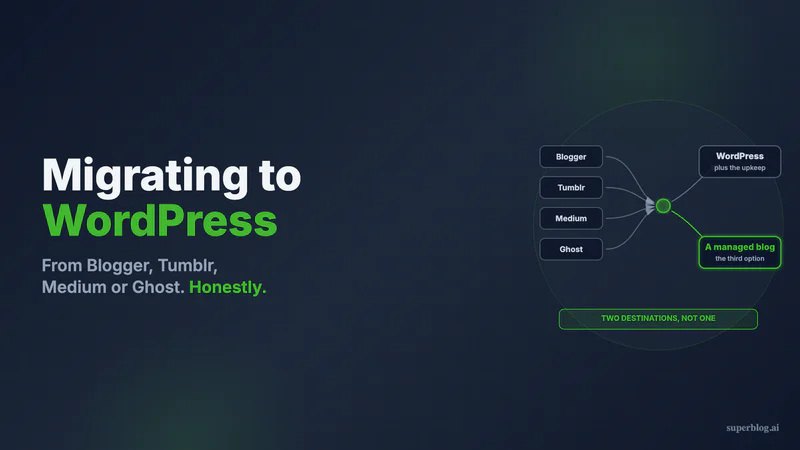
Almost every guide about moving to WordPress begins after the decision is made. You searched "blogger to wordpress" and got six steps, a plugin recommendation, and a host's affiliate link. Nobody asked why you were leaving, or whether the thing you are running toward fixes it.
This guide asks. It covers the four migrations that happen at volume, Blogger, Tumblr, Medium and Ghost into WordPress, naming what you are escaping, what the import will and will not carry, and what the destination costs afterward.
The short version, verified August 10, 2026: for Blogger use the actively maintained Blogger Importer Extended rather than the abandoned official importer, budget redirects as mandatory because every URL except Ghost's changes shape, and expect managed hosting from $30 to $35 a month plus four to eight hours of upkeep once you arrive. Whether that is a good trade depends entirely on which of the four you are leaving and why.
Disclosure: we build Superblog, a managed blog platform that competes with WordPress for some of these readers. For a large share of people reading this, WordPress is still the correct destination, and the sections saying so are not throat-clearing.
The four exits, and what each reader is escaping
Blogger
Google has not killed Blogger and shows no sign of doing so. It has stopped investing in it. May 20, 2020 is the date of the most recent feature announcement on Google's own Blogger product blog. The platform has kept running ever since while search requirements moved on without it. Our Blogger alternatives roundup works through the stagnation evidence in full.
What sends these readers to WordPress is usually templates that look their age, an SEO ceiling that stops at meta descriptions and robots.txt, or the unease of building a business asset inside a product nobody at Google is assigned to. If you want the shorter version of where Blogger runs out, our Blogger alternative page lays out the same case against a single destination.
Tumblr
Tumblr blogs rarely leave over features. They leave over volatility. The platform has changed hands and changed content policies more than once, and a business that put its writing there watched decisions get made about its archive by people it will never meet.
There is also a fit problem no migration can fix. Tumblr is built around reblogs, notes and a dashboard feed, while a company blog needs indexable long-form pages on its own domain.
Medium
Medium's trade was always explicit: you get an audience, Medium gets the relationship. Readers who land on your post become Medium members rather than your subscribers, and none of the authority those posts earn accrues to the domain you sell from. Where those writers land instead is covered in our roundup of Medium alternatives.
People leaving Medium for WordPress are buying one thing: a URL they control.
Ghost
Nobody leaves Ghost because the editor is bad, which makes this the most interesting exit of the four. There are two reasons.
The first is self-hosting fatigue. A self-hosted Ghost install means Node, a database, SSL renewals and version upgrades that are yours to run. That is the treadmill people leave WordPress to escape, so Ghost to WordPress is a strange direction of travel unless something specific is pulling.
The second is the price of the tier that does the job. As of August 10, 2026, Ghost(Pro) lists Starter at $18/month, Publisher at $29/month and Business at $199/month, all billed yearly (ghost.org/pricing). Teams who want the blog served at yoursite.com/blog find that path runs through the Business tier, and $199/month reframes the evaluation. We compared the field in our Ghost alternatives guide.
One thing to settle before moving: if paid memberships or newsletter billing are why you chose Ghost, WordPress rebuilds that with plugins and most managed blog platforms cannot rebuild it at all.
When WordPress is the right destination
Four situations where the reflexive answer is also the correct one.
You need functionality that is not blogging. A store, courses, gated member areas, a job board, custom post types. WordPress has a mature plugin for each, and this argument is not close.
Someone already maintains WordPress for you. With a developer on staff or an agency on retainer, the maintenance objection evaporates, because that work already sits in a budget line.
You want the whole site, not just the blog. Blogger and Tumblr users often have no marketing site at all. WordPress gives you a homepage, landing pages and a blog in one install. A blog platform gives you the blog and expects the rest to live elsewhere.
You want to own the code. Self-hosted WordPress is yours to move anywhere. If that ownership is what Blogger's neglect made you crave, no hosted product answers it, ours included.
The importers this migration actually depends on
Here is what the search results skip, checkable in five minutes. The canonical importers for three of these four sources have been abandoned. WordPress currently ships 7.0.3 (wordpress.org/download), and the plugin pages tell the rest.
| Source | Tool | Last updated | Tested up to | Status on wordpress.org |
|---|---|---|---|---|
| Blogger | Blogger Importer (Samuel Wood) | 2 years ago | 6.6.6 | Untested-with-recent-releases banner |
| Blogger | Blogger Importer Extended | 5 days ago | 7.0.3 | Maintained, 4,000+ installs |
| Tumblr | Tumblr Importer | 2 years ago | 6.7.6 | Untested banner, 10,000+ installs |
| Ghost | Ghost Importer | 9 years ago (June 27, 2017) | 4.8.29 | Untested banner, 30+ installs |
| Medium | No wordpress.org importer | n/a | n/a | Documented path runs through WordPress.com |
All values verified on wordpress.org, August 10, 2026. The three flagged plugins carry the same notice: not tested with the latest three major WordPress releases, and possibly no longer maintained.
Read the table correctly. These migrations do not fail. The official-looking free tool the top-ranking guides point at is sometimes a nine-year-old plugin with thirty installs, and you learn that after committing.
The maintained exception deserves credit. Blogger Importer Extended was updated five days before this was written and is tested against 7.0.3. Its listing offers to "Import up to 20 blog posts/pages for free, along with all comments, featured images and post labels," adding that "If you have more than 20 blog posts, you may wish to purchase an unlimited license." So the primary migration here has a real tool behind it, paid past twenty posts, which is more than the other three sources get.
Medium is absent from WordPress's own advanced administration import guide. The documented route is WordPress.com's importer, which per its support page brings content over so that "All of your Medium content will appear as posts on your WordPress website under the original date of the post, along with their original tags," with drafts staying unpublished. Publications are a special case: that page says Medium's support team has to build the backup file for you.
What arrives intact, per source
The export sets your ceiling. No importer recovers data the source platform never handed over.
| Source | Export you start from | Travels well | Needs manual work |
|---|---|---|---|
| Blogger | XML backup, or a direct API pull | Posts, comments, labels, featured images (with the maintained importer) | The /YYYY/MM/post.html URL shape |
| Tumblr | ZIP: a Posts folder of HTML files, a Media folder, a comments CSV | Post bodies and media files | Reblogs, drafts and private posts ride along in the ZIP |
| Medium | ZIP of HTML files, emailed to you | Posts, original dates, original tags | Images, which stay pointed at Medium's servers unless something re-hosts them |
| Ghost | Single JSON file from Settings, Advanced, Import/Export | Posts, tags, some settings | Members export separately as CSV, and paid subscriptions do not transfer |
Two source-side details, both verified August 10, 2026.
Tumblr's export expires. Backups are retained for three days, with four exports per blog per month (help.tumblr.com). Do not request it until you are ready. The same page confirms the ZIP includes reblogs, drafts, private posts and other hidden posts, so review before importing unless you want 2014 reblogs indexed on a company domain.
Ghost's JSON is content and settings, not media. It covers settings, staff users, posts, pages and tags (ghost.org/help/exports). Members leave as a separate CSV, and the Stripe relationship behind a paid subscriber list is in neither file.
Your URLs change shape, and that is where rankings go
This is what the "no SEO loss" headlines gloss over. Rankings do not attach to a platform, they attach to a URL. So the question is which addresses are about to move, and whether anything catches the old ones.
For three of these four sources, most of them change.
Blogger serves posts at /YYYY/MM/post-title.html. WordPress offers no such default and nobody recreates it, so every indexed post gets a new address. On a custom domain you control, the old paths can be pointed at the new ones. On a blogspot.com address the options are far thinner, and recovery leans on Google recrawling rather than anything you configure.
Medium posts carry a hashed suffix on the slug. Those hashes are not coming with you, and Medium keeps serving the originals after you leave.
Ghost is the friendly case. Its slugs are clean and map onto WordPress slugs directly, so with a matching permalink structure a meaningful share of URLs survives unchanged.
Tumblr posts use numeric IDs plus a slug fragment. Everything gets a new address.
The sequence that protects you is unglamorous. Pull twelve months of URLs from the Search Console Pages report before touching anything. Choose your WordPress permalink structure once, before importing, because changing it later means doing the redirect work twice. Map every old URL to its destination and write 301s rather than 302s. Then check a sample from the command line with curl -I. A browser is the wrong instrument for this, because redirect caching will cheerfully report a state that expired an hour earlier.
Then wait, and judge at day 30 rather than day three. The exit checklist covers the monitoring cadence, whichever destination you pick.
The recurring bill that starts once you arrive
WordPress is free. The blog is not, and this is the number migration guides omit, usually because the guide was published by whoever sells the hosting. Verified August 10, 2026, from the vendors' own pricing pages:
- Managed hosting. WP Engine's entry Startup plan lists at "Starting at $30/mo" on annual billing (wpengine.com/plans); that page notes the figure is first-year pricing for new customers on Essential plans, so check the renewal rate before committing. Kinsta's entry Single 20GB plan lists at $35/month, or $350 billed annually (kinsta.com/plans).
- The SEO layer. Yoast SEO Premium lists at "Only $118.80 / year (ex VAT)" (yoast.com). The free tier is genuinely capable, so treat this as an upgrade price rather than a mandatory one.
- The hours. Updates, the plugin conflicts that follow those updates, backups, security patching, and periodic performance work to stop Core Web Vitals drifting. Our WordPress maintenance costing puts the monthly attention a healthy business blog needs somewhere between four and eight hours.
None of this makes WordPress a bad destination. It makes it one with an operating cost. Someone leaving Blogger because they were tired of a platform they could not control is trading it for a platform they have to run.
The third destination most of these guides skip
One reader keeps recurring here: the one whose blog is a business asset, whose requirement is content that ranks on their own domain without being maintained, and for whom WordPress is a means rather than a goal. That reader has a third option. This is the part where we are the vendor, so weigh it accordingly.
A managed blog platform hands you the CMS, the reader-facing frontend, the hosting and the SEO automation as one product. Nothing gets installed, so nothing gets updated. On Superblog, every plan serves your blog from yoursite.com/blog, so authority lands on the domain you sell from instead of a second hostname. Pages ship as static HTML built in advance and delivered from edge locations worldwide, with 90+ Lighthouse scores guaranteed. XML sitemaps, canonical tags, an IndexNow ping at publish, and JSON-LD for articles, FAQs and your organization all run unconfigured, and an llms.txt file is generated and republished on every deploy. Pro is $49/month and Super is $99/month, with a 7-day trial that asks for no card and a 30-day money-back guarantee.
Three of your four sources are supported import paths, and the differences between them matter:
- Blogger is a URL paste. Superblog calls Google's Blogger API, pages through the archive, and derives each slug from the last segment of the post's original URL with
.htmlstripped. Original publish dates come across. Labels do not: the importer sets an empty tag list, so labels get re-added by hand. - Ghost asks for your Ghost URL and a Content API key. Posts, Ghost's own slugs, creation dates, the full tag set, the primary tag as a category, and the feature image all map over. Anything not publicly visible arrives as a draft.
- Medium is not one click and we will not pretend otherwise. You request the export from Medium, wait for the email, then upload the ZIP and choose posts on a preview screen. Superblog reads the HTML files in the export's
posts/folder, taking each slug from the post's canonical link, the title from its heading, the date from its published timestamp. Where an exported post carries no canonical link, the slug falls back to one built from the title and will not match the live Medium URL. Drafts stay unpublished, and short entries that look like responses rather than posts are flagged and pre-deselected. - Tumblr has no importer on our side. The route is the generic ZIP or spreadsheet import: you prepare the content yourself, the ZIP path needs a paid subscription, and both cap at 300 posts per import.
Two limits apply to every import. Authors do not transfer. Every post lands under the account that triggered the import, so an archive with several bylines gets re-attributed by hand once it is in. Image re-hosting runs on paid sites only, so a trial import leaves images pointing back at the source platform until the plan is active.
Now the rest of the honest column. Superblog does not do stores, paid memberships, newsletter sending or courses, and it is not a website builder, so your marketing site lives elsewhere. Traffic is metered below 100,000 monthly pageviews. Pro carries five seats and a 1,000-post ceiling, Super ten seats and 10,000 posts. Leaving Ghost over maintenance, that list is probably fine. Leaving Ghost because you outgrew a tier but still need memberships, we are the wrong destination and Ghost or WordPress is the right one.
Picking a destination without regretting it in a year
One question sorts this faster than any feature table: after the migration, who is responsible when something breaks?
If the answer is a developer, an agency, or you and you enjoy it, WordPress rewards that ownership with a ceiling nothing else matches. If the answer is nobody, the maintenance becomes yours for the first time, which is an odd prize for someone who left Blogger over neglect.
Two more sorting rules. If the blog is one part of a site that also needs a store, courses or member areas, take WordPress and stop reading comparison posts. If the blog is a separable layer whose job is organic traffic, a managed platform removes a whole category of work. Our platform comparison puts the options side by side, and migrating from WordPress to a managed platform covers this move in reverse, which is where a share of these WordPress migrations lands two years later.
Common questions about moving to WordPress
How do I move my Blogger blog to WordPress?
Take a backup from Blogger's own settings, which hands you an XML file, then pick a maintained importer instead of the first search result. As of August 10, 2026, the Blogger Importer plugin by Samuel Wood was last updated two years ago and tested only to WordPress 6.6.6, while Blogger Importer Extended was updated within the past week and tested to 7.0.3. The second imports twenty posts free and asks for a license beyond that. The real work starts after the import, because Blogger's dated .html URLs do not survive and every indexed post needs a 301.
Will I lose my Google rankings when I migrate to WordPress?
Not automatically, and not because of WordPress. Rankings go when URLs change and nothing redirects the old ones. From Ghost, slugs are clean and a large share can be preserved. From Blogger, Tumblr or Medium, essentially every URL changes shape, which makes redirects mandatory rather than optional. Treat any guide promising no SEO loss without discussing your specific URL structure as marketing.
Can I import my Medium posts into WordPress?
Yes, though not through a wordpress.org plugin. Request your archive from Medium under Settings, Security and apps, Download your information, and Medium emails you a ZIP of HTML files. WordPress.com's Medium importer reads it and keeps original dates and tags. If you run a Medium publication rather than a personal profile, WordPress.com's documentation says Medium's support team has to generate the backup for you.
Is there a working Tumblr to WordPress importer?
The Tumblr Importer plugin has 10,000+ active installations but was last updated two years ago and carries the untested-with-recent-releases banner (verified August 10, 2026). Test it on a staging site first. Request the Tumblr export deliberately too, since backups last three days and you get four per blog per month, and the ZIP holds reblogs, drafts and private posts alongside what you meant to keep.
Should I move to WordPress or to a managed blog platform?
Decide by what the blog has to do. Commerce, memberships, courses or custom application logic point to WordPress. A blog that has to rank on your domain and stay off your calendar points to a managed platform, at the cost of plugin flexibility you may never have used.
Where this leaves you
WordPress earns its default status. It does more things than anything else in the category, and when requirements are broad, breadth wins.
But the search result you landed on assumed a conclusion. If you are leaving Blogger over neglect, Tumblr over volatility, Medium over ownership, or Ghost over maintenance, check that the destination fixes what sent you looking. Sometimes it hands you a maintenance queue in exchange for an ownership feeling you will never use.
If your blog exists to bring in customers and you would rather it never appeared on your to-do list, start a Superblog trial and import your Blogger, Ghost or Medium archive before deciding anything. Seven days, no card, and a 30-day money-back guarantee.
Your blog, without the maintenance
Fast pages, automatic SEO, no plugins to patch. Runs on yoursite.com/blog.
Sai Krishna is the Founder and CEO of Superblog. Having built multiple products that scaled to tens of millions of users with only SEO and ASO, Sai Krishna is now building a blogging platform to help others grow organically.
superblog
Superblog is a blazing fast blogging platform for beautiful reading and writing experiences. Superblog takes care of SEO audits and site optimizations automatically.