
HubSpot CMS Review 2026: Is Content Hub Worth $450 a Month for Your Blog?

This HubSpot CMS review comes down to one question: does your company already run on HubSpot? If it does, Content Hub is a capable home for the blog, with forms, CTAs and reporting tied to every contact record. If it does not, you pay per seat and then jump to $450 a month for features a blog rarely needs.
Verdict in one line: keep the blog in HubSpot when Marketing Hub runs your funnel, and move it to its own platform when the blog is the only reason Content Hub is on the invoice.
A naming note first. HubSpot renamed CMS Hub to Content Hub in April 2024, and its pricing pages now use the new name only. People still search for "HubSpot CMS", so this review uses both names. Every HubSpot price, limit and feature below was checked on hubspot.com on November 13, 2026.
Who runs their blog on HubSpot?
HubSpot is a public company selling CRM, marketing, sales, service and content software. Its Q3 2026 results, filed November 4, 2026, put it at 311,704 customers, up 12% on the year. Content Hub is one of its products, and HubSpot describes it as "AI-powered content creation and CMS". Hosting is included.
The typical Content Hub blog belongs to a B2B company whose marketing team already lives in HubSpot. The CRM came first, then email and workflows, and the website and blog moved in so that everything shares one contact database. HubSpot's own blog runs on it too.
That history matters for this review. Content Hub is judged here as a home for a company blog, not as a CRM. The CRM is the reason most teams are on HubSpot at all.
What a HubSpot blog costs per month
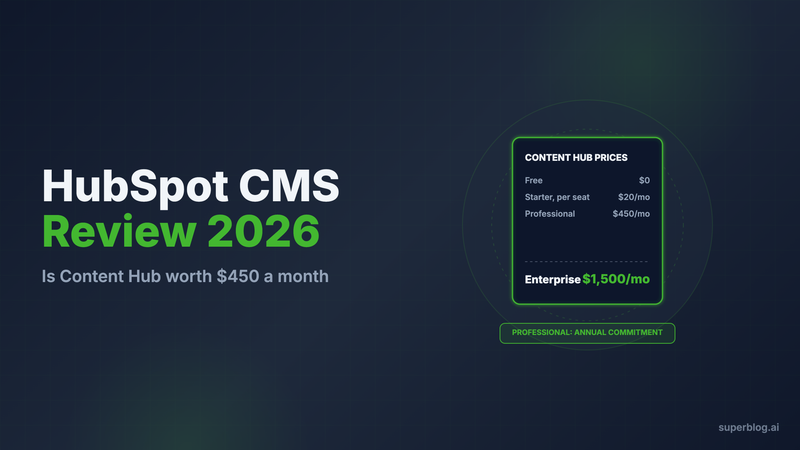
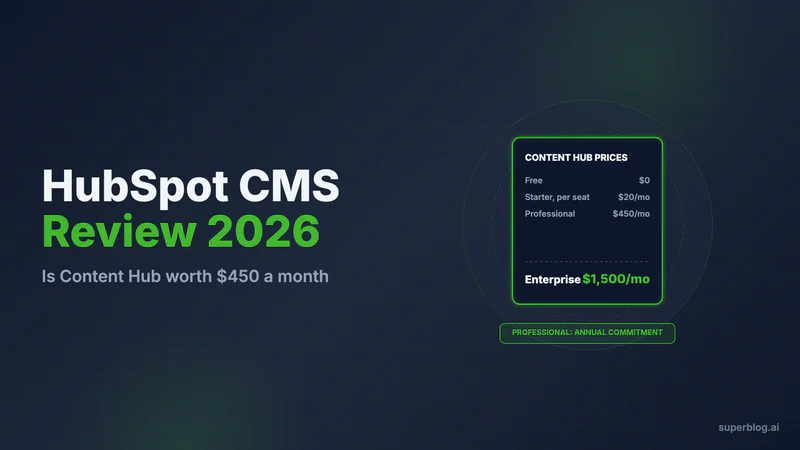
Content Hub has four tiers: Free, Starter, Professional and Enterprise. Prices are in USD, before tax. We use the figures on hubspot.com/pricing/content throughout, because HubSpot's product page and its own pricing guide show different numbers.
Seats drive the bill. Here is what one blog costs on each paid tier as the team grows, using list prices and the $450 Professional floor.
Our math from hubspot.com/pricing/content, November 13, 2026. Starter's new-customer rate is a promotion, so check what applies at renewal.
Starter is cheap for one blog. The jump comes when you need what Professional sells: smart content, A/B testing on pages, advanced SEO recommendations and more than one blog. HubSpot says Content Hub has no onboarding fees at any tier. Our HubSpot Content Hub pricing breakdown covers credits and each tier in more depth.
If your team only needs the blog, a dedicated platform such as Superblog runs it from $49/month (Pro) with 5 team members included. More on that split later.
Where Content Hub earns its price
HubSpot's CMS is strongest where the blog touches the rest of HubSpot. These are the reasons teams stay.
- Every reader can become a contact. The HubSpot tracking code is added automatically to HubSpot blog, landing and website pages. When a reader fills in a form, their earlier visits attach to the contact record, and sales sees which posts a lead read before booking a demo.
- Forms and CTAs without integration work. HubSpot forms drop into posts and feed the CRM directly. Nobody maintains a Zapier step or a webhook.
- Smart content and testing on Professional. Smart content, A/B testing and adaptive testing are listed on Professional and Enterprise for website and landing pages. A returning customer and a first-time visitor can see different content on the same page.
- One login for marketing. Email, workflows, social, ads and reporting sit beside the blog editor, so a campaign report can include the posts that fed it.
- AI writing tools. Content Hub includes an AI blog writer. Professional adds Content Remix, which turns one piece into other formats, and Brand Voice.
- Hosting and housekeeping. HubSpot hosts the site, and robots.txt is editable per domain on every plan.
For a team already paying for Marketing Hub, those points are real money saved. Rebuilding closed-loop reporting across separate tools takes time, and someone has to maintain it.
What the HubSpot CMS gets wrong for a business blog
The weak spots show up when the blog is the main job, or when the team is not deep in HubSpot.
The jump from Starter to Professional
Starter covers one blog for $7 to $20 a seat. Professional starts at $450 a month on an annual commitment. At list price that is $20 a seat against $500 a month; at the prices HubSpot displays, $7 against $450. The post ceiling is 10,000 on both tiers, so the extra money buys marketing features, not blog room.
Seats and approvals follow the org chart
Every person who publishes needs a seat. Professional includes 3, and the fourth costs from $45 a month. Sign-off costs more again. HubSpot's article on content approvals names Enterprise as the tier that adds an approval step to blog posts and pages, so a team whose posts need a manager's or legal's yes starts at $1,500 a month.
Themes do not travel
HubSpot templates are written in HubL, which HubSpot describes as "HubSpot's extension of Jinjava, a templating engine based on Jinja." A theme built for HubSpot runs only on HubSpot. Leaving means rebuilding the design somewhere else.
Export is a file, not a migration
HubSpot's knowledge base gives two exports. Content > Blog > Actions > Export blog posts produces a CSV, XLS or XLSX file. A separate option exports all pages and blog posts as HTML, with templates in a Styles folder. Both arrive as a download link by email, and both need Super Admin or Publish permission. The knowledge base does not list which columns the blog export carries, so open the file before you plan a move around it.
Speed comes down to the theme and the scripts
HubSpot hosts the blog, and how fast it loads depends on two things your team controls: the theme you build or buy, and the scripts each page loads, such as chat, pop-ups, tracking and embeds. Someone on the team has to own both.
A HubSpot-hosted site can still keep its blog at /blog
Moving the blog off HubSpot does not mean giving up /blog. A reverse proxy in front of your domain routes /blog to your blog platform and the remaining paths to HubSpot. Any blog served from a main domain by a separate platform works the same way. HubSpot's reverse proxy overview names Amazon CloudFront and Cloudflare Enterprise as examples of the CDN to put in front. Its support team does not assist with that setup, so a developer on your side configures it. With Cloudflare, the record pointing to HubSpot must be Proxied, per Cloudflare's HubSpot guide. Putting the blog on a subdomain such as blog.yoursite.com also works.
What teams say about HubSpot
We quote two Hacker News comments exactly as written. One comes from a team whose website runs on HubSpot. The other comes from a team that tried HubSpot and did not buy.
- Platform limits. In June 2025, user jaimefjorge wrote: "Our website is made in Hubspot and that poses all sorts of limitations. I deeply regret that."
- Content that HubSpot's CMS could not use. In September 2022, user tianzhou explained why their company did not buy after a HubSpot trial. The first reason was "We don't have a sales team." The second: "Our content is all markdown based and stored in Git, so we can't use their CMS and analytics."
When HubSpot is the right home for your blog
Keep the blog on HubSpot when these are true:
- Marketing Hub already runs your funnel. Email, workflows and lead scoring live in HubSpot, and the blog feeds them.
- Attribution changes decisions. Your team reports which posts produced pipeline, and leadership acts on that report.
- You use personalization. Smart content and A/B testing on pages are part of how you convert traffic.
- The budget is already approved. If Professional is in the contract for other reasons, the blog rides along at no extra cost.
In that situation, moving the blog saves little and costs you the closed loop. Stay.
Signs HubSpot is the wrong platform for the blog
Look elsewhere when:
- The blog is the main reason Content Hub is on the invoice, and the CRM is a "maybe later".
- Five or more people publish, and seat costs grow every time you add a freelancer.
- Organic traffic is the goal, and nobody owns theme performance.
- You want the option to leave without rebuilding a HubL theme.
If two or more of these fit, our roundup of HubSpot CMS alternatives weighs eight other platforms against Content Hub.
Superblog: keep HubSpot, move the blog
Most teams that outgrow a HubSpot blog do not leave HubSpot. They split the job. The CRM stays, and the blog moves to a platform built only for publishing.
What stays in HubSpot:
- The CRM, contact records, email, workflows and reporting.
- Your main website, if HubSpot hosts it.
- HubSpot analytics on blog posts. The tracking code only arrives automatically on pages HubSpot serves, so paste it once into Superblog's header scripts setting and every post carries it.
What moves to Superblog:
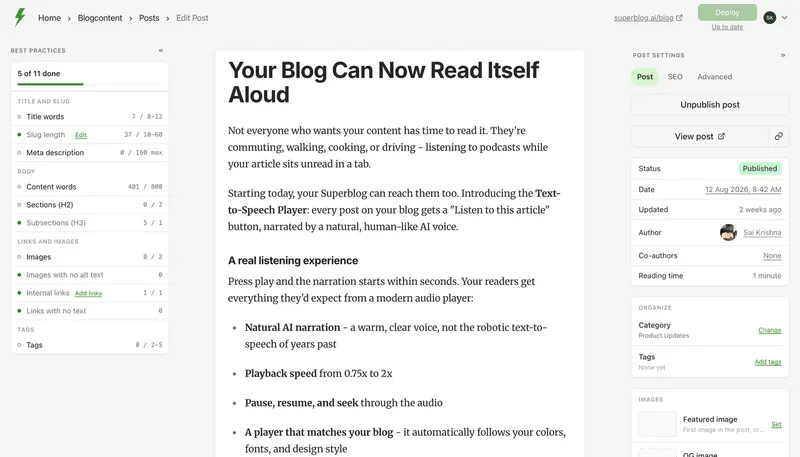
- The blog itself. Superblog is a managed blog platform: editor, blog design, CDN hosting and the SEO engine in one product. When the main site is on another host, Superblog serves the blog at yoursite.com/blog through a routing rule on that site. If HubSpot hosts the main domain, the blog reaches /blog through the reverse proxy covered above, or it can run on a subdomain such as blog.yoursite.com.
- The writers. Each plan includes a set number of team members, 5 on Pro and 10 on Super, so adding a freelancer within that count adds no seat charge. The two plans most teams pick are in the table below.
- The SEO work. JSON-LD schemas, XML sitemaps, canonical and Open Graph tags, an IndexNow ping on publish and an llms.txt file are generated on every deploy, and every page scores 90+ on Lighthouse.
- Lead capture. Readers sign up through lead forms placed under a post, beside it, or in a pop-up. On Super, each new lead goes out by webhook or Zapier, so it can land in HubSpot as a contact.
How the posts come across. Superblog has no HubSpot importer, so the migration runs through a file. Export your posts from HubSpot as CSV, XLS or XLSX, then load the file with Superblog's spreadsheet import, which is on Super and above. Map title, content and date, which are required. Slug is optional, and mapping it keeps each post's slug. Each import takes up to 300 posts, so a large archive comes in batches. Check that your export includes the post body first.
You can set up the blog and write in the editor on a 7-day free trial, no credit card required. Serving it at yoursite.com/blog waits until you choose a paid plan. Superblog also offers a 30-day money-back guarantee.
HubSpot CMS review: our verdict
HubSpot's CMS is worth it when HubSpot is already your marketing system. The blog shares a contact database with your forms, email and sales team, and that closed loop is hard to rebuild elsewhere. Starter is a fair price for a small team that wants it.
For a company whose real goal is a fast blog that ranks, the trade is weaker. You pay per seat, then $450 a month for features beyond the blog, approvals sit on Enterprise, themes are locked to HubL, and speed is your theme team's job. Keep HubSpot for the CRM and put the blog on its own platform for $49/month (Pro). If you are still weighing every option, our guide to blogging platforms for B2B teams compares the field.
FAQ
What is HubSpot CMS called now?
Content Hub. HubSpot renamed CMS Hub in April 2024.
How much does HubSpot CMS cost?
Free for 2 users, Starter $20 per seat a month ($7 for new customers), Professional from $450 a month, Enterprise from $1,500 a month.
What is HubSpot CMS used for?
Hosting a company website, landing pages and blog connected to HubSpot's CRM.
What can I use instead of HubSpot for a blog?
Dedicated blog platforms such as Superblog, plus WordPress and Webflow.
Is HubSpot CMS good for SEO?
Yes for the basics; advanced SEO recommendations and site auditing need Professional.
Can I move a HubSpot blog to Superblog?
Yes, as a spreadsheet export loaded with Superblog's spreadsheet import on Super.
Your blog, without the maintenance
Fast pages, automatic SEO, no plugins to patch. Runs on yoursite.com/blog.
Sai Krishna is the Founder and CEO of Superblog. Having built multiple products that scaled to tens of millions of users with only SEO and ASO, Sai Krishna is now building a blogging platform to help others grow organically.
superblog
Superblog is a blazing fast blogging platform for beautiful reading and writing experiences. Superblog takes care of SEO audits and site optimizations automatically.