
What Is a Git-Based CMS? How Git-Based Blogging Actually Works

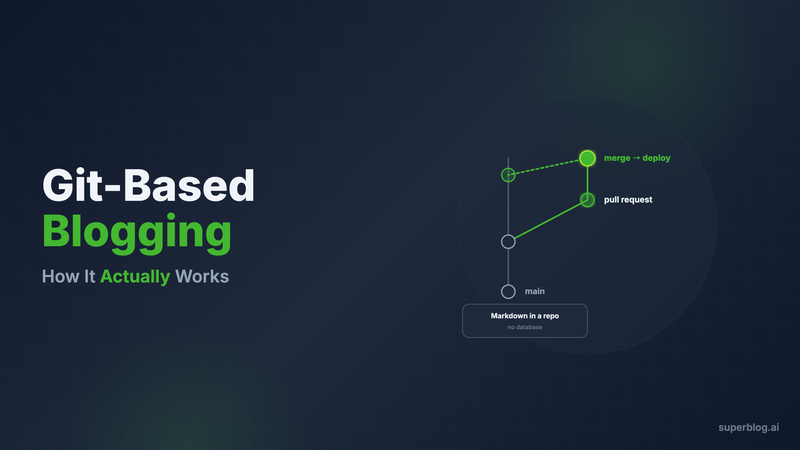
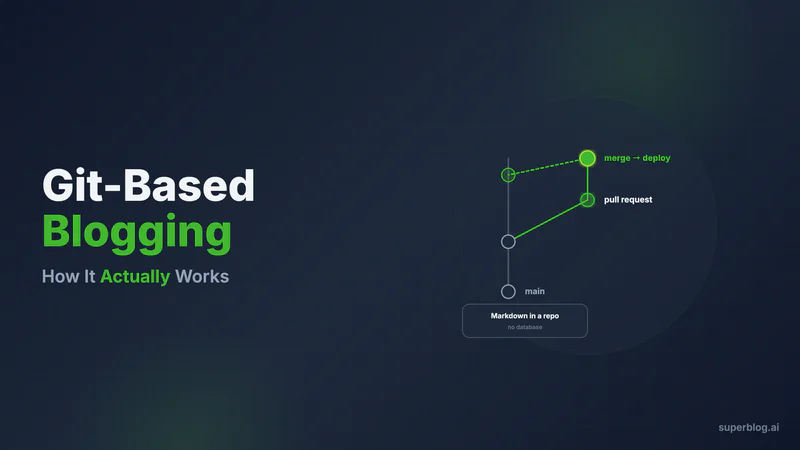
A git-based CMS stores your blog content as markdown files inside a git repository, and every edit moves through the same workflow you already use for code: a branch, a commit, a pull request, a review, a merge, and a build that deploys the site. There is no database and no separate content server. The repository is the content store, git history is your version control, and a static site generator turns markdown into HTML at build time. If you have ever searched for "git CMS" or "git based blogging," this is that model.
This guide explains how a git-based CMS works, the honest pros and cons, which tools are alive in 2026, and when a git workflow is the right call versus the wrong one. Git-based publishing is one flavor of the static-site-generator approach covered in the types of CMS guide, so start there for the full taxonomy of how CMS architectures differ. This post goes deep on the git flavor specifically.
How a Git-Based CMS Works
A git-based CMS has three moving parts, and none of them is a running database.
The content lives as files. Each post is a markdown file, usually with a block of YAML front matter for the title, date, tags, and meta description. These files sit in your repository next to your code, or in a repository of their own. Because they are plain text, git tracks every character that changes.
A static site generator builds the pages. When content changes, a generator reads the markdown, applies your templates, and writes out finished HTML, CSS, and JavaScript. Nothing is computed per request. The output is static files that a CDN serves directly, which is why this architecture is fast and hard to attack.
Git is the workflow. A writer creates a branch, edits a markdown file, and opens a pull request. Reviewers comment inline and approve. Merging to the main branch triggers a build that deploys the new pages. Content ships the same way code ships, atomically, with a full audit trail.
Some teams run this with no editing interface at all: writers work in a code editor and commit by hand. Others bolt a git-based CMS layer on top, a web admin UI that reads and writes those same markdown files and commits for the writer. That editing layer is the difference between a workflow only developers tolerate and one a wider team can use. The blog CMS guide covers the four jobs any CMS has to handle, and a git-based setup answers each differently from a database-backed platform.
The Honest Pros of Git-Based Blogging
Git-based publishing earned its following for real reasons, and they matter most to technical teams.
Version control is native, not bolted on. Every edit is a commit. You can see who changed what and why, roll back a bad edit in seconds, and diff two versions of a post line by line. Most database-backed platforms fake a slice of this with revision history. With git, you get the real thing, including branches and blame.
Review happens through pull requests. Content moves through the exact review process your engineers already trust. A draft is a branch, feedback is inline comments, and approval is a merge. For teams that care about accuracy, like documentation and technical content, PR review is a genuine quality gate.
There is no database to run. That means no database backups, no connection limits, no SQL injection surface, and no migration scripts. The security surface shrinks to static files on a CDN. This is the same architectural advantage the JAMStack model is built on.
Content is portable, and the stack is developer-native. Your posts are markdown in a repository you own, so moving to a different generator, host, or editing layer means pointing new tooling at the same files. There is no proprietary export step and no lock-in. Writers and engineers work in one place, with one workflow and one deploy pipeline.
The Honest Cons
The same properties that make a git-based CMS strong for developers make it awkward for everyone else.
Non-technical writers struggle. Branches, commits, merge conflicts, and pull requests are second nature to engineers and a wall to most marketers. Even with an editing UI on top, the model leaks through the moment something goes wrong.
Builds add latency between writing and publishing. A database-backed page updates the instant you save. A git-based page waits for a build. On a small site that takes seconds, but build times grow with content volume, and a large site can take minutes to rebuild after a one-word fix.
There is no native visual editor or live preview. The raw workflow is markdown in a text editor. Click-to-edit visual editing is not part of the base model, and seeing how a post will actually look means running the generator locally or waiting for a deploy preview. A few editing layers add these, but as extra dependencies you install and maintain.
SEO is your job. A git-based stack builds pages, not search optimization. JSON-LD schema, XML sitemaps, canonical tags, Open Graph data, and hreflang all have to be templated into your build correctly and maintained forever. Nothing is automatic. This is the burden every build-it-yourself architecture carries, and exactly what an SEO-friendly CMS is meant to remove.
The Git-Based CMS Tools Landscape (2026)
There are two layers here: the static site generators that turn markdown in git into a site, and the editing layers that give writers a UI on top of the repository. Every tool below was verified as of July 2026.
Static site generators (content in git)
- Astro. Open source and free, and the default recommendation for content-focused sites in 2026. It renders to static HTML by default and integrates with most of the editing layers below.
- Hugo. Open source and free, written in Go, and known for very fast builds. It remains actively maintained and is the go-to when build speed on a large site matters most.
- Eleventy (11ty). Open source and free, JavaScript-based, and actively maintained with a broad plugin ecosystem. It appeals to teams that want minimal configuration.
- Jekyll. Open source and free, Ruby-based. Still maintained and tightly integrated with GitHub Pages, though in 2026 it is mostly used for GitHub Pages and legacy projects rather than new builds.
Editing layers on top of git
- Decap CMS. Formerly Netlify CMS, MIT-licensed, and free. It is the most battle-tested git-based editing layer, with the broadest backend support (GitHub, GitLab, Bitbucket, Azure DevOps, Gitea). The tradeoff is that its editorial UI has not kept pace with newer tools, and its YAML configuration shows its age on complex projects. A paid add-on called Decap Turbo offers faster performance and centralized auth for teams that need it.
- TinaCMS. Open source and git-based, with a free tier ($0 forever, 2 users). Paid plans run $24/month for Team (annual $290), $41/month for Team Plus (annual $490), and $249/month for Business (annual $2,990), with custom Enterprise pricing. Its differentiator is visual, in-context editing that neither Decap nor Keystatic offers. Note that the old Forestry.io domain now redirects to Tina.
- Keystatic. Open source and free, built by Thinkmill, with TypeScript-native schema definitions and support for markdown, JSON, and YAML through a web admin. It runs in a GitHub mode or a local file mode, with an optional Keystatic Cloud add-on for simplified auth and image optimization. It is a Thinkmill Labs R&D project, and the community has openly asked about its long-term development pace, so weigh that if you need a long support horizon.
- CloudCannon. A commercial git-based CMS with a visual interface, team workflows, and built-in hosting. Paid plans are $55/month for Standard (annual $49/month) and $350/month for Team (annual $300/month), with custom Enterprise pricing and a partner-only Lite tier at $10/month. There is a 21-day trial that asks for a card to continue. CloudCannon markets a migration tool for teams leaving Forestry.io, the git-based CMS its own makers sunset in March 2023 in favor of their successor, TinaCMS.
The Forestry story is the cautionary note for this category: a popular git-based CMS was discontinued by its own makers, and everyone on it had to migrate. Because content stayed as portable markdown, that migration was survivable, but still unplanned.
When a Git-Based CMS Is the Right Call
A git-based workflow fits a specific shape of team and content.
Documentation sites. Docs live next to the code they describe, change in the same pull requests, and benefit from versioned history. Git-based publishing is close to ideal here.
Developer blogs and engineering content. When the writers are the engineers, the git workflow is not overhead, it is the workflow they already live in. Markdown, branches, and PR review add friction only for people who do not already work that way.
Teams that value the audit trail over velocity. If knowing exactly who changed what and rolling it back matters more than publishing five posts a day, git-based control earns its keep. And if a post has to go live in lockstep with a product change, atomic content-and-code deploys are a real advantage.
When It Is the Wrong Call
The workflow works against you when the people and pace do not match it.
Marketing teams that need velocity. A content team publishing several posts a week, iterating on headlines, and updating live pages daily will feel every build delay and every merge conflict. The git model taxes exactly the speed a growth blog runs on.
Non-technical editors. If the writers are marketers, experts, or freelancers who do not know git, you are either training everyone on version control or maintaining an editing layer to hide it. Both are ongoing costs.
Teams that want SEO handled for them. If nobody wants to own schema markup, sitemaps, canonical logic, and Open Graph templating in the build, a git-based stack is the wrong place to be. That work does not go away, it just becomes yours.
Blogs where the output matters more than the pipeline. Plenty of teams want the result a static-site architecture produces without owning the repository, generator config, and deploy pipeline that produce it.
For a fuller decision framework across every architecture, the blog platform guide and the best CMS for blog comparison both weigh these tradeoffs against specific products.
The Managed Alternative: Static-Site Output Without the Git Pipeline
Here is the part git-based advocates rarely say out loud: most of the benefits people want from a git-based CMS come from the static-site output, not the git workflow itself. Fast pages, no database, a small attack surface, and CDN delivery are properties of the JAMStack architecture. The branches, commits, and build config are the price of admission, not the prize.
Superblog was built for teams that want the output and not the pipeline. It is a fully managed JAMStack platform: pre-built static pages served from 200+ CDN edge locations, no database, and 90+ Lighthouse scores on every page by default. That is the same performance-and-security profile a git-based stack gives you, without a repository or generator to configure. The differences that matter for a growth blog:
- A real writing interface. A WYSIWYG editor with markdown support, live preview, drafts, and scheduling, so non-technical writers publish without touching git.
- SEO runs automatically. JSON-LD schema (Article, FAQ, Organization), XML sitemaps, IndexNow submission on publish, canonical URLs, and Open Graph tags generate on every deploy. LLMs.txt is generated too. None of it is templating you own.
- No build queue to manage. You write, publish, and the page is live. No local build to run, no deploy pipeline to babysit.
- Content stays portable. One-click import brings in WordPress, Ghost, Medium, and Notion content with URL slugs preserved, and the Super plan adds API access so your content stays programmatically reachable.
- Subdirectory hosting is built in. Run the blog at yoursite.com/blog on any stack, which keeps domain authority on your main site. The subdomain vs subdirectory guide covers why placement matters for rankings.
Teams have shipped real results this way. Segwise grew unique traffic 415% after moving to a managed static-site platform, and MonsterMath went from 0 to 3,000 monthly organic visits without an engineer owning a pipeline. If your stack is JavaScript, blogging on Astro shows the managed-static setup end to end. Start a Superblog trial at superblog.ai: 7-day free trial, no credit card.
Superblog pricing is $29/month (Basic, up to 300 posts), $49/month (Pro, up to 1,000 posts, analytics, collaborative review), and $99/month (Super, AI helper, API access, multilingual SEO). Every plan includes a 7-day free trial, no credit card required.
This is not a knock on git-based publishing. For a documentation set or a developer blog written by engineers, a git-based CMS is a strong, honest fit that the version control alone can justify. The question is whether your team wants to run the pipeline or just wants the static-site result it produces.
FAQ
What is a git-based CMS?
A git-based CMS stores your posts as markdown files in a git repository instead of a database. Writers edit those files through branches and pull requests, and a static site generator builds them into HTML at deploy time. Git history becomes your version control, and a CDN serves the finished static pages.
Is a git-based CMS the same as a headless CMS?
Not quite. A headless CMS stores content in a hosted database and delivers it through an API, while a git-based CMS stores content as files in a repository. Both leave the frontend for you to build and require you to handle SEO yourself, which is why they get grouped together. The headless CMS guide covers the API-driven version in depth.
What tools do I need for git-based blogging?
At minimum, a git repository, a static site generator (Astro, Hugo, Eleventy, or Jekyll are the common ones), and a host that builds and serves the output. To give non-technical writers a UI, you add an editing layer like Decap CMS, TinaCMS, Keystatic, or CloudCannon that commits to the repository for them.
Can non-technical writers use a git-based CMS?
They can, but with friction. An editing layer hides most of the git mechanics behind a web admin, so day-to-day writing feels close to a normal CMS. The moment something breaks, a merge conflict or a failed build, the git model surfaces again and usually needs a developer. Teams of non-technical writers often find the maintenance outweighs the benefit.
Is git-based blogging good for SEO?
The architecture helps the technical side, because static pages served from a CDN are fast, and speed is a ranking factor. The catch is that nothing is automatic. Schema, sitemaps, canonical tags, and Open Graph data all have to be built into your templates and maintained. A git-based stack gives you a fast foundation and hands you the entire SEO checklist to implement yourself.
What happened to Forestry and Netlify CMS?
Forestry.io, a popular git-based CMS, was sunset by its own makers in March 2023 in favor of their successor, TinaCMS. Netlify CMS was renamed Decap CMS and continues as a free, MIT-licensed project. Both are reminders that the tools in this category change hands, even though the markdown content in your repository stays portable through it.
When should I choose a managed platform instead?
Choose a managed static-site platform when you want the output of a git-based stack, fast pages, no database, CDN delivery, without owning the repository, generator, and build pipeline. It fits marketing teams that need publishing velocity, non-technical writers, and any team that wants SEO handled automatically. A git-based CMS remains the stronger fit for docs and developer blogs written by engineers.
Your blog, without the maintenance
Fast pages, automatic SEO, no plugins to patch. Runs on yoursite.com/blog.
Sai Krishna is the Founder and CEO of Superblog. Having built multiple products that scaled to tens of millions of users with only SEO and ASO, Sai Krishna is now building a blogging platform to help others grow organically.
superblog
Superblog is a blazing fast blogging platform for beautiful reading and writing experiences. Superblog takes care of SEO audits and site optimizations automatically.