# Customizing your Superblog with Custom CSS and JS
Author: Sai Krishna
Author URL: https://superblog.ai/blog/author/sai-krishna/
Published: 2023-03-02
Category: Random
Category URL: https://superblog.ai/blog/category/random/
Tags: customization
Tag URLs: customization (https://superblog.ai/blog/tag/customization/)
URL: https://superblog.ai/blog/customize-superblog/
You can customize your superblog with the **[“Custom CSS”](https://superblog.ai/docs/dashboard/settings#custom-css)** feature.
Superbloggers are having a fun time playing with the look and feel of their superblogs.
Take a look at some of the beautiful and playful customizations. Also, the code is provided for you to take inspiration from.
## 1\. Menu items in the header are centered
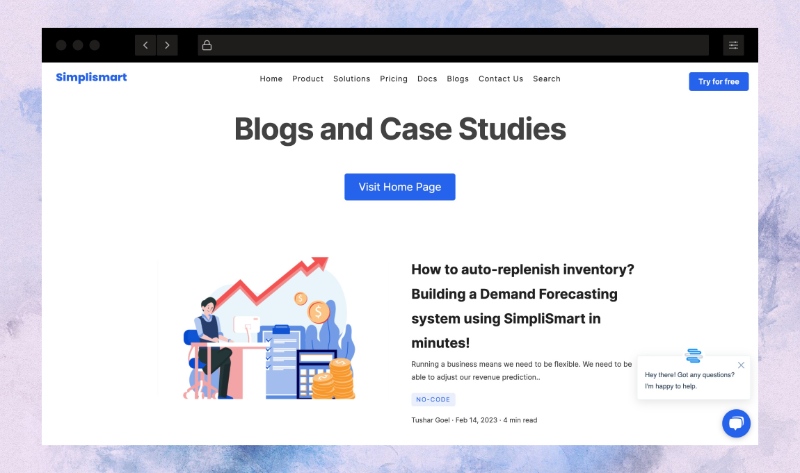
### CSS
```
ul.menu {
font-size: 12px !important;
color: rgb(51 65 85) !important;
flex-grow: 1;
}
ul.menu>li:last-child {
flex-grow: 1;
}
.logo-sec {
flex-grow: 1;
}
.logo-sec>a {
margin-right: auto;
}
#menu-cta>button {
color: #FFFFFF !important;
float: right;
}
```
## 2. Header and footer are customized to match the marketing website
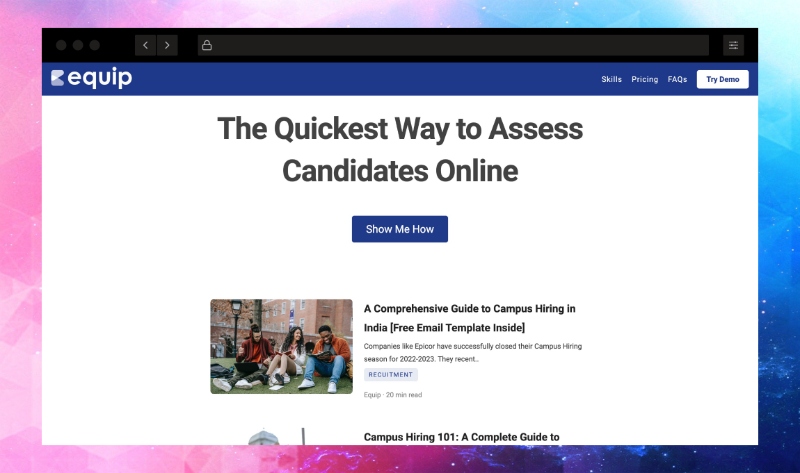
### CSS
```
.header {
background-color: #1f398a;
}
button#nav-cta {
background-color: white;
color: #1f398a;
}
.nav-links {
color: #ffffff !important;
}
.navicon,
.navicon:before,
.navicon:after {
background-color: white !important;
}
.menu-btn:checked ~ .menu-icon .navicon {
background: transparent !important;
}
* .footer {
background-color: #1f2937 !important;
}
.footer .menu-item > a,
.footer .menu-item > a:hover {
color: white !important;
}
.footer .rights-text {
color: white !important;
}
ul.menu {
background-color: #1f398a !important;
}
```
## 3. Who doesn't love a lazy panda on the home page?

### Code
This is actually the [Custom JS](https://superblog.ai/docs/dashboard/settings#miscellaneous-custom-scripts) feature. Paste the below code in Misc Scripts section.
```
```
## 4. Of course, the dark mode!
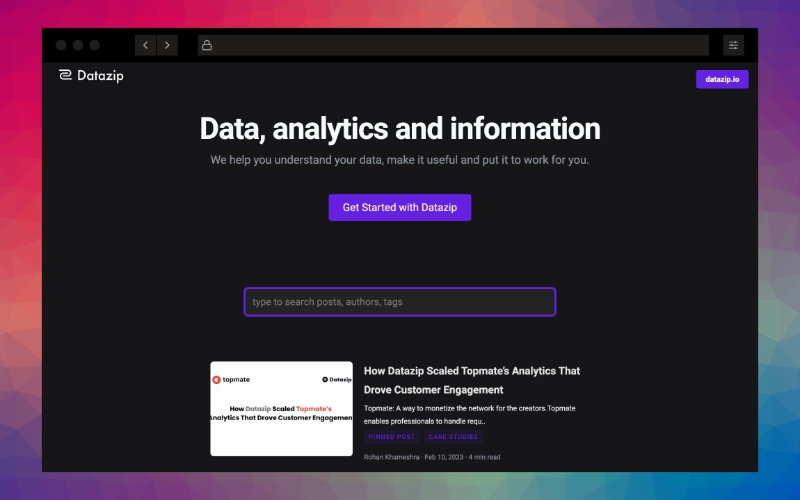
### CSS
```
No code is required for this! Just Visit settings>basic and pick Dark Mode.
```
## 5. Smaller fonts and a cute WhatsApp widget
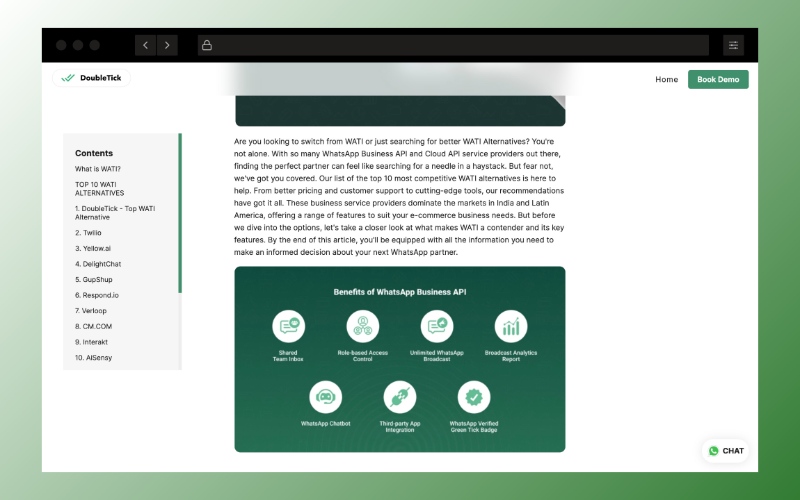
### CSS
```
.sun-editor-editable {
font-size : 16px;
}
.sun-editor-editable h3 {
font-size : 1em;
}
.sun-editor-editable li{
margin-bottom : 8px;
}
.sun-editor-editable p{
line-height : 1.625;
}
```
## 6. Beautiful combination of colors to separate the header section
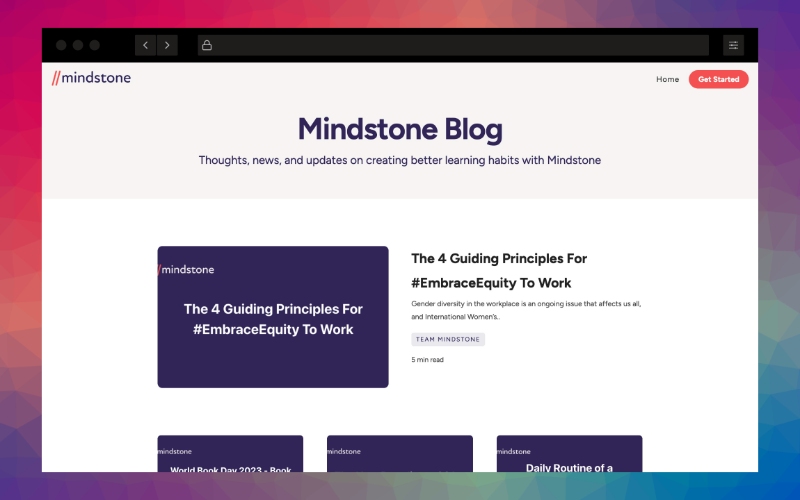
### CSS
```
body>.root {
background: #F7F5F4!important;
}
.nav-header {
background: #F7F5F4!important;
height: 75px;
}
.text-header-container {
margin-bottom: 0!important;
width: 100%!important;
background: #F7F5F4!important;
max-width: 100%!important;
}
.header-title {
color: #312658!important;
}
.header-caption {
color: #312658!important;
font-weight: 400;
padding-left: 5%;
padding-right: 5%;
padding-bottom: 40px;
}
.content {
background: #FFFFFF!important;
}
.content-container {
background: #FFFFFF!important;
}
.wrapper {
padding-top: 75px!important;
}
```
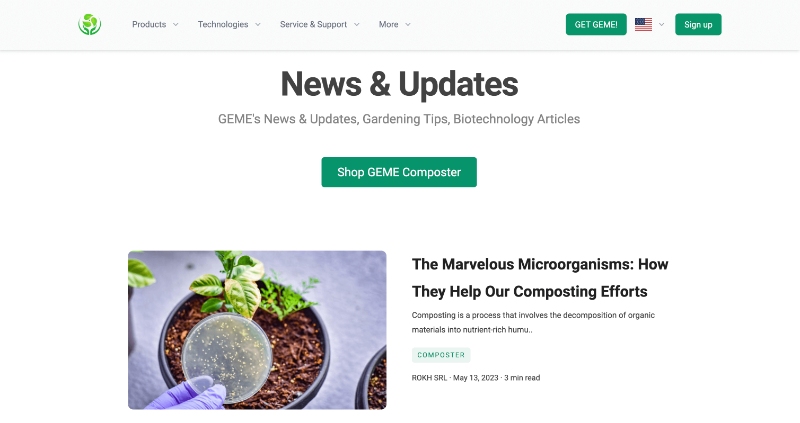
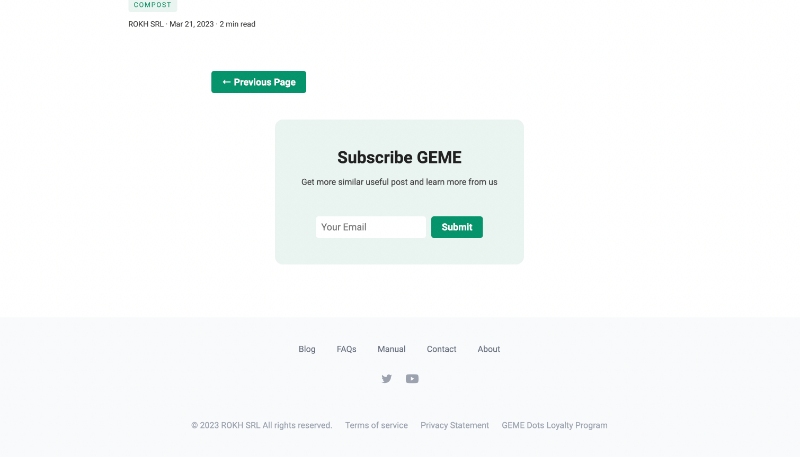
## 7\. Total replacement of Header and Footer
```
Well, this is a custom code that needs to match with your own branded website.
This superblog user replaced the header and footer element of superblog with their nextjs app's components.
```
Read about more features in [superblog docs](http://superblog.ai/docs).
What are you waiting for? [Give superblog a try](https://write.superblog.ai).
---
This blog is powered by Superblog. Visit https://superblog.ai to know more.
---