
Blog RSS Feeds in 2026: What They Are and Why They Still Matter

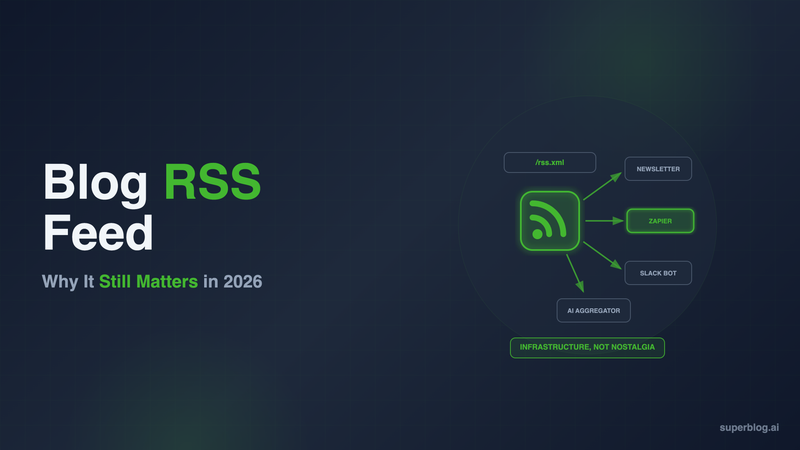
A blog RSS feed is a machine-readable file, usually XML, that lists a blog's posts in a structured, standardized format: title, link, publish date, author, and either a summary or the full content. Every time the blog publishes, the feed updates automatically. Software reads it instead of a human checking the site by hand. Most blogs publish theirs at a predictable path like /rss.xml, /feed, or /rss, and you can usually find it in seconds even if it isn't linked anywhere on the page.
The question underneath "is RSS dead" is really two separate questions, and conflating them is where most of the confusion comes from. As a habit for human readers, RSS shrank hard after Google Reader shut down in 2013 and social feeds took over discovery. As infrastructure, it never went anywhere. Newsletter tools, Zapier and Make, podcast apps, social schedulers, and a growing list of AI aggregators all still read RSS feeds by default, because it is the simplest reliable way to know "what's new" on a site without scraping it.
This guide covers what a blog RSS feed actually contains, how to find any blog's feed in under a minute, how to put your own feed to work for distribution, and where RSS genuinely helps (or doesn't help) your SEO.
What is a blog RSS feed, exactly
RSS stands for Really Simple Syndication. A blog's RSS feed is a single XML file that contains an entry for every recent post, structured the same way across the entire web. Each entry typically includes:
- Title - the post headline
- Link - the canonical URL of the post
- Publish date - when it went live
- Author - who wrote it
- Description or content - either a short summary or the full post body, depending on how the feed is configured
- GUID - a unique identifier so feed readers know they've already seen an item
Because the format is standardized, any tool built to read RSS can read any blog's feed, regardless of what platform the blog runs on. That's the entire point. It's a lowest-common-denominator interchange format, not a proprietary API you need credentials for.
Most feeds are capped to the most recent 10-50 posts rather than the full archive, since the feed is meant to answer "what changed recently," not serve as a permanent record.
Where a blog's feed usually lives
If you're looking for a specific blog's feed, check these paths first, in this order:
yoursite.com/rss.xmlyoursite.com/feedyoursite.com/feed.xmlyoursite.com/rssyoursite.com/blog/rss.xml(if the blog lives on a subdirectory)yoursite.com/atom.xml(Atom is a related format some platforms use instead of or alongside RSS)
If none of those load, the fastest way to find a feed is to check the page source. View source on any blog post or the blog homepage, then search for rel="alternate". Sites that expose a feed almost always include a line like:
<link rel="alternate" type="application/rss+xml" title="Blog RSS Feed" href="https://example.com/rss.xml" />
That href is the feed URL, guaranteed. Most browsers hide the old orange RSS icon by default now, so page source is more reliable than looking for a visual cue. Feed reader apps like Feedly and Inoreader also do this lookup for you: paste in the blog's homepage URL and they'll auto-detect the feed.
Is RSS dead
No, and the confusion comes from measuring the wrong thing. RSS as a mainstream consumer habit did shrink. Google Reader's 2013 shutdown pushed casual readers toward social feeds and app notifications, and most people today don't know what an RSS reader even is.
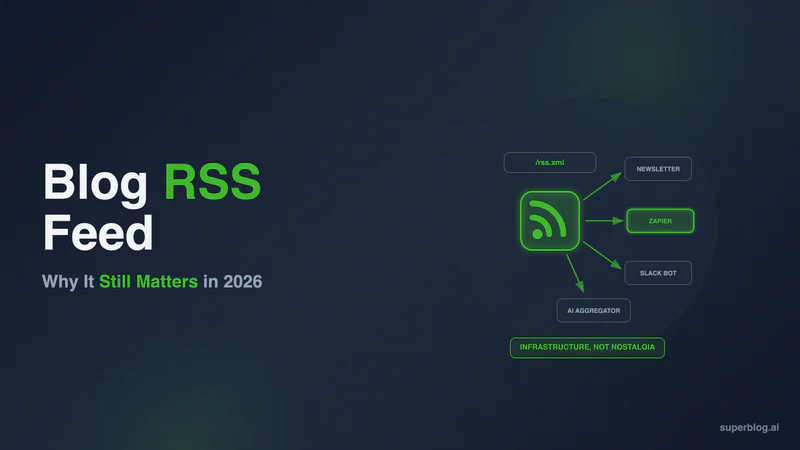
But RSS as infrastructure is everywhere, and it's arguably more load-bearing now than it was a decade ago, because it quietly powers things people use every day without realizing RSS is underneath:
- Newsletter automation. Tools like Mailchimp, Substack, and Beehiiv can watch a blog's RSS feed and auto-generate a newsletter draft or send the moment a new post goes live, with zero manual copy-paste.
- Zapier and Make triggers. "New item in RSS feed" is one of the most common triggers on both platforms, wiring a blog post to a Slack post, a tweet, a CRM update, or anything else downstream.
- Podcast apps. Every podcast player on earth, from Apple Podcasts to Spotify, ingests shows through an RSS feed. It's the backbone of the entire medium.
- Social schedulers and community bots. Tools that auto-post new content to Slack or Discord channels typically watch an RSS feed rather than polling a page.
- Feed readers. Feedly, Inoreader, and NetNewsWire still have real, active user bases, concentrated among researchers, journalists, and power users who want a chronological, algorithm-free reading list.
- Aggregators and AI ingestion. RSS is machine-readable by design, which makes it a convenient ingestion path for aggregators and tools that need to detect new content on a schedule without re-crawling an entire site.
If you're asking "should I bother maintaining an RSS feed," the honest answer is that maintaining it costs you nothing (most platforms generate it automatically), and turning it off closes a distribution channel that a meaningful slice of tools still depend on by default.
A feed is also a useful gut check on publishing cadence: open your own feed and see how far back you have to scroll before the dates go quiet. It's a plain, timestamped record of whether the blog is actually shipping on schedule.
How to use your blog RSS feed for distribution
Having a feed is passive. Using it is where the value shows up. A few concrete setups:
Auto-post to your newsletter. Point your email tool's RSS-to-email feature at your feed URL, set a send schedule (instant, daily digest, or weekly digest), and every new post becomes a newsletter send without a human touching it. For most teams, this is the use of a blog RSS feed that pays off fastest.
Trigger Zapier or Make workflows. Use "new RSS item" as a trigger to post to a company Slack channel, drop a card in a content-tracking board, cross-post to LinkedIn or X, or kick off any other downstream automation the moment a post publishes.
Feed Slack or Discord communities. If you run a Slack or Discord community around your product or niche, an RSS-to-Slack or RSS-to-Discord bot keeps members updated on new posts without anyone manually pasting links.
Syndication. Some publishers and partner sites pull partner content via RSS to republish or aggregate (with attribution) on their own properties, extending a post's reach beyond your own domain.
Track what shipped against what was planned. If your team runs an editorial calendar, cross-checking it against the feed is a fast way to confirm scheduled posts actually went out on the date they were supposed to.
None of this requires custom development. It requires the feed existing at a stable URL and staying up to date, which is exactly what a feed should do without intervention.
RSS and SEO, honestly
RSS is not a Google ranking factor. Publishing a feed will not move your rankings, and any claim that it does is not accurate. What RSS actually does for SEO-adjacent goals is different and more indirect: it's a discovery and syndication channel, not a signal Google's algorithm weighs.
Where it does help: a feed lets other tools, and in some cases crawlers, notice new content fast without extra work on your end. Faster external discovery can support the same goals SEO does (traffic, links, mentions) without being SEO itself. If you care about search engines discovering new posts quickly, the direct tool for that is IndexNow, which pushes URLs straight to participating search engines the moment you publish, and sitemaps, which most platforms also generate and update automatically. RSS and IndexNow solve adjacent but different problems: one is built for machine subscribers and automation tools, the other is built specifically for search engine crawlers.
One decision worth being deliberate about: full-text feeds versus summary feeds. A full-text feed includes the entire post body in the XML, which is convenient for newsletter tools and readers, but it also makes it trivial for content scrapers to republish your posts wholesale. A summary feed (title, first paragraph, link) protects against scraping at the cost of a slightly worse reader experience in feed apps. Most business blogs are better served by a summary feed with a strong excerpt, since the goal is to pull readers back to the canonical page, not to hand over the full post for free.
RSS for AI-era distribution
Feeds are machine-readable by design, and that property didn't stop mattering when AI entered the picture, it became more relevant. An RSS feed is a clean, structured, timestamped list of what a site has published, which is exactly the kind of input aggregation and monitoring tools look for when they need to detect new content without repeatedly crawling an entire domain.
This sits alongside, not instead of, the other machine-readable signals a modern blog should expose: an llms.txt file, structured data for search engines, and a sitemap for crawlers. RSS is one more piece of a site being legible to software, which matters more every year, not less.
How Superblog handles this
Every blog built on Superblog gets an RSS 2.0 spec-compliant feed generated automatically at yoursite.com/rss.xml (or blog.yoursite.com/rss.xml for subdomain setups), with zero setup and no plugin to install. It updates the moment you publish, and it's compatible out of the box with the automation tools most teams already use to distribute content, including Zapier.
That's consistent with how Superblog handles the rest of the technical layer a blog needs to be discoverable. IndexNow submissions fire automatically on publish, XML sitemaps regenerate on every deploy, and structured data goes out with every post. RSS covers the machine-subscriber side of distribution; IndexNow and sitemaps cover the search-engine side. Neither requires configuration, because a blog's technical foundation shouldn't be something your team maintains by hand.
If you're migrating from WordPress or another platform, your existing RSS feed structure carries over: Superblog can import directly from RSS feeds as one of its supported migration sources, alongside WordPress, Medium, Ghost, and others.
FAQ
What is a blog RSS feed?
It's a structured XML file listing a blog's recent posts (title, link, date, author, and either a summary or full content) that updates automatically every time the blog publishes. Software reads it to detect new content without a human checking the site manually.
How do I find a blog's RSS feed?
Try /rss.xml, /feed, /feed.xml, or /rss appended to the blog's URL first. If none load, view the page source and search for rel="alternate", which points directly to the feed URL. Feed reader apps like Feedly can also auto-detect a feed from a homepage URL.
Is RSS dead?
Not as infrastructure. Consumer RSS reading declined sharply after Google Reader shut down in 2013, but the underlying protocol still powers newsletter automation, Zapier and Make triggers, every podcast app, and a growing set of aggregation and monitoring tools that read feeds by default.
Does RSS help SEO?
Not directly. RSS is not a Google ranking factor. It helps discovery and syndication, which can indirectly support traffic and links, but the tools built specifically for search engine discovery are sitemaps and IndexNow, not RSS.
Should my feed show full posts or just summaries?
Summary feeds protect against scraping and pull readers back to your site; full-text feeds are more convenient for newsletter tools and reader apps but easier to republish wholesale. Most business blogs are better off with a strong summary feed.
Does Superblog generate an RSS feed automatically?
Yes. Every Superblog site gets an RSS 2.0 spec-compliant feed at /rss.xml with no setup, updated automatically on every publish.
Getting the machine-readable side of a blog right, RSS feed included, isn't a project. On Superblog it's the default, alongside auto-generated sitemaps and IndexNow submissions, so your team can spend that time on what actually drives search traffic instead. Start a 7-day free trial, no card required, and see the full technical layer in place from your first post.
Your blog, without the maintenance
Fast pages, automatic SEO, no plugins to patch. Runs on yoursite.com/blog.
Sai Krishna is the Founder and CEO of Superblog. Having built multiple products that scaled to tens of millions of users with only SEO and ASO, Sai Krishna is now building a blogging platform to help others grow organically.
superblog
Superblog is a blazing fast blogging platform for beautiful reading and writing experiences. Superblog takes care of SEO audits and site optimizations automatically.