
Blog Indexing: How to Get Google to Index Your Posts Faster (2026)

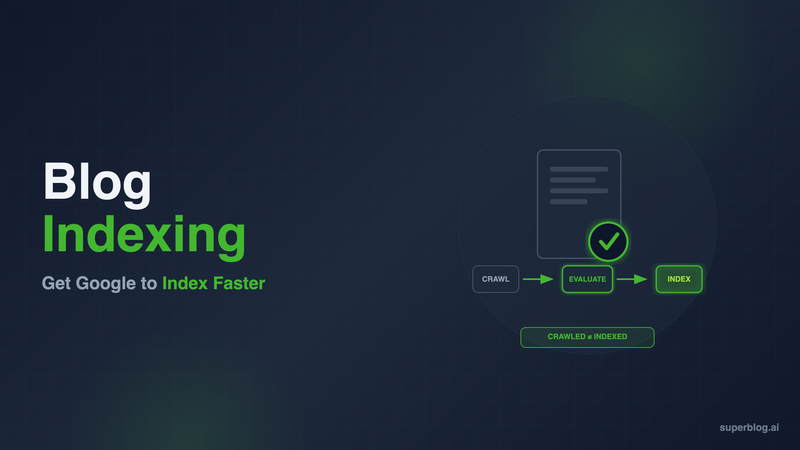
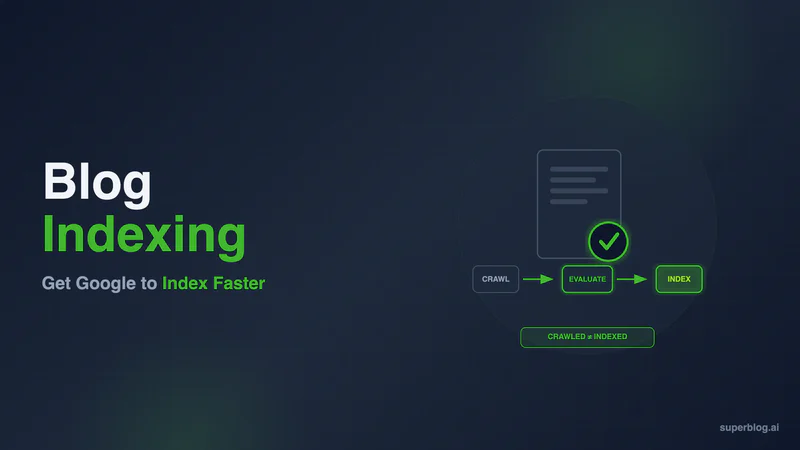
Blog indexing is the process where Google adds your published post to its searchable index after crawling it. Crawling and indexing are not the same thing. Google can visit a page, download its HTML, and still choose not to index it. That gap, visible in Google Search Console as "Crawled - currently not indexed," is where most blog posts get stuck. Getting a post crawled is step one. Getting it indexed is the step that actually determines whether it can rank.
This guide covers why posts don't get indexed, exactly how to diagnose the problem in Google Search Console, and the tactics that get new content indexed faster.
Crawled Is Not Indexed: What Blog Indexing Actually Requires
Search engines process content in three stages. Crawling is discovery: a bot fetches your URL and downloads the page. Indexing is Google's decision to store that page in its index and make it eligible to appear in search results. Ranking is what happens after indexing, when Google sorts indexed pages by relevance for a given query.
A page can be crawled and never indexed. Google fetches the HTML, evaluates it, and decides it is not worth adding to the index. This is a deliberate filtering step, not a technical failure. Google indexes a fraction of the pages it crawls, and it applies quality and uniqueness thresholds before a page earns a spot.
For blog indexing specifically, this means the fix for a stuck post is rarely "wait longer" or "ping Google again." It is usually a quality, structure, or crawl-signal problem that needs to be diagnosed and corrected. Our companion guide on what crawling actually involves covers the discovery and fetch side in depth. This one covers what happens after the bot has already been there.
Why Blog Posts Don't Get Indexed
Google's Quality Threshold
Google does not index everything it crawls. If a post reads like dozens of others already in the index, covering the same angle with no new information, no original examples, and no evidence of firsthand expertise, Google can simply decide it adds nothing worth storing. This is the single most common cause of indexing problems on business blogs. Thin posts, AI-generated filler with no editing pass, and posts that reword a competitor's outline without adding anything new all fall into this bucket.
The fix is not technical. It is making each post say something the top-ranking pages for that keyword do not already say.
Duplicate Content and Canonical Errors
If the same content is reachable at multiple URLs (with and without a trailing slash, with tracking parameters, across http and https, or across a staging and production domain), Google has to decide which version is canonical. If your canonical tags are missing, inconsistent, or pointing to the wrong URL, Google may index a different URL than the one you intended, or skip indexing altogether while it tries to resolve the ambiguity.
A single misconfigured canonical template, one that points every post to the homepage instead of to itself, can silently block an entire blog from being indexed. Check your canonical tags whenever you change templates or migrate platforms.
Orphan Pages
A page with no internal links pointing to it is an orphan page. Even if it is in your sitemap, orphan status is a weak signal to Google that the page is not important. Pages with strong internal linking from already-indexed pages get indexed faster and more reliably than pages that exist only as an isolated sitemap entry.
Low-Value or Boilerplate Pages
Category archives with two posts in them, tag pages with near-duplicate content, or paginated pages three levels deep often get crawled and then deliberately excluded. This is normal and usually not worth fighting. Focus indexing effort on your actual content pages, not on infrastructure pages that add little unique value.
What "Crawled - Currently Not Indexed" in GSC Actually Means
This status in the Page Indexing report means Google visited the URL and made an active decision not to add it to the index. It is distinct from "Discovered - currently not indexed," which means Google knows the URL exists but has not crawled it yet, usually a crawl budget or prioritization issue. "Crawled - currently not indexed" is a content or signal judgment, not a discovery problem. That distinction determines which fix applies.
How to Get Your Blog Posts Indexed Faster
1. Use GSC URL Inspection for Individual Posts
For any specific post you need indexed, open the URL Inspection tool in Google Search Console and paste the URL. Run "Test Live URL" first. This tells you what Google would see right now: whether the page is blocked by robots.txt, whether it returns a noindex tag, and whether the rendered content matches what you published. If the live test comes back clean, use "Request Indexing" to place the URL in a priority crawl queue. This does not guarantee same-day indexing, but it removes the wait for Google's next scheduled crawl of your site.
Do not resubmit the same URL repeatedly. Google logs the first request and additional submissions in the same cycle do not move it up the queue.
2. Keep Sitemap Hygiene Tight
Your XML sitemap should contain only canonical, indexable URLs, updated automatically whenever you publish. A sitemap cluttered with redirects, noindex pages, or stale entries makes Google trust the sitemap less over time, which slows down how quickly newly added URLs get attention. Submit your sitemap in Google Search Console and confirm it shows as "Success," not "Couldn't fetch" or "Has errors." For the mechanics of sitemap structure and submission in full, see our blog sitemap guide.
3. Use IndexNow, With the Right Expectation
IndexNow is an open protocol that notifies participating search engines the moment you publish or update a page. Bing, Yandex, and other supporting engines pick it up. Google does not participate in IndexNow. State this precisely: sending an IndexNow ping will not get a page indexed by Google any faster. It is a genuinely useful tactic for Bing visibility, and Bing's index feeds AI answer engines like Copilot, so it is worth doing on every publish regardless. Just do not treat it as a Google indexing lever. See our full guide on IndexNow for blogs for setup details.
4. Link to New Posts From Already-Indexed Pages
The single most reliable indexing accelerant for Google specifically is an internal link from a page Google already has indexed and crawls regularly, such as your homepage, a high-traffic post, or a category hub. This gives Google a path to the new URL through a page it already trusts, rather than relying solely on the sitemap. Add the link within the first crawl cycle after publishing, not weeks later. Our guide on internal linking for blogs covers hub-and-spoke patterns that keep every post reachable in one or two clicks from an indexed page.
5. Publish on a Consistent Schedule
Sites that publish on a predictable cadence train Google's crawler to revisit more often, which shortens the discovery-to-indexing gap for new posts over time. Sporadic publishing (nothing for a month, then five posts in a day) does not build that pattern. This will not fix a quality problem, but it removes crawl-frequency as a bottleneck.
6. Add Structured Data Where Relevant
Article schema, FAQ schema, and breadcrumb schema do not force indexing, but they give Google clearer signals about what a page is and how it fits into your site structure. Combined with strong content, structured data removes ambiguity that could otherwise contribute to a "not indexed" judgment call. Our blog schema markup guide covers implementation for each schema type.
How to Diagnose a Blog Indexing Problem in GSC
Open the Page Indexing report under Indexing in the left sidebar of Google Search Console. This report groups every known URL by status.
Start with the "Why pages aren't indexed" table. Each row is a reason category with a count. Click into "Crawled - currently not indexed" first, since that is the quality and signals bucket. Click into "Discovered - currently not indexed" separately, since that is the crawl-priority bucket and needs a different fix (internal links and sitemap hygiene, not content rewrites).
Sample individual URLs from each category. GSC gives you a list of example URLs per status. Open a handful in URL Inspection to see the specific reason Google gives for that page.
Check for a pattern. If every affected URL is a thin post under 500 words, that is a content problem. If every affected URL is missing from your internal navigation, that is an orphan page problem. If affected URLs all sit on a template with a bad canonical tag, that is a technical problem. The pattern tells you which fix to apply, and applying the wrong fix (like requesting indexing repeatedly on a thin post) wastes the priority queue without solving anything.
Re-verify after fixing. After correcting the underlying issue, use "Validate Fix" in the report, or resubmit the individual URL through URL Inspection. Give it several days before concluding the fix did not work.
How Superblog Handles Blog Indexing
Most of the tactics above require ongoing manual attention: checking canonical tags after every template change, remembering to link new posts from indexed pages, keeping the sitemap current, pinging IndexNow on every publish. Superblog builds the indexing-critical infrastructure into the platform so these are not separate tasks.
Auto-generated sitemaps on every deploy. Superblog regenerates your XML sitemap automatically each time you publish, with only canonical, indexable URLs included. There is no stale sitemap dragging down Google's trust in it.
IndexNow on every publish, automatically. Superblog sends the IndexNow notification the moment you hit publish, with no configuration required. Bing and other supporting engines get the ping immediately.
Static HTML avoids the render-queue delay. Superblog generates fully pre-built static pages through its JAMStack architecture. Googlebot receives complete HTML on the first fetch, with no JavaScript rendering step and no second-wave indexing delay. This matters directly for indexing speed: pages that require client-side rendering often sit in a delayed processing queue before Google can even evaluate whether to index them.
Canonical tags set correctly by default. Every page gets the correct canonical URL automatically, including subdirectory setups like yoursite.com/blog. There is no risk of a template-level canonical error silently blocking indexing across the entire blog.
Internal link suggestions built into the editor. Superblog analyzes your post content and suggests relevant internal links from existing posts, making it straightforward to link new content from pages Google has already indexed.
This is the case for a purpose-built blogging platform over a general CMS with SEO plugins bolted on: the infrastructure that prevents indexing problems is the default, not a checklist item someone has to remember. For the broader case on why blog architecture affects rankings, see our guide on building a blog for SEO.
FAQ
Why is my blog not indexed?
The most common reasons are thin or low-differentiation content that fails Google's quality threshold, missing or incorrect canonical tags, orphan pages with no internal links pointing to them, or a noindex tag left on by mistake. Check the Page Indexing report in Google Search Console to see which specific reason applies to your URLs, since the fix differs depending on the cause.
How long does blog indexing take?
For a site Google already crawls regularly, a new post is often indexed within a few days to two weeks, assuming it passes quality checks and has internal links pointing to it. New or low-authority sites can take three to four weeks or longer for their first posts. There is no fixed timeline. Sites with strong internal linking, clean sitemaps, and consistently high-quality content tend to see new posts indexed faster over time as Google learns to trust and revisit the domain.
How do I fix "Crawled - currently not indexed"?
This status means Google fetched the page and chose not to index it, usually due to a content quality judgment. Improve the post by adding original analysis, examples, or information the top-ranking pages for your target keyword do not already cover. Add internal links from pages Google has already indexed. Verify the canonical tag points to the correct URL. Then use "Validate Fix" in the GSC Page Indexing report or resubmit via URL Inspection.
How do I force Google to index a page?
You cannot force indexing, only request it. Use URL Inspection in Google Search Console, run "Test Live URL" to confirm the page is accessible and free of blocking issues, then click "Request Indexing." This adds the URL to a priority crawl queue but does not guarantee the page will be indexed if Google's quality evaluation still says no. Repeated requests for the same URL do not help.
Does IndexNow help with Google indexing?
No. Google does not participate in IndexNow. IndexNow pings Bing, Yandex, and other supporting search engines the moment you publish, which is genuinely useful for Bing visibility and for AI answer engines that draw on Bing's index, but it has no effect on Google. For Google, use Search Console's URL Inspection tool, a clean sitemap, and strong internal linking instead.
What is the difference between "Discovered" and "Crawled" not indexed statuses?
"Discovered - currently not indexed" means Google knows the URL exists (usually from your sitemap) but has not gotten around to crawling it yet, typically a crawl-priority issue fixed with better internal linking and site authority signals. "Crawled - currently not indexed" means Google already fetched and evaluated the page and actively decided not to index it, typically a content quality or duplicate-content issue. The two statuses need different fixes, so check which one applies before making changes.
Can too many low-quality pages hurt indexing for my whole blog?
Yes, indirectly. If a large share of your site's crawled pages are thin or duplicate, Google can lower its overall quality assessment of the domain, which makes it slower to index new content even when that new content is good. Pruning or improving weak pages (thin tag archives, near-duplicate posts, abandoned drafts left published) can improve indexing speed for the rest of the site.
Your blog, without the maintenance
Fast pages, automatic SEO, no plugins to patch. Runs on yoursite.com/blog.
Sai Krishna is the Founder and CEO of Superblog. Having built multiple products that scaled to tens of millions of users with only SEO and ASO, Sai Krishna is now building a blogging platform to help others grow organically.
superblog
Superblog is a blazing fast blogging platform for beautiful reading and writing experiences. Superblog takes care of SEO audits and site optimizations automatically.