
Blog CMS: How to Choose a CMS for Your Blog

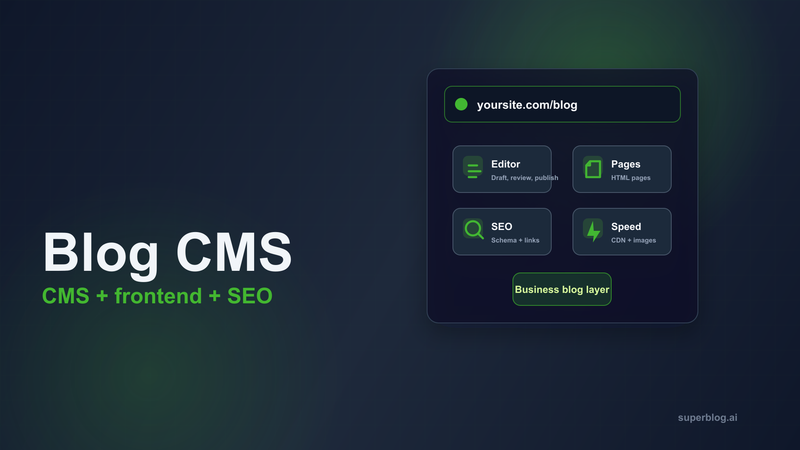
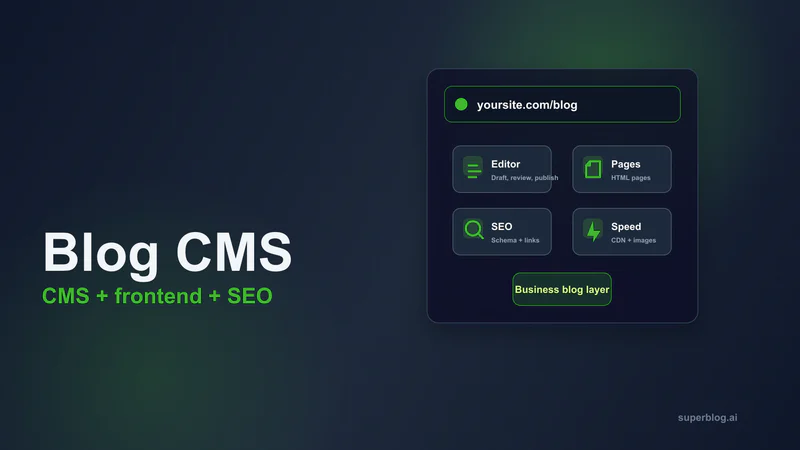
A blog CMS is the system your team uses to write, manage, publish, and maintain blog content. For a personal site, that can mean a basic editor and a list of posts. For a business blog, it needs to do much more.
The blog CMS has to help writers publish consistently, give search engines clean pages to crawl, keep the blog fast, protect existing domain authority, and connect readers to the rest of the website. If the CMS only stores content, your team still has to solve hosting, frontend rendering, technical SEO, analytics, lead capture, and ongoing maintenance somewhere else.
That is why choosing a CMS for your blog is really a question about the whole blog stack. The CMS is not just where posts live. It is the system that turns your ideas into published pages on your domain.
Quick answer: what is a blog CMS?
A blog CMS is content management software built for publishing blog posts. It usually includes an editor, drafts, categories, tags, authors, media handling, scheduling, and SEO fields.
For a business blog, the better definition is broader: a blog CMS should help your team publish search-ready articles on your own domain without needing developers for every post.
That means a strong blog CMS should handle:
Writing and editing
Drafts, scheduling, and roles
Categories and tags
Hosted blog pages
Search metadata
Structured data
Sitemaps
Fast page delivery
Image optimization
Internal linking
Analytics and lead capture
Subdirectory or subdomain setup
If the platform gives you an editor but no frontend blog pages, it is only part of the system. If it gives you a website builder but the blog workflow feels bolted on, your content team may outgrow it quickly.
The right CMS for a blog depends on what the blog is supposed to do.
Blog CMS vs general CMS
A general CMS manages many kinds of website content: landing pages, product pages, help docs, resources, events, and media libraries. A blog CMS focuses on repeatable publishing.
The difference matters because blog work has its own rhythm. Writers need to create drafts, update old posts, manage categories, add internal links, preview search snippets, schedule posts, and ship articles without waiting for engineering.
A general CMS can work for a blog when the blog is occasional. It can become frustrating when content becomes a real acquisition channel.
Here is the practical distinction:
This is where Superblog fits. Superblog is not meant to replace your main website. Your website can stay on Webflow, Framer, Shopify, WordPress, Next.js, React, or a custom stack. Superblog works as the blogging platform connected to that site, commonly at yoursite.com/blog or blog.yoursite.com.
What a business blog CMS needs
1. A writing workflow your team will actually use
Most CMS discussions start with SEO features. That matters, but the editor matters first.
If writers avoid the CMS, publishing slows down. If every article needs formatting cleanup, your team loses time. If metadata, images, FAQs, and internal links are buried in awkward menus, SEO becomes inconsistent.
A practical blog CMS should support:
Drafts and scheduled publishing
Clean long-form editing
Markdown or keyboard-friendly formatting
Image uploads and inline media
Categories and tags
Author profiles
Review workflows
Team roles
Search snippet editing
For a business blog, the CMS should help writers move from idea to published article with fewer handoffs.
2. Crawlable pages on your own domain
The article should publish as a normal, crawlable page on your domain. Search engines should see the main content in the page HTML without depending on an iframe or a JavaScript widget to inject the post later.
This matters because the CMS is not just a database. It affects how search engines discover, render, and rank your content.
If your blog is part of your acquisition strategy, avoid treating it like an embedded feed. A feed can display posts, but a proper blog should create durable URLs, clean HTML, metadata, schema, and internal links.
If you are deciding how to add a blog to a site you already have, read the guide on adding a blog to an existing website.
3. Subdirectory or subdomain setup
Many teams already have a website before they choose a blog CMS. That means the CMS needs a clean way to attach the blog to the existing domain.
The two common choices are:
yoursite.com/blogblog.yoursite.com
For SEO-led content marketing, yoursite.com/blog is usually the stronger default because the blog sits inside the main site structure. Blog posts can support product pages, use-case pages, comparison pages, and feature pages through internal links.
A subdomain can still work, especially when the main website setup makes subdirectory routing harder. The important thing is that the CMS should support both routes and make the tradeoff clear.
Superblog supports subdirectory and subdomain setup, so businesses can keep their existing website and connect the blog where it fits. The full SEO tradeoff is covered in the subdomain vs subdirectory guide.
4. Technical SEO built into publishing
Writers should not need a developer or plugin stack to publish a technically sound article.
A business blog CMS should handle:
Meta titles and descriptions
Canonical URLs
Open Graph tags
XML sitemaps
Article schema
Breadcrumb schema
FAQ schema when FAQs are used
Organization schema
RSS feeds
Robots controls
Indexing notifications where supported
These features sound small one by one. Together, they decide whether every post goes live with the basic technical signals in place.
Superblog generates Article, FAQ, and Organization schema, creates XML sitemaps, supports IndexNow, and generates llms.txt for AI discovery. That is the kind of work a blog CMS should remove from the content team's plate.
For a deeper checklist, see SEO blog software.
5. Speed without a performance project
Blog posts compete in search, but they also compete for attention. A slow article loses readers before the content has a chance to work.
The CMS should not make performance a recurring project. Look for:
CDN delivery
Static or server-rendered pages
Automatic image compression
WebP conversion
Responsive image sizing
Low JavaScript overhead
Clean templates
Reliable uptime
This is one reason many teams move away from plugin-heavy CMS setups. The more plugins, scripts, themes, and custom snippets sit between the reader and the article, the more fragile performance becomes.
Superblog uses a JAMStack architecture, automatic image optimization, and a global CDN with 200+ edge locations. The goal is that every article is fast by default, without asking the marketing team to become a performance team.
6. Internal linking support
Internal links are one of the most underused parts of blog SEO. They help readers move from educational content into product pages, guides, comparisons, and related articles. They also help search engines understand which pages matter in a topic cluster.
A blog CMS should make internal linking part of publishing. At minimum, writers should be able to find and insert relevant posts quickly.
Better systems suggest related content while the article is being edited.
Superblog includes internal link suggestions. It analyzes post content, related categories, tags, and title signals, then suggests anchor text writers can insert into the article.
For a full process, read the internal linking guide for blogs.
7. Analytics and conversion paths
A blog CMS should help the team answer two questions:
Which articles are attracting the right readers?
What happens after those readers arrive?
Search traffic alone is not the whole goal. A business blog also needs to move readers toward newsletter signup, demo requests, product education, comparison pages, and trial signup.
Look for:
Google Analytics support
Privacy-friendly analytics
Lead forms
Newsletter capture
Webhook or Zapier support
Clear post-level performance data
If the blog has no conversion paths, it can rank and still fail the business.
Types of blog CMS options
WordPress
WordPress is flexible and widely supported. It can run almost any kind of website or blog if you have the right theme, plugins, hosting, and maintenance process.
The tradeoff is ownership of complexity. A serious WordPress blog often needs plugins for SEO, caching, image optimization, security, forms, schema, redirects, and analytics. That can work well with a developer or agency maintaining it, but it adds recurring work.
Use WordPress when you want total control and are comfortable maintaining the stack.
Website builders
Platforms such as Webflow, Wix, Squarespace, and Framer are useful when the website design is the main job. They let teams build pages visually and manage site content in one place.
The blog can be good enough for lighter publishing. The limits appear when the blog becomes a repeatable SEO workflow: long-form editing, schema, performance, internal linking, and subdirectory setup can become harder than expected.
Use a website builder's native CMS when your blog is occasional and your main priority is site design.
Headless CMS
Headless CMS tools such as Contentful, Sanity, Strapi, and Prismic store content and deliver it through an API. They are powerful when engineering teams want to build a custom frontend.
The tradeoff is that the CMS does not publish the blog by itself. Your team must build templates, routing, schema, sitemaps, image handling, performance, previews, deployment, and analytics.
Use a headless CMS when you have engineering support and the blog needs to fit into a broader custom content system.
For more context, read Headless CMS for business blogs.
Managed blogging platforms
A managed blogging platform combines the CMS, hosted blog pages, performance, SEO, and maintenance into one product.
This is the category Superblog belongs to. It is built for companies that already have a website and want to add a search-ready blog without building or maintaining the blog infrastructure themselves.
Use a managed blogging platform when content marketing is important, the existing website should stay in place, and the team wants the blog to run at yoursite.com/blog or on a blog subdomain.
Newsletter or creator platforms
Newsletter-first platforms are useful when the main goal is audience publishing, paid memberships, or creator monetization.
They are less suitable when the blog needs to support a company website, strengthen product SEO, capture leads, and sit inside the main domain architecture.
Use this category when subscriptions and audience monetization matter more than business-site SEO.
Blog CMS checklist
Before choosing a CMS for your blog, ask:
Will the blog publish on our own domain?
Can it run at
yoursite.com/blogif that is the right SEO structure?Are posts crawlable as normal HTML pages?
Can writers edit titles, descriptions, canonicals, and social previews?
Does it generate schema automatically?
Does it update sitemaps automatically?
Are images compressed and resized without manual work?
Will pages stay fast as the blog grows?
Can the CMS suggest or manage internal links?
Can we capture leads or newsletter subscribers from posts?
Can editors review, schedule, and update content without engineering?
How much maintenance will we own six months from now?
That last question is often the deciding one. A CMS can look attractive on day one and become expensive in team time later.
When Superblog is the right blog CMS
Superblog is a strong fit when your company already has a website and wants the blog to drive organic growth.
It gives the team:
A focused blog CMS
Hosted blog pages
Subdirectory and subdomain support
90+ Lighthouse performance
Automatic schema
XML sitemaps
IndexNow
llms.txtInternal link suggestions
Lead forms
Privacy-friendly analytics on Pro and higher plans
No plugins, server management, or security patching
The key point is that Superblog is the blogging platform layer. You can keep your main website exactly where it is, then use Superblog to write, manage, publish, and optimize the blog.
If you are comparing platform requirements in more detail, read SEO blog software. If you want a comparison of specific platforms, read CMS for blog platforms compared.
Bottom line
A blog CMS should do more than store drafts. It should help your team publish useful articles, keep the blog fast, give search engines clean signals, and connect readers back to the business.
For occasional publishing, a general CMS or website builder may be enough. For a company using content as an acquisition channel, the CMS needs to carry more of the blog stack: editor, frontend, hosting, SEO, performance, analytics, and domain setup.
That is the difference between having a place to write posts and having a blog platform that can support organic growth.
Related reading:
Your blog, without the maintenance
Fast pages, automatic SEO, no plugins to patch. Runs on yoursite.com/blog.
Sai Krishna is the Founder and CEO of Superblog. Having built multiple products that scaled to tens of millions of users with only SEO and ASO, Sai Krishna is now building a blogging platform to help others grow organically.
superblog
Superblog is a blazing fast blogging platform for beautiful reading and writing experiences. Superblog takes care of SEO audits and site optimizations automatically.