
Best WordPress.com Alternatives 2026: 11 Options for a Business Blog

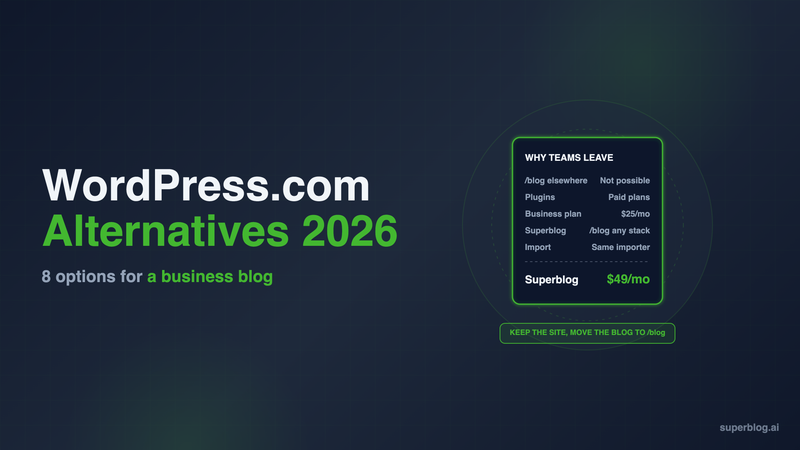
The strongest WordPress.com alternatives for a business blog in 2026 are Superblog, self-hosted WordPress and Ghost. Pick Superblog if you want the blog at yoursite.com/blog on a main site hosted somewhere else. Pick self-hosted WordPress if you want to keep WordPress and gain full control, and a site builder such as Webflow or Squarespace if you are rebuilding the whole site.
WordPress.com is a solid hosted service: Automattic runs the servers and every paid plan allows plugins. The friction starts when the blog is a marketing channel for a company whose website lives somewhere else. Every WordPress.com price below is from its pricing page, checked November 7, 2026.
This post is about leaving WordPress.com, the hosted service. If you run self-hosted WordPress and want out, read our roundup of WordPress alternatives for a blog instead. If you are unsure which product you are on, WordPress.com vs WordPress.org explains the difference.
Why business blogs leave WordPress.com
Teams leave over three limits that matter more to a company than to a personal blog.
- No blog at /blog on a site hosted elsewhere. WordPress.com's support docs say: "On WordPress.com, you cannot create a subdirectory, where a URL like yourgroovysite.com/blog would display a separate site or WordPress installation from the site on yourgroovysite.com." The supported options are a subdomain such as blog.yoursite.com, or moving your whole website onto WordPress.com. A blog on a subdomain builds authority for the subdomain, not your main site. Subdomain vs subdirectory covers why that matters for rankings.
- Features are gated by plan. The Free plan has no custom domain and no plugins, and it shows WordPress.com ads to your visitors. Plugins and premium themes start at Personal. Real-time backups, SFTP, SSH and WP-CLI sit on Business.
- Business is where the price climbs. Business costs $25 a month billed yearly, or $40 billed monthly. That is $300 to $480 a year, and you still own your plugin stack and its updates.
WordPress.com plan prices, in USD, from wordpress.com/pricing:
One common complaint is out of date. Many older guides say WordPress.com plugins need the Business plan. WordPress.com's support docs now say "installing plugins is available on all WordPress.com paid plans: Personal, Premium, Business, and Commerce plans." Our WordPress pricing guide breaks down each tier line by line.
A dedicated blog platform fills that gap. Superblog is one: it runs the blog at yoursite.com/blog while your main site stays on whatever it is built with.
WordPress.com alternatives at a glance
Prices are per month in USD. Third-party prices are billed yearly. Superblog is shown at its monthly price ($530 a year on Pro).
1. Superblog
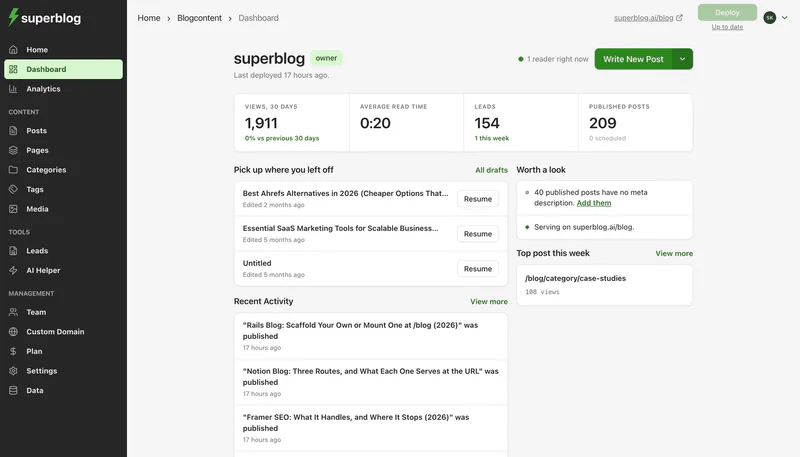
Type: Fully managed blog platform. Replaces the WordPress.com blog, keeps your main site where it is.
Superblog gives you the CMS, the blog's frontend, CDN hosting and automatic SEO in one product. There are no plugins to install and no updates to apply.
Pricing: $49/month (Pro) or $99/month (Super). Yearly is $530 and $1,070. There is a 7-day free trial, no credit card required. Subdirectory hosting is included on every paid plan.
Strengths for a team leaving WordPress.com:
- The blog runs at yoursite.com/blog. This is the limit WordPress.com cannot lift. Your main site keeps serving every other page. Superblog's subdirectory docs cover Next.js, Webflow, Framer, Squarespace, Wix and other stacks. On a site builder, the route is a free Cloudflare Worker: you set the domain's DNS records to Proxied, and a Worker on the /blog route sends /blog to Superblog while every other path goes to your builder as before. The dashboard generates the Worker code. A Framer site needs Framer Pro plus Advanced Hosting, or Enterprise, for that route. On any Framer plan, blog.yoursite.com works.
- SEO is built in, not added. JSON-LD schemas, XML sitemaps, IndexNow and llms.txt are generated on every deploy. Every post is also served as plain markdown at its own URL. Pages score 90+ on Lighthouse.
- Lead forms are included. Forms sit below posts, in the sidebar, or as pop-ups.
- Seats are in the plan. Pro includes 5 team members and up to 1,000 posts. Super includes 10 team members and up to 10,000 posts, and adds multilingual SEO, Zapier, lead webhooks, API access and MCP integration.
Moving your posts: The WordPress importer handles WordPress.com sites. Enter the site's .wordpress.com address and Superblog pulls each post through WordPress.com's public API, with no export file. Posts, slugs, tags, original publish dates and the first category on each post come across. On a paid plan, images move onto the Superblog CDN. Authors are not migrated, so plan to reassign bylines after the import. Categories beyond the first, comments and Open Graph tags do not migrate either. Most migrations finish in 5 to 10 minutes. The WordPress migration guide walks through every step.
Limits: Superblog is a blog platform, not a website builder. If WordPress.com hosts your whole company website, you still need a home for the other pages. Post caps are 1,000 on Pro and 10,000 on Super.
Choose it if: your main site lives somewhere other than WordPress.com and the blog sits on a subdomain because WordPress.com gave you no other option. The WordPress blog alternative page covers the switch in detail.
2. Self-hosted WordPress (WordPress.org)
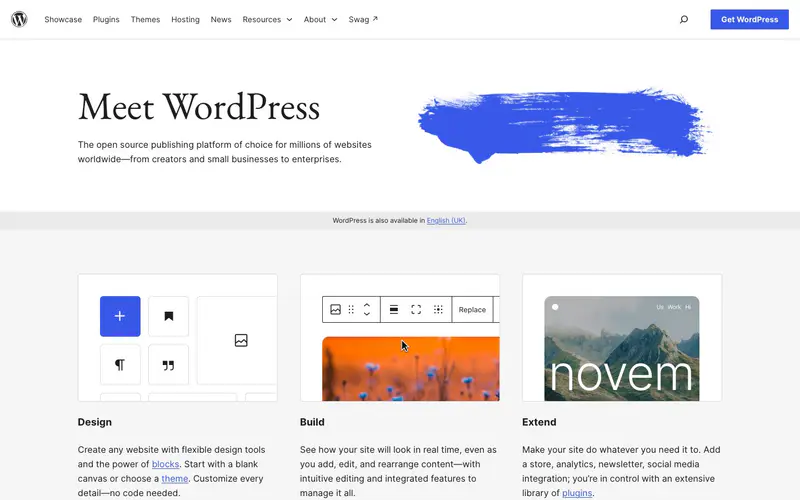
Type: Open-source CMS on hosting you pay for.
This is the move for teams that like WordPress and dislike the WordPress.com plan limits. You keep the editor, your theme choices and the whole plugin ecosystem.
Pricing: The software is free. Hosting ranges from Bluehost Starter at $3.99 a month on a 36-month term (renewing at $9.99) to managed hosting such as Kinsta Single at $35 a month. Premium plugins and developer time come on top. Our WordPress pricing guide puts a typical self-hosted business blog at about $1,680 to $4,000 a year.
Strengths: No plan gates. Every plugin and theme is available, the footer is yours to edit, and you can move hosts whenever you like. It can also serve /blog if the main site is on the same server or behind a reverse proxy.
Limits: You take over everything Automattic ran for you: core updates, plugin updates, security and backups. The reverse proxy for /blog is yours to configure and maintain.
Choose it if: you have a developer, you need custom functionality, and you want WordPress without the WordPress.com plan structure.
3. Kinsta
Type: Managed WordPress hosting.
Kinsta runs self-hosted WordPress on its own infrastructure, so you keep the full software without managing a server. It suits a team that has outgrown WordPress.com's plan gates and wants to keep WordPress.
Pricing: Single 20GB is $35 a month, or $350 a year billed annually. That covers 1 WordPress install, 10GB of storage, 20GB of server bandwidth and 125GB of CDN bandwidth a month. Each extra site adds $30 a month.
Strengths: Backups are kept for 14 days, migrations are free and unlimited, and human support runs 24/7. Any plugin or theme works, because this is the open-source WordPress, not a hosted edition.
Limits: Kinsta runs the server, not your site. Choosing plugins, paying for premium ones and fixing what an update breaks are still your job. Serving /blog on a main site hosted elsewhere still needs a reverse proxy.
Choose it if: you want to stay on WordPress and pay someone else to run the hosting.
4. WP Engine

Type: Managed WordPress hosting.
WP Engine is a managed WordPress host. Like Kinsta, it gives you the open-source software with the server work handled.
Pricing: Essential for 1 site is $35 a month, or $336 a year billed annually. The annual figure is a first-year promotional price for new customers, and WP Engine says renewal pricing can change. The plan covers about 25,000 visits a month, 10GB of storage and 75GB of bandwidth.
Strengths: Daily automated backups, WordPress, PHP and MySQL kept up to date for you, free SSL and SSH access, and 24/7 chat support.
Limits: The visit allowance is low for a blog that is starting to rank. The plugin stack and theme remain yours to maintain, and /blog on a separate main site needs a reverse proxy.
Choose it if: you are staying on WordPress, want the host to manage core and PHP, and expect to move up to a larger plan as traffic grows.
5. Ghost(Pro)

Type: Blog and newsletter platform.
Ghost is open source, with a focused editor and newsletters built into the core product. Ghost(Pro) is its managed hosting.
Pricing: Starter $15/month, Publisher $29/month and Business $199/month, billed yearly.
Strengths: A strong writing experience, native newsletters and paid memberships. IndexNow is on by default since Ghost 6.45, and llms.txt is on for new sites.
Limits: Staff users are capped at 1, 3 and 15 by plan. Running Ghost at yoursite.com/blog is a $50/month add-on available only on the $199 Business plan, and you run the reverse proxy yourself. So /blog is possible on Ghost, but it costs at least $249 a month and a proxy you maintain.
Choose it if: the blog is really a newsletter or a paid publication.
6. Substack

Type: Newsletter platform with a public archive of posts.
Substack publishes each post to the web and to subscribers' inboxes at the same time. You decide per post whether it is free or for paid subscribers only.
Pricing: Free to publish. If you charge readers, Substack says "Writers keep 90% of their revenue minus credit card fees." Connecting a domain you own costs $50, paid once.
Strengths: No hosting, no plugins and no setup beyond writing. The email list and the archive grow together.
Limits for a company blog: Substack attaches to your domain with a CNAME, which points a whole hostname at it. That means blog.yoursite.com works and yoursite.com/blog does not. Rankings build on that subdomain, not on your main site.
Choose it if: one named writer is building an email audience, and subscriber growth matters more than search traffic to your main domain.
7. Webflow

Type: Visual site builder with a CMS.
Webflow fits a team that wants to leave WordPress.com and rebuild the whole website with precise design control.
Pricing: The CMS starts at Premium: $25/month billed yearly or $39 billed monthly, with 20,000 CMS items. Basic ($15/month) has no CMS. Writer seats are extra: a limited seat is $15/month and a full seat $39/month, billed yearly.
Strengths: Clean output, fine layout control and a mature CMS for structured content beyond the blog.
Limits: Every writer is a paid seat, and languages are priced per locale. It replaces your entire site, so it is a rebuild, not a blog move.
Choose it if: you are redesigning the whole site and have a designer who will own it.
8. Squarespace

Type: All-in-one site builder.
Squarespace is the closest like-for-like move for a small company that ran its whole site on WordPress.com and wants less to manage.
Pricing: Basic $19, Core $29, Plus $49 and Advanced $99 per month, billed annually.
Strengths: Contributors are unlimited from Core up, which suits a larger writing team. Hosting, SSL and templates are included, with no plugins to update.
Limits: Basic allows only 2 contributors. Layout and SEO control are narrower than WordPress, and there is no plugin ecosystem to fill the gaps.
Choose it if: you want one tool for the site and the blog, a polished template, and no developer.
9. Wix

Type: All-in-one site builder.
Wix suits teams moving the whole site and blog off WordPress.com who want a drag-and-drop editor and built-in business apps.
Pricing: Light $17, Core $29, Business $39 and Business Elite $159 per month, billed yearly.
Strengths: A visual editor plus built-in apps for bookings, stores and forms.
Limits: Site collaborators are capped by plan: 2, 5, 10 and 100. Like Squarespace, it is a full-site replacement with less SEO depth than WordPress plus plugins.
Choose it if: the blog is a small part of a broader small-business site.
10. Framer

Type: Visual site builder.
Framer is fast to design in and popular with startups that build their marketing site themselves.
Pricing: Basic $10/month and Pro $30/month, billed yearly. Content editors are $10 each.
Strengths: Quick to build and publish, with low entry pricing and cheap writer seats.
Limits: The CMS is small for a growing blog: 1,000 items on Basic and 2,500 on Pro. Serving a separate blog at /blog needs Pro plus the $200 Advanced Hosting add-on, or Enterprise.
Choose it if: a designer builds the site and the blog stays modest in size.
11. HubSpot Content Hub

Type: CMS tied to HubSpot's CRM and marketing tools.
If sales and marketing already run on HubSpot, Content Hub puts the blog next to your contacts, forms and email.
Pricing: Free for up to 2 users. Starter lists at $20 a month per seat. Professional starts at $450 a month with 3 core seats.
Strengths: Attribution from blog post to contact to deal, with no integration to build.
Limits: Costs climb steeply at Professional, and you are tied to the HubSpot ecosystem. It is a full website CMS, so it replaces your site rather than sitting beside it.
Choose it if: you are standardized on HubSpot and want blog attribution inside the CRM.
How to choose a WordPress.com alternative
- Decide what WordPress.com hosts today. If it hosts only the blog, and your main site lives elsewhere, move the blog to a platform that can serve /blog on that main site. If it hosts your whole website, you need a site builder or self-hosted WordPress for the other pages.
- Decide who runs upkeep. If you have a developer who wants WordPress, self-hosting removes every plan gate. If you want WordPress without running a server, Kinsta or WP Engine handles the hosting. If nobody wants to own plugin updates, pick a managed platform.
- Decide whether it is a blog or a newsletter. If readers subscribe by email and may pay, Substack or Ghost fits. If the goal is search traffic to your main domain, the blog needs to live on that domain.
- Check what moves. Posts, slugs and tags carry over on most WordPress imports. Authors, comments and extra categories often do not. Plan the cleanup before you switch.
- Keep your URLs. Match slugs where you can and redirect the rest, so the rankings your posts earned on WordPress.com follow them. Our WordPress.com blog guide covers what each plan includes, so you know what you are giving up.
WordPress.com alternatives FAQ
Can WordPress.com host a blog at yoursite.com/blog if my main site is elsewhere?
No. WordPress.com supports a subdomain only in that setup.
Do WordPress.com plans include plugins?
Yes, on every paid plan. Not on Free.
What does the WordPress.com Business plan cost?
$25 a month billed yearly, or $40 billed monthly.
Which WordPress.com alternative keeps WordPress itself?
Self-hosted WordPress, on a managed host such as Kinsta or WP Engine, or a budget host such as Bluehost.
Can I move a WordPress.com blog to Superblog?
Yes. Posts, slugs, tags, publish dates and the first category come across.
Bottom line
WordPress.com is a capable host for a personal blog or a whole website that lives on it. It falls short for a company whose main site runs somewhere else, because it cannot serve the blog at yoursite.com/blog. If you want to keep WordPress, self-host it and take on the upkeep. If you are rebuilding the whole site, Webflow and Squarespace are the strongest fits. If the blog is the only thing you are moving, Superblog runs it on your main domain from $49 a month, with SEO built in and nothing to update. Start with the 7-day free trial, no credit card required.
Your blog, without the maintenance
Fast pages, automatic SEO, no plugins to patch. Runs on yoursite.com/blog.
Sai Krishna is the Founder and CEO of Superblog. Having built multiple products that scaled to tens of millions of users with only SEO and ASO, Sai Krishna is now building a blogging platform to help others grow organically.
superblog
Superblog is a blazing fast blogging platform for beautiful reading and writing experiences. Superblog takes care of SEO audits and site optimizations automatically.