
Best Wix Alternatives 2026: 11 Options for a Faster, More Portable Blog

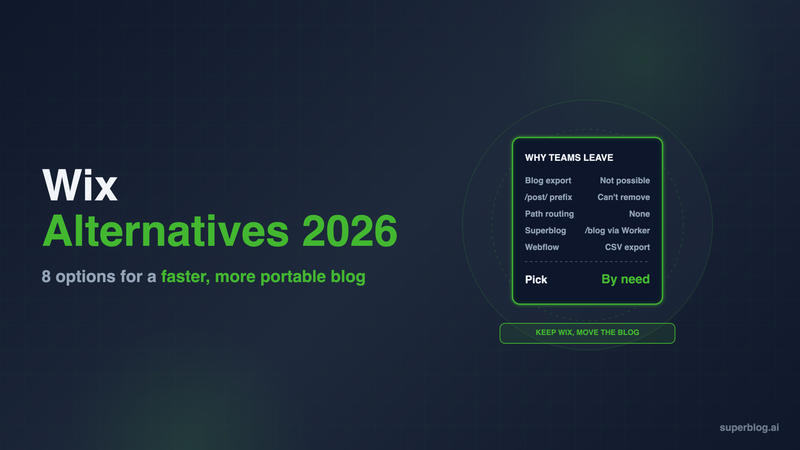
The top Wix alternatives in 2026 are Superblog for a business blog that has to rank, Webflow for a full site rebuild with a real CMS, and WordPress for full ownership of your files. Squarespace, Framer, Ghost, Shopify, Weebly, Duda and Hostinger cover narrower jobs. The right pick depends on one question: are you leaving Wix entirely, or only the Wix blog?
Every third-party price and limit below was checked on the vendor's own site in November 2026. Anything we could not confirm first-party is left out.
Wix alternatives at a glance
Three more builders fit narrower jobs:
Why teams outgrow a Wix blog

Wix is a capable site builder. Its editor is fast to learn, the plans run from $17 to $159 a month billed yearly, and a small business can launch a decent site in an afternoon. The problems start when the blog becomes the part of the site that brings in customers.
- You cannot take the posts with you. Wix's help center says it plainly: "Currently, it is not possible to export blog posts to other platforms." Every post you write on Wix is one more post someone moves by hand later. Our Wix blog export guide covers the routes that do work.
- Wix cannot route a path to another platform. Wix states that "it is not possible to direct a domain or subdomain to a page on your Wix site." A domain or subdomain connects only to the site's home page. There is no Wix setting that sends yoursite.com/blog to a different system, and no way to serve a Wix blog at the /blog of a site built elsewhere.
- Your URLs carry a Wix prefix. Wix blog posts live under
/post/. The prefix can be renamed but not removed, so every redirect map out of Wix starts with it. - The blog's speed is the site's speed. The blog runs on the same platform and page builder as every other page. You cannot tune it separately from the rest of the site.
The most common move is not a full rebuild. Teams keep Wix for the homepage and product pages and move only the blog to a platform built for search. Superblog is designed for that split, and it also works if you leave Wix later. For a deeper look at what Wix Blog does well and where its SEO stops, read our Wix Blog breakdown and the Wix blog SEO guide.
The 11 Wix alternatives, compared
1. Superblog

Pricing: $49/month (Pro) or $99/month (Super). Yearly billing is $530 and $1,070. There is a 7-day free trial, no credit card required.
Superblog is a fully managed blog platform: the CMS, the blog frontend, hosting and the SEO engine in one product. It runs on your domain at yoursite.com/blog, blog.yoursite.com, or a root domain. Subdirectory hosting is included on every paid plan.
Strengths:
- Speed: pre-built static pages on a global CDN with 200+ edge locations, and 90+ Lighthouse scores on every page without manual tuning.
- SEO runs by default: JSON-LD schemas (Article, Organization, FAQ and more), XML sitemaps, IndexNow pings on publish, and an llms.txt file updated on every deploy.
- Lead forms built in: below posts, in the sidebar, or as pop-ups.
- Keeps Wix if you want it: your Wix pages stay where they are. A free Cloudflare Worker in front of your domain sends /blog to Superblog and every other path to Wix, and the dashboard generates the Worker code for you. Wix has no setting for this, so the routing happens in Cloudflare. The subdirectory setup guide covers the steps.
- Wix import: the importer pulls posts through the Wix API, up to 500 per run, and keeps your slugs, first published dates, tags and cover images.
Limits:
- The Wix import does not bring meta titles, meta descriptions, image alt text or categories. Plan to rebuild those after import.
- Superblog is a blog platform, not a page builder. Your homepage and product pages stay on Wix or move to another builder.
- Pro covers up to 1,000 posts and 5 team members. Super covers up to 10,000 posts and 10 team members, and adds multilingual SEO and Zapier.
Choose it if: organic search is how you acquire customers and you want the blog on your main domain without running servers.
2. Webflow

Pricing: Basic is $15/mo billed yearly or $25 monthly, but it has no CMS. A blog needs Premium: $25/mo billed yearly or $39 monthly, per site, plus tax.
Webflow is the most common upgrade for teams leaving Wix entirely. It gives designers precise layout control and a structured CMS that can hold blog posts, authors and categories as linked collections.
Strengths:
- Premium includes 20,000 CMS items and 40 collections, enough for a large archive.
- Custom title tags, meta descriptions and Open Graph settings on every page.
- CMS Collections export as CSV files, so the content is not trapped.
Limits:
- It is a rebuild. Every Wix page has to be designed again in Webflow.
- Publishing workflows start on the Team plan, at $2,500/month on an annual contract. Translation (Webflow Localize) is a paid add-on.
Choose it if: you want to replace the whole Wix site and have a designer who will own it.
3. WordPress (self-hosted)
Pricing: The software is free. Hosting is a separate bill, and plugins, themes and developer time come on top. Our WordPress pricing breakdown adds up the real cost.
Self-hosted WordPress is the opposite of Wix. You own every file, every database row and every URL.
Strengths:
- Total portability: Tools > Export produces a standard WordPress XML file that most platforms import.
- You can run it at yoursite.com/blog next to another site with your own server and proxy rules.
- The largest plugin and theme ecosystem on the web.
Limits:
- You own the maintenance: updates, security, backups and caching are your job.
- Speed depends on hosting, theme and plugins. A fast WordPress site takes deliberate work.
- SEO needs a plugin stack, and each plugin is one more thing to update.
Choose it if: you have a developer, or budget for one, and want full control more than low maintenance.
4. WordPress.com
Pricing: Personal $4/mo, Premium $8/mo and Business $25/mo, billed yearly. Plugins are available on every paid plan.
WordPress.com is the hosted version of WordPress. Automattic runs the servers, so you get WordPress without the maintenance.
Strengths:
- No servers to manage, and the same WordPress export format when you leave.
- Plugins on all paid plans, so you can install an SEO plugin.
- Low entry price for a site with its own domain.
Limits:
- It hosts a whole site. It does not serve a blog at /blog on a site hosted somewhere else.
- Performance and SEO still depend on the theme and plugins you choose.
Choose it if: you are leaving Wix entirely and want WordPress's portability without a hosting bill to manage.
5. Squarespace

Pricing: Basic $19/mo, Core $29/mo, Plus $49/mo and Advanced $99/mo, billed yearly. Basic allows 2 contributors and no code injection, so most business sites start on Core.
Squarespace is the closest like-for-like swap for Wix. Its templates are polished, and the blog covers scheduling, categories, tags and comments.
Strengths:
- Strong templates with consistent design across pages.
- One subscription covers hosting, SSL and the builder.
Limits:
- It has the same routing limit as Wix: a connected subdomain points to the homepage, not to an inner page.
- Export is partial. Squarespace produces an .xml file meant for WordPress, and some content does not export. You cannot export from one Squarespace site into another.
- llms.txt is a hand-written text field that is off by default.
Choose it if: you want a better-looking Wix and the blog is not a primary traffic channel.
6. Framer
Pricing: Basic $10/mo and Pro $30/mo, billed yearly. The Free plan is for non-commercial use and cannot connect a custom domain.
Framer is a design-first site builder that has grown popular with startups. Its CMS handles a blog well for small archives.
Strengths:
- Fast to design in, especially for teams already working in Figma-style tools.
- CMS collections export as CSV through Framer's CMS Export plugin.
Limits:
- CMS items are capped at 1,000 on Basic and 2,500 on Pro before add-ons.
- Serving a Framer blog under another site's domain needs the Advanced Hosting add-on at $200/mo on Pro, or Enterprise.
Choose it if: your designers build in Framer and the blog will stay small.
7. Ghost

Pricing: Ghost(Pro) Starter is $15/mo billed yearly ($18 monthly). Business is $199/mo billed yearly. Self-hosting the open-source software is free, plus servers and email.
Ghost is a publishing platform built around newsletters and paid memberships.
Strengths:
- A clean editor and native newsletters.
- Full exports: posts, pages, tags and settings as JSON, members as CSV.
- IndexNow is on by default, and llms.txt is on for new sites.
Limits:
- A blog at yoursite.com/blog needs the Business plan plus a $50/mo add-on.
- It is built for subscriptions, not for lead capture into a sales pipeline.
Choose it if: paid newsletters are the business model.
8. Hostinger Website Builder
Pricing: Premium renews at $10.99/mo and Unlimited at $16.99/mo on a 48-month term. The first term is discounted if you prepay: in Hostinger's November 2026 Black Friday sale, Premium was $95.52 for 48 months ($1.99/mo). Yearly plans include a free domain.
Hostinger's builder is the low-price Wix alternative. A blog is a section you add to a page, with posts and categories managed in the editor.
Strengths:
- A heavily discounted first term if you prepay, with up to 3 websites on Premium.
- Hosting, domain and builder from one vendor.
Limits:
- The discount needs a 48-month prepayment, and renewal costs more than five times the sale rate.
- Hostinger's built-in export goes only to WordPress, and styles, layout, forms and SEO settings stay behind.
Choose it if: you need a small brochure site at the lowest possible cost and the blog is an afterthought.
9. Shopify
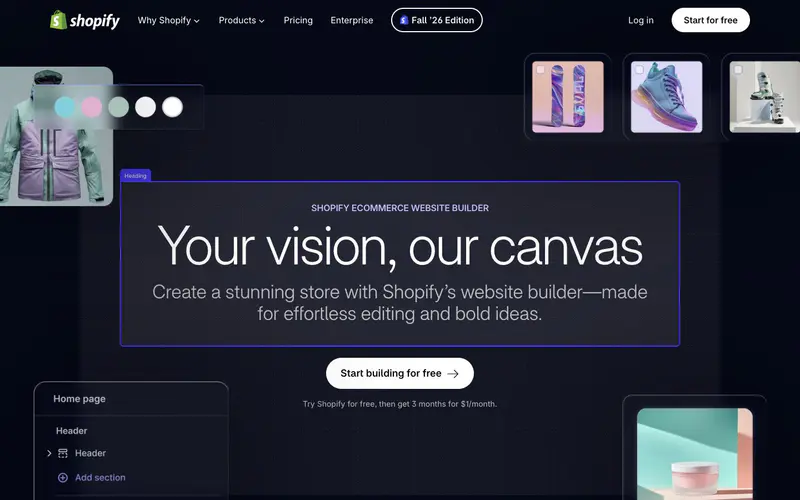
Pricing: US pricing on yearly billing: $29/mo for Basic, $79/mo for Grow, $299/mo for Advanced. Monthly billing raises those to $39, $105 and $399. Online card rates start at 2.9% + 30 cents on Basic.
Shopify is the commerce platform to compare once selling becomes the main business. Payments, inventory, shipping and checkout are the product, and the blog is part of the online store.
Strengths:
- A complete commerce stack, with thousands of apps to extend it.
- Staff accounts grow with the plan: up to 5 on Grow and 15 on Advanced.
Limits:
- The blog is secondary. Shopify's help center has you group posts into categories with tags.
- Post URLs carry the blog's name under /blogs/, so redirects from Wix's /post/ paths need a full map.
Choose it if: your Wix site is mostly a shop and the blog supports product sales.
10. Weebly

Pricing: US prices are $13/mo billed yearly for Personal ($16 month-to-month), $15/mo for Professional ($20) and $32/mo for Performance ($36). A $0 plan exists, with Square ads and no custom domain.
Weebly is Square's drag-and-drop site builder, and the nearest Wix-style editor at a lower price. Its blog runs inside the same drag-and-drop builder.
Strengths:
- Paid plans start below Wix's Light plan.
- SEO settings, lead capture and a Square-backed shopping cart are on all tiers.
Limits:
- Personal still carries Square ads. Removing them takes Professional, which also adds a free domain.
- Posts are built from drag-and-drop elements, which suits a few posts a month more than a content team.
Choose it if: you want a cheaper Wix-style builder, take payments with Square, and post now and then.
11. Duda

Pricing: Per account, in USD: Basic $19/mo, Team $29/mo and Agency $52/mo when paid yearly up front, or $25, $39 and $69 month to month. A 14-day trial needs no credit card.
Duda competes with Wix for agency work. Agencies and SaaS platforms use it to create sites for their clients, and it ships native blogging and multilingual sites.
Strengths:
- Client accounts carry their own permissions, so a client can write blog posts without touching the layout.
- Team has 3 seats and Agency has 6, with white-label plans for resellers.
Limits:
- It is shaped around the agency, not an in-house team running its own site. Basic is single-user.
- Leaving Wix still means a rebuild. Duda's own advice for moving one or two sites is to rebuild them with Import Content, which copies a page's text and images into the media panel.
Choose it if: an agency runs your site and wants a platform built around client work.
How to choose the right Wix alternative
Answer these in order:
- Are you keeping the Wix site? If yes, you only need a new home for the blog. Superblog is built for that, and our subdomain vs subdirectory guide explains why /blog beats blog.yoursite.com for rankings.
- Are you rebuilding everything? Webflow suits design-led teams. WordPress suits teams with a developer. Squarespace suits teams that value templates over SEO depth. Shopify suits a store, and Duda suits a site an agency manages.
- Does the blog drive revenue? If search brings in customers, pick a platform where schemas, sitemaps, IndexNow and speed are automatic. Our guide to blogging platforms for business compares more options against that test.
- Can you leave again? Check the export format before you sign up. Wix taught you what happens when there is none.
FAQ
What is the closest alternative to Wix?
Squarespace for a full site, Superblog for the blog only.
Can I export my Wix blog posts?
No. Wix does not export blog posts to other platforms.
Can Wix host a blog at yoursite.com/blog for a site built elsewhere?
No. Wix connects a domain or subdomain only to a site's home page.
What is the cheapest site like Wix?
Weebly's free plan, with Square ads. Among paid plans, Weebly Personal is $13/mo billed yearly.
Does Superblog score 90+ on Lighthouse?
Yes, on every page, with nothing to install.
Can I keep my Wix site and move only the blog?
Yes. Keep Wix for your pages and run Superblog at /blog.
The bottom line
Wix is fine for a site that does not depend on its blog. Once the blog is how you acquire customers, the lack of an export and the routing limits start to cost you, and they get more expensive with every post you add.
If you are rebuilding the whole site, Webflow and WordPress are the strongest Wix alternatives. If you want to keep Wix and fix the blog, move the blog. Start a Superblog trial (7 days, no credit card required), import your Wix posts with their slugs, and publish your next post on a platform you can grow on.
Your blog, without the maintenance
Fast pages, automatic SEO, no plugins to patch. Runs on yoursite.com/blog.
Sai Krishna is the Founder and CEO of Superblog. Having built multiple products that scaled to tens of millions of users with only SEO and ASO, Sai Krishna is now building a blogging platform to help others grow organically.
superblog
Superblog is a blazing fast blogging platform for beautiful reading and writing experiences. Superblog takes care of SEO audits and site optimizations automatically.