
Best Notion Blog Alternatives 2026: 11 Options When Notion Pages Stop Ranking

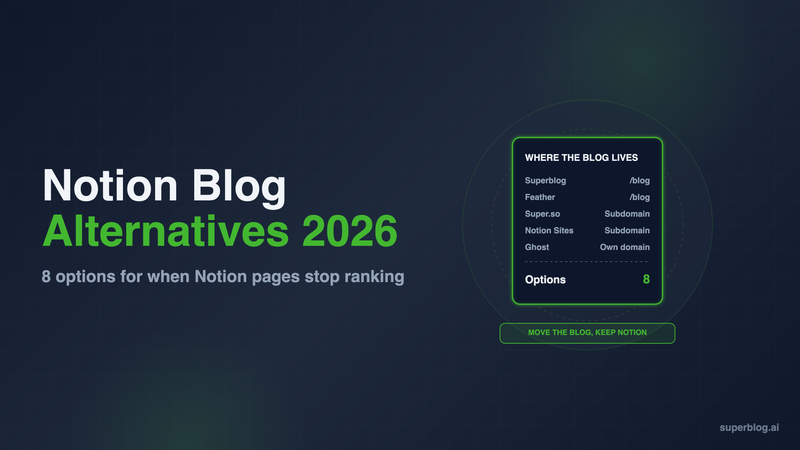
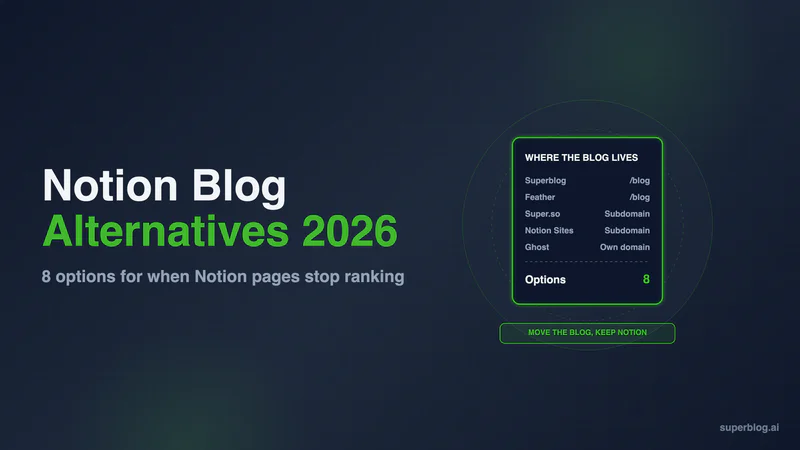
The strongest Notion blog alternatives in 2026 fall into two groups. If you want to keep writing in Notion, Feather is the Notion-based tool built most squarely for blogs, and Super.so is the cheapest way onto your own domain. If the blog has to rank and live at yoursite.com/blog, move publishing to a dedicated blog platform such as Superblog, Ghost or WordPress, and keep Notion for drafts.
Notion is a good place to plan and write. Databases work as an editorial calendar, comments handle review, and nobody needs training. The trouble starts when the pages have to rank. Each option below is scored on one question: can it run a company blog that ranks? Prices come from each vendor's own pricing page, checked in November 2026.
Why teams look for a Notion blog alternative
Four limits push teams off a Notion-published blog.
- Notion Sites cannot serve /blog. Notion's custom domain setup says you "must include a subdomain", typically www or something like careers.my-domain.com. A Notion Site can be blog.yoursite.com. It cannot be yoursite.com/blog, which is where a blog builds authority for the main domain. Subdomain vs subdirectory covers why that matters.
- A custom domain is a paid add-on. Workspace owners on paid plans buy it at $10 a month, or $8 a month with annual billing, for each domain, up to 25.
- Indexing is slow by Notion's own estimate. The help center says "Notion Sites can take up to four weeks to be indexed and appear in search results."
- The SEO layer is thin. Notion Sites gives you a search engine indexing switch, page titles and descriptions, and Google Analytics. Structured data, sitemaps and publish-time indexing pings depend on whatever tool sits on top. Our Notion blog guide fetched live Notion pages and shows what a crawler gets back.
Notion-to-site tools such as Super.so and Feather serve pre-built HTML from your Notion content, so crawlers get the page text on the first request. They differ a lot on /blog routing and structured data, so they are compared below alongside platforms that replace Notion as the publisher. Superblog is one of them.
Notion blog alternatives at a glance
Prices are per month in USD. Superblog, Feather and Super.so are shown at their monthly price. Other third-party prices are billed yearly.
1. Superblog
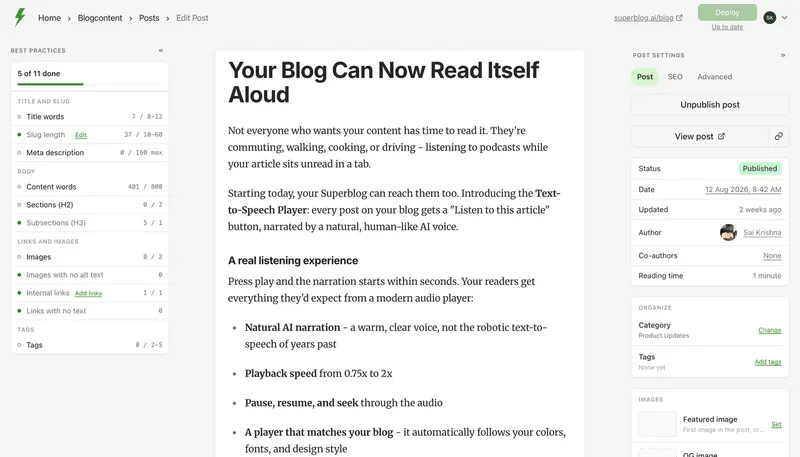
Type: Dedicated blog platform. Replaces Notion as the publisher, not as the writing tool.
Superblog replaces the publishing half of a Notion setup. The editor, blog theme, hosting and SEO layer come as one managed service. The blog runs at yoursite.com/blog through a reverse proxy, next to a marketing site on Next.js, Webflow, Framer, WordPress or anything else.
Pricing: $49/month (Pro) or $99/month (Super). Yearly is $530 and $1,070. There is a 7-day free trial, no credit card required. Subdirectory hosting is included on every paid plan.
Strengths for a team leaving Notion:
- SEO is generated, not configured. JSON-LD schemas (Article, Organization, FAQ and more), XML sitemaps, IndexNow pings on publish and llms.txt come with every deploy. A plain Markdown copy of every post sits next to the HTML version for AI assistants to read. Pages score 90+ on Lighthouse.
- /blog is the default route. Every paid plan connects a subdirectory. The dashboard generates the routing config for your stack.
- Your Notion reviewers come with you. Pro covers 5 team members and Super covers 10. On Pro, the team leaves review comments on a draft before it publishes, and posts can be scheduled.
- Readers can convert on the post. Signup forms sit below the article, in the sidebar, or open as a pop-up, with no form tool to wire in.
- Multilingual SEO on Super and above. Hreflang, per-language sitemaps and 41 languages, with no per-language fee.
Moving posts out of Notion: Superblog has no Notion connector and nothing to authorize against your workspace. You export from Notion and import the files.
- In Notion, use Export on a page and pick Markdown & CSV, or HTML.
- For a few posts, open the post editor and choose Import from file. Each .md or .html file becomes one draft. The title comes from the file name and the slug is generated from it, so check both before publishing. Rename each file to the post title before importing.
- A page with subpages or images exports as a .zip. Upload that file through ZIP import. It is available on paid plans and handles up to 300 posts in one run. If a file starts with a YAML block, ZIP import uses its title, slug, date, tags and meta fields. Notion exports have no such block, so titles come from file names.
The Google Docs and Notion import page shows exactly what comes across. If you would rather write in Markdown from now on, the Markdown blog guide covers that workflow.
Limits: Writing moves out of Notion, or you keep an export step between Notion and the blog. There is no live sync. Pro holds up to 1,000 posts and Super up to 10,000.
Choose it if: organic search is a channel you are funding, the blog has to sit at yoursite.com/blog, and you want the SEO layer handled without a developer.
2. Feather

Type: Notion-to-blog tool. You keep writing in Notion.
Feather publishes a blog from your Notion pages and is built for blogs, not general Notion sites.
Pricing: $39/month up to 10K pageviews, billed monthly. Higher tiers step up at 100K, 200K, 500K and 1M+ pageviews. Yearly billing gives 2 months free, and there is a 7-day free trial.
Strengths:
- SEO output is part of the product. Feather's pricing page lists meta tags, canonical links and structured schema markup for posts.
- /blog is supported. The blog can run at blog.example.com, at example.com, or at example.com/blog.
- Plans are not split by feature. Every tier lists unlimited blog sites, unlimited custom domains, analytics, email collection, comments, localization and programmatic SEO.
Limits: Pricing rises with traffic, so a blog that grows past 10K pageviews moves to a higher tier. Your writing tool is still Notion, so editorial controls stop at Notion's comments and permissions.
Choose it if: nobody on the team will leave Notion and the blog matters for search. It is also the first place to look if you want a Super.so alternative built for blogs.
3. Super.so

Type: Notion-to-site tool.
Super turns any Notion page into a website.
Pricing: Free on a super.site address with a Made with Super badge. Personal is $16/month and Pro is $28/month. Custom work, including sub-path hosting, starts at $50 plus fees for modifications.
Strengths:
- Low cost for your own domain. Personal adds your domain, custom code, custom fonts, password-protected pages, RSS and ATOM feeds and page redirects.
- Pro adds publishing control. Manual publishing controls, advanced search, file uploads and multi-language sites.
Limits: Sub-path hosting such as /blog is not a self-serve setting. It is a custom service that starts at $50 plus fees and goes through a conversation with the founders. Super is a general site tool, so blog-specific features are thinner than Feather's.
Choose it if: you want the cheapest way to put Notion content on your own domain, and a subdomain or root domain is fine. For a team that has outgrown it, Feather and Superblog are the two strongest Super.so alternatives for a blog.
4. Ghost

Type: Blog and newsletter platform.
Ghost is the open-source pick for teams whose Notion blog doubled as a newsletter. Posts go to subscribers by email from the same editor, and Ghost(Pro) hosts it for you.
Pricing: Starter $15/month, Publisher $29/month and Business $199/month, billed yearly.
Strengths: A strong writing experience and newsletters in the core product. IndexNow is on by default since Ghost 6.45, and llms.txt is on for new sites.
Limits: The $15 Starter plan is locked to the default theme. Plans allow 1, 3 or 15 staff users, so a workspace with a dozen commenters lands on Business. Putting the blog at /blog on another domain costs an extra $50 a month. Ghost sells that only with the $199 Business plan, and you host the reverse proxy yourself.
Choose it if: email subscribers, not search, are how readers find your posts.
5. Webflow

Type: Visual site builder.
Webflow gives designers precise layout control, with a CMS for blog posts.
Pricing: The CMS starts at Premium: $25/month billed yearly, $39 billed monthly, with 20,000 CMS items. Writers are paid seats: $15/month for a limited seat and $39/month for a full seat, billed yearly.
Strengths: Design freedom and a mature CMS.
Limits: Every writer is a seat on the bill. Webflow has no setting for serving the blog at /blog under another site. If the blog lives elsewhere, the route is a Cloudflare Worker in front of your domain.
Choose it if: you are leaving Notion Sites for a full website rebuild and have a designer.
6. Framer
Type: Visual site builder.
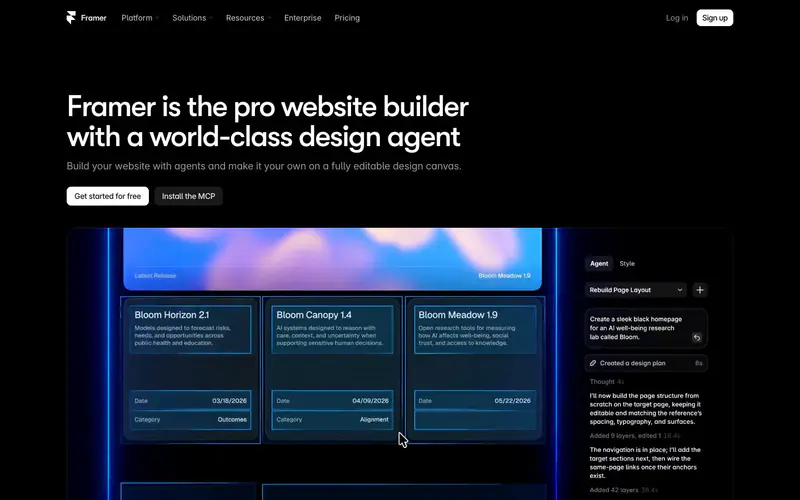
Framer is where teams go when Notion Sites was their whole website and they now want design control. It is fast to design in and cheaper to start than Webflow.
Pricing: Basic $10/month and Pro $30/month, billed yearly.
Strengths: Basic holds 1,000 CMS items and Pro holds 2,500. Content editors cost $10/month each, cheaper than Webflow seats.
Limits: Framer's help center says "Reverse proxying is available on Pro plans with the Advanced Hosting add-on and on Enterprise plans." So a Framer blog at another site's /blog needs Pro plus Advanced Hosting ($200/month billed yearly) or Enterprise. A blog at blog.yoursite.com works on any Framer plan. Framer alternatives covers its CMS limits.
Choose it if: you want a Notion website builder alternative for the whole site, and the blog stays small.
7. Squarespace

Type: Template-based site builder.
Squarespace suits teams whose Notion Site was the whole company website and who want designed templates without hiring a designer. The blog is a page type inside the site, edited in the same place as everything else.
Pricing: On annual billing, Basic costs $19/month and Core $29/month. Paying month to month raises them to $25 and $39.
Strengths: Finished-looking templates and one bill for the site, hosting and blog. Core and above allow unlimited contributors.
Limits: Basic allows 2 contributors, so a team of reviewers lands on Core. Leaving Notion here means rebuilding every page of the site in Squarespace, not just moving the posts. Writing happens in the Squarespace editor, not in Notion.
Choose it if: Notion Sites was your website, you want it to look polished with little effort, and the blog is a side section.
8. Wix

Type: Drag-and-drop site builder.
Wix is a general site builder with a blog app that has its own writer roles.
Pricing: A free plan runs on a Wix-branded address. Paid plans display Light at $17/month, Core at $29/month and Business at $39/month for yearly subscriptions.
Strengths: Wix Blog separates editors, writers and guest writers. Outside contributors who used to comment in Notion fit the guest writer role, which "can write posts, but cannot publish them." Payments start on Core.
Limits: Light allows 2 site collaborators, Core 5 and Business 10. Like Squarespace, it replaces the whole website, and none of your Notion pages carry over without copying them in.
Choose it if: you are rebuilding the company site from scratch, want drag-and-drop layout, and a few people publish.
9. WordPress
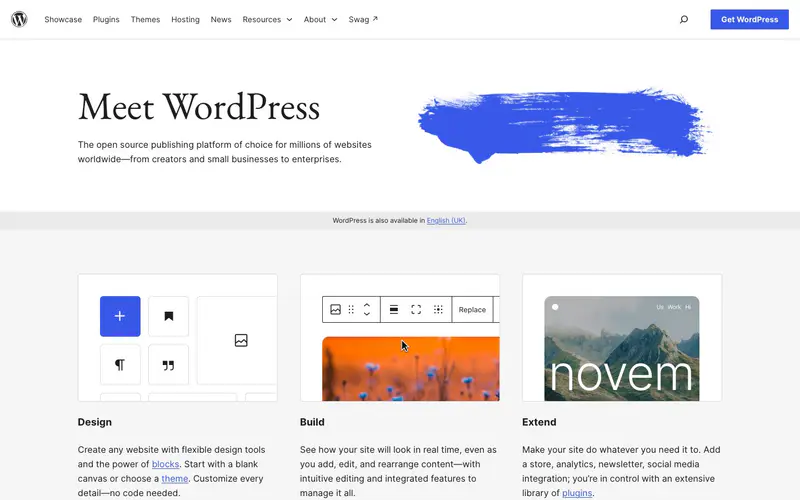
Type: Open-source CMS, self-hosted or managed on WordPress.com.
WordPress has no post cap, no seat fee and a plugin for almost anything.
Pricing: The software is free and you pay for hosting. WordPress.com plans, billed yearly, run $4 (Personal), $8 (Premium), $25 (Business) and $45 (Commerce) a month, and every paid tier lets you install plugins.
Strengths: Full control over markup and URLs when self-hosted, and a huge ecosystem.
Limits: Someone has to apply core, theme and plugin updates and handle security and caching. Page speed is only as good as the theme and plugin stack. A /blog route under another site depends on your host and proxy.
Choose it if: someone on the team will own updates and plugins, and you want full control of markup and URLs.
10. Hashnode
Type: Hosted developer blog with a headless option.
Hashnode suits engineering teams who write about code and like Markdown.
Pricing: Free on a hashnode.dev address with unlimited posts. Pro is $5/month per seat and adds your own domain, scheduled posts and bulk import. Growth is $34/month per publication and adds llms.txt and FAQ blocks.
Strengths: A Markdown editor with code highlighting, LaTeX and Mermaid, plus team roles and review.
Limits: The hosted blog runs on a domain or subdomain. For yoursite.com/blog, Hashnode's answer is the Blog Starter Kit, open-source Next.js code that "can be deployed anywhere, including a subpath of a custom domain". You deploy and maintain it yourself.
Choose it if: developers write the blog and you are fine on a subdomain or running the Starter Kit.
11. Substack

Type: Newsletter platform with a public post archive.
Substack fits teams whose Notion blog was really a newsletter. Every post goes to subscribers by email and stays readable on the web.
Pricing: Publishing is free. If you charge readers, the going-paid page states: "Writers keep 90% of their revenue minus credit card fees." Connecting a custom domain is a one-time $50 fee per publication.
Strengths: Email delivery is built in, each post can be free or paid, and readers can find you through Substack's network and app.
Limits: The custom domain connects through a CNAME record, and Substack recommends a subdomain such as www.yourdomain.com. A publication cannot run at yoursite.com/blog under a company site. Design and SEO controls are limited to what Substack offers every writer.
Choose it if: subscribers matter more to you than search traffic, and the posts can live on their own domain or subdomain.
How to choose a Notion blog alternative
- Decide if Notion stays the writing tool. If it must, compare Feather and Super.so and check how each serves /blog. If it does not, move publishing to a blog platform and keep Notion for planning.
- Decide where the blog lives. Notion Sites stops at a subdomain. If the blog belongs at yoursite.com/blog, that rules out Notion Sites, Substack and Super's self-serve plans, and puts Superblog and Feather in front.
- Price the team. Webflow charges per writer seat. Superblog includes 5 seats on Pro and 10 on Super. Feather prices on pageviews.
- Decide if the whole website is moving. If Notion Sites ran your entire site, keep the blog on Superblog and rebuild the rest on Squarespace, Wix, Webflow or Framer. On Squarespace, Wix and Webflow, a free Cloudflare Worker in front of your domain sends /blog to Superblog and every other path to the builder. Framer needs Pro plus Advanced Hosting or Enterprise for that route. If the posts were mostly a newsletter, compare Ghost and Substack.
If writing comfort is the real question, the blog editors comparison covers Notion's editor next to the alternatives.
Notion blog alternatives FAQ
Can a Notion Site run at yoursite.com/blog?
No. Notion's custom domain must include a subdomain.
How much does a custom domain cost on Notion Sites?
$10 a month per domain, or $8 a month with annual billing.
What is the cheapest way to put a Notion blog on my own domain?
Super.so Personal at $16 a month.
Does Superblog import directly from Notion?
No. Export from Notion as Markdown or HTML, then import the files.
Which Notion blog alternatives support yoursite.com/blog?
Superblog on every paid plan, Feather, and Super.so as a custom service.
Bottom line
Notion is a good writing tool and a weak publisher. If your team will not leave Notion, Feather is the strongest Notion-based blog and Super.so is the cheapest route to your own domain. If the blog exists to rank, put it on a platform built for that and keep Notion for drafts. Superblog puts the blog at yoursite.com/blog from $49/month (Pro), with schemas, sitemaps, IndexNow and llms.txt generated on every publish. Start with the 7-day free trial, no credit card required.
Your blog, without the maintenance
Fast pages, automatic SEO, no plugins to patch. Runs on yoursite.com/blog.
Sai Krishna is the Founder and CEO of Superblog. Having built multiple products that scaled to tens of millions of users with only SEO and ASO, Sai Krishna is now building a blogging platform to help others grow organically.
superblog
Superblog is a blazing fast blogging platform for beautiful reading and writing experiences. Superblog takes care of SEO audits and site optimizations automatically.