
Best Free Blogging Platforms 2026: What You Get Before You Pay

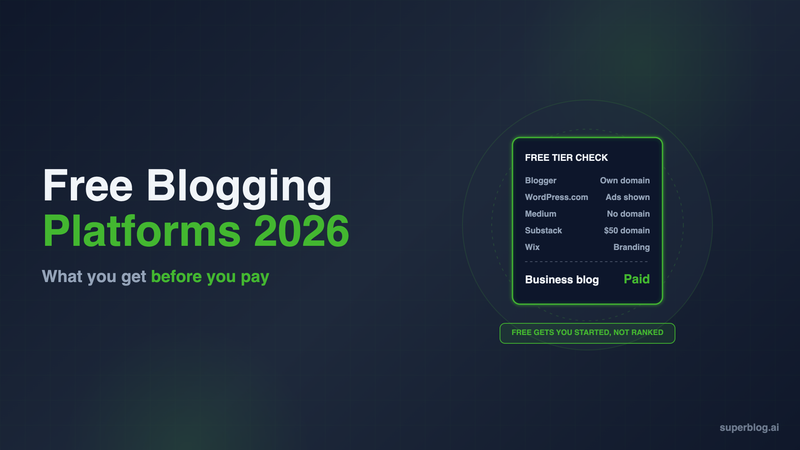
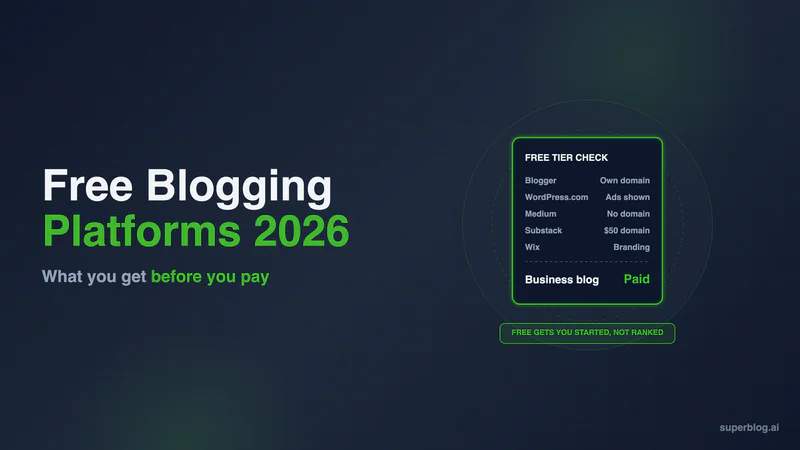
The free blogging platforms worth using in 2026 are Blogger, WordPress.com Free, Hashnode, self-hosted Ghost, Substack, Medium and Wix Free. Only two of them put your blog on your own domain for $0: Blogger and self-hosted Ghost. Every other free tier gives you an address on the platform's domain, and most add their own ads or branding.
That is fine for a hobby. It is a problem for a company blog, because every post you publish on a free subdomain builds search authority for someone else's domain. This guide compares the real free tiers on six points (custom domain, ads, branding, SEO control, export and the first paid step) using each vendor's own pricing and help pages, checked November 6, 2026.
What a free blogging platform has to get right
A free tier is useful when it lets you start without trapping you later. Judge every option on these six points.
- Custom domain. Can the blog live at yourdomain.com or blog.yourdomain.com without paying? If not, the links and rankings you earn belong to the platform's address.
- Ads. Does the platform show its own ads to your readers?
- Branding. Is the platform's logo or name on your pages?
- SEO control. Do you get a sitemap, structured data and control over what search engines see?
- Export. Can you take every post with you in a standard format?
- The first paid step. What does it cost to fix the gaps above, and is that step a dead end?
Free blogging platforms at a glance
1. Blogger
Who it fits: a personal or side-project blog that needs a real domain and costs nothing.
Blogger is still the most complete free blog hosting on this list. Your blog starts at a blogspot.com address, and Blogger's about page says you can "get a blogspot.com domain or buy a custom domain with just a few clicks." Once a custom domain is connected, Blogger issues and renews the SSL certificate for it, according to its domain setup guide. There is no paid tier to upgrade to.
Ads and branding. Monetization runs through Google AdSense, which Blogger's about page says "can automatically display relevant targeted ads on your blog."
Export. Blogger's backup help page sends you to Back up content in Settings or to Google Takeout, and the file comes out as an Atom feed.
Limits for a business. Blogger is built for personal publishing. A company blog that needs lead capture and a marketing workflow outgrows it. If you already run a Blogger blog, our list of Blogger alternatives covers where to take it.
Choose it if: you want a free blog on your own domain and nothing else.
2. Superblog
Who it fits: a business blog that has outgrown a free tier and needs to rank.
Superblog does not have a free plan. It is placed here as the business pick because it is where most of the free tiers on this list lead once the blog has to bring in traffic and leads. It fixes every gap the free tiers leave open, on every paid plan:
- Your domain, including yourdomain.com/blog. Subdirectory hosting, custom domains, SSL and CDN are included on every paid plan. A subdirectory keeps the authority your blog earns on your main domain.
- No platform branding. Branding removal is on every paid plan.
- SEO that runs itself. JSON-LD schemas, XML sitemaps, IndexNow pings, canonical URLs and Open Graph tags are generated automatically. Superblog also builds an llms.txt file and serves a plain-markdown copy of every post, so AI assistants can read and cite your content.
- 90+ Lighthouse. Pages are pre-built and served from a CDN with 200+ edge locations.
- Built-in lead capture. Forms below posts, in the sidebar or as pop-ups, without a third-party tool.
Pricing: $49/month (Pro) or $99/month (Super). Yearly billing is $530 (Pro) and $1,070 (Super). There is a 7-day free trial, no credit card required, and a 30-day money-back guarantee.
Moving from a free platform. Superblog imports directly from a Blogger URL through the Blogger API, and from WordPress, with original slugs and publish dates kept. Medium posts come in through Medium's zip export, which you upload. The Wix importer brings titles, body text, slugs, publish dates, tags and cover images, up to 500 posts per run; meta titles, descriptions and categories need to be added again after import.
Limits: Superblog is a paid product. It has no paid newsletter or membership paywall, so a writer whose business is charging readers belongs on Substack or Ghost.
Choose it if: the blog exists to bring search traffic to a business. See the plans for what each tier adds.
3. WordPress.com Free
Who it fits: trying the WordPress editor before you commit to a paid plan.
The WordPress.com pricing page describes the Free plan in one line: it "gives you a WordPress.com subdomain, 1 GB of storage, unlimited pages and posts, and access to basic stats for the last 7 days. It does not include a custom domain, plugin installation, or ad-free browsing for visitors."
Ads and branding. "Free sites display WordPress.com ads to visitors. Upgrade to Personal to turn them off." Your readers see ads, and the revenue is not yours.
Export. Tools, then Export, downloads your content as an XML (WXR) file, per WordPress.com's export guide.
First paid step. Personal is $4/month billed yearly or $9/month billed monthly, and it removes the ads. Our WordPress pricing breakdown shows what each tier costs once plugins and a domain are added, and WordPress.com for blogging covers the paid plans in detail.
Choose it if: you plan to move to a paid WordPress.com plan and want to learn the editor first.
4. Hashnode
Who it fits: developers writing technical posts.
Hashnode's pricing page offers a Free plan at "$0 forever" with unlimited posts, a Markdown editor, comments, series and analytics on a hashnode.dev address. Sitemap, RSS and JSON-LD are included without upgrading, and image optimization runs on the free plan too.
Branding and domain. A custom domain, removal of Hashnode branding, GitHub backup, webhooks and scheduled posts are Pro features.
Export. "Every post exports as Markdown, so you can leave any time and take all of it with you." That is the cleanest exit on this list.
First paid step. Pro is $5 a month per seat.
Limits for a business. The audience and the tooling are built for developers. A marketing team writing for buyers gets little from the Hashnode feed.
Choose it if: your readers are engineers and you want Markdown in, Markdown out.
5. Ghost (self-hosted)
Who it fits: technical teams willing to run their own server.
Ghost is open-source software under the MIT license. You download it and run it at no software cost, on your own domain, with no platform ads. Recent releases turn on IndexNow by default, and new sites generate llms.txt.
The real cost. Ghost's install guide requires a server with at least 1GB of memory, Ubuntu, MySQL 8.0 or 8.4, Node.js and NGINX. It describes self-hosting as suited to people "comfortable installing, maintaining and updating your own software." The server bill and the upgrade work are yours.
First paid step. If you stop wanting to run the server, Ghost(Pro) Starter is $15/month billed yearly ($18 billed monthly), per Ghost's pricing page.
Choose it if: you have someone who will patch and back up the server, and you want memberships and newsletters built in (bulk email needs Mailgun).
6. Substack
Who it fits: a writer whose product is the newsletter.
Substack is free to publish on. When readers pay, Substack's own going-paid page says "writers keep 90% of their revenue minus credit card fees."
Custom domain. Your publication starts at a substack.com address. Moving it to your own domain costs a one-time $50 fee, per Substack's domain help article.
SEO control. Substack's SEO help page says: "Some SEO features, such as sitemaps and Google Search Console verification, become available as your publication grows." A new company blog does not get them on day one.
Export. Settings, then Exports, produces a zip with your posts, subscriber list and statistics.
Choose it if: you are building an email audience and search traffic is secondary. Teams that need search traffic should read our Substack alternatives.
7. Medium
Who it fits: a personal byline that wants readers on day one.
Medium costs nothing to publish on, and its network can put a post in front of readers quickly. The trade-off is that your posts live on medium.com and help Medium's domain rank.
Custom domain. Medium's custom domain guide requires "an active Medium membership subscription", which costs $5/month or $50/year. The same guide says you "cannot connect a custom URL that's a subdirectory (folder), for example yourdomain.com/blog."
SEO control. Medium's SEO help page states that "Medium limits content that is made available to third-party search engines." Medium decides which of your posts search engines see.
Export. Medium exports your stories "as HTML files in a .zip archive."
Choose it if: distribution matters more than owning the traffic. For company blogs, see our Medium alternatives.
8. Wix Free
Who it fits: testing a site layout before you buy a plan.
Wix's own guide to its free plan lists a non-customizable wixsite.com address, "Wix branding (and sometimes ads) on your site", up to 500 MB of storage and up to 1 GB of bandwidth. "To connect your own domain, you need a paid plan."
Export. This is the biggest risk. Wix's help center says plainly: "Currently, it is not possible to export blog posts to other platforms." A blog you grow on Wix Free is hard to move later.
Choose it if: the blog is temporary, or you already plan to buy a Wix plan for the whole site.
When a business outgrows free blog hosting
A free tier is the right start for a personal blog. A company blog outgrows it at one of these points, usually the first.
- You want the traffic on your domain. Only Blogger and self-hosted Ghost give you your own domain for $0. Every other free tier sends the authority to the platform's address.
- You want the blog at yourdomain.com/blog. Medium rules it out in writing. Self-hosted Ghost can run at a subpath, but you configure the server and the routing yourself. Superblog includes subdirectory hosting on every paid plan.
- Platform ads appear next to your product. WordPress.com Free and Wix Free both put their ads or branding on your pages.
- You need search features you do not have to unlock. Substack gates sitemaps and Search Console verification behind growth. Medium limits what search engines see.
At that point, compare the paid platforms side by side. Our guide to choosing a blogging platform ranks the full field, paid plans included.
How to choose
- Personal blog, own domain, $0: Blogger.
- Business blog that needs to rank: Superblog, starting with the 7-day free trial.
- Developer blog: Hashnode.
- You run servers already: self-hosted Ghost.
- Newsletter first: Substack.
- Byline and reach over ownership: Medium.
- Avoid for anything long term: Wix Free, because blog posts cannot be exported.
FAQ
Is there a completely free blogging platform?
Yes. Blogger has no paid plans and supports a custom domain.
Which free blog sites allow a custom domain?
Blogger and self-hosted Ghost. Substack charges $50 once; Medium, WordPress.com, Hashnode and Wix need a paid plan.
What is the best free blogging platform for a business?
None. A business blog needs lead capture and SEO features it does not have to unlock, which means a paid platform like Superblog at $49/month (Pro).
Does Superblog have a free plan?
No. It has a 7-day free trial, no credit card required.
Can I move a free blog to another platform later?
Yes, from Blogger, WordPress.com, Hashnode, Substack and Medium. Wix does not export blog posts.
Which free tiers show the platform's ads?
WordPress.com Free and Wix Free.
Your blog, without the maintenance
Fast pages, automatic SEO, no plugins to patch. Runs on yoursite.com/blog.
Sai Krishna is the Founder and CEO of Superblog. Having built multiple products that scaled to tens of millions of users with only SEO and ASO, Sai Krishna is now building a blogging platform to help others grow organically.
superblog
Superblog is a blazing fast blogging platform for beautiful reading and writing experiences. Superblog takes care of SEO audits and site optimizations automatically.