
Best Blogging Platform to Make Money 2026: 11 Options Compared on Fees and Ownership

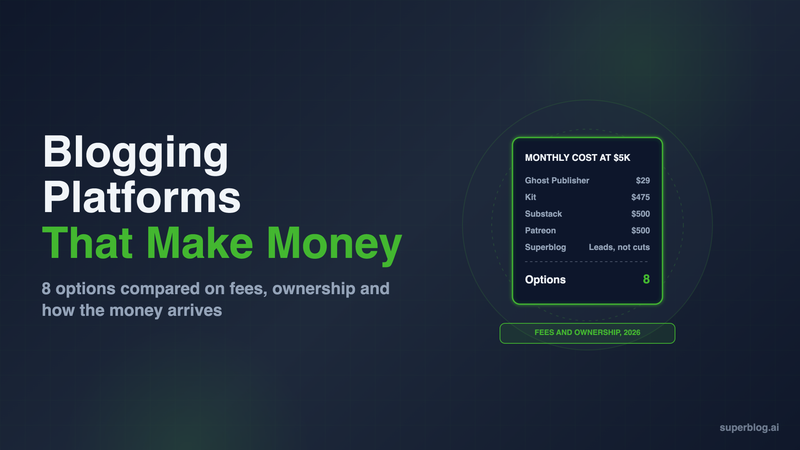
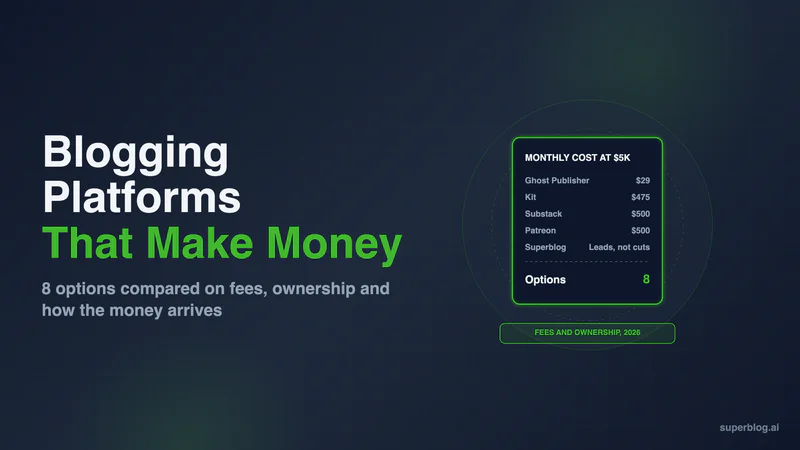
The best blogging platform to make money depends on who pays you. If readers pay, Ghost is the strongest pick: it takes 0% of subscription revenue and you own the site and the list. If customers pay, because the blog brings buyers to your business through Google, the platform to pick is one built to rank, such as Superblog.
Substack keeps 10% of what you earn, and Patreon charges new creators 10%. beehiiv takes 0% and adds an ad network from its $49/month Lite plan. Medium pays from a pool of member fees, and WordPress lets you run any ads or affiliate links you want, as long as you run the site.
We checked each vendor's fees and plan limits on its own site in November 2026.
Two ways a blog makes money
Most "make money blogging" lists mix two different businesses. Pick yours first, because the right platform is different for each.
Direct: readers or advertisers pay for the content. This covers paid subscriptions, memberships, display ads, newsletter sponsorships and affiliate links. The blog is the product. Revenue depends on audience size, and the platform's fee comes straight out of it. Ghost, beehiiv, Substack, Kit, Buttondown, Patreon, Memberful, Gumroad, Medium and WordPress all serve this path.
Indirect: the blog brings customers to a business. A company publishes posts that answer what its buyers search for. Readers arrive from Google and AI answers, join a list or request a demo, and some become customers. The blog is a sales channel, and its value shows up in signups and revenue, not ad payouts. Our guide to measuring blog ROI for B2B shows how to track that.
Superblog serves only the indirect path. It has no paywall, no paid memberships and no ad network of its own. It is built to make a business blog rank and convert readers into leads. If you want readers to pay for posts, choose one of the direct platforms below.
What to compare
These five criteria decide how much of the money you keep:
- Platform fee. A percentage of revenue grows with you. A flat subscription does not.
- Revenue options. Paid subscriptions, ads, sponsorships, digital products, tips, affiliate links, lead capture.
- Ownership. Can you export the reader list and the posts, and does the site run on your own domain?
- Discovery. Does the platform send you readers (a network or app), or do you bring them through search?
- Fixed cost. What you pay before you earn anything.
Blogging platforms that make money at a glance
1. Ghost

Ghost is an open-source publishing platform built around paid memberships and email newsletters. For a writer whose readers pay, it is the strongest mix of low fees and full ownership.
How you earn: Paid subscriptions and memberships through your own Stripe account. On Ghost(Pro), every plan that can take payments (Publisher, Business and Custom) charges 0%, and Ghost notes that "Payment processor fees still apply." Self-hosted Ghost takes no cut either.
Strengths: You own the site, the members and the content. Email sends are unlimited on every plan, the editor is clean, and the SEO defaults are strong: Ghost has pinged IndexNow by default since v6.45 and turns llms.txt on for every new site.
Limits: Starter ($15/month billed yearly) cannot take payments, so a paid publication starts on Publisher at $29/month billed yearly for 1,000 members. The price rises with members, to $88/month at 10,000. Our Ghost pricing guide breaks down every tier and the self-hosting route.
Choose it if: readers paying for your writing is the business, and you want to keep all of it.
2. Superblog
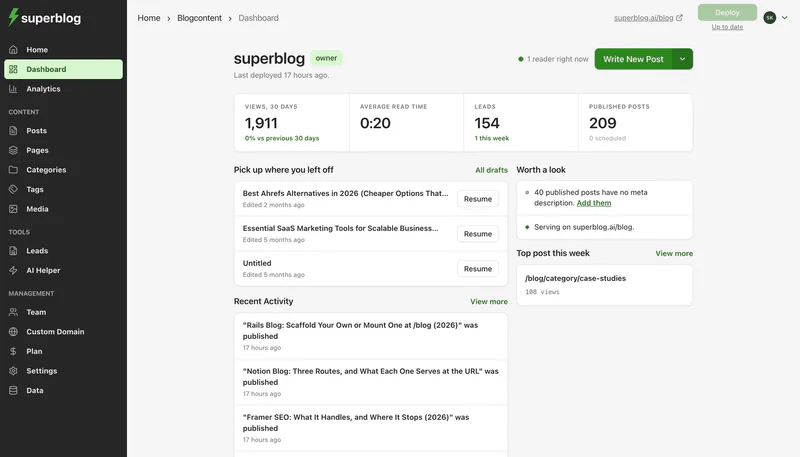
Superblog is a managed blogging platform for companies. It is on this list for the second way a blog makes money: bringing customers to a business through search.
What it does not do: Superblog has no paywall, no paid memberships and no ad network. It will not charge readers for posts.
How it makes money for a business:
- It ranks. Every page scores 90+ on Lighthouse. Schema markup, sitemaps and IndexNow submission run on their own, and AI crawlers get an llms.txt file that points to a plain-markdown version of each post.
- It sits on your main domain. The blog runs at yoursite.com/blog on every paid plan, so its rankings build authority for the domain your product pages sell on. Next.js sites connect with a proxy rule and WordPress sites with the Superblog Proxy plugin. Wix, Squarespace, Webflow and Shopify sites connect through a free Cloudflare Worker that the dashboard generates.
- It captures leads. Built-in lead forms catch readers under a post, in the sidebar or in a pop-up, and a newsletter signup form needs no extra tool. The Super plan pushes each new lead to your CRM or email tool through Zapier or a webhook.
If you also want display ads, Superblog has a settings field for a Google AdSense Publisher ID and ads.txt. That is Google's ad program, not Superblog's.
Pricing: Plans start at $49/month (Pro). $99/month (Super) adds Zapier, lead webhooks and multilingual SEO. Paying yearly costs $530 or $1,070. Start with a 7-day free trial, no credit card required.
Choose it if: you sell a product or service and want the blog to bring buyers from Google, not to charge readers.
3. beehiiv

beehiiv is a newsletter platform with a website. Paid subscriptions, digital products and its own ad network are built in.
How you earn: Paid subscriptions, digital products, sponsorships and the beehiiv Ad Network. beehiiv's pricing page says it "takes 0% of your paid subscription and digital product revenue. You keep what you earn, minus Stripe's standard processing fee of 2.9% + $0.30 per transaction."
The ad network: "The Ad Network is available to anyone on a paid plan, who is actively sending on beehiiv." Ads pay per 1,000 unique opens (CPM) or per payable click (CPC). Offers projected at $10 or more show a dollar estimate before you reserve them, and beehiiv's FAQ says the estimate is not a guaranteed amount.
Limits: Paid subscriptions and ads start on Lite at $49/month billed yearly. Removing beehiiv branding takes Pro at $95/month. If your root domain already runs a company site, beehiiv's help center says "always use a subdomain." Our beehiiv alternatives guide covers the full plan table.
Choose it if: your newsletter has the open rates to earn from sponsors and you want ads without selling them yourself.
4. Substack

Substack is a free newsletter and blog platform with a reader network and app.
How you earn: Paid subscriptions. Substack says "Writers keep 90% of their revenue minus credit card fees." Readers also find you through Substack's recommendations and app.
Limits: The 10% cut grows with your revenue. A custom domain costs "a one-time $50 fee per publication," and Substack connects that domain through a CNAME record, so the publication runs on a domain or subdomain such as www.yourdomain.com, not on a path like yoursite.com/blog. Our Substack alternatives roundup covers where to move if the fee starts to hurt.
Choose it if: you are starting from zero readers and the network is worth 10% to you.
5. Kit
Kit (formerly ConvertKit) is an email platform for creators who sell.
How you earn: Paid newsletters, digital products, recurring subscriptions and tip jars, all available on the free plan. Kit charges 3.5% + 30c per transaction on every plan, and that figure includes credit card processing.
Limits: Kit's newsletter site collects your issues, links and products in one place. It is built for email, not for ranking posts in search. Removing Kit branding needs Creator or Pro. Creator is $33/month billed yearly at 1,000 subscribers.
Choose it if: you sell courses or products and want automations to follow up with every buyer.
6. Buttondown
Buttondown is a small, independent newsletter tool with a hosted archive of every issue and a Markdown or rich text editor.
How you earn: Paid subscriptions through Stripe. Buttondown says "You keep all of the money you make after credit card fees," so it takes no share of what subscribers pay.
Pricing: Free for the first 100 subscribers. After that the price follows list size: its calculator shows $9/month up to 1,000 subscribers, $29 up to 5,000 and $79 up to 10,000, and paid subscriptions are included from $9. Paying yearly costs ten months' worth.
Limits: Teams, automations and a custom domain for the archive unlock at higher price points. The archive is a list of past emails, not a site built to rank in search.
Choose it if: you want a paid newsletter with no revenue share and a low fixed bill.
7. Patreon
Patreon is a membership platform for creators, with posts and a shop.
How you earn: Paid memberships and one-time sales of posts, collections and digital products. Patreon's help center puts creators who launched after August 4, 2025 on a standard 10% platform fee, with payment processing and payout fees on top. Creators who launched earlier may pay 5%, 8% or 11%.
Limits: Processing and payout fees sit on top of the platform fee. Patreon is built for fans who already know you. It does little to bring in readers from search.
Choose it if: you make art, music, podcasts or video, and fans pay to support you.
8. Memberful

Memberful adds paid memberships to a website you already run. It plugs into WordPress and also offers its own website and newsletter builder. It is owned by Patreon.
How you earn: Subscriptions, one-time payments, group plans and paid trials, sold behind a paywall on your own domain. Payments go through your own Stripe account.
Pricing: $49/month plus a 4.9% transaction fee on each successful charge. Stripe's processing fee comes on top, typically 2.9% + $0.30. You can set it up for free and pay only once you go live.
Limits: The fixed fee and the percentage both apply, so it costs more than Ghost or Buttondown at the same revenue. Memberful handles payments and access; the blog itself still runs on WordPress or its builder.
Choose it if: you have a WordPress blog with an audience and want to charge for part of it without moving platforms.
9. Gumroad

Gumroad is a store for digital products, courses and memberships. It works next to a blog rather than as one.
How you earn: Selling downloads, ebooks, courses and memberships to your readers. You can post updates and send email broadcasts to followers, and a custom domain can point at your Gumroad profile.
Pricing: No monthly fee. Gumroad charges 10% + $0.50 per sale through your profile or direct links. Card processing of 2.9% + $0.30 comes on top. Sales from its Discover marketplace cost a flat 30%. After $20,000 in paid sales in a calendar month, new direct sales drop to 5% + $0.50 for the rest of that month. Gumroad also handles sales tax as merchant of record.
Limits: The $0.50 per sale weighs heavily on low-priced items. Gumroad has no blog built to rank in search, so the blog that brings readers lives somewhere else.
Choose it if: your blog builds the audience and you want to sell it a product without running checkout yourself.
10. Medium
Medium is a publishing platform with a paywall run by Medium itself.
How you earn: The Medium Partner Program "lets you earn money from your stories based on engagement from Medium members." When members read or engage with your paywalled stories, "you receive a share of their membership dues." There is no application review.
Requirements: You must be "a Medium member with an active membership subscription," have published at least one story, have a complete profile, be 18 or older, and have a bank in an eligible payout country.
Limits: You do not set a price, earnings depend on Medium's pool and its readers, and the stories live on Medium's domain. Our list of Medium alternatives for a blog covers the move to your own site.
Choose it if: you want to test whether your writing earns anything before you build a site.
11. WordPress
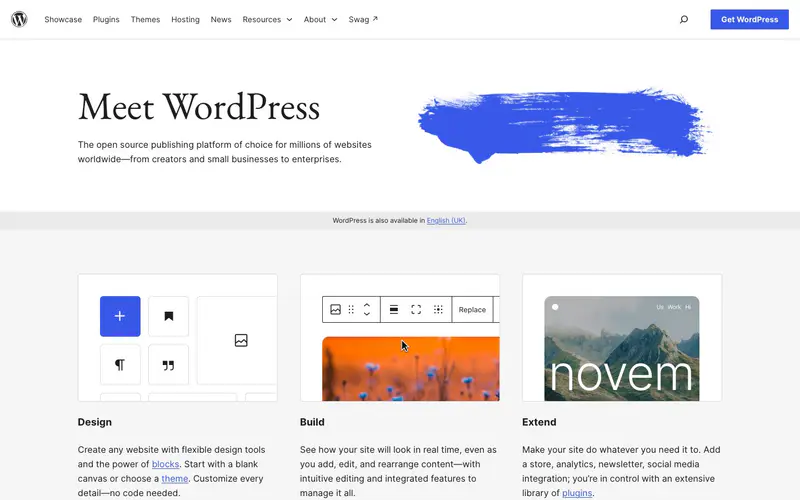
WordPress can run almost any revenue model, as long as you run the site.
How you earn: On self-hosted WordPress, the software is free and takes no cut. You add display ads, affiliate links, memberships or a store through plugins. On WordPress.com, WordAds is the official ad program; it needs "A WordPress.com Premium plan or higher" ($8/month billed yearly), a custom primary domain and a PayPal account for payouts.
Limits: Every revenue feature is a plugin to install, configure and update, and self-hosting means you own the server, security and speed.
Choose it if: you want full control of ads and affiliate setups and have time for upkeep.
The fee math at $5,000 a month
Say 1,000 readers pay $5 a month: $5,000 in gross subscription revenue. Here is what each platform charges on top of its plan price:
Over a year, Substack's 10% comes to $6,000. Ghost Publisher costs $348 for the year at 1,000 members, so at this revenue a 0% platform saves several thousand dollars. Below about $290 a month in revenue, a 10% cut costs less than Ghost Publisher. Ghost counts free and paid members toward the 1,000, so a large free list moves you up a tier sooner.
How to choose
- The blog exists to bring customers to a business: Superblog at yoursite.com/blog. For more options on that path, see our blogging platform for business comparison.
- Readers pay you, and you want to keep the most: Ghost, or beehiiv if you also want ads. Buttondown is the low-cost pick for a plain paid newsletter.
- You need readers before you can charge: Substack or Medium, and accept the cut.
- You sell products to your list: Kit, or Gumroad if you would rather pay per sale than monthly.
- Fans support your creative work: Patreon.
- You already run a WordPress blog and want a paywall: Memberful.
- You want ads and affiliate links on a site you control: WordPress.
FAQ
Which blogging platform takes no cut of subscription revenue?
Ghost, beehiiv and Buttondown take 0%.
What percentage does Substack take?
10%, plus credit card fees.
Does Medium pay writers?
Yes, through the Partner Program, which requires an active Medium membership.
Can I run ads on a beehiiv newsletter?
Yes, on the Lite plan and above.
Does Superblog have paid subscriptions or memberships?
No. Superblog brings customers to a business through search and lead forms.
Does Superblog have a free trial?
Yes: a 7-day free trial, no credit card required.
Your blog, without the maintenance
Fast pages, automatic SEO, no plugins to patch. Runs on yoursite.com/blog.
Sai Krishna is the Founder and CEO of Superblog. Having built multiple products that scaled to tens of millions of users with only SEO and ASO, Sai Krishna is now building a blogging platform to help others grow organically.
superblog
Superblog is a blazing fast blogging platform for beautiful reading and writing experiences. Superblog takes care of SEO audits and site optimizations automatically.