
Best Blogging Platform for Small Business 2026: 8 Options That Bring In Customers

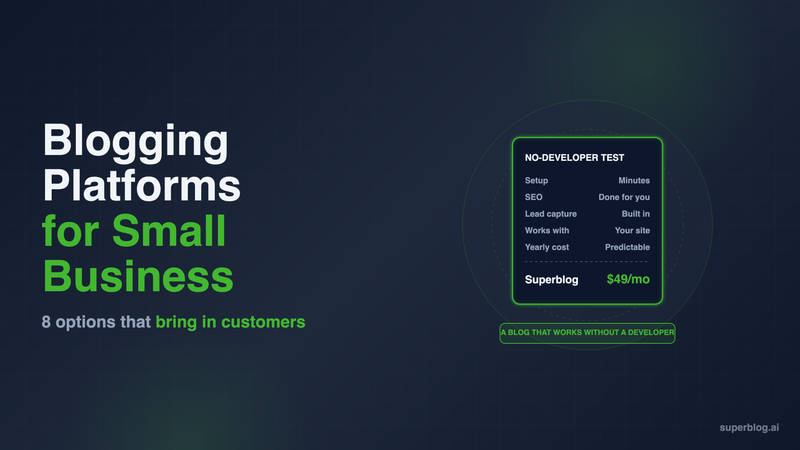
The best blogging platform for small business is the one that puts posts on your own domain, writes the technical SEO for you, and turns readers into enquiries without a developer. For most local service firms, shops and consultancies that means one of two routes: the blog built into the site builder you already pay for, or a managed blog platform that runs at yoursite.com/blog. This list compares eight options on what a small business actually has to live with: setup, cost per year, SEO, lead capture and fit with your current site.
Five Tests for a Small Business Blog Platform
A small business blog has one job: bring in people who are looking for what you sell. Five tests decide whether a platform can do that when nobody on the team writes code.
- Setup time. Can the owner or office manager get the first post live in an afternoon, on the real domain?
- Cost per year. What the blog adds to your bill after year one, not the promo price.
- SEO done for you. Schema, sitemaps, fast pages and search-engine pings should happen on publish. A plugin you have to configure counts against the platform.
- Lead capture. A form under the post that sends the enquiry somewhere you will see it.
- Works with your existing site. Most small businesses already have a site on Wix, Squarespace, Shopify or WordPress. The blog has to fit that site, ideally at yoursite.com/blog, so its rankings build on the domain you already have. Our subdomain vs subdirectory guide covers why.
Site builders score well on the first test and poorly on the fifth. A managed platform such as Superblog is built for the fifth. That trade runs through the whole list. If you have an in-house marketing team and a developer, our best blogging platform for business guide uses criteria for that setup instead.
Small Business Blog Platforms at a Glance
Prices are US list prices, billed yearly, checked on each vendor's site in November 2026.
1. Superblog: A Blog at yoursite.com/blog on Any Site
Price: $49/month (Pro) or $530/year. $99/month (Super) or $1,070/year.
Superblog is a fully managed blogging platform. The editor, hosting, CDN, SSL and the SEO engine come in one price, and the blog runs in a subdirectory of the site you already have, whether that site is on Wix, Squarespace, Shopify, WordPress or something a freelancer built years ago.
What it does well for a small business:
- SEO on publish, with nothing to configure. Every post gets JSON-LD for Article, WebPage, Organization, ImageObject and FAQ, an updated XML sitemap, an IndexNow ping and an entry in your llms.txt file.
- Fast pages without a speed project. Pages are pre-built and served from 200+ CDN edge locations, images convert to WebP automatically, and every page scores 90+ on Lighthouse.
- Lead forms built in. Forms sit below posts, in the sidebar or as pop-ups, with no third-party form tool to buy.
- Analytics without a cookie banner. Pro includes Pirsch, which is privacy-friendly and needs no consent banner. Google Analytics works too.
- Room for a small team. Pro covers up to 1,000 posts and 5 team members, with scheduled posts.
Where it asks something of you: Superblog is a blog, not a website builder, so your homepage and service pages stay where they are. On WordPress, the Superblog Proxy plugin sets up the /blog route. On Next.js or Vercel it is a rewrite rule. Wix, Squarespace and Webflow have no setting to send /blog to another service, so a free Cloudflare Worker in front of your domain sends /blog to Superblog and every other path to your site. The dashboard fills in the Worker code for your site. Cloudflare's free Workers plan covers 100,000 requests a day, which is far beyond most small business blogs.
Moving an existing blog: WordPress imports in one step from your site URL, including Yoast meta titles and descriptions. Wix imports titles, body text, slugs, publish dates, tags and cover images, up to 500 posts per run, so meta titles, meta descriptions, alt text and categories need re-entering. Shopify posts come across through a file: export them as CSV or JSON and bring them in with the JSON import or the spreadsheet import (Super and above).
Choose it if: you want search traffic from the blog, you want it on your main domain, and you do not want to change the site you already have. There is a 7-day free trial, no credit card required. The /blog connection turns on once you pick a paid plan.
2. Wix Blog: Fine if the Whole Site Is on Wix
Price: Light $17/month, Core $29/month, billed yearly ($204 to $348 a year). A free plan exists with Wix branding and a wixsite.com address.
Strengths: If your site is already on Wix, the blog is a tab in the same editor. Wix Forms gives you 4 forms free, with an email to you on every submission. On Premium plans Wix sends IndexNow pings automatically, and upgraded sites with a custom domain get an auto-generated llms.txt.
Limits: Post URLs carry a /post/ prefix that you can rename but not remove. Wix only works for Wix sites: its help center says it is not possible to point a domain or subdomain at a page of a Wix site, so a Wix blog cannot sit at /blog on a site built elsewhere.
Choose it if: your site is on Wix, you post a few times a month, and staying in one editor matters more than search growth.
3. Squarespace: Polished Templates, Locked SEO Files
Price: Basic $19/month, Core $29/month, billed yearly ($228 to $348 a year). $25 and $39 month to month. There is a 14-day trial and no free plan.
Strengths: Squarespace templates look professional with no design work, which matters for a consultancy or studio whose blog is also a portfolio. Form blocks handle contact forms and email submissions to you by default.
Limits: The sitemap cannot be edited, and the llms.txt feature is a text field you write and update by hand, on version 7.1 sites only. Like Wix, it only blogs for Squarespace sites, and Squarespace has no supported way to send yoursite.com/blog to another platform.
Choose it if: your site is on Squarespace, the look of the blog matters most, and you are happy to keep SEO at the level Squarespace sets.
4. Shopify Blog: Included With the Store
Price: Included with your store. Basic is $29/month billed yearly ($348 a year) or $39 month to month. New stores get 3 days free, then $1/month for 3 months.
Strengths: For a shop, the blog costs nothing extra and sits next to your products, so a post can link straight to a product page. Shopify Forms adds popup or inline sign-up forms to grow your email list.
Limits: There are no categories, only tags. Every post URL carries the blog handle, such as /blogs/news/. The blog is rendered by your theme, so its speed is your theme's speed plus every app script on the store. Our guide to Shopify blog limitations covers each one and the alternatives.
Choose it if: you run a Shopify store and want product-led posts, such as gift guides and care instructions, without a second tool.
5. WordPress.com: The Cheapest Paid Option
Price: Personal $4/month ($48 a year), Premium $8/month ($96), Business $25/month ($300), billed yearly. Month to month it is $9, $18 and $40.
Strengths: It is the lowest cash cost on this list for a blog on your own domain. Every paid plan can install plugins, so Yoast or Rank Math can handle SEO, and the Form block collects responses in a forms dashboard and emails them to you.
Limits: The free plan has no custom domain and no plugins. SEO is only as good as the plugins you pick and configure, which is the opposite of done for you. WordPress.com hosts the whole site, so it suits a business that moves its site there, not one that wants a blog next to a Wix or Squarespace site.
Choose it if: budget is the deciding factor and someone on the team is comfortable setting up WordPress plugins.
6. HubSpot: Free Blog, Built Around the CRM
Price: Free for one blog with up to 100 posts and HubSpot branding. Content Hub Starter is $7 per seat per month paid annually ($84 a year) or $20 month to month, with 10,000 posts and branding removed. Professional starts at $450/month.
Strengths: HubSpot's forms are free, and every visitor who fills one in is added to the HubSpot CRM automatically. For a consultancy that already tracks clients in HubSpot, this closes the loop from post to enquiry to deal.
Limits: The blog lives on the same subdomain as your HubSpot-hosted website, not in a /blog folder on a site hosted elsewhere. Starter is priced per seat, so three people who publish pay three times. The free plan's 100-post cap fills in under a year at two posts a week.
Choose it if: you already run your sales pipeline in HubSpot and a subdomain blog is acceptable.
7. Ghost(Pro): Built for Newsletters First
Price: Starter $15/month billed yearly ($180 a year). Publisher $29/month billed yearly. Business $199/month billed yearly.
Strengths: Ghost has a clean editor and strong technical defaults: IndexNow is on by default, and new sites get llms.txt. Member sign-up forms are built in, which suits a business that wants an email list.
Limits: Ghost is built around members and newsletters. There is no form builder for contact or quote-request forms. Running Ghost(Pro) at yoursite.com/blog is a paid add-on on the Business plan and needs a reverse proxy you configure yourself, which is developer work.
Choose it if: the newsletter is the product and the blog can live on its own domain or subdomain.
8. Medium: Reach Without Ownership
Price: Free to publish. A custom domain needs a Medium membership at $5/month or $50/year.
Strengths: Medium has a built-in audience, and readers can subscribe to your profile to get your stories by email.
Limits: Even with a custom domain, Medium connects only a root domain or a subdomain. Its help center states that you cannot connect a subdirectory such as yourdomain.com/blog. Without a custom domain, the traffic builds medium.com, not your site. The readers, the design and the page layout belong to Medium either way.
Choose it if: you want a second channel for posts that also live on your own site, not a home for the business blog.
How to Choose the Best Blogging Platform for Small Business
Start from the platform your website runs on today. That decides most of the answer.
- Your site is on Wix or Squarespace. If you post a few times a month and search traffic is a nice-to-have, use the built-in blog. If the blog is meant to bring in customers from Google and AI search, put a managed blog at /blog in front of the same site. For worked setups, see Superblog for Wix and Superblog for consultants.
- Your site is a Shopify store. Use the Shopify blog for product posts. Add a separate blog platform when you need categories, several writers or a speed target the theme cannot reach.
- Your site is on WordPress. You already have a blog. The question is whether anyone has time to keep its plugins updated. If not, a managed platform at /blog removes the upkeep and keeps your URLs.
- You have no site yet. A site builder with its built-in blog gets you online fastest. Revisit the blog once it becomes a traffic channel. Our business blog examples show what that channel looks like when it works.
- You live in HubSpot. Use HubSpot's blog and accept the subdomain.
For a wider view beyond small businesses, our best blogging platform roundup covers creator and developer tools too.
FAQ
Which small business blog platform is cheapest?
WordPress.com Personal is the cheapest paid plan here, at $48 a year billed yearly.
Can I add a blog to my Wix or Squarespace site at /blog?
Yes. A free Cloudflare Worker in front of your domain sends /blog to Superblog. Wix and Squarespace have no setting for it.
Does a small business need a developer to run a blog?
No. Superblog, Wix, Squarespace, Shopify and HubSpot all run without one.
Is a blog on a subdomain bad for a small business?
Yes. A subdirectory builds rankings on your main domain.
What does Superblog cost?
$49/month (Pro) or $99/month (Super), with a 7-day free trial, no credit card required.
Can I move my existing WordPress blog?
Yes. Superblog imports posts, images, tags and Yoast meta titles and descriptions from your WordPress URL.
Your blog, without the maintenance
Fast pages, automatic SEO, no plugins to patch. Runs on yoursite.com/blog.
Sai Krishna is the Founder and CEO of Superblog. Having built multiple products that scaled to tens of millions of users with only SEO and ASO, Sai Krishna is now building a blogging platform to help others grow organically.
superblog
Superblog is a blazing fast blogging platform for beautiful reading and writing experiences. Superblog takes care of SEO audits and site optimizations automatically.