
Best Blogging Platform for SaaS 2026: 8 Options Compared for Organic Growth

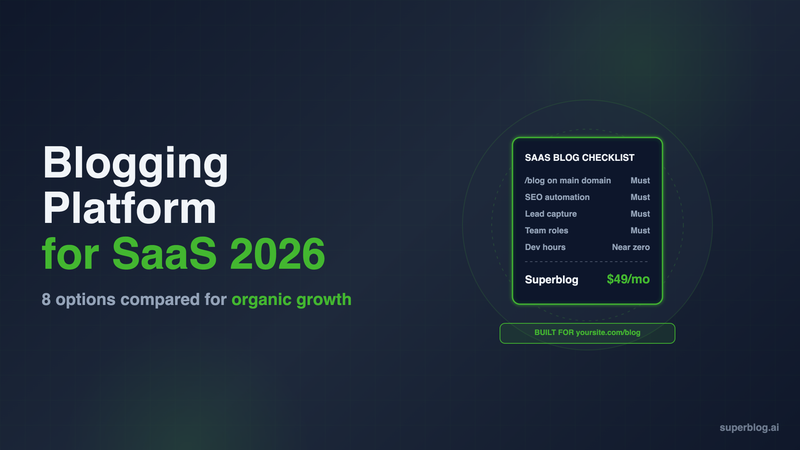
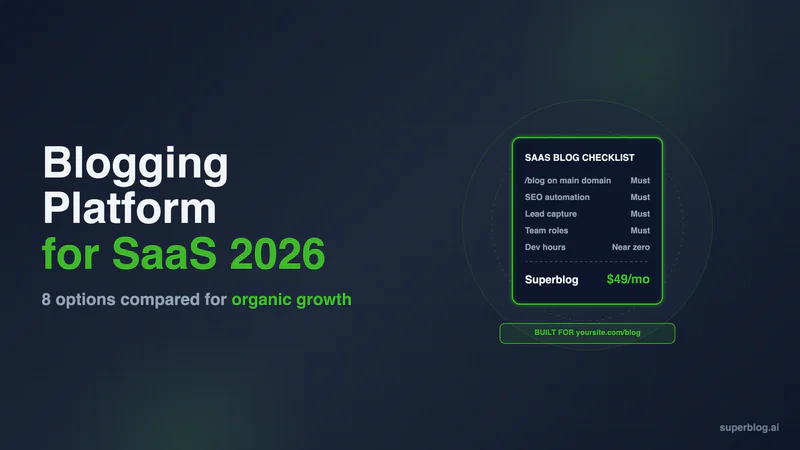
The best blogging platform for SaaS is the one that serves your blog at yoursite.com/blog, next to an app or marketing site you already run on Next.js, Webflow or Framer, without a rebuild or a proxy your engineers have to babysit. For most SaaS teams that is Superblog, at $49/month (Pro). WordPress, Webflow, HubSpot and a headless CMS like Sanity win in specific setups, and this guide shows which.
We compared 8 platforms on six criteria that decide whether a SaaS blog produces signups. Every competitor price was checked on the vendor's own pricing page in November 2026.
What a SaaS blog platform has to do
A SaaS blog is a lead channel attached to a product. That changes the criteria compared with a personal blog or a newsletter.
- Subdirectory hosting. The blog should live at yoursite.com/blog, on the same domain as your product and pricing pages, so rankings build one domain. Our subdomain vs subdirectory guide covers why. The hard part for SaaS is that the main site already runs on something else: a Next.js app on Vercel, or a Webflow or Framer marketing site.
- Speed. Fast pages rank and convert. The platform should deliver that without a performance project.
- SEO automation. Schema, sitemaps, canonical tags, IndexNow and llms.txt should happen on publish, not through plugins or custom code.
- Lead capture. Readers should be able to give you an email or request a demo without leaving the post.
- Team workflow. Roles, review and scheduling for a content lead, freelancers and a founder who still writes.
- Migration. Most SaaS teams already have posts somewhere. The move has to keep URLs and rankings.
If you are still deciding what the blog should publish, start with content marketing for SaaS and come back for the platform.
SaaS blog platforms at a glance
1. Superblog
Superblog is a fully managed blog platform: CMS, hosted frontend, CDN and SEO engine in one product. It does not replace your app or your marketing site. It serves the blog next to them.
How it fits a SaaS stack. You connect yoursite.com/blog in the dashboard and pick what your site runs on. Next.js and Vercel get a rewrite rule. Webflow has no proxy setting of its own, so your domain moves to Cloudflare's free plan and a free Cloudflare Worker sends /blog to Superblog and every other path to Webflow. The setup takes about 10 minutes. On Framer, the same Worker route needs Framer Pro with the Advanced Hosting add-on ($200/month billed yearly) or Enterprise, because Framer's help center limits reverse proxying to those plans. blog.yoursite.com works on any Framer plan. Subdirectory hosting is on every paid Superblog plan.
Strengths:
- 90+ Lighthouse on every page. Pages are pre-built and served from 200+ CDN locations, with images converted to WebP.
- SEO runs on publish: JSON-LD schema (Article, FAQ, Organization), XML sitemaps, IndexNow, canonical URLs, Open Graph tags and llms.txt, plus a plain-markdown copy of every post for AI crawlers.
- Lead forms below posts, in the sidebar or as pop-ups. Super adds custom form fields, lead webhooks and Zapier.
- Team roles (Admin, Editor, Writer), collaborative review and scheduled posts on Pro. Pro includes 5 team members; Super includes 10.
- Internal link suggestions in the editor.
- Imports from WordPress, Ghost, Webflow and others. WordPress imports keep slugs, publish dates and Yoast meta. Webflow imports keep slugs but not tags or SEO metadata. Framer comes in as a CSV export you upload and map.
Limits: It is a blog platform, not a website builder. Design is template-based with color, font and custom CSS controls, not a freeform canvas. Plans are sized for under 100,000 pageviews a month. WordPress imports do not carry authors across, so multi-author archives need bylines reassigned.
Pricing: $49/month (Pro, up to 1,000 posts) or $99/month (Super, up to 10,000 posts, with API access, multilingual SEO and Zapier). Yearly is $530 and $1,070. There is a 7-day free trial, no credit card required.
Choose it if your blog's job is organic signups and you want it on yoursite.com/blog without engineering time.
2. WordPress
WordPress can do anything, which is why many SaaS companies started there. The cost is running it.
Strengths: the largest plugin and developer ecosystem, full control of templates and data, and no per-seat pricing.
Limits for SaaS: If your site is a Next.js app, WordPress cannot sit at /blog on its own. You either run a reverse proxy to a separate WordPress host or build a headless frontend on the WordPress API, and both are engineering projects. SEO, caching, security and forms come from plugins that each need updates. A default theme is fast; real business sites slow down as page builders, plugins and tracking tags pile up.
Pricing: The software is free. Managed hosting such as Kinsta starts at $35/month, or $30/month paid annually, before plugins and developer time. Our WordPress alternatives for SaaS breaks down the full cost.
Choose it if you have a developer who owns the blog and you need custom functionality no blog platform offers.
3. Webflow
Webflow is a strong visual builder, and many SaaS marketing sites run on it. Its CMS handles a blog well when the whole site is Webflow.
Strengths: design control, a visual CMS your marketers can use, scheduled publishing on Premium, and 20,000 CMS items with 40 collections.
Limits for SaaS: The blog belongs to the Webflow site. If your product and docs live on Next.js and you want one domain, Webflow offers reverse proxy setup as a service in its Enterprise packages; otherwise your team maintains the proxy. Lead capture runs on Webflow forms, which collect submissions, send notification emails and export to CSV.
Pricing: Premium is $25/month billed yearly. Basic ($15/month yearly) has no CMS, so it cannot run a blog.
Choose it if your marketing site is already on Webflow and the team that designs it will also run the blog.
4. Ghost
Ghost is a fast, clean publishing platform built around newsletters and paid memberships. Its SEO defaults are good: IndexNow and llms.txt are on by default for new sites.
Strengths: an excellent editor, native email newsletters, member signups and an open-source self-host option.
Limits for SaaS: Ghost(Pro) runs on a root domain or subdomain. A subdirectory like yoursite.com/blog requires the $199/month Business plan, a $50/month add-on and a reverse proxy you run yourself. Ghost's forms collect newsletter members, not demo requests.
Pricing: Starter $15/month, Publisher $29/month, Business $199/month, all billed yearly.
Choose it if your SaaS blog is really a newsletter and a subdomain is acceptable.
5. HubSpot Content Hub
HubSpot's blog tool lives inside the CRM. That is its main advantage.
Strengths: the blog, forms and contact records share one CRM, so you can see which posts produced pipeline. Professional supports up to 100 blogs and 10,000 posts.
Limits for SaaS: The blog runs on HubSpot's hosting. To serve it at /blog on a Next.js site, HubSpot's developer docs say you need a reverse proxy through a CDN, and HubSpot support does not set it up. The price also assumes you want the wider suite.
Pricing: Free (up to 100 posts, HubSpot branding). Starter is $20/seat/month, or from $7/seat/month with HubSpot's new-customer discount. Professional starts at $450/month (HubSpot also lists $500/month) with 3 core seats. Enterprise starts at $1,500/month with 5 core seats. Professional is where most B2B blogging features sit.
Choose it if HubSpot already runs your funnel and closed-loop attribution matters more than cost.
6. DropInBlog
DropInBlog is the closest competitor to Superblog's model: a blog added to the site you already have.
Strengths: it embeds into an existing page or goes headless with a JSON API and SDKs for Next.js, Astro and React. Every plan includes unlimited posts and a real-time SEO analyzer.
Limits for SaaS: pricing scales with users. Solo is one user and one author; a content team needs Team or above. The headless route means your developers render the blog.
Pricing: Solo $79/month billed yearly ($99 monthly), Team $159/month billed yearly ($199 monthly, 5 users), Business $399/month billed yearly.
Choose it if you want an embedded blog and are comfortable with per-tier user limits.
7. Sanity (headless CMS)
Sanity, Contentful and similar tools store content and serve it through an API. Your engineers build the blog in your own Next.js app.
Strengths: total control. The blog is native to your app, so /blog is just another route. Structured content can feed docs, changelogs and marketing pages from one place.
Limits for SaaS: a headless CMS does not render pages. Templates, sitemaps, schema, canonical tags, image handling, previews and lead forms are code your team writes and maintains. Every blog change waits on an engineering sprint.
Pricing: Free for up to 20 seats and 10k documents. Growth is $15 per seat per month.
Choose it if you have frontend engineers with time to own the blog as a product.
8. Framer
Framer builds fast, polished marketing sites, and its CMS is a reasonable blog when the marketing site is Framer.
Strengths: strong design, a visual CMS, built-in SEO basics and $10 content-editor seats.
Limits for SaaS: Pro caps the CMS at 2,500 items unless you buy add-ons. If the Framer site has to sit under your app's domain, Framer only supports reverse proxying on Pro with the Advanced Hosting add-on or on Enterprise. Lead capture is limited to Framer forms.
Pricing: Pro is $30/month at the yearly rate. Advanced Hosting adds $200/month on Pro, billed yearly.
Choose it if your whole marketing site is on Framer and the blog stays small.
How to choose a SaaS blog platform
Start from what your main site runs on, then check the blog's job.
- Next.js app or marketing site, no engineer to spare: Superblog. The blog runs at /blog with a rewrite rule, and SEO and speed are handled.
- Next.js with frontend engineers who want to own it: Sanity or another headless CMS, with the build cost counted.
- Webflow or Framer marketing site, small blog, same designers: the builder's own CMS works. Move to Superblog when you need team roles, lead forms or SEO automation. On Webflow, a free Cloudflare Worker puts the blog at /blog and keeps the Webflow site in place. On Framer, use blog.yoursite.com, or /blog with Framer's Advanced Hosting add-on or Enterprise.
- HubSpot runs your funnel: HubSpot Content Hub, if the budget covers Professional.
- The blog is a newsletter: Ghost.
- You need custom functionality and own WordPress already: stay on WordPress and budget for maintenance.
If your company sells to more than SaaS buyers, our blogging platform for business comparison covers Squarespace and Medium too.
For what good looks like once you launch, see these SaaS blog examples, and use a SaaS content strategy to plan the first 30 posts.
FAQ
Which CMS should a SaaS blog use?
Superblog for a managed blog at /blog; Sanity if your engineers want to build it.
Should a SaaS blog be on a subdomain or a subdirectory?
A subdirectory, such as yoursite.com/blog.
Can I add a blog to a Next.js app without building one?
Yes. Superblog connects to /blog with a Next.js rewrite rule.
How much does a SaaS blog platform cost?
From $0 (Sanity Free) to $1,500 a month (HubSpot Enterprise).
Can I move my blog from WordPress or Webflow to Superblog?
Yes. Both import directly, and slugs are kept.
Does Superblog have a free trial?
Yes: a 7-day free trial, no credit card required.
Your blog, without the maintenance
Fast pages, automatic SEO, no plugins to patch. Runs on yoursite.com/blog.
Sai Krishna is the Founder and CEO of Superblog. Having built multiple products that scaled to tens of millions of users with only SEO and ASO, Sai Krishna is now building a blogging platform to help others grow organically.
superblog
Superblog is a blazing fast blogging platform for beautiful reading and writing experiences. Superblog takes care of SEO audits and site optimizations automatically.