
Best Blogging Platform for Business in 2026: 7 Platforms Compared

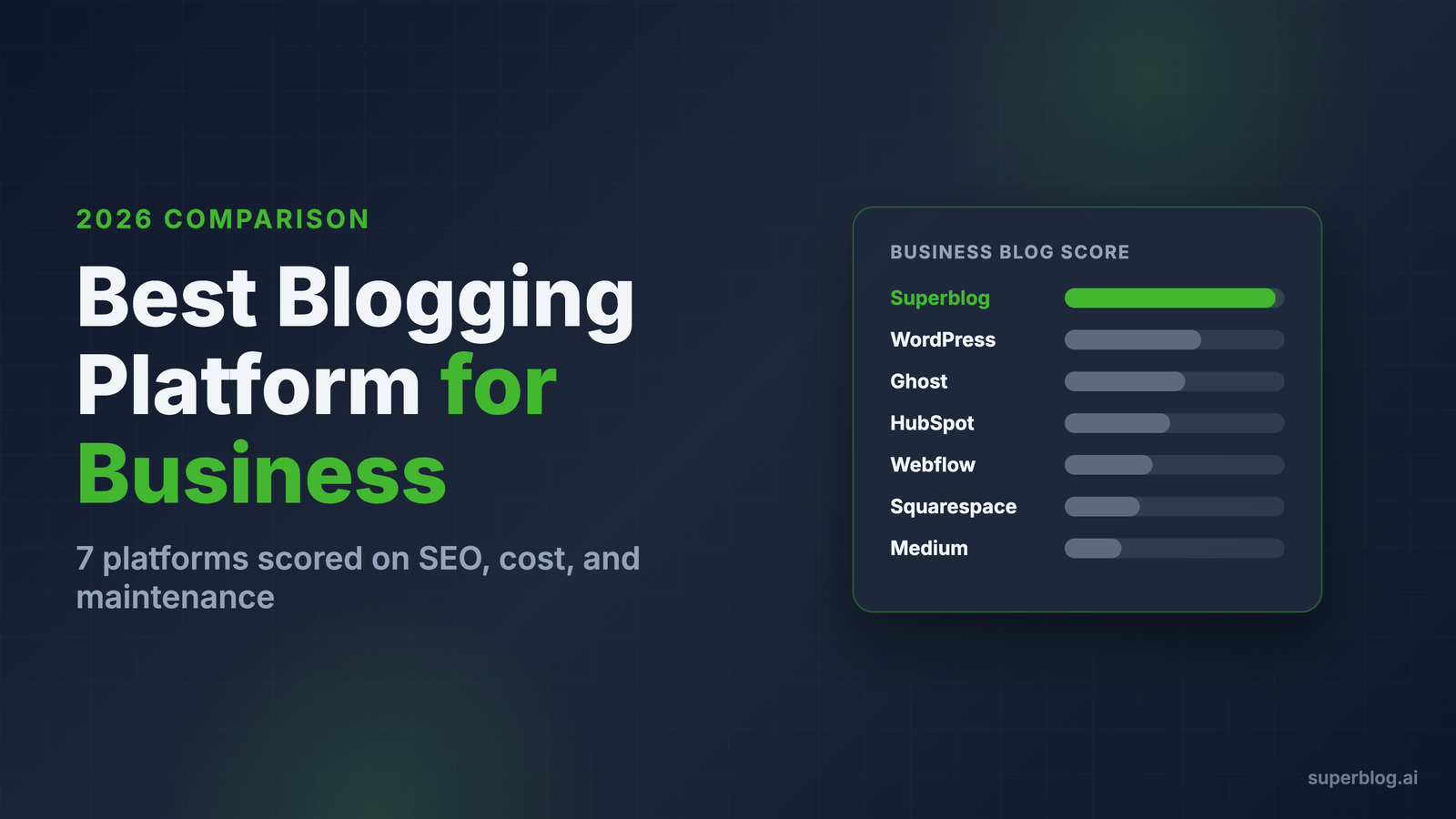
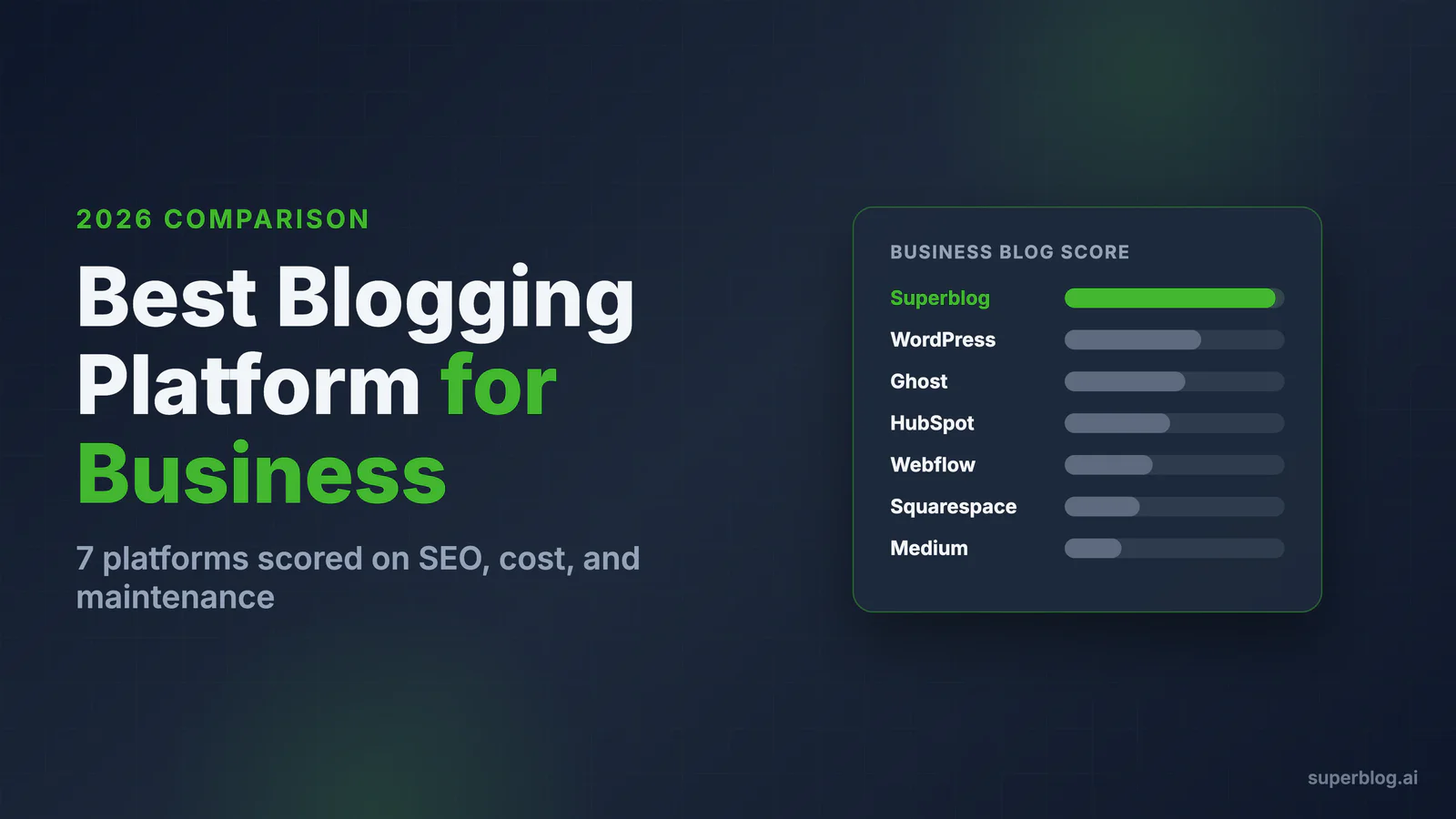
The best blogging platform for a business is the one that ranks your content, runs itself, and connects to your existing website without a rebuild. For most companies that means Superblog or a well-maintained WordPress install; for specific situations it means Ghost, Webflow, HubSpot, Squarespace, or Medium.
This comparison judges all seven through a business lens, not a hobbyist one. A personal blog can tolerate slow pages and weekend maintenance. A business blog exists to produce pipeline, which changes every criterion that matters.
Quick verdicts if you are short on time:
- Superblog if your blog exists to rank and you want zero maintenance
- WordPress if you need unlimited customization and have someone to maintain it
- Ghost if your model is newsletters and paid memberships
- Webflow if design control across your whole site is the priority
- HubSpot if you already run your funnel on HubSpot
- Squarespace if the blog is a minor page on a small business site
- Medium only for reach experiments, never as your primary blog
What a Business Blog Actually Needs
Five criteria separate business platforms from hobbyist tools. We scored every platform against them.
1. SEO out of the box. Structured data, sitemaps, meta control, canonical URLs, clean HTML, and fast pages. Google's ranking systems reward technical quality, and pages that pass Core Web Vitals hold positions that slow pages lose. If SEO requires plugins, the platform did not do its job. Our guide to SEO blog software covers this checklist in depth.
2. Maintenance burden. Every hour spent on updates, patches, and broken plugins is an hour not spent on content. This cost hides in salaries, so most teams never total it.
3. Team workflow. Roles and permissions, review flows, scheduling, and content organization. One founder writing posts is a different product requirement than a five-person content team.
4. Subdirectory hosting. A blog at yoursite.com/blog consolidates authority with your main domain; a blog at blog.yoursite.com splits it. We covered the evidence in our subdomain vs subdirectory guide. Most platforms cannot serve a blog into an existing site's subdirectory at all, which quietly eliminates them for this use case.
5. Total cost of ownership. Subscription plus plugins plus hosting plus developer and maintenance time. The sticker price is usually the smallest number in the equation.
The Comparison at a Glance
| Platform | Entry price | SEO automation | Maintenance | Subdirectory on your domain | Built for |
|---|---|---|---|---|---|
| Superblog | $29/mo | Full (schemas, sitemaps, IndexNow, llms.txt) | None | Yes, included | Businesses ranking with content |
| WordPress | Free software + hosting | Via plugins | Constant | Yes, if same host or proxied | Full custom websites |
| Ghost | From $9/mo (Pro) | Good basics | Low (Pro) / High (self-host) | No native support | Newsletters and memberships |
| Webflow | From ~$23/mo | Manual per page | Low | Only if whole site is Webflow | Design-led marketing sites |
| HubSpot | From ~$25/mo, real features ~$450/mo | Good, tied to suite | Low | Yes, on HubSpot-hosted domains | HubSpot-centric marketing teams |
| Squarespace | From ~$16/mo | Basic | None | Only if whole site is Squarespace | Small business brochure sites |
| Medium | Free | Almost none | None | No | Reach, not ownership |
1. Superblog
Full disclosure: Superblog is our product. The facts below are verifiable, and the limitations are listed with the same weight as the strengths.
Superblog is a fully managed blogging platform: CMS, hosted frontend, CDN, SSL, and SEO engine in one product. Pages are pre-built static HTML served from 200+ edge locations, which is why every page scores 90+ on Lighthouse automatically. The SEO layer that other platforms bolt on with plugins is generated for you: JSON-LD schemas (Article, FAQ, Organization, Breadcrumb), XML sitemaps, IndexNow pings on publish, llms.txt for AI search, canonical URLs, and Open Graph tags.
The business-specific differentiator is subdirectory hosting. Your blog runs at yoursite.com/blog on any stack (Next.js, Webflow, Shopify, Framer, plain nginx), so blog authority accrues to the domain that sells your product. Team features cover roles (Admin, Editor, Author), post assignment, collaborative review, and scheduling. Migration from WordPress, Ghost, Medium, Webflow, and others is one click, and URL slugs are preserved so rankings survive the move.
Strengths:
- 90+ Lighthouse scores on every page with zero performance work
- SEO automation built in, no plugins to buy or update
- Subdirectory hosting included at every tier
- Zero maintenance: no updates, patches, or security work, with 99.99% uptime
- Flat pricing: $29 (Basic), $49 (Pro), $99 (Super) per month
- Built-in lead capture forms and privacy-friendly analytics (Pro+)
Limitations:
- It is a blog platform, not a website builder; your main site lives elsewhere
- Template-based design with custom CSS, not a freeform visual canvas
- Plans are sized for under 100,000 pageviews per month
- No free tier (7-day trial, no credit card)
Choose Superblog if your blog's job is organic growth and you want the technical layer handled permanently.
2. WordPress
WordPress powers over 40% of the web, and for good reason: it can become anything. For a business blog, that flexibility is both the pitch and the problem.
The software is free, but a competitive setup is not. You will assemble hosting, a theme, an SEO plugin, caching, image optimization, backups, and security, then keep all of it updated forever. Out of the box, WordPress blogs commonly score 40-60 on Lighthouse; getting to 90+ takes real engineering time. The plugin ecosystem is also the attack surface: most WordPress compromises come through outdated plugins.
Strengths:
- Unlimited customization and ownership of everything
- Massive ecosystem: any feature exists as a plugin
- Huge talent pool of developers and agencies
- No per-seat pricing; add unlimited users
Limitations:
- Maintenance never ends: core, theme, and plugin updates, PHP upgrades, security patches
- Performance requires ongoing tuning and still degrades as plugins accumulate
- Real cost is hosting + premium plugins + developer hours; our WordPress maintenance cost breakdown puts numbers on it
- Security is your responsibility, and the attack surface is large
Choose WordPress if you need deep customization or complex site functionality and have dedicated technical ownership. If you are already on it and tired of it, migrating away from WordPress is a one-click import on most modern platforms.
3. Ghost
Ghost is an open-source publishing platform built around one model: turn readers into newsletter subscribers and paying members. Inside that model it is excellent. The editor is clean, pages are fast, and memberships plus email are native rather than bolted on.
The friction for business blogs is architectural. Ghost has no native subdirectory hosting, so your blog lives on a subdomain and its authority stays separate from your main domain. Managed Ghost(Pro) starts at $9/mo but scales with staff users and member counts, and self-hosting means running your own server, updates, and backups.
Strengths:
- Fast, clean, focused writing and publishing experience
- Native newsletters, memberships, and paid subscriptions
- Open source with a self-host option
- Solid SEO fundamentals without plugins
Limitations:
- No native subdirectory hosting for an existing site
- Pricing climbs with staff seats and audience size
- Self-hosting recreates the WordPress maintenance problem
- Creator-oriented roadmap; team workflow features are thinner
Choose Ghost if your revenue model is subscriptions and email, not organic search into a product funnel.
4. Webflow
Webflow is a visual development platform, and its blog is a CMS collection inside your Webflow site. If your entire marketing site is on Webflow, the blog shares the domain naturally and the design control is unmatched.
As a blogging workflow, it is heavier than it looks. Every SEO field is manual per page, the editor is built for designers rather than writers, and content teams routinely bottleneck on whoever owns the Webflow project. CMS plans start around $23/mo billed annually, with per-seat costs stacking as the team grows.
If your site already runs on Webflow, check the Webflow CMS limits before building the blog inside it.
Strengths:
- Total design control without writing code
- Blog lives on your primary domain if your site is Webflow
- Clean generated markup and good hosting performance
Limitations:
- No SEO automation: schemas, meta, and Open Graph are manual work
- Writer-hostile editor; designed for page building, not publishing volume
- CMS item limits and seat pricing punish scale
- Useless as a blog layer for a site hosted anywhere else
Choose Webflow if design differentiation is the priority and your publishing volume is modest. Many Webflow-based companies pair the site with a dedicated blog platform on /blog instead.
5. HubSpot
HubSpot's blog is one module of its Content Hub, which is one wing of its CRM suite. The integration is the entire argument: blog posts, landing pages, forms, email, and attribution reporting share one database, so proving content ROI is genuinely simpler here than anywhere else.
You pay for that integration. Content Hub Starter is around $25/mo, but the features content teams actually want (smart content, serious reporting, more seats) sit in Professional at roughly $450/mo. The blog itself is competent rather than exceptional: templates are dated, performance is average, and you are adopting an ecosystem, not a blog tool.
Strengths:
- Native attribution from blog post to closed revenue
- Solid team workflow: approvals, scheduling, calendars
- One vendor for blog, email, forms, and CRM
Limitations:
- Expensive at the tier where it becomes genuinely useful
- Average page performance and design flexibility
- Deep lock-in; leaving HubSpot means migrating your funnel, not just your blog
Choose HubSpot if your marketing already runs on HubSpot and closed-loop reporting outweighs per-page quality.
6. Squarespace
Squarespace is a website builder with a blog feature, and that ordering matters. For a restaurant, studio, or local firm that needs a beautiful five-page site with occasional posts, it delivers with zero maintenance. Plans start around $16/mo billed annually.
As a growth channel, it runs out of road quickly. SEO controls are basic, there is no structured data control or IndexNow, pages carry builder overhead that hurts Core Web Vitals, and the blog cannot be attached to a site hosted elsewhere. Team roles are minimal.
Strengths:
- Polished templates with no technical skill required
- All-in-one simplicity for small business sites
- Predictable low cost, nothing to maintain
Limitations:
- Basic SEO with no automation or schema control
- Middling performance scores under builder overhead
- Weak team workflow; built for one or two editors
- Blog cannot serve an existing non-Squarespace site
Choose Squarespace if the website is the product and the blog is an accessory, not an acquisition channel.
7. Medium
Medium gives you an audience network and a pleasant editor for free. That is the whole trade: in exchange, you build your content asset on land you do not own.
For a business, the problems compound. Readers on Medium are Medium's users, not your leads; the platform surrounds your posts with prompts to follow other writers and its own subscription. Custom domains exist, but SEO control is minimal, there is no subdirectory option, no lead capture, and no analytics worth the name. Distribution depends on Medium's algorithm, which you do not control and which changes without notice.
Strengths:
- Free, with zero setup or maintenance
- Built-in distribution to Medium's reader network
- Clean, fast writing experience
Limitations:
- You do not own the audience relationship or the traffic
- Minimal SEO control and no structured data
- No lead generation, no team workflow, no real analytics
- Platform risk: your reach is rented from Medium's algorithm
Choose Medium if you want to test topics or syndicate content for reach. Set canonical URLs back to your own blog and treat it strictly as a distribution channel. If you want a platform built for ownership instead, our roundup of Medium alternatives compares the options.
The Real Math: Total Cost of Ownership
Sticker prices mislead because the platforms bundle different amounts of work. A realistic monthly picture for a growing business blog:
- WordPress: $20-50 managed hosting + $20-60 in premium plugins + several hours of maintenance and firefighting each month. With even a few developer hours at market rates, real cost lands in the hundreds per month.
- HubSpot: $450/mo at the Professional tier where the feature set becomes competitive.
- Webflow: ~$23/mo plus seats, plus recurring designer or developer time for every SEO and template change.
- Ghost, Squarespace: $9-25/mo, cheap and stable, but you accept their structural ceilings (no subdirectory, limited SEO control).
- Superblog: $29-99/mo flat, with hosting, CDN, SSL, SEO automation, and all maintenance included. The line item is the whole cost.
The pattern: platforms are either cheap with a growth ceiling, capable with a labor bill, or capable with a flat fee. Decide which of the three you are buying.
How to Decide in Three Questions
Is the blog a growth channel or a checkbox? A checkbox can live on Squarespace or your website builder's native blog. A growth channel deserves dedicated infrastructure; see our deeper dive on what a blog CMS needs to do for a business.
Do you have someone to maintain it? If nobody owns updates and performance, self-hosted WordPress will decay. Choose a managed platform and spend the salary on writers.
Does it need to live on your existing domain? If your site runs on Next.js, Shopify, Webflow, or anything else and you want yoursite.com/blog, your realistic options narrow to WordPress-with-engineering or a subdirectory-native platform like Superblog.
For the broader market overview including creator platforms, our best blogging platform guide covers the full field.
Bottom Line
For a business whose blog exists to rank and convert, the shortlist is short. WordPress wins on flexibility and pays for it in maintenance. HubSpot wins on attribution and pays for it in price. Ghost, Webflow, Squarespace, and Medium each win inside a niche that is not "SEO-driven business blog."
Superblog was built for exactly that remaining case: 90+ Lighthouse scores, automated schemas and sitemaps, IndexNow and llms.txt, subdirectory hosting on your domain, and nothing to maintain, at a flat $29 per month. Start the 7-day free trial, import your existing blog in one click, and compare the Lighthouse scores yourself.
Your blog, without the maintenance
Fast pages, automatic SEO, no plugins to patch. Runs on yoursite.com/blog.
Sai Krishna is the Founder and CEO of Superblog. Having built multiple products that scaled to tens of millions of users with only SEO and ASO, Sai Krishna is now building a blogging platform to help others grow organically.
superblog
Superblog is a blazing fast blogging platform for beautiful reading and writing experiences. Superblog takes care of SEO audits and site optimizations automatically.