
Best Blogging Platform for Beginners 2026: 11 Options Ranked by Setup Time

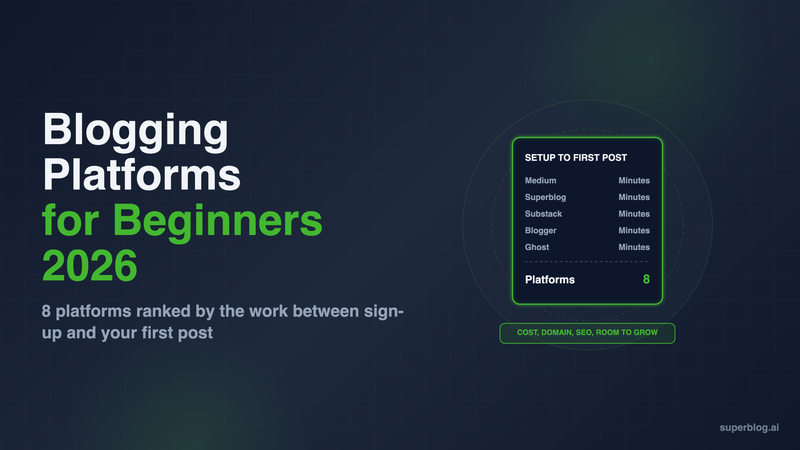
The best blogging platform for beginners is the one that gets your first post live today and does not need replacing in a year. For a personal blog, that is Medium, Substack or Blogger, all free and live in minutes. For a business owner starting a company blog, it is Superblog: live in about a minute on a free address, with SEO handled on every post and your own domain on every paid plan.
Prices below are US list prices as of November 2026.
What a beginner platform has to get right
A beginner platform has to get five things right, starting with the work between signing up and a published post.
- Steps to the first post. How many decisions you have to make before you can write: a template, a site layout, a theme, a plan.
- Steps to your own domain. What it takes, and costs, to move from the platform's address to yourname.com.
- SEO done for you. Sitemaps, structured data and search-engine pings that happen on publish, with no plugin to configure.
- Cost per year. The cash cost of running the blog on a custom domain, not the promo price.
- Room to grow. Whether the platform still works when you post every week, add a writer, or want to move.
Setup times are estimates for a first-timer, in two bands: minutes and under an hour. A band counts only the decisions before the first post. Connecting a domain is criterion 2. Within a band, the platform that asks for fewer decisions ranks higher, then the one that covers more of the other four criteria.
Blogging platforms for beginners at a glance
A .com domain costs about $12 a year at a registrar such as Porkbun, so add that wherever the table says "plus the domain".
1. Medium
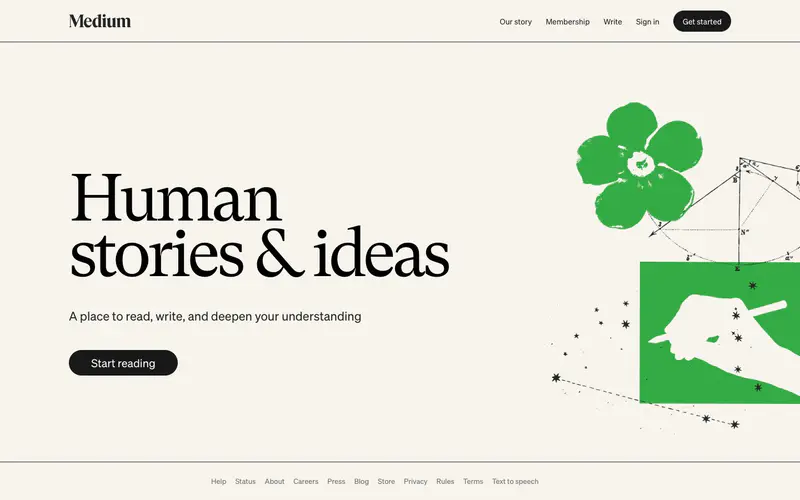
Setup to first post: minutes. There is no blog to create. You open an account and write a story.
Cost: $0 to write. Connecting yourname.com takes an active membership, which costs $50 a year (or $5 a month).
What it does for you: Medium has a built-in reading audience, so a first post can find readers without any SEO work on your side.
Where it stops: your posts live on medium.com and build Medium's search authority, not yours. Medium's help center says it "limits content that is made available to third-party search engines", and its custom domain guide rules out a folder address like yourdomain.com/blog. The design and layout belong to Medium.
Choose it if: you want to find out whether you enjoy writing before you set anything up.
2. Superblog
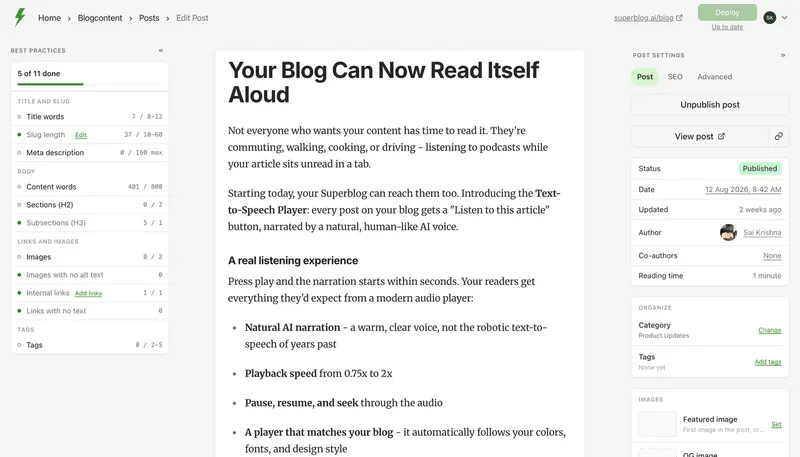
Setup to first post: minutes. You create a blog, it goes live on a free superblog.click address, and you start writing. There is no theme to build and no plugin to install.
Cost: Pro is $49/month ($530 billed yearly) and Super is $99/month ($1,070 billed yearly). Start with a 7-day free trial, no credit card required. A 30-day money-back guarantee applies.
What it does for you:
- SEO runs on publish. Each post ships with JSON-LD schema, an entry in the XML sitemap, an IndexNow ping to Bing and other engines, a canonical URL and Open Graph tags. The blog also gets an llms.txt index and a markdown version of every post, so ChatGPT and Claude can find and quote it.
- Fast without tuning. Every page is built ahead of time and delivered from 200+ CDN edge locations, with images turned into WebP. Lighthouse scores land at 90+ on every page.
- Your domain on every paid plan. A custom domain, blog.yoursite.com or yoursite.com/blog, with SSL handled.
- A next step for readers. Lead forms sit under a post, in the sidebar, or open as a pop-up, with no form tool to add.
Where it stops: Superblog is a paid product built for business blogs. A hobby blogger gets a free custom domain on Blogger and a $48-a-year one on WordPress.com, and does not need lead forms or a /blog route. Charging readers is not something Superblog does. There are no paid subscriptions or paywalled posts, so Substack or Ghost fits a writer who wants paying subscribers.
Choose it if: the blog is for a business and should bring in search traffic from the first post.
3. Substack

Setup to first post: minutes. You name the publication, write, and every post goes out as an email as well as a web page.
Cost: free to publish. Moving to your own domain is a one-time $50 fee. If readers pay, Substack says the writer gets to "keep 90% of their revenue minus credit card fees."
What it does for you: the email list. Every reader who subscribes gets your next post in their inbox, which no other free option here does as well.
Where it stops: in Substack's own words: "Some SEO features, such as sitemaps and Google Search Console verification, become available as your publication grows." A publication that just launched should expect to wait for them.
Choose it if: the newsletter is the point and search traffic comes second.
4. Blogger

Setup to first post: minutes. Google's Blogger overview lets you "get a blogspot.com domain or buy a custom domain with just a few clicks."
Cost: $0. Blogger has no paid plans. The only bill is the domain itself. HTTPS on that domain is covered too, since Blogger creates and renews the certificate.
What it does for you: a real domain for free, with Google AdSense available if you want ads on your posts.
Where it stops: templates and features are built for personal publishing. A blog that needs lead capture or a team workflow outgrows it.
Choose it if: you want a personal blog on your own domain and want to spend nothing.
5. Ghost(Pro) Starter

Setup to first post: minutes. Starter uses Ghost's built-in default theme only, so there is no theme to choose before you write. A custom domain comes later, through a CNAME record.
Cost: $15/month billed yearly ($180 a year) or $18 month to month. Every Ghost(Pro) plan includes a free .link domain for the first year.
What it does for you: a clean editor and a newsletter in the same product. New Ghost sites ship with IndexNow and llms.txt switched on.
Where it stops: Starter has 1 staff user, no custom themes and no paid subscriptions. Paid memberships start on Publisher at $29/month billed yearly. Our Ghost pricing breakdown walks through each tier.
Choose it if: you want a blog and a newsletter in one place and plan to charge readers later.
6. WordPress.com
Setup to first post: under an hour. You pick a domain, a plan and a theme, and on a paid plan you can add plugins. Each choice is a decision a beginner has to make.
Cost: the Free plan gives you a wordpress.com subdomain and 1 GB of storage, with WordPress.com ads shown to your visitors. Personal is $4/month billed yearly ($48 a year) or $9 month to month, removes the ads and includes a free custom domain for the first year on yearly billing.
What it does for you: the largest theme and plugin ecosystem of any option here. Every paid plan can install plugins.
Where it stops: Search setup is your job: you pick an SEO plugin, then fill in its settings yourself. Our WordPress pricing guide shows how the bill grows as plugins are added.
Choose it if: you want the lowest paid price for your own domain and are willing to learn how WordPress works.
7. Wix

Setup to first post: under an hour. Wix is a website builder first. You pick a template, lay out the site, then add the blog.
Cost: a free plan exists on a wixsite.com address with Wix branding and sometimes ads. A custom domain needs a paid plan. Light is $17/month billed yearly ($204 a year).
What it does for you: a full website and a blog in one editor, with IndexNow pings on Premium plans.
Where it stops: every post address includes /post/ (Wix lets you change the word, never drop it). Wix's help center also says: "Currently, it is not possible to export blog posts to other platforms." Leaving later means using a platform that imports straight from Wix. Superblog's importer reads Wix through an API token and keeps each post's slug.
Choose it if: you need a whole website, not only a blog, and want to build it yourself.
8. Squarespace

Setup to first post: under an hour. Like Wix, you choose a template and build the site before the blog matters.
Cost: no free plan, and a 14-day trial. Basic is $19/month billed yearly ($228 a year) or $25 month to month. Every plan includes a custom domain, free for the first year on annual billing.
What it does for you: templates that look professional with no design work, and a sitemap generated automatically.
Where it stops: Squarespace builds the sitemap and you cannot change it. Its llms.txt is a blank box on 7.1 sites: you type the file yourself and keep it current.
Choose it if: your blog is also a portfolio and how it looks matters most.
9. Hostinger Website Builder
Setup to first post: under an hour. You describe the site and Hostinger generates a draft, or you start from one of its 450+ templates, then adjust it with drag-and-drop. A blog is one of the site types it offers.
Cost: Premium renews at $10.99/month on a four-year term, about $132 a year. Hostinger sells the first term at a steep discount, but only when you pay for up to four years up front. A custom domain is free for the first year.
What it does for you: hosting, a domain, SEO tools and email on one bill. Premium covers up to 3 websites, with 2 mailboxes per site free for the first year.
Where it stops: the lowest first-term price needs four years paid at once. The page lists "SEO tools" without saying which run on each post, so check before you count on them.
Choose it if: you want a small website, hosting and email on one bill and are happy to prepay for several years.
10. Weebly

Setup to first post: under an hour. Weebly is a drag-and-drop site builder owned by Square. You pick a theme, build the pages, then add a blog.
Cost: the Free plan shows Square ads. Personal connects your own domain for $13/month billed annually ($156 a year) or $16 month to month, but the ads stay. Professional, at $15/month billed annually ($180 a year), removes them and includes a domain for the first year.
What it does for you: drag-and-drop blog pages, built-in SEO tools and an online store in the same account.
Where it stops: a business blog needs Professional to lose the Square ads, which puts it near Wix Light in yearly cost.
Choose it if: you want a plain site, a blog and a small store in one place.
11. WordPress.org (self-hosted)
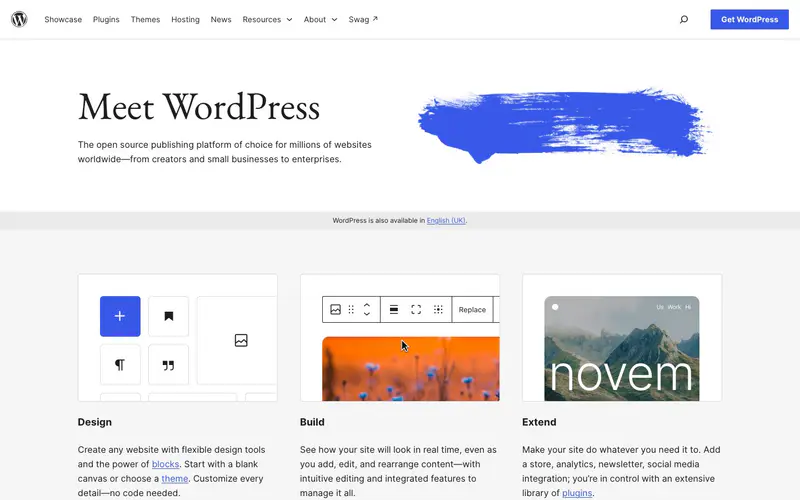
Setup to first post: under an hour with a host that installs WordPress for you. It asks for the most decisions here: a host, a plan, a theme, then plugins.
Cost: the software is free and you pay a host. Hostinger, one of the hosts on WordPress.org's hosting page, renews its Premium WordPress plan at $10.99/month on a four-year term. That is about $132 a year, with the domain free in year one. First-term sale prices run lower but need the full term paid up front.
What it does for you: full control. Any theme, any plugin, and a site you can move to another host whenever you like.
Where it stops: you are the administrator. Updates to WordPress, the theme and each plugin are yours, and so is the SEO setup. If the upkeep gets old, Superblog's importer reads WordPress posts through the REST API and keeps their slugs.
Choose it if: you want to learn how a website runs and enjoy maintaining one.
Starting a company blog as a business owner
A business owner's first blog has a different job from a personal one. It has to bring people who search for what you sell back to your website. That changes three of the criteria.
- The domain is not optional. A company blog should sit at yoursite.com/blog, where every post adds authority to the site customers already visit.
- SEO has to happen without you. A business owner will not configure a sitemap plugin. Schema, sitemaps and search-engine pings should run on publish.
- Readers need a next step. A form below the post turns a reader into an enquiry.
If you already have a site on Wix or Squarespace, keep it. The builder cannot hand /blog to another service on its own, so a free Cloudflare Worker sits in front of the domain. Requests for /blog go to Superblog, and everything else reaches your current site as before. Superblog's dashboard writes the Worker code, and Cloudflare's free tier allows 100,000 requests daily. Connecting /blog requires a paid Superblog plan.
If you have no website yet, start with Wix or Squarespace and use the blog that comes with it. Move the blog to a dedicated platform when it needs to win search traffic.
For a deeper comparison built around local service firms and shops, read our blogging platform guide for small business.
How to start a blog: pick the platform in four questions
- Is this a hobby or a business? Hobby: Blogger if you want your own domain for $0, Medium if you want readers first. Business: Superblog.
- Is the newsletter the product? Substack, or Ghost(Pro) if you plan to charge readers.
- Do you need a whole website, not only a blog? Wix, Squarespace, Weebly or Hostinger's builder, accepting the SEO limits above. Self-hosted WordPress if you want to run the whole stack yourself.
- Do you want to spend nothing at all? Our free blogging platforms comparison covers every free tier and where each one stops.
For a guided version of these questions, try our blogging platform chooser.
Once you have picked, the next decisions are what to write and how often. These blog writing examples show posts that rank, and our guide on how often to blog sets a realistic schedule. For the full field, including developer and enterprise tools, see our blogging platform roundup.
FAQ
What is the easiest blogging platform to start on?
Medium, because there is no blog to set up before you write.
Which blogging platform for beginners is free with a custom domain?
Blogger.
What is the cheapest paid option for a beginner?
WordPress.com Personal, at $48 a year billed yearly.
What is the best blogging platform for beginners starting a business blog?
Superblog, at $49/month (Pro), with a 7-day free trial and no credit card required.
Can I switch platforms later?
Yes. Wix has no blog export, so its posts move only through an importer that reads Wix directly, such as Superblog's.
Do I need to know code to start a blog?
No. None of the eleven platforms here requires code.
Your blog, without the maintenance
Fast pages, automatic SEO, no plugins to patch. Runs on yoursite.com/blog.
Sai Krishna is the Founder and CEO of Superblog. Having built multiple products that scaled to tens of millions of users with only SEO and ASO, Sai Krishna is now building a blogging platform to help others grow organically.
superblog
Superblog is a blazing fast blogging platform for beautiful reading and writing experiences. Superblog takes care of SEO audits and site optimizations automatically.