
Best Blog Platform for AI Startups 2026: 9 Options for Search and AI Answers

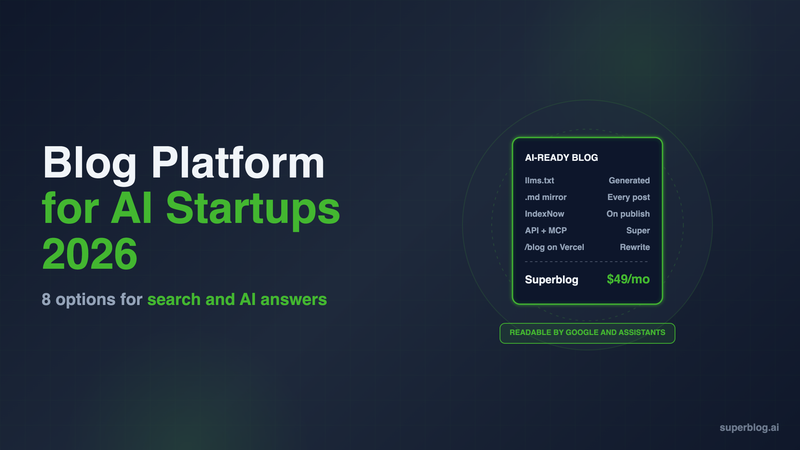
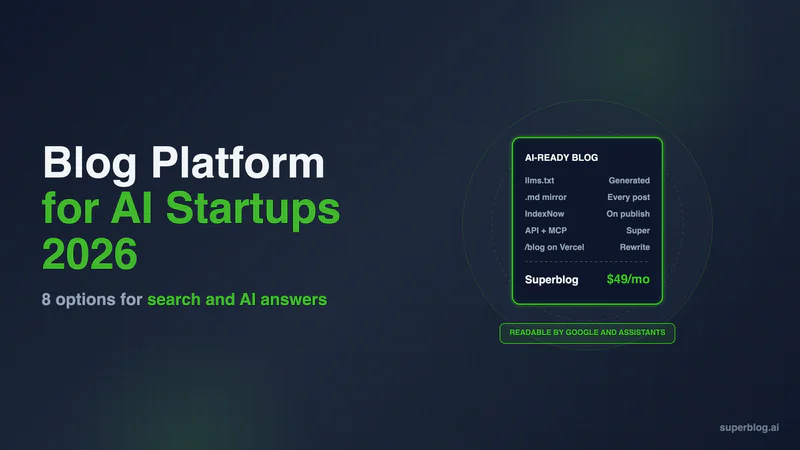
The right blog platform for an AI startup is one that AI assistants and Google can both read without work from your team: server-rendered pages at yoursite.com/blog, an llms.txt index, a plain-markdown copy of every post, and an API your agents can draft into. Superblog handles the first three on Pro at $49/month, and adds the API and MCP on Super at $99/month. Ghost, Webflow, Framer, WordPress, Sanity, Payload, Hashnode and Mintlify each cover part of the list, and this guide shows which part.
We compared 9 options on the five criteria that matter when your buyers find you in Google, ChatGPT, Claude and Google AI Overviews. Every competitor fact was checked on the vendor's own site in November 2026.
What an AI startup needs from a blog platform
An AI startup's buyers search the way your product works: they ask an assistant. So the blog has to work for machines as well as people. Five criteria decide it.
- AI-crawler readiness. Posts should be server-rendered HTML at stable URLs, listed in an llms.txt file, available as plain markdown, and marked up with structured data. The platform should not block AI crawlers by default, and it should ping search engines through IndexNow when you publish. Our AI crawlers guide covers which bots matter, and how llms.txt works in AI search covers the index file.
- Speed. Fast pages rank and get crawled more often. The platform should be fast without a performance project.
- /blog on the product domain. Most AI startups run the product and marketing site on Next.js, usually on Vercel. The blog should sit at yoursite.com/blog so every post builds the same domain.
- Automation with human review. Many teams have an agent write first drafts. The platform needs an API or an MCP server that creates drafts, plus a review step before anything goes live.
- A tiny team. Nobody at a 6-person startup should own blog infrastructure. Setup should take an afternoon, not a sprint.
AI startup blog platforms at a glance
1. Superblog

Superblog is a fully managed blog platform: CMS, hosted frontend, CDN and SEO engine in one product. It serves the blog next to your app instead of inside it.
How it fits an AI startup. On Vercel or Next.js, you add a rewrite rule and Superblog serves yoursite.com/blog. Your app is not modified and nothing is rebuilt. If the marketing site runs on Webflow, a free Cloudflare Worker sends /blog to Superblog and every other path to Webflow. On Framer, that Worker route needs Framer Pro with Advanced Hosting ($200/month billed yearly) or Enterprise, so blog.yoursite.com is the route that works on any Framer plan. Subdirectory hosting is on every paid plan.
AI-crawler readiness. Every post is a pre-built HTML page served from 200+ CDN locations. Superblog generates llms.txt at your blog's root (yoursite.com/blog/llms.txt for a /blog install) and updates it on every deploy. Each post is also served as plain markdown at its own URL plus .md, and llms.txt points at those files. AI assistants read that stack (HTML, markdown mirror, index) to find and cite your posts, which gives a new blog a fair shot at being quoted. JSON-LD schema (Article, FAQ, Organization) and XML sitemaps generate on publish, and IndexNow notifies search engines the moment a post goes live. A separate setting blocks GPTBot in robots.txt if you want that.
Automation. Super adds the REST API and MCP integration. An agent in Claude Code or Codex can create a post, update it and schedule it, while your team reviews it in the editor first. Our guide to automating a blog with Claude, Codex and MCP walks through the setup. The editor also suggests internal links as you write.
Strengths: 90+ Lighthouse on every page, team roles (Admin, Editor, Writer) with collaborative review and scheduled posts on Pro, and built-in lead forms below posts, in the sidebar or as pop-ups.
Limits: It is a blog platform, not a website builder. Design is template-based with color, font and custom CSS controls. Each plan lists up to 100,000 pageviews a month. Going over does not cap or slow the blog, and a blog that keeps growing moves to a larger plan. The API and MCP need Super, not Pro.
Pricing: $49/month (Pro, up to 1,000 posts, 5 team members) or $99/month (Super, up to 10,000 posts, 10 team members, API, MCP, Zapier and multilingual SEO). Yearly is $530 and $1,070. There is a 7-day free trial, no credit card required.
Choose it if you want a blog at /blog that AI assistants can read on day one, with agent-written drafts and no one on your team running it.
2. Ghost

Ghost is a fast publishing platform built around newsletters and memberships, and its AI-search defaults are now good. IndexNow has been on by default since v6.45, and llms.txt is on for new sites. With it on, every post is also served as Markdown at its URL plus .md, alongside llms-full.txt.
Strengths: an excellent editor, native newsletters and member signups, and an open-source self-host option. The Admin API lets a script or agent create posts through a custom integration.
Limits for an AI startup: custom integrations, the Admin API and Zapier start on Publisher ($29/month yearly), not Starter. Ghost(Pro) runs on a root domain or subdomain. A subdirectory like yoursite.com/blog needs the $199/month Business plan, a $50/month add-on and a reverse proxy you run yourself. Its forms collect newsletter members, not demo requests.
Pricing: Starter $15/month, Publisher $29/month, Business $199/month, all billed yearly.
Choose it if the blog is really a newsletter and a subdomain is fine.
3. Webflow

Webflow is a strong visual builder, and many startup marketing sites run on it. When the whole site is Webflow, its CMS runs a blog well.
Strengths: design control, a visual CMS your marketers can use, and an official MCP server that can update CMS items in bulk and publish or unpublish them. You can upload an llms.txt file in the site's SEO settings, and Webflow serves it at the domain root.
Limits for an AI startup: Webflow serves the file you upload. It does not generate it, so someone has to write llms.txt and keep it current as posts go out. Markdown for AI agents, which converts pages to Markdown for LLM requests, is available only on Enterprise sites. If your product runs on Next.js and the blog has to share its domain, Webflow sells reverse proxy setup as an Enterprise service; otherwise your team maintains the proxy.
Pricing: Premium is $25/month billed yearly. Basic has no CMS, so it cannot run a blog.
Choose it if your marketing site already runs on Webflow and its designers will run the blog.
4. Framer

Framer builds fast, polished marketing sites and is popular with AI startups for launch pages. Its CMS handles a small blog.
Strengths: strong design, a visual CMS, an official MCP server that lets Claude, Codex and Cursor work on the canvas and CMS (it publishes only when you ask), and a markdown version of every optimized page served to AI agents automatically.
Limits for an AI startup: llms.txt is a file you write and upload under Site Settings, and Framer offers file hosting only on Pro and Enterprise. Pro caps the CMS at 2,500 items unless you buy add-ons. Putting a Framer site under your app's domain needs Pro with the Advanced Hosting add-on or Enterprise, because that is where Framer allows reverse proxying.
Pricing: Pro is $30/month at the yearly rate. Advanced Hosting adds $200/month on Pro, billed yearly.
Choose it if the whole marketing site is on Framer and the blog stays small.
5. WordPress
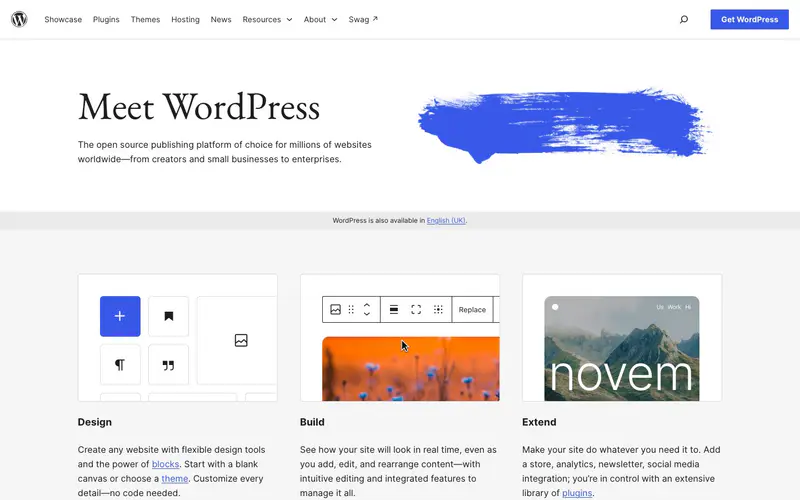
WordPress can do anything with enough plugins, including the AI-search basics.
Strengths: the free Yoast SEO plugin generates llms.txt, Bing's IndexNow plugin submits new and updated URLs automatically, and the REST API lets an agent create posts.
Limits for an AI startup: every one of those features is a plugin that someone updates. On a Next.js app, WordPress cannot sit at /blog by itself. You run a reverse proxy to a separate host or build a headless frontend on the API, and both are engineering projects. A default theme is fast. Real business sites slow down as page builders, plugins and tracking tags pile up.
Pricing: The software is free. Managed hosting such as Kinsta starts at $35/month, or $30/month paid annually, before plugins and developer time.
Choose it if you already run WordPress and have someone who owns its maintenance.
6. Sanity (headless CMS)

Sanity stores content and serves it through an API, and your engineers render the blog inside your own Next.js app.
Strengths: the strongest agent workflow on this list for teams that build. Sanity's official MCP server creates documents as drafts, sends edits to the draft instead of published content, and publishes only when told to. That is human review built into the tool. /blog is just another route in your app.
Limits for an AI startup: a headless CMS does not render pages. llms.txt, markdown copies, schema, sitemaps, IndexNow pings, previews and forms are code your team writes and maintains. A tiny team pays for that in engineering hours every month.
Pricing: Free for up to 20 seats and 10k documents. Growth is $15 per seat per month.
Choose it if you have frontend engineers who want to own the blog as part of the app.
7. Payload

Payload is an open-source CMS that installs inside a Next.js app. The admin panel and the content API ship in the same codebase as your product, which is why Next.js teams shortlist it.
Strengths: MIT licensed, so there is no license fee. You define collections in TypeScript, and Payload generates REST and GraphQL APIs from that config. Its official MCP plugin (@payloadcms/plugin-mcp) lets you allow or block find, create, update and delete for each collection, so an agent gets only the access you grant.
Limits for an AI startup: like Sanity, Payload renders nothing for you. Post templates, llms.txt, markdown copies, schema, sitemaps and IndexNow pings are code your team writes. You also run the database, file storage and hosting, and keep the app current as Payload and Next.js ship updates.
Pricing: Free and open source. Your costs are the database, storage and hosting.
Choose it if your engineers want the blog inside the Next.js codebase and would rather own the CMS than pay a vendor.
8. Hashnode
Hashnode is a hosted developer blog with an API-first setup and a developer audience attached.
Strengths: Pro ($5 per seat per month) includes a custom domain, the headless GraphQL API and MCP, a CLI and an agent skill. Growth ($34 per publication per month) adds llms.txt and tracking of citations in four AI assistants.
Limits for an AI startup: a hosted Hashnode blog runs on a domain or subdomain. To put it at yoursite.com/blog, Hashnode points you to its Blog Starter Kit, a Next.js frontend whose README says it "can be deployed anywhere, including a subpath of a custom domain". You then host and maintain that frontend. llms.txt is a Growth feature, not Pro.
Pricing: Free, Pro $5 per seat per month, Growth $34 per publication per month.
Choose it if the blog is aimed at developers and a subdomain is acceptable.
9. Mintlify (for docs, not the blog)

Mintlify is a documentation platform, and many AI startups already use it for docs.
Strengths: Mintlify generates llms.txt and llms-full.txt, serves every page as Markdown at a .md URL, and includes a hosted MCP server that connects your docs to your users' AI tools. Content lives in Git as Markdown or MDX.
Limits for an AI startup: Mintlify's pricing page lists documentation features and no blog product. Posts written for buyers (comparisons, use cases, pricing explainers) need a separate home.
Pricing: Starter is free for up to five editors. Pro is $450/month billed annually, or $540/month billed monthly.
Choose it if you need API and product docs. Pair it with a blog platform for marketing content.
How to choose a blog platform for an AI startup
Start with what your site runs on and who will maintain the blog.
- Next.js on Vercel, no engineer to spare: Superblog. A rewrite rule puts the blog at /blog, and llms.txt, markdown mirrors, schema and IndexNow run on publish.
- Agents write the first drafts: Superblog Super if you want the blog hosted for you; Sanity if engineers will build the frontend. Both let an agent create a draft that a person reviews. Payload fits engineers who want the CMS inside the Next.js app, with agent access set per collection.
- Webflow or Framer marketing site, small blog: the builder's own CMS works, with a hand-written llms.txt. Move to Superblog when you want llms.txt and markdown kept current automatically. On Webflow, a free Cloudflare Worker puts it at /blog. On Framer, use blog.yoursite.com, or /blog with Advanced Hosting or Enterprise.
- The blog is a newsletter: Ghost.
- Docs are the main AI surface: Mintlify for docs, plus a blog platform for posts.
For the writing side, see our guide to getting cited by ChatGPT. If your company is a broader SaaS business, our blogging platform for SaaS comparison adds HubSpot and DropInBlog.
FAQ
Which blog platform is right for an AI startup?
Superblog for a managed blog at /blog; Sanity or Payload if engineers will build it.
Do AI assistants read llms.txt?
Yes. It helps them find and cite your posts, alongside HTML and markdown copies.
Which platforms generate llms.txt automatically?
Superblog, Ghost (new sites), WordPress with Yoast, Hashnode Growth and Mintlify.
Can an AI agent publish to my blog?
Yes. Superblog Super, Sanity, Payload, Webflow, Framer, Hashnode Pro and Ghost Publisher all expose an API or MCP server.
Should an AI startup blog be on a subdomain or at /blog?
At /blog, on the product domain.
Does Superblog have a free trial?
Yes: a 7-day free trial, no credit card required.
Your blog, without the maintenance
Fast pages, automatic SEO, no plugins to patch. Runs on yoursite.com/blog.
Sai Krishna is the Founder and CEO of Superblog. Having built multiple products that scaled to tens of millions of users with only SEO and ASO, Sai Krishna is now building a blogging platform to help others grow organically.
superblog
Superblog is a blazing fast blogging platform for beautiful reading and writing experiences. Superblog takes care of SEO audits and site optimizations automatically.