
Blog Platform With Newsletter 2026: All-in-One or Blog Plus Email Tool?

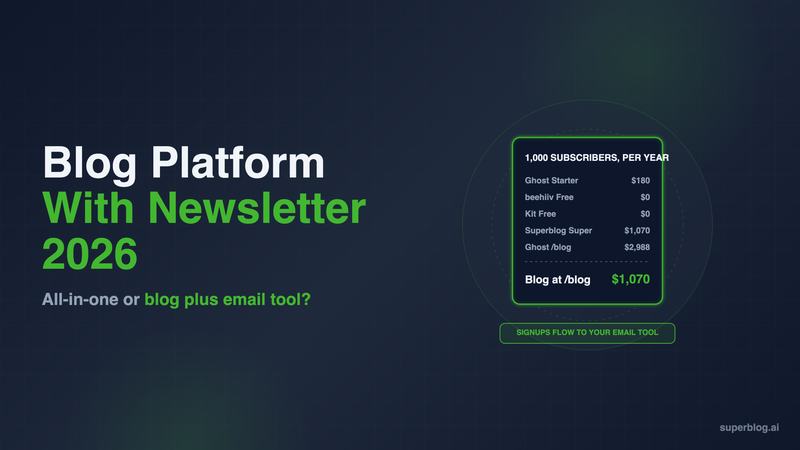

A blog platform with a newsletter comes in two models. All-in-one platforms such as Ghost, beehiiv, Substack and Kit publish posts and email them from one dashboard. The other model is a blog platform built to rank that captures signups on every post and hands them to the email tool you already pay for.
For a business, the deciding question is where the blog lives. Ghost, beehiiv, Substack and Kit run on their own domain or a subdomain by default, and Ghost(Pro) supports yoursite.com/blog only on its $199/month Business plan with a $50/month add-on and a reverse proxy you run. A blog-first platform, or WordPress when the whole site already runs on it, puts posts at yoursite.com/blog.
Every third-party price below was checked on the vendor's own page in November 2026.
Two ways to run a blog and a newsletter together
Model 1: all-in-one. One tool writes the post, publishes it to a website, and sends it to subscribers. Ghost, beehiiv, Substack and Kit work this way, and so does WordPress with the Jetpack Newsletter plugin. You get one login and one bill. Except for WordPress, the website is built around the newsletter archive, so it sits on its own domain or a subdomain such as newsletter.yoursite.com or yourname.substack.com.
Model 2: blog plus email tool. A blog platform runs the site and the SEO, and its signup forms collect email addresses. Those addresses flow into Kit, Mailchimp, MailerLite or beehiiv, which sends the email. You pay two vendors, and the blog builds authority for the domain your product pages already rank on.
Superblog is a Model 2 platform. It has built-in newsletter signup and lead forms, and on the Super plan it passes each signup to your email tool through Zapier or lead webhooks. Superblog does not send newsletters.
Which model fits depends on what the content is for. If readers pay for the newsletter, the newsletter is the product and an all-in-one is the right call. If the blog exists to bring in search traffic and leads, the blog is the product and the email list is a channel. Our Substack vs blog comparison covers that split for a company in more depth.
What a business needs from a blog and newsletter platform
These six criteria decide whether the setup grows a business, not only a list:
- The blog sits on your main domain. Posts at yoursite.com/blog add authority to the domain that sells your product. A subdomain builds authority for the subdomain.
- SEO runs without plugins. Schema, sitemaps, canonical tags and IndexNow should happen on publish.
- Signup forms on every post. Below the post, in the sidebar and as a pop-up, without a third-party embed.
- Signups reach your email tool. Through a native integration, Zapier or webhooks, with no CSV exports.
- Cost scales with what you need. Some platforms price by subscribers, some take a share of paid revenue, some charge a flat fee.
- Lead capture beyond newsletters. A business blog also collects demo requests and contact details.
Blog and newsletter platforms at a glance
1. Superblog (blog that feeds your email tool)
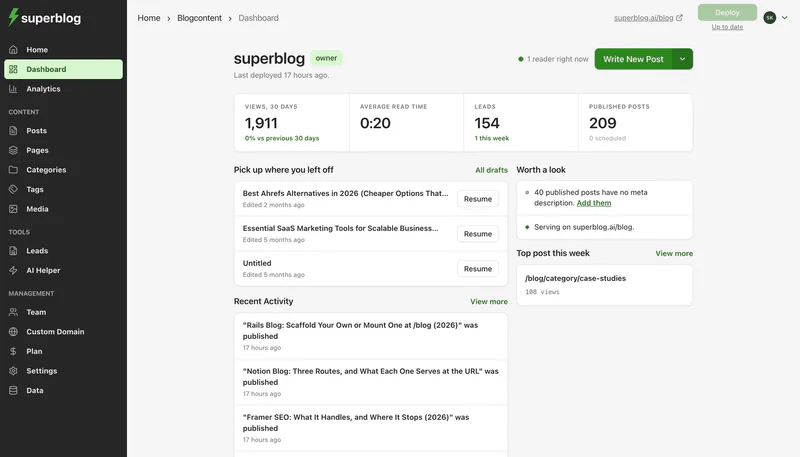
Superblog runs the company blog and leaves the sending to your email tool. The editor, blog design, CDN hosting and SEO engine come as one product, and the blog runs at yoursite.com/blog on every paid plan.
How the newsletter part works: Newsletter signup is built in. Lead forms appear below posts, in the sidebar or as pop-ups, with no third-party tool. On Super, every new signup is pushed to your email tool, either by a lead webhook or through Zapier, which connects to 5,000+ apps including Kit, Mailchimp and beehiiv. Super also adds custom form fields, so the same forms can ask for a company name or a demo request.
Strengths:
- yoursite.com/blog on every paid plan. Next.js, WordPress and most other stacks connect with a routing rule. Sites built on Wix, Squarespace or Webflow get /blog through a free Cloudflare Worker: the Worker routes /blog to Superblog, the builder keeps every other path, and the dashboard writes the Worker code for you.
- SEO on publish: JSON-LD schema (Article or BlogPosting, WebPage, Organization, ImageObject and FAQ), XML sitemaps, IndexNow, canonical URLs, Open Graph tags and llms.txt.
- 90+ Lighthouse on every page, served from 200+ CDN locations with images converted to WebP.
Limits: Superblog does not send newsletters, so you still pay for an email tool. The automatic handoff to that tool (Zapier and webhooks) is on Super, not Pro. Paid subscriptions and memberships are not part of the product.
Pricing: $49/month (Pro) or $99/month (Super). Yearly is $530 and $1,070. There is a 7-day free trial, no credit card required.
Choose it if: the blog's job is ranking for buyer searches and turning readers into leads, and you already have, or are happy to pick, an email tool.
2. Ghost

Ghost is the strongest all-in-one blog and newsletter platform.
Strengths: Unlimited email sends on every plan, multiple newsletters (1, 3 or 10 by plan) and paid memberships with 0% Ghost transaction fees. SEO defaults are good: IndexNow is on by default since v6.45, and llms.txt is on for new sites. Our Ghost review covers the product in full.
Limits for a business blog: Ghost(Pro) runs on a root domain or subdomain. A blog at yoursite.com/blog needs the Business plan, a $50/month add-on and a reverse proxy you run yourself. Paid subscriptions, Zapier and webhooks are not on Starter. Ghost's forms collect newsletter members, not demo requests. Prices rise with members: Publisher is $29/month at 1,000 members and $88/month at 10,000, billed yearly.
Pricing: Starter $15/month, Publisher $29/month, Business $199/month, all billed yearly. Starter is $18 billed monthly.
Choose it if: you sell memberships or run several newsletters, and a subdomain such as newsletter.yoursite.com is acceptable.
3. WordPress + Jetpack Newsletter
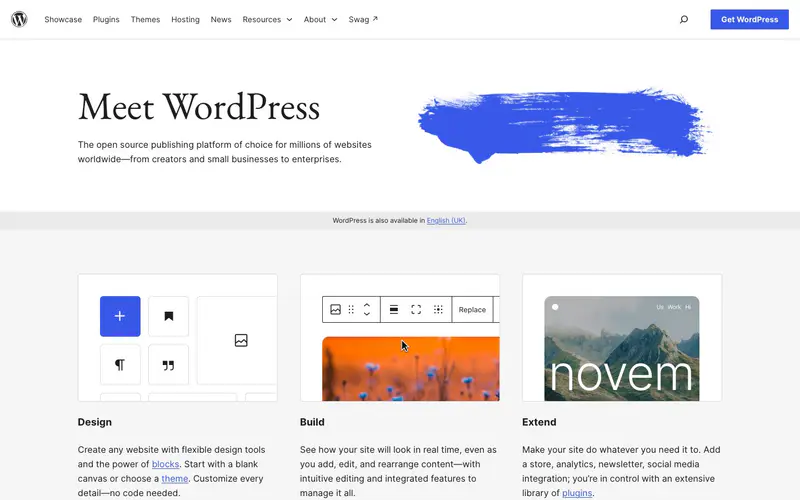
WordPress turns into a blog and newsletter platform with a plugin. Jetpack Newsletter "is free to use and is automatically included with every Jetpack install through the Subscriptions module."
Strengths: Jetpack "does not limit or charge you based on the size of your email list. A fair usage policy applies." It works on any self-hosted WordPress site, so a company site already on WordPress gets the blog at /blog and a newsletter with no new vendor.
Limits for a business blog: Paid newsletters carry fees that "range from 10% of revenue on the Free plan to 2% on the Complete plan, plus Stripe fees." The newsletter is one more plugin next to the ones for SEO, caching, security and forms, and each needs updates. A company site built on anything else needs a reverse proxy in front of it before WordPress can serve /blog.
Pricing: The software and the plugin are free. Hosted WordPress.com costs $4 (Personal), $8 (Premium) or $25 (Business) per month billed yearly.
Choose it if: WordPress already runs the company site and a developer or agency keeps its plugins patched.
4. beehiiv

beehiiv is a newsletter platform with a website builder on every plan.
Strengths: 0% take on paid subscriptions, a free plan up to 2,500 subscribers, and real SEO controls on the website: meta titles and descriptions, a post schema type, per-post JSON-LD and an automatic sitemap.
Limits for a business blog: beehiiv's help center says: "If your root domain already runs another website, such as your company site, always use a subdomain so that site keeps working." beehiiv also says proxying is not recommended for its domains. Removing beehiiv branding starts on Pro. If beehiiv already runs your newsletter, our beehiiv alternatives guide covers moving only the blog.
Pricing: Free up to 2,500 subscribers. Lite is $49/month and Pro is $95/month billed yearly at 1,000 subscribers ($59 and $109 billed monthly).
Choose it if: the newsletter is the main product and a subdomain is acceptable for the site.
5. Kit
Kit (formerly ConvertKit) is email marketing for creators, with a newsletter website included.
Strengths: The free plan covers up to 10,000 subscribers. Every plan includes a newsletter website, paid newsletters, landing pages and a custom domain. It also fits Model 2: RSS campaigns on Creator and Pro can email subscribers when a blog publishes.
Limits for a business blog: Kit's site is a home for past issues and signup pages, so posts written to rank need a separate blog. The free plan shows Kit branding.
Pricing: Free up to 10,000 subscribers. Creator is $33/month billed yearly ($390 a year) at 1,000 subscribers.
Choose it if: email is how you sell, and you want tagging and automations to move each subscriber toward a course or product.
6. Substack

Substack is a free newsletter platform with a reader app and network.
Strengths: Publishing costs nothing until you charge. Substack's network puts posts in front of readers who already use the app.
Limits for a business blog: Paid publications give up 10% of subscription revenue. Substack's own page says "Writers keep 90% of their revenue minus credit card fees." A custom domain is "a one-time $50 fee per publication," and the publication lives on that domain or yourname.substack.com, never a path on your company site. Our Substack SEO guide covers how far its search controls go, and the Substack alternatives roundup covers what to move to.
Pricing: Free to publish; 10% of paid subscription revenue.
Choose it if: you write under your own name and Substack's reader network is worth more to you than a site you control.
7. MailerLite

MailerLite is a low-cost email platform with a site builder that includes a blog feature.
Strengths: The free plan includes a website, a landing page and automations, and covers 250 subscribers and 2,500 emails a month.
Limits for a business blog: The blog is part of a basic site builder, not a home for a content program that has to rank.
Pricing: Free up to 250 subscribers. Comfort starts at $12/month.
Choose it if: you want a cheap sender, either on its own or as the email half of Model 2.
8. Mailchimp

Mailchimp sends to a customer list, not only to newsletter subscribers: campaigns, segments and automations sit in one account.
Strengths: It covers more than a newsletter, so one tool can send product announcements, onboarding and the blog digest.
Limits for a business blog: The blog still needs a home, and pricing climbs with contacts.
Pricing: Free up to 250 contacts and 500 sends a month. Standard starts at $20/month for up to 500 contacts and 6,000 emails a month.
Choose it if: the blog digest is one email among many, alongside onboarding, promotions and product news.
What each setup costs for a company blog with 1,000 subscribers
Yearly prices for a free newsletter to 1,000 subscribers.
The $0 and $180 rows put the blog on a subdomain. The WordPress row costs nothing extra only when the company site already runs on WordPress, and it adds one more plugin to maintain. Once the blog has to live on the main domain and the site is not WordPress, a blog platform paired with an email tool costs less than Ghost's Business route. Super is used because the Zapier and webhook handoff is on Super; Pro ($530 a year) still collects signups.
How to choose a blog and newsletter platform
- Decide which one is the product. If readers pay for the newsletter, choose an all-in-one: Ghost for memberships, beehiiv for growth tools, Kit for automations, Substack for the network.
- Check where the blog has to live. If it must rank on yoursite.com/blog, choose a blog platform that supports it on every paid plan, or WordPress if the whole site is already WordPress.
- Count lead capture. A business blog also collects demo requests and contact details. Newsletter tools collect subscribers only.
- Add the costs as a pair. Superblog Super plus Kit's free plan is $1,070 a year, about a third of Ghost Business with the subdirectory add-on ($2,988).
To compare blog platforms on their own, without the newsletter question, read the best blogging platform for business.
FAQ
Which blog platform with a newsletter fits a business?
Superblog paired with your email tool for a blog at /blog; Ghost if the newsletter is the product.
Does Superblog send newsletters?
No. Its built-in forms collect signups, and on Super, Zapier or webhooks send them to your email tool.
Can Ghost host a blog at yoursite.com/blog?
Only on the Business plan, with a $50/month add-on and a reverse proxy you run.
Which blog and newsletter platforms are free?
Substack, Kit (up to 10,000 subscribers), beehiiv (up to 2,500), MailerLite (up to 250) and the Jetpack Newsletter plugin for WordPress.
Can beehiiv or Substack run on my company site's /blog path?
No. beehiiv tells company sites to use a subdomain, and Substack runs on yourname.substack.com or a custom domain.
Does Superblog have a free trial?
Yes: a 7-day free trial, no credit card required.
Your blog, without the maintenance
Fast pages, automatic SEO, no plugins to patch. Runs on yoursite.com/blog.
Sai Krishna is the Founder and CEO of Superblog. Having built multiple products that scaled to tens of millions of users with only SEO and ASO, Sai Krishna is now building a blogging platform to help others grow organically.
superblog
Superblog is a blazing fast blogging platform for beautiful reading and writing experiences. Superblog takes care of SEO audits and site optimizations automatically.