
Best Blog Editors 2026: 8 Editors Compared for Writing Teams

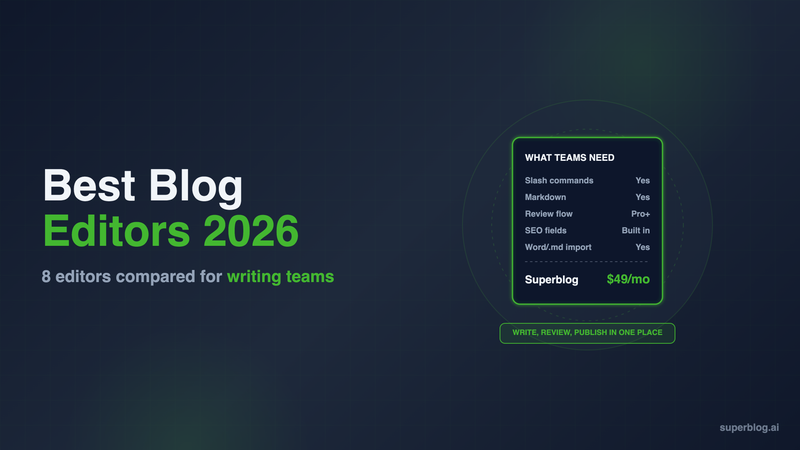
The blog editor a business team should pick depends on three things: how your writers like to draft, how a post gets reviewed before it goes live, and how much SEO help the editor gives while you write. For a company blog that runs on search traffic, Superblog puts internal link suggestions, FAQ blocks and a SERP preview inside the editor. Ghost has the cleanest pure writing experience, and WordPress Gutenberg has the most blocks.
This guide compares eight editors on the work a writing team does every week. It skips desktop apps and grammar checkers. Every editor here is attached to the place the post is published, because that is where the review, SEO and image work happens.
What a business blog team needs from an editor
A solo writer can work in almost anything. A team of three to ten people publishing every week needs more. Judge each editor on these six points:
- Writing style. Some writers want visual blocks they can click. Others want to type markdown and never touch the mouse. A good editor supports both.
- Review and roles. A writer should be able to draft without being able to publish. An editor should be able to comment and approve.
- SEO help while writing. Meta fields are the minimum. Internal link suggestions and FAQ schema save real time on every post.
- Images. Uploads should be compressed and converted for the web without a plugin.
- Getting drafts in. Most teams draft in Google Docs or Word. Check what file types the editor accepts and what happens to formatting.
- Publishing workflow. Scheduling, previews, and the price of adding another seat.
If your writers already draft in markdown, our guide to running a markdown blog covers that workflow in more depth.
The 8 best blog editors at a glance
1. Superblog
Choose it for: business teams that want the editor to handle SEO work while they write.
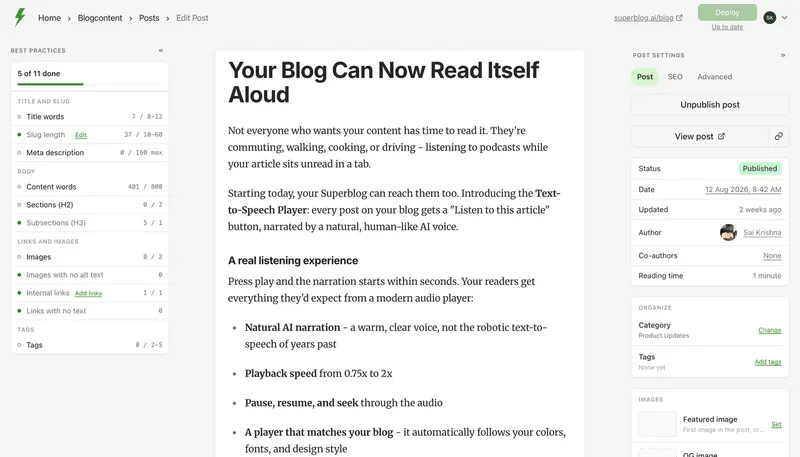
Superblog's editor is built on TipTap v3. It is a visual editor with slash commands, markdown support and keyboard shortcuts, so a writer who types ## gets a heading and a writer who prefers menus gets a menu. Code blocks are syntax highlighted inside the editor.
The SEO features sit in the editor, not in a plugin:
- Internal link suggestions. The editor reads your draft, finds related published posts by category, tag and title keywords, and suggests anchor text from your own sentences. You insert a link with one click. It shows up to 10 suggestions per post and skips posts you already link to.
- FAQ blocks. Add questions and answers as a block and Superblog generates FAQ schema for them automatically.
- SERP preview, meta title and description, canonical URL and Open Graph tags on every post.
- AI Helper (Business plan). Enter a keyword and it returns a post title and an H2/H3 outline with notes on what to write in each section.
Getting drafts in. The post editor's "Import from file" option accepts Word (.docx), Markdown and HTML files. Each file becomes a new draft, titled from the file name, with its formatting intact. There is no Google Docs connector to authorize. Download the doc as .docx or .md and import it, or paste straight from Google Docs, which carries formatting across. The export-and-import steps for Google Docs and Notion show exactly what comes across.
Review and publishing. Roles are Admin, Editor and Writer. On Pro and above, team members leave review comments on a post before it publishes, and posts can be scheduled. You can assign posts to writers, add co-authors and reschedule posts in bulk.
Images. Uploads are converted to WebP automatically and served from a CDN with 200+ edge locations. Every page scores 90+ on Lighthouse with nothing to configure.
Pricing: $49/month (Pro, up to 5 team members) or $99/month (Super, up to 10). Yearly billing is $530 and $1,070. There is a 7-day free trial, no credit card required.
Limits: Superblog is a blog platform, not a site builder, so it does not build your product pages. It has no membership or paywall features.
2. WordPress Gutenberg
Choose it for: teams with a developer who want the largest library of blocks and plugins.
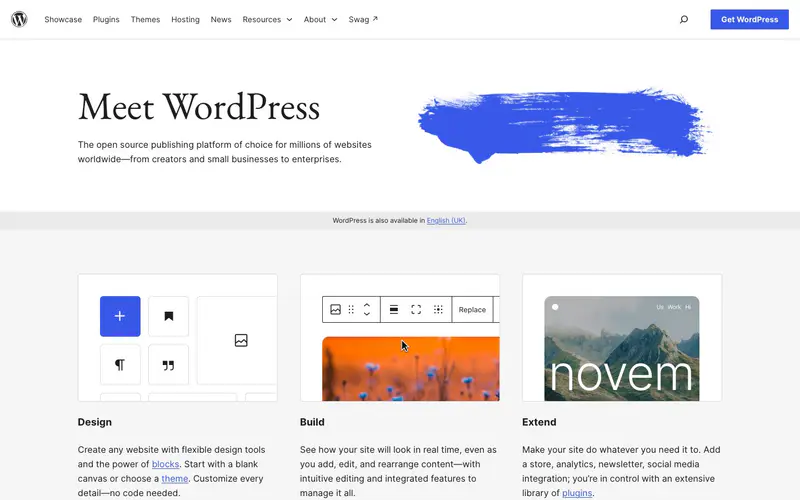
Gutenberg has been the default WordPress editor since WordPress 5.0 in December 2018. Every paragraph, image and heading is a block. You add blocks with the inserter or a slash command, reuse layouts as patterns, and open a command palette with Cmd+K. A code editor view shows the raw HTML of the whole post.
Review: WordPress roles are built for teams. A Contributor "can write and manage their own posts but cannot publish them," so an Editor or Administrator publishes. WordPress also keeps revisions of each post.
SEO help: core WordPress does not score your post. Most teams add Yoast SEO, a free plugin with SEO and readability analysis and more than 10 million active installations. That is one more plugin to update.
Limits: the editor is free, but hosting, a theme and plugins are your job. Our business blogging platform comparison covers the trade-offs for a company blog.
3. Ghost

Choose it for: writers who want the cleanest writing screen, and publishers who also send newsletters.
Ghost has the strongest pure writing screen in this list. You type / or click + to insert cards for images, galleries, embeds, HTML, bookmarks and email-only content. The editor parses Markdown as you type, and a Markdown card handles footnotes. A built-in image editor lets you adjust and annotate an upload without leaving the post.
Review: Ghost has Contributor, Author, Editor and Administrator roles. Contributors write drafts but cannot publish them. Ghost also stores post history, so you can restore an earlier version of a post.
SEO help: meta title, description and social data are fields in the post settings menu. There is no internal link helper in the editor.
Pricing: Ghost(Pro) Starter includes 1 staff user. Contributors are free and do not count toward the limit, but anyone who edits or publishes does. A team with more than one editor needs Publisher at $29/month billed yearly (3 staff users) or Business at $199/month billed yearly (15 staff users).
Limits: Ghost is built around memberships and newsletters. If you want lead capture and a blog at yoursite.com/blog, Ghost is not built for that job.
4. Webflow CMS editor

Choose it for: teams whose whole marketing site already runs on Webflow.
Webflow lets content people edit text, images and CMS items on the visual canvas, with roles that give full content access while blocking design changes. Since December 14, 2023, CMS rich text fields accept markdown, so writers can add headings and bold text from the keyboard. Teammates can leave and resolve comments in Webflow.
SEO help: Webflow includes SEO controls for pages and CMS content. There is no internal link helper in the editor.
Pricing: the Premium site plan, "for content-rich sites with robust CMS," is $25/month billed yearly. Content editors use limited seats, which Webflow sells separately.
Limits: a Webflow blog post is a CMS item, and the article body is one rich text field among the collection's other fields. If you want to keep Webflow for the site and use a dedicated blog editor, Superblog can run at yoursite.com/blog through a free Cloudflare Worker in front of your domain. The Worker sends /blog to Superblog and every other path to Webflow, and the Superblog dashboard generates the Worker code.
5. Notion-to-blog tools (Feather, Super)

Choose it for: teams that already plan and draft everything in Notion and want to publish from there.
These tools turn Notion pages into blog pages, so the blog writing editor is Notion itself. Writers draft in Notion, and reviewers use Notion's comments and suggested edits.
- Feather publishes from your Notion databases, sets meta tags and schema markup, and can serve the blog at example.com/blog. Plans start at $39/month for 10,000 pageviews.
- Super turns any Notion page into a site. Personal is $16 and Pro is $28. Sub-path hosting such as /blog is a custom service, starting at $50 plus fees.
Limits: Notion was built for documents and wikis, not for publishing. SEO help depends on the tool, not on what the writer sees while drafting. If you want to keep Notion for drafts only, export a page as Markdown or HTML and import it into a dedicated blog editor instead.
6. HubSpot Content Hub

Choose it for: marketing teams that already live in HubSpot's CRM.
HubSpot's blog editor lets you write from scratch, import posts from an external blog, or generate a draft with Breeze, HubSpot's AI. The Optimize panel in the sidebar shows SEO recommendations for the post and lets you attach it to a topic. Posts can be scheduled.
Pricing: Starter gets basic SEO recommendations. Professional starts at $450/month (HubSpot also lists $500/month) with 3 core seats and gets advanced recommendations, site auditing and topics. Extra core seats start at $45/month.
Limits: the price makes sense when the blog is one part of a HubSpot marketing stack. For the blog alone, it is a large bill.
7. Medium

Choose it for: reaching Medium's readers with posts you also publish elsewhere.
Medium's editor is minimal and pleasant to write in. Publications have owners, editors and writers, and editors can review, edit, and publish or reject submitted stories. The Import a story tool pulls in a post from its URL, backdates it, and adds a canonical link back to the original.
Limits: your posts live on Medium's pages, on Medium's template. You do not control the page design or the code on it. That makes it a distribution channel, not a home for a company blog.
8. Hashnode
Choose it for: developer teams that want a markdown blog editor.
Hashnode is free with a Markdown editor, unlimited posts, code in 25 languages, LaTeX and Mermaid. Images are compressed and converted to WebP. Team roles and review are part of the publishing tools.
Pricing: Pro is $5/month per seat and adds a custom domain, AI writing tools, scheduled posts and bulk import.
Limits: Hashnode is built for developers writing about code. A marketing team writing for buyers gets little from LaTeX and Mermaid, and the free plan has no custom domain.
How to choose
Answer these questions in order:
- Do you need the blog at yoursite.com/blog with SEO handled in the editor? Choose Superblog.
- Do you want a newsletter and paid memberships as well? Choose Ghost.
- Do you have a developer and want plugins for everything? Choose WordPress.
- Is your whole team in HubSpot already? Choose HubSpot Content Hub.
- Is your team developers writing about code? Choose Hashnode.
- Do you refuse to leave Notion? Choose Feather or Super, and check how each serves /blog.
Then test the editor with a real draft. Import one of your Google Docs, add three images, fill in the SEO fields and preview the post. The editor that handles all four without a workaround is the one to keep. For the rest of the stack around the editor, see our list of blogging tools, and our guide to an AI content workflow shows where AI fits between draft and review. If you want to see what good posts look like once they are published, browse these blog writing examples.
FAQ
What is a blog editor?
The writing screen of a blogging platform, where you draft, format and publish posts.
Which blog editor supports markdown?
Superblog, Ghost, Webflow and Hashnode all accept markdown typed into the editor.
Can I import a Google Doc into Superblog?
Yes. Download it as .docx or .md and use "Import from file," or paste it directly.
Which blog editors have SEO help built in?
Superblog, HubSpot (SEO recommendations) and, through the Yoast plugin, WordPress.
How much does a blog editor cost for a team of five?
$49/month on Superblog Pro, which includes 5 team members.
Does Superblog have an AI writing assistant?
Yes. AI Helper, on the Business plan, writes a title and outline from a keyword.
Your blog, without the maintenance
Fast pages, automatic SEO, no plugins to patch. Runs on yoursite.com/blog.
Sai Krishna is the Founder and CEO of Superblog. Having built multiple products that scaled to tens of millions of users with only SEO and ASO, Sai Krishna is now building a blogging platform to help others grow organically.
superblog
Superblog is a blazing fast blogging platform for beautiful reading and writing experiences. Superblog takes care of SEO audits and site optimizations automatically.