
Blog Analytics Tools 2026: 9 That Show Which Posts Bring Customers

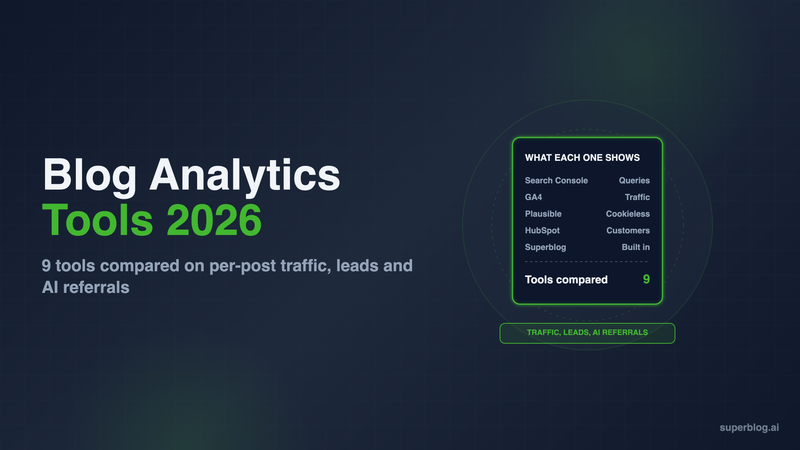
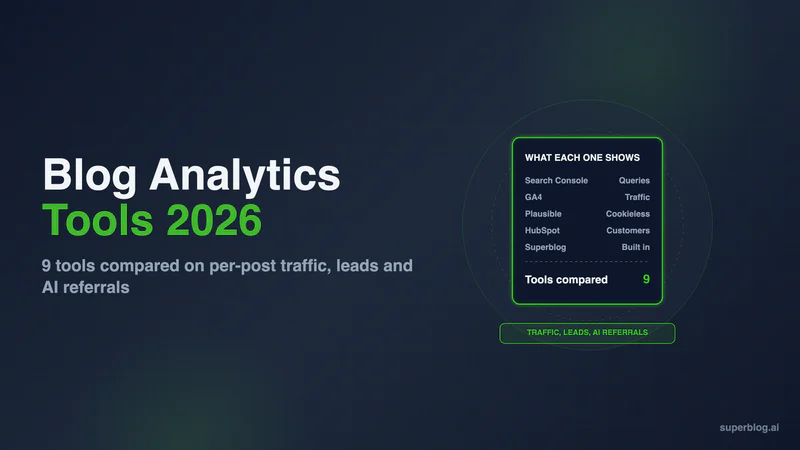
The blog analytics tools that matter for a business blog answer three questions: which posts get traffic, which search queries bring it, and which posts produce leads and customers. Google Search Console and Google Analytics 4 cover the first two for free. Plausible, Fathom and Pirsch do the same without cookies, and HubSpot ties posts to contacts and customers, with attribution reports from Professional.
We compared 9 options on what a company blog needs to measure in 2026, including visits from ChatGPT, Claude and Google AI Overviews.
What a business blog needs to measure
Pageviews alone do not tell you whether the blog is working. Our guide to blog analytics metrics covers which numbers to report. For picking a tool, these are the criteria:
- Traffic by post. Visits, entrances and time on page for each post, not only site totals.
- Search queries. The queries each post ranks for, with clicks, impressions and position. Only Google has this data, so the tool either is Search Console or connects to it.
- Conversions per post. Signups, demo requests and newsletter subscribers, tied to the post where they happened.
- AI referrals. Visits from ChatGPT, Claude, Gemini and Copilot, kept apart from ordinary referrals.
- Privacy. Whether the tool sets cookies and needs a consent banner for EU visitors.
- Price at your traffic level. Some tools are free, some price by pageviews, some by seat.
Blog analytics tools at a glance
1. Google Analytics 4

GA4 is the default for most business sites, and it costs nothing. It is also the heaviest tool on this list to set up and read.
What it does well for a blog: Page-level reports show views, engagement and key events for every post. You can link Search Console to see queries next to on-site behavior. GA4's default channel group now includes an AI Assistant channel. Google's documentation says it covers visits "from sources like ChatGPT, Gemini, Deepseek, Copilot, or Grok" and excludes Google's AI Overviews and AI Mode. You no longer have to build a custom channel group to see chatbot traffic.
Limits: Reports for a single post often take several clicks and a custom exploration. GA4 sets cookies, so sites with EU visitors usually pair it with a consent banner. Conversion tracking needs events configured for your forms or signup page.
Pricing: Free.
Choose it if you want the deepest free data and someone on the team is willing to learn the interface.
2. Built-in analytics in your blog platform (Superblog)

Superblog is a blog platform, not an analytics vendor. It is on this list because built-in analytics remove the setup step: every post is tracked from the moment it publishes, with no script to install and no consent banner to add.
What it does: Superblog includes privacy-friendly analytics built on Pirsch on the Pro plan and up. They are GDPR-compliant, use no cookies and need no consent banner. Google Analytics is also supported, so you can run both. The full Pirsch dashboard, one click from the Superblog analytics page, groups visits from AI assistants into an AI channel. The conversion side is built into the same product: lead generation forms sit below posts, in the sidebar or as pop-ups, with no third-party form tool. On Super, lead webhooks and Zapier send each new lead to your CRM.
Limits: It measures the blog, not the rest of your site. Funnels across your app, revenue attribution and session recordings belong in GA4, HubSpot or Clarity. Analytics are not part of the free trial.
Pricing: $49/month (Pro) or $99/month (Super). Yearly is $530 and $1,070. The price covers the whole blog: CMS, hosting on a CDN, 90+ Lighthouse pages and automatic SEO.
Choose it if you want per-post traffic and lead capture working on day one, without a separate analytics bill.
3. Google Search Console
Search Console is the only first-party source for the Google queries that bring people to each post. Every blog should have it connected, whatever else you use.
What it does well for a blog: The Performance report shows clicks, impressions, click-through rate and average position, grouped by query or by page. Filter by a post's URL to see every query it ranks for. That tells you which posts to update and which keywords sit just off page one.
Limits: It only measures Google Search. It cannot see what readers do after they land, and it records no conversions. Google AI Overviews and AI Mode are counted inside the overall "Web" totals in the Performance report, so you cannot split AI Overview clicks from ordinary results. Our guide to tracking AI citations covers the workarounds.
Pricing: Free.
Choose it if you publish for search. That is every business blog.
4. Plausible

Plausible is a privacy-friendly blog analytics tool with a dashboard that fits on one screen.
What it does well for a blog: Top pages, sources and entry pages on one dashboard, with no cookies and no consent banner. The Search Console integration shows search queries with clicks, impressions, CTR and position in the Sources report. Goals and custom events track signups and form submissions. It is made and hosted in the EU. It shows which AI tools such as ChatGPT and Claude send traffic, and which pages they land on.
Limits: Funnels and ecommerce revenue attribution start on the Business plan. Starter covers one site. Team members start on Growth, with up to 3.
Pricing: At 10,000 monthly pageviews, Starter is $9/month, Growth $14/month (3 sites, 3 team members) and Business $19/month. Yearly billing gives 2 months free. There is a 30-day free trial, no credit card required.
Choose it if you want clean per-post traffic and search data without cookies.
5. Fathom

Fathom is a cookie-free GA alternative priced for sites with more traffic.
What it does well for a blog: No cookies, so no consent banner. EU traffic is routed through European-owned infrastructure. Event and revenue tracking is on every plan, so you can attach a value to a demo request or signup. It connects to Search Console for search terms and positions, imports historical GA4 data, and sends email reports to people without a login.
Limits: The entry plan is higher than Plausible or Pirsch for a small blog. The free trial requires a card.
Pricing: $15/month for up to 100,000 monthly pageviews, with 50 sites included. Yearly billing gives 2 months free. 7-day free trial, card required.
Choose it if your blog already gets tens of thousands of visits a month and you want revenue values on events.
6. Pirsch

Pirsch is a German privacy-friendly analytics tool, and it is the engine behind Superblog's built-in analytics.
What it does well for a blog: It works without cookies or consent banners, and data is hosted in Germany. Standard includes events and conversion goals. It has a Google Search Console integration, referrer and UTM tracking, email reports and traffic alerts. An AI channel in the referrer panel groups visits from AI assistants.
Limits: Multi-step funnels are on Plus, not Standard.
Pricing: Standard is $6/month for 10,000 monthly page views and 50 websites. Plus is $12/month with unlimited websites and funnels. 30-day free trial, no credit card required.
Choose it if you run your blog on a platform without analytics and want the lowest entry price.
7. Matomo

Matomo is the full-featured open-source alternative to GA4, and the one to pick when you need to own the data.
What it does well for a blog: The self-hosted Community edition is free, with unlimited users and hits. Every Matomo plan includes an AI Assistants report, and its Search Engine Keywords Performance plugin pulls in Search Console queries. Goals, segmentation and scheduled email reports are standard. Matomo Cloud includes a GDPR Manager.
Limits: On self-hosted Matomo, heatmaps, session recordings and funnels are paid premium plugins. Matomo Cloud includes all Matomo features. Self-hosting means you run the server, updates and backups. The interface has GA-level depth, and GA-level learning time.
Pricing: Self-hosted Community is free. Matomo Cloud is priced by monthly hits, with 2 months free on annual billing and a free trial with no credit card.
Choose it if compliance or data ownership rules out Google, and you have someone to run it.
8. Microsoft Clarity

Clarity is a free behavior tool: heatmaps and session recordings, plus a dashboard aimed at content sites.
What it does well for a blog: Clarity is "free forever" with "no limits on traffic". Heatmaps show how far readers scroll before they leave a post. Content Insights groups readers by how many articles they read and flags readers who abandoned at the headline. Its AIPlatform channel classifies visits from ChatGPT, Claude, Gemini and Copilot, so you can watch recordings of exactly those sessions.
Limits: It is not a replacement for GA4 or Search Console. It has no search query data. Pair it with GA4 for conversions. Microsoft notes that AI visits with a hidden referrer can appear as Direct.
Pricing: Free.
Choose it if you want to see why a post with good traffic produces no signups.
9. HubSpot analytics
HubSpot is the strongest option for connecting a post to a closed customer, and the most expensive one.
What it does well for a blog: Each post's performance page shows New Contacts and New Customers, meaning customers who originally converted on that post. Attribution reports show which content created contacts, and on Marketing Hub Enterprise, which content created deals and revenue. Our blog attribution models guide explains which model to use.
Limits: Contact attribution needs Marketing Hub or Content Hub Professional or Enterprise. Deal and revenue attribution need Marketing Hub Enterprise. If your blog is not hosted on HubSpot, you install the HubSpot tracking code manually on those pages.
Pricing: Free tools cover up to 2 users. Content Hub Professional starts at $450/month with 3 core seats. Marketing Hub Professional starts at $800/month with 3 core seats, plus a one-time $3,000 onboarding fee. Marketing Hub Enterprise starts at $3,600/month, plus a one-time $7,000 onboarding fee.
Choose it if HubSpot already runs your CRM and you need to report which posts create contacts, or revenue per post on Marketing Hub Enterprise.
How to choose blog analytics tools
Start with Search Console, then add what the blog's job requires.
- Every blog: Google Search Console for queries. It is free and nothing else has the data.
- You want traffic and leads per post with no setup: a blog platform with analytics and lead forms built in, such as Superblog on Pro or above.
- You want full depth for free and will learn the interface: GA4, which now reports AI Assistant visits by default.
- You need cookie-free analytics on an existing site: Pirsch for the lowest entry price, Plausible for the cleanest dashboard, Fathom for higher traffic.
- You must own the data: self-hosted Matomo.
- Traffic is fine but signups are not: add Clarity and watch the recordings.
- Sales asks which posts produced revenue: HubSpot Marketing Hub Enterprise, or the methods in our B2B blog ROI guide.
Analytics tells you what happened. To improve rankings, pair it with the keyword and on-page tools in our blog SEO tools stack.
FAQ
Which blog analytics tools does every blog need?
Google Search Console, plus GA4 or a cookie-free tool.
Are there free blog analytics tools?
Yes: GA4, Search Console, Microsoft Clarity and self-hosted Matomo.
Which blog analytics tools work without cookies?
Plausible, Fathom, Pirsch and Superblog's built-in analytics.
Can I track ChatGPT traffic to my blog?
Yes. GA4, Plausible, Pirsch and Microsoft Clarity all report AI assistant visits.
Does Search Console show AI Overview traffic separately?
No. It is counted inside the Web search totals.
Does Superblog include analytics?
Yes, privacy-friendly analytics on Pro ($49/month) and above, plus Google Analytics support.
Your blog, without the maintenance
Fast pages, automatic SEO, no plugins to patch. Runs on yoursite.com/blog.
Sai Krishna is the Founder and CEO of Superblog. Having built multiple products that scaled to tens of millions of users with only SEO and ASO, Sai Krishna is now building a blogging platform to help others grow organically.
superblog
Superblog is a blazing fast blogging platform for beautiful reading and writing experiences. Superblog takes care of SEO audits and site optimizations automatically.