
Best beehiiv Alternatives 2026: 11 Options for Newsletters and Business Blogs

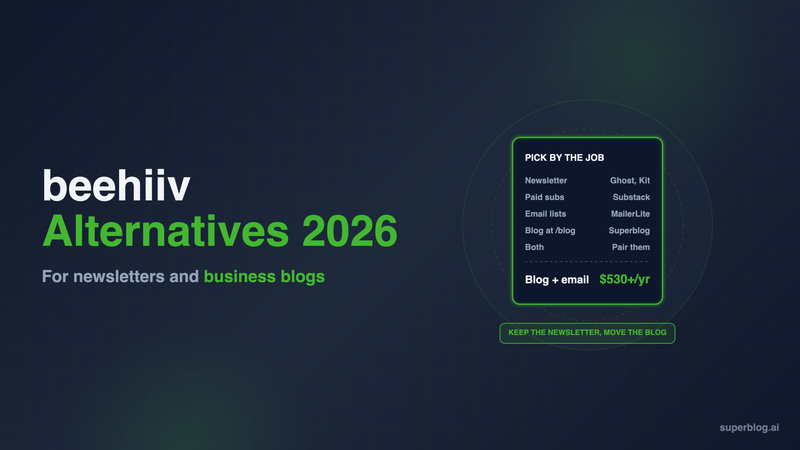
The strongest beehiiv alternatives in 2026 are Ghost, Kit, Substack, Buttondown, Mailchimp, Brevo, MailerLite and Flodesk if you want a different newsletter platform. If your real problem is the blog, the fix is a blog-first platform such as Superblog, WordPress or Webflow, paired with the newsletter tool you already use. beehiiv's own help center tells you to put beehiiv on a subdomain when your company site already owns the root domain, not at yoursite.com/blog.
This guide is for a business whose newsletter and blog both live on beehiiv. Decide which half you are replacing first, then use the table.
Why businesses look at alternatives to beehiiv

beehiiv is a strong newsletter platform. It takes 0% of paid subscription revenue, sends unlimited email on every plan, and the free plan covers up to 2,500 subscribers. Its website builder ships real SEO controls: meta titles and descriptions, a post schema type (Article, News Article or Blog Post), per-post JSON-LD, social previews and an automatic sitemap. Our newsletter SEO guide covers how far those controls take a newsletter site.
The friction shows up when the publication is also your company blog.
- The blog cannot share your main domain's path. beehiiv's custom domain guide says: "If your root domain already runs another website, such as your company site, always use a subdomain so that site keeps working." Its FAQ adds that "a single domain can't point to two different websites at once." Your posts end up on newsletter.yoursite.com or blog.yoursite.com, not yoursite.com/blog.
- Proxying is not recommended. beehiiv says proxying is not recommended for its domains, and a setup with Cloudflare Workers needs a support ticket. Putting beehiiv at /blog is not a documented setup.
- Removing the beehiiv logo takes the second-highest plan. Removing beehiiv branding starts on Pro, at $95/month billed yearly. Lite and Free keep it.
Here is what beehiiv costs at 1,000 subscribers:
Why the subdomain matters for a business: a blog on a subdomain builds authority for that subdomain, while a blog at /blog builds it for the domain your product pages already rank on. Our guide to subdomain vs subdirectory covers the tradeoff in detail.
beehiiv alternatives at a glance
Superblog sits first because this guide is for businesses whose problem is the blog, not the newsletter. If the blog lives on a subdomain and does not feed the main site's rankings, keep your newsletter tool and move only the blog.
Blog-first options: keep the newsletter, move the blog
1. Superblog
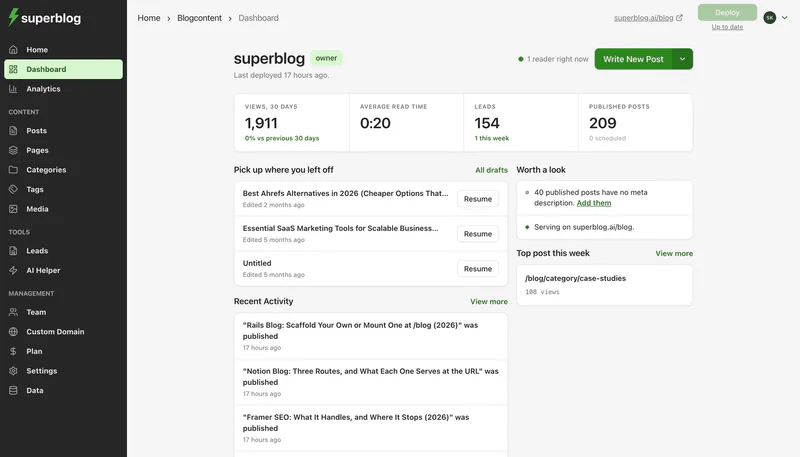
Pricing: $49/month (Pro) or $99/month (Super). Yearly is $530 and $1,070. There is a 7-day free trial, no credit card required.
Superblog is a managed blogging platform built for a company blog. The editor, blog design, hosting on a global CDN and the SEO engine ship together, so nobody installs or patches plugins.
Strengths:
- yoursite.com/blog on every paid plan. Superblog works with Next.js, WordPress, Shopify and most other stacks. If your marketing site runs on Wix, Squarespace or Webflow, a free Cloudflare Worker sends /blog to Superblog and every other path to your site builder. The dashboard generates the Worker code for you.
- SEO that runs on its own. JSON-LD schema (Article or BlogPosting, WebPage, Organization, ImageObject and FAQ), XML sitemaps, IndexNow pings on publish, and an llms.txt index with a markdown copy of every post. Pages score 90+ on Lighthouse.
- Newsletter signups without a third-party embed. Lead forms sit below posts, in the sidebar, or as pop-ups, and newsletter signup is built in. On Super, Zapier and lead webhooks pass each signup to beehiiv, Kit or whichever tool sends your email.
Limits:
- Superblog collects subscribers. It does not replace the tool that sends your newsletter, so you keep paying for one.
- There is no beehiiv importer. Export your posts from beehiiv as a CSV (Settings, Export Data, Export All Posts) and bring them in with the Spreadsheet import, which is on Super ($99/month) and handles 300 posts per run. Spreadsheet import keeps any slug you map in, and posts without one get a new slug. Redirect the old subdomain URLs to their new /blog addresses either way.
Choose it if: you want the blog on your main domain, ranking for the searches your buyers make, while the newsletter stays where it is.
The cost of the pair: Superblog Pro at $530 a year plus beehiiv Lite at $588 a year ($49 × 12) is $1,118 a year. The single-vendor route with the blog at /blog is Ghost(Pro) Business with the subdirectory add-on: ($199 + $50) × 12 = $2,988 a year, plus the reverse proxy you run yourself.
2. WordPress
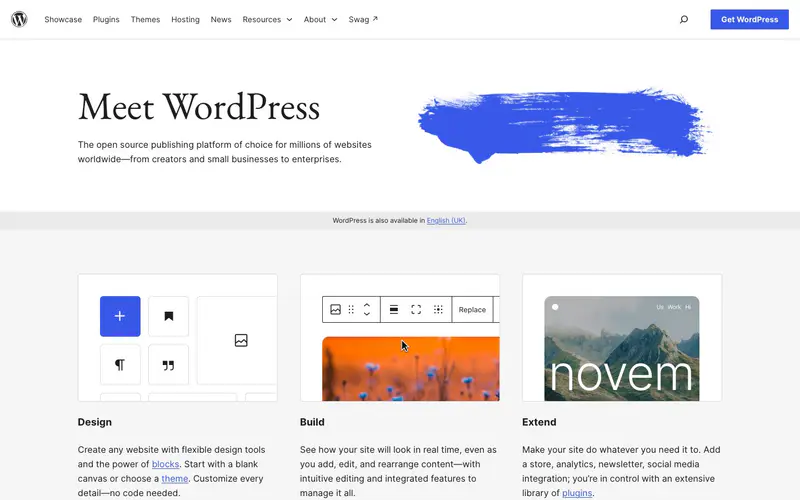
Pricing: The software is a free download. Hosted WordPress.com costs $4 (Personal), $8 (Premium) or $25 (Business) per month billed yearly.
Strengths: If your company site already runs on WordPress, the blog lives at /blog with no routing work. Every paid WordPress.com plan can install plugins, so you can add SEO, forms and almost anything else.
Limits: Every feature you add is a plugin to configure and update. If your main site is not on WordPress, putting WordPress at /blog means running a reverse proxy yourself. Our WordPress pricing breakdown adds up the hosting and plugin costs for a business blog.
Choose it if: your site is already on WordPress and someone on the team owns its upkeep.
3. Webflow

Pricing: The Basic site plan ($15/month billed yearly) has no CMS. A blog needs Premium at $25/month billed yearly, which includes 20,000 CMS items.
Strengths: If your marketing site is built in Webflow, its CMS blog shares the same domain and design system. Designers keep full visual control of the post template.
Limits: Webflow is a website builder, so you still need a newsletter tool. A site on Basic has to upgrade to Premium before it can run a blog at all.
Choose it if: your site lives on Webflow and the design team wants the blog in the same tool.
Newsletter-first alternatives: replace beehiiv entirely
4. Ghost

Pricing: Ghost(Pro) Starter is $15/month, Publisher $29/month and Business $199/month, all billed yearly. Self-hosting the open-source software is free.
Strengths: Ghost is the closest match to beehiiv's full package: a clean editor, native newsletters, and paid memberships with 0% Ghost transaction fees. IndexNow is on by default since v6.45, and llms.txt is on for new sites.
Limits: Paid subscriptions start on Publisher, not Starter. A blog at yoursite.com/blog is a $50/month add-on available only on Business, and you run the reverse proxy yourself. Our Ghost pricing guide covers both in full, and Superblog as a Ghost alternative shows the blog-only route.
Choose it if: the newsletter and memberships are the business, and the blog can live on a subdomain or justify the Business plan.
5. Kit
Pricing: Free up to 10,000 subscribers. Creator is $33/month billed yearly ($390 a year) at 1,000 subscribers.
Strengths: Kit (formerly ConvertKit) is built around automations, tagging and digital product sales. Every plan includes a newsletter website, paid newsletters, unlimited landing pages and a custom domain. RSS campaigns on Creator can email subscribers when your blog publishes.
Limits: Kit's site exists to host newsletter issues and landing pages. It is not a company blog, and the free plan keeps Kit branding.
Choose it if: you sell courses, products or a paid newsletter and want automations doing the follow-up.
6. Substack

Pricing: Free to publish. Substack keeps 10% of paid subscription revenue ("Writers keep 90% of their revenue minus credit card fees"). A custom domain is "a one-time $50 fee per publication."
Strengths: Substack's network and app put your posts in front of readers who already use Substack, and publishing costs nothing until you charge.
Limits: The 10% cut grows with revenue. Your publication lives on yourname.substack.com or a custom domain, never a path on your company site. Our Substack alternatives roundup covers the business-blog side.
Choose it if: you are an individual writer who values the audience network over owning the site.
7. Mailchimp

Pricing: Free up to 250 contacts and 500 sends a month. Standard starts at $20/month for up to 500 contacts and 6,000 emails a month, with a 14-day trial.
Strengths: Mailchimp is general email marketing for businesses: campaigns, segmentation and automations for a customer list, not only a newsletter.
Limits: Pricing climbs with contacts, and the free plan is small. It is an email tool first, so the blog still needs a home.
Choose it if: your newsletter is one part of a wider email program to customers.
8. MailerLite

Pricing: Free up to 250 subscribers and 2,500 monthly emails, including a website and a landing page. Comfort starts at $12/month.
Strengths: Low entry price, three email editors, automations on the free plan, and a site builder with a blog feature.
Limits: The free plan stops at 250 subscribers, and its blog is part of a basic site builder rather than a home for a ranking content program.
Choose it if: you want a low-cost sender and the website is an afterthought.
9. Buttondown
Pricing: Free for the first 100 subscribers. Basic is $9/month up to 1,000 subscribers and Standard is $29/month up to 5,000. Features such as paid subscriptions (+$9/month) and archives on a custom domain (+$29/month) are paid add-ons.
Strengths: Buttondown is a lean newsletter tool from an independent, self-funded team. You write in markdown or rich text, send from your own domain, and every issue lands in a hosted archive that reads like a basic blog.
Limits: The add-on model means the real bill depends on which extras you switch on. The archive sits on Buttondown or a custom domain of its own, never at a path on your company site.
Choose it if: you want a plain, lean sender for a text-led newsletter and pay only for the features you use.
10. Brevo

Pricing: A free plan, no credit card needed. Starter is $9/month from 5,000 emails a month and removes the Brevo logo. Standard is $18/month. Yearly billing takes 10% off.
Strengths: Brevo covers email plus SMS, WhatsApp and web push, with automations, segmentation and transactional email from one account. That suits a business whose newsletter shares a list with product and sales email.
Limits: Brevo has no blog. Landing pages start on Standard. Plans tier by monthly email volume, and Starter at 5,000 emails a month caps the list at 500 contacts.
Choose it if: the newsletter is one channel in a wider customer messaging program.
11. Flodesk

Pricing: The free plan covers forms, landing pages and a link-in-bio page but does not send email. The Email plan is $38/month billed yearly ($46 monthly) with unlimited subscribers and unlimited sends. Everything is $79/month billed yearly and adds checkouts, sales pages and subscriptions. There is a 14-day free trial.
Strengths: Flodesk charges one flat rate, so the bill stays the same at 2,000 or 50,000 subscribers. Designer templates and custom fonts make branded emails quick to build, and Email plans remove Flodesk branding.
Limits: There is no blog or newsletter archive site, only forms, landing pages and a link-in-bio page. Teams get one seat on Email.
Choose it if: your list is growing fast and a predictable bill matters more than a website.
How to choose
- Is the newsletter or the blog the problem? If readers, deliverability and revenue are fine, keep beehiiv and move the blog. If the newsletter itself is the problem, pick from Ghost, Kit, Substack, Buttondown, Mailchimp, Brevo, MailerLite or Flodesk.
- Does the blog need to rank for buyer searches? Then it belongs at yoursite.com/blog. Superblog, WordPress on a WordPress site, and Webflow on a Webflow site get you there without a $50/month add-on.
- Do you charge readers? Ghost, Kit and Substack handle paid subscriptions, Buttondown does it as a $9/month add-on, and Flodesk sells subscriptions on its Everything plan. Superblog, WordPress and Webflow do not replace that part.
- Add the costs as a pair. A blog platform plus a newsletter tool often costs less than one platform's top tier. For more options for a company blog, see the best blogging platform for business.
FAQ
Which beehiiv alternative is right for a business blog?
Superblog, if the blog must sit at yoursite.com/blog and rank.
Can beehiiv host a blog at yoursite.com/blog?
No. beehiiv's help center says to use a subdomain when your root domain runs another site.
Does Superblog send newsletters?
No. It collects signups with built-in forms and, on Super, passes them to your email tool through Zapier or webhooks.
Who are beehiiv's main competitors?
Substack, Ghost, Kit, Mailchimp, MailerLite, Buttondown, Brevo and Flodesk.
Is there a free alternative to beehiiv?
Yes: Substack, Kit (up to 10,000 subscribers), Mailchimp (up to 250 contacts), MailerLite (up to 250 subscribers), Buttondown (up to 100 subscribers) and Brevo.
Can I move my beehiiv posts to Superblog?
Yes. Export all posts as a CSV from beehiiv and use Superblog's Spreadsheet import on the Super plan.
Bottom line
beehiiv is a capable newsletter platform, and many businesses should keep it. What it is not built to do is run your company blog on your main domain. If you want a different newsletter tool, Ghost is the closest full replacement and Kit is the strongest for automations. If you want the blog to bring in search traffic, move it to Superblog at yoursite.com/blog and let your newsletter tool keep sending. Superblog Pro is $49/month, with a 7-day free trial and no credit card required.
Your blog, without the maintenance
Fast pages, automatic SEO, no plugins to patch. Runs on yoursite.com/blog.
Sai Krishna is the Founder and CEO of Superblog. Having built multiple products that scaled to tens of millions of users with only SEO and ASO, Sai Krishna is now building a blogging platform to help others grow organically.
superblog
Superblog is a blazing fast blogging platform for beautiful reading and writing experiences. Superblog takes care of SEO audits and site optimizations automatically.